
Your proxy is connected and an IP lookup shows the expected region, so why can another website still see a different address? If the DNS results do not belong to your proxy provider, does that mean there is a leak? And if Canvas produces a fingerprint every time, is that necessarily unsafe?
These questions involve both network paths and the browser's own behavior. Looking up whether an address is residential or how low its risk score is will often fail to explain the cause. BrowserLeaks earns its value by separating these observations into modules and preserving enough detailed output to let the investigation continue.
I would recommend it to people who need to check a configuration carefully, particularly those who have already noticed an anomaly and need to describe it to technical support. Its strength is taking you from “something is wrong” to “which item, along which path, and under which conditions,” rather than giving you an attractive overall environment score. The learning curve comes from the same strength: there is a lot of raw information, and every visible detail cannot be treated as evidence of a leak.
Which Module Should You Open First? Follow the Problem
BrowserLeaks provides tools for IP information, JavaScript, WebRTC, DNS, Canvas, WebGL, fonts, geolocation and TLS. They are a collection to select according to the symptoms, rather than steps arranged into a fixed acceptance procedure.
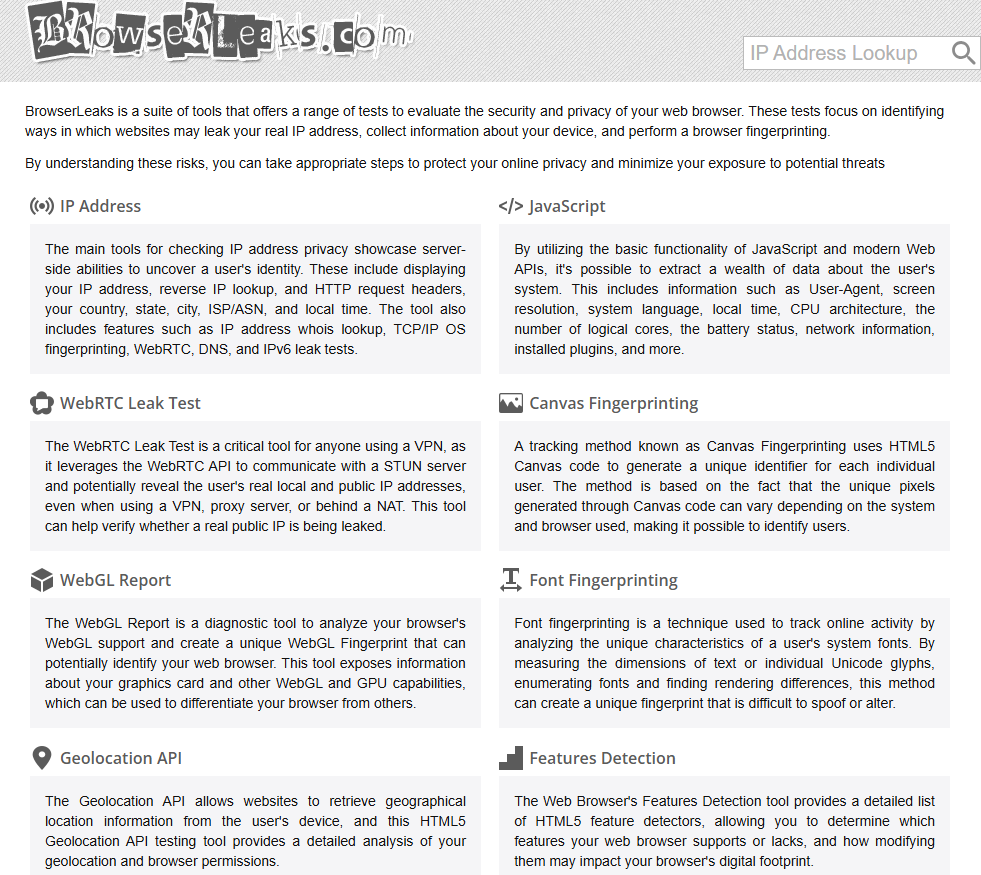
If you are unsure where to start, I would allocate attention this way: if the address is wrong, first confirm the exit for ordinary requests; if you are worried about real-time communications bypassing the proxy, check WebRTC; if you suspect the resolution path, check DNS. Once the connection is confirmed to work as expected, investigate fingerprints and browser characteristics. The effort of interpreting a module is worthwhile when it relates to the problem.
| Current problem | What to examine first | Distinctions to preserve |
|---|---|---|
| The exit address visible to a webpage differs from expectations | IP and request information | Manually looking up an address does not verify the current browser |
| Additional addresses appear in certain circumstances | WebRTC candidates, their types and SDP | A local name is not necessarily a public IP leak |
| The resolver's location or affiliation is unexpected | DNS tests and resolution settings | A resolver outside the proxy provider does not automatically mean a leak |
| Different environments are still being associated | Indicators from Canvas, WebGL, fonts, TLS and other modules | The existence of a fingerprint does not establish how a platform links activity |
This structure is practical for technical users, who can go directly to a module and compare similar output. Operations staff may find it fragmented. The site does not proactively explain how important every item is to the current task, so choosing the right starting point matters more than the number of tests available.
The WebRTC Page: Read the Summary, Then Examine Candidates and Raw Records
The WebRTC test page separates the IP visible remotely, browser support, WebRTC addresses and SDP content, while also showing media devices and permission status. This layout is more useful than a red-or-green verdict alone because it lets you compare the summary with the underlying information.
WebRTC is a set of browser technologies for real-time audio, video and data communication. To find paths over which the parties can connect, the browser gathers ICE candidates: possible connection paths. A candidate does not establish that a leak has occurred. It is a path proposed by the browser, and needs to be assessed by type, address range and whether it falls outside expectations.
Understand Three Common Candidate Types Before Judging the Address
MDN's explanation of candidate types distinguishes host, srflx, relay and other types. Ordinary users do not need to memorize the entire protocol, but should at least understand why these types differ.
host: A Candidate from a Local Network Interface
This relates to the device or its local network. Modern browsers may protect some local information using mDNS names. During the page observation on October 21, 2026, candidates in .local form were visible. Such a name is not a second public exit address, and the name alone does not establish that the real public IP has been exposed.
If a private address appears, its meaning also needs to be distinguished. A private address on a home network is different from a public address. It may reveal something about network characteristics, but should not automatically be described as “the website obtained the home's public exit address.”
srflx: A Mapping Observed by an External Server
This type of candidate usually comes from an external address observation through a mechanism such as STUN. It is particularly worth comparing with the expected exit: if ordinary webpage requests use the proxy while observations relating to real-time communication reveal another public address that should not be exposed, routing and policies need further investigation.
Location alone is insufficient. Two addresses being placed in the same country by a geolocation database does not make them the same path. Conversely, if a resolution or relay service is placed in another region, its role needs to be established first.
relay: A Path Provided Through a Relay Service
A relay candidate's address belongs to the relay path and is not necessarily the user's direct public address. When an unfamiliar address appears, determine whether it is a relay before judging it anomalous. Otherwise, even a relay that protects a connection may be mistaken for an “additional leak.”
I appreciate BrowserLeaks preserving the raw candidates. This allows users to explain differences rather than simply trust a summary verdict. The tradeoff is that copying the entire page without understanding the types can easily lead to the wrong question being sent to support.
Not Every Address in SDP Should Count as a Leak
SDP is a text format describing session and connection capabilities. It may contain candidates, placeholders, loopback addresses and other fields. Values such as 0.0.0.0 and 127.0.0.1 need to be interpreted in their particular context. Counting multiple IP strings is not a way to count risks.
SDP is useful as evidence precisely because individual fields can be checked, rather than because a longer record looks more technical. If the summary looks normal but a raw candidate raises a question, save the candidate type, protocol and necessary address information, and explain how they differ from expectations.
The complete text can also contain temporary credentials and session information. When submitting it to support, retain only what is needed to locate the problem. Publishing an unprocessed log in an article or group chat does not make the conclusion more reliable.
Why Does Modern Research Still Support Checking WebRTC?
Nibert and colleagues' “Preventing WebRTC IP Address Leaks” studies browsers, VPNs, and HTTP/S and SOCKS proxy conditions on Linux, macOS and Windows. In their audio and video communication tests, the authors found that sensitive public IP information could still be exposed, with non-NAT enterprise networks deserving particular attention.
This is the authors' publicly available accepted-paper version. It is neither an experiment conducted for this review nor a comparison of BrowserLeaks' accuracy. Its value is in showing why a correct IP on an ordinary webpage does not establish that all real-time communication paths also behave as expected. Specific results still depend on conditions such as the browser, network and permissions.
This leads me to place more emphasis on checking the actual use case. Reading webpages and participating in meetings or using audio and video features may invoke different capabilities. A simple test page can provide clues without covering everything an application may do after receiving permission.
Likewise, conclusions about browser versions in older research should not become universal rankings for today. Research tells us which conditions to observe; whether the current configuration has a problem still needs verification in the relevant environment. BrowserLeaks' detailed output can support that process, rather than replace it.
The DNS Page: See Who Resolves Names, Then Compare with Your Expectations
DNS converts domain names into addresses that can be connected to. When browsing, an application must decide both which connection carries a request and who resolves the domain name. If you expect all relevant activity to follow a designated path but resolution requests still use an unwanted network, that needs investigation.
The useful part of this DNS test is that it uses fresh domains to find the resolution services involved, rather than merely list configured server names. It tests 50 random domains: 25 with IPv4-only records and 25 with IPv6-only records. Those are the address records a domain returns, not proof that the DNS requests themselves traveled over separate IPv4 and IPv6 paths.
If You See Google, Cloudflare or Another Public Resolver, Check the Configuration First
A resolver belonging to a different company is insufficient evidence of a leak. The browser may have encrypted DNS enabled, the system may specify a public resolution service, or the proxy or enterprise network may use forwarding. Establish who is supposed to handle DNS before comparing that expectation with the result.
A resolver's geographic location is not direct evidence of the user's device location either. Services may be distributed, and geolocation databases may place resolver nodes differently. “DNS is in another country” alone is insufficient to explain the complete path.
I see the strength of this module in providing observations without forcing users to accept a single supplier's solution. Its weakness is that results require configuration context. Someone without a clear expected path may finish reading with little more than an unfamiliar organization name. A review recommending this module needs to supply that explanatory step.
Are Empty DNS Results Safer?
No. A script failing to run, blocked requests, network delays or an unfinished module can all prevent results from appearing. Unknown is not equivalent to no leak. If disabling JavaScript leaves most modules blank, “the test could not detect anything” should certainly not be rewritten as a passed environment check.
For actual troubleshooting, I would record whether the module completed, the encrypted DNS settings at the time, the scope of the proxy and the browser version. Saving a few resolver names alone is often insufficient for someone else to reproduce the problem.
Canvas, WebGL and Fonts: Why Might They Stay the Same After Changing IPs?
A proxy changes the network exit. It does not automatically change the browser's graphics stack, fonts or system environment. BrowserLeaks presents these separately, helping explain why activity may still be associated after a proxy change.
The Canvas module asks the browser to draw specific content and creates a signature from output such as the resulting pixels. The WebGL module observes graphics capabilities and rendering information, while the fonts module examines text dimensions, glyphs and available-font characteristics. Each may provide clues for distinguishing environments, but they are different tests.
A Hash Does Not Prove Global Uniqueness
A hash can be understood as a short identifier derived from a set of outputs. It is useful for comparing whether two outputs match, but uniqueness requires a sample and statistical context. Displaying a signature or a measure of relative rarity does not establish that yours is the only such device in the world.
The Canvas page provides code and examples, helping explain where the result comes from. That is a strength in transparency. Conversely, image differences between users in the examples cannot be expanded into an identification success rate for all browsers.
I would use these modules to investigate configuration changes: whether one environment remains stable, whether a particular setting changes the output, and whether different modules contain conflicts that are hard to explain. Establishing exactly which characteristics a particular platform uses requires separate evidence. You cannot infer that from BrowserLeaks' field list.
Do Not Create More Inconsistencies Just to Make Results Change Every Time
Randomization can change some outputs, but its effects need to be assessed in terms of implementation, detectability and stability. A signature that constantly changes does not establish that activity is harder to associate. If other characteristics stay the same while one fluctuates unusually, that combination itself needs explanation.
This is also why I am cautious about claims of an “all-green fingerprint.” BrowserLeaks provides technical output without necessarily defining one universal best state for every item. For a normal working environment, more useful goals are understandable results, suitability for the task and changes with identifiable causes, rather than making every module look as distinctive or as ordinary as possible.
TLS Adds Diagnostic Depth, but Is Not Another IP Reputation Score
TLS Client Test displays the connection's protocol, cipher suites, extensions and fingerprints such as JA3 and JA4. TLS provides a layer for establishing encrypted connections. These fingerprints examine handshake characteristics, a different subject from geolocation or residential status.
The module can help investigate whether what the browser claims matches how its connection actually behaves, and may indicate outdated or undesirable protocol configurations. If someone changes only the User-Agent in a request without changing the actual client, this module offers more to investigate than the text declaration alone.
However, how a proxy forwards traffic, including whether it terminates or reestablishes a connection, affects what the remote end observes. You cannot simply state that “SOCKS5 always hides the TLS fingerprint,” or conclude from normal TLS labels that the browser has no other identifiable characteristics. The client and connection method need to be understood before interpreting the result.
I consider TLS one reason BrowserLeaks has more depth than a simple leak page: it extends investigation from the IP to the client's connection characteristics. Ordinary operations users can read this part as needed; there is no reason to configure every option merely to cover every item.
The Practical Challenge: Plenty of Raw Information, but No Ready-Made Priorities
BrowserLeaks separates its modules clearly, often places results alongside explanations, and provides code or references on some pages. For support staff, developers and anyone who needs to verify a result, this makes communication easier than a single percentage would.
The drawbacks are abundant terminology, switching between pages and the absence of a ready-made conclusion for every proxy task. On a first visit, it is easy to confuse support for a feature with execution of that feature, a permission not granted with an absence of risk, or a normal result in one module with a pass for the entire environment.
The help content also needs to be checked for currency. For example, the WebRTC page still describes historical browser extension approaches, while browser support, extension availability and policies change. Actual fixes should return to the current version's settings, rather than copying older help text into universal instructions.
I would therefore recommend different levels of use. Beginners can start with the symptoms relevant to IP, DNS and WebRTC; people responsible for configuration should preserve candidates and raw fields; those investigating fingerprints can move into graphics, fonts and TLS. The site supports a deeper investigation without requiring everyone to read everything in one sitting.
A Practical Troubleshooting Process: Give Every Change a Reason
The following is a suggested procedure, not a commercial proxy experiment completed for this review. Its purpose is to avoid changing so many conditions at once that you cannot tell which setting made the difference.
1. State how the connection should work
Which program uses the proxy? Which requests should pass through it? Which exit should the website see? Write those expectations down before judging a result. A proxy configured in a browser does not necessarily apply to other applications.
2. Choose modules that relate to the problem
If the webpage exit is wrong, check setup first. If WebRTC shows an unwanted public address, examine real-time communication settings. If DNS differs from expectations, check resolution settings. Fonts and graphics can wait; they need not be changed at the outset.
3. Change one setting, then reconnect
Keep the same results before and after, noting the IP, permissions and completion status. Old connections and caches may retain previous settings, so establish a new connection for the check. That makes it easier to identify which change made a difference.
4. Repeat the actual task
If the issue affects a meeting, check the call. If it affects an application, return to that application. A normal test page is useful evidence, but it has not checked every program for you.
If you use PuraRoute to connect a browser, you can first follow its DICloak configuration guide or documentation for the relevant client, then use BrowserLeaks to check the actual exit and relevant modules. The configuration guide explains how to connect; the test page helps reveal what happens afterward. This is a more complete approach than buying an address and only checking its resource labels.
Keep in mind that product support for HTTP(S) or SOCKS5 does not mean every application, resolution request and real-time communication path automatically falls under the same setting. When an anomaly appears, identifying its path is the first step toward deciding whether to adjust the client, change a network policy or report it to the supplier.
How Would I Write a Report That Support Can Act On?
I would replace “the browser is leaking” with a specific description: which expected exit ordinary requests show, what discrepancy appears in which module, and under which browser, proxy mode and permission conditions it can be reproduced. Providing the necessary fields is more useful than sending ten screenshots with no clear order.
If the results contain only .local names, describe the observed form of local-candidate protection rather than directly calling it a public IP leak. If an unexpected public candidate actually appears, record the type and conditions. If a module did not complete, retain the unknown status instead of deciding the result for it.
For modules such as Canvas or TLS, explain what change you are comparing rather than broadly asking someone to “fix the fingerprint.” Different tasks do not have a universal fingerprint answer; support needs to know where your expectations conflict with the actual behavior.
This is BrowserLeaks' practical value: it provides enough information to turn a broad claim that “something is wrong with the environment” into clues that can be investigated further. When results are interpreted within their scope, it is more useful than pursuing an overall score.
Three Common Scenarios: Moving from Results to a Solution
The following scenarios show how to choose a module, read its results and decide what to do next. They help establish whether BrowserLeaks suits the problem you face.
The Webpage Exit Is Correct, but WebRTC Shows an Unexpected Public Candidate
First check the candidate type, address range and browser configuration, rather than continuing to ask whether the IP is residential. If the address genuinely should not be exposed, ordinary webpage requests and real-time communication need separate investigation. Confirm the proxy's scope, the relevant networking capabilities and the current browser policies, then check again under the same conditions.
If the result is only a .local name or relay address, the conclusion differs. Establish its role first, rather than blindly disabling features to remove an unfamiliar string. BrowserLeaks' advantage is that the raw fields let you distinguish these situations, rather than simply notice a second address.
DNS Appears to Be in Another Region, with No Other Anomalies
First identify the resolver, whether a public service is in use and how the location was inferred. If browser-level encrypted DNS was explicitly configured, this path may already be expected. Whether to change it depends on your privacy objectives and task requirements.
If resolution is expected to follow a designated path but is instead handled by an unwanted network, configuration repair is warranted. Both situations may look like “a different company or country,” yet call for different actions. A location icon alone cannot settle that distinction.
The Fingerprint and Platform Problem Remain After Changing Proxies
This is insufficient to establish that the new proxy failed to take effect. The address, browser characteristics, an existing login session and task behavior are different pieces of information. First confirm whether the exit changed, then investigate which conditions relate to the specific problem. Attributing everything to the IP can lead to repeated resource changes while preserving the actual cause of the fault.
BrowserLeaks can list the technical characteristics exposed by the browser to help narrow the investigation. It cannot explain the target platform's internal rules on that platform's behalf. Without corresponding evidence, the relationship should remain uncertain; an identical signature alone cannot be presented as proof that the platform linked accounts.
Together, these scenarios show that diagnosis should produce an understandable next step. After a fix, confirm whether the original anomaly has disappeared and the actual task has recovered, rather than simply checking whether the page has fewer fields. Disabling a feature or blocking requests can also reduce results without making the working environment better overall.
My Assessment: A Strong Troubleshooting Tool That Needs Resource Information for Purchasing
If the question is whether an IP comes from a network that meets your requirements, resource lookups such as IPinfo and Ping0 are more direct. If the question is what the browser exposes outside the proxy, BrowserLeaks gets closer to the cause. Compared with Whoer's overview, it is less lightweight but offers more raw evidence. Compared with IPLeak, it goes into more detail through modules examining browser capabilities and fingerprints.
I recommend it because a finding can lead to a deeper investigation. Beginners need time to understand the output, and some help content needs checking against the current version. A No Leak result is useful, but after changing the browser, permissions or connection method, check the relevant items again.
A good leak-testing tool should help users understand what to investigate next, rather than only what to fear. By that standard, BrowserLeaks is a tool with depth that rewards patience. Opening every page and counting apparent anomalies is unlikely to make the best use of it.
FAQ about BrowserLeaks
Can BrowserLeaks certify the quality of a residential proxy?
It mainly examines browser and connection behavior. Residential status, delivery location, historical reputation and proxy performance still require the corresponding information and tests. A normal result in one item cannot replace them.
Does a .local name in WebRTC mean the real public IP has leaked?
That conclusion cannot be drawn from the name. First check the candidate type and content. An mDNS local name is not an additional public exit address.
Does No Leak mean every module is fine?
No. It applies to a particular testing scope. DNS, fingerprints, permissions and other applications need separate interpretation.
Must I replace the proxy if the DNS resolver belongs to another company?
Not necessarily. First check the expected resolution method, encrypted DNS and client configuration. A different organization name alone is insufficient to establish a leak.
If the Canvas fingerprint stays the same after changing IPs, did the proxy fail to work?
Not necessarily. Canvas primarily reflects the browser and rendering environment; a change in proxy exit does not automatically change it. Actual connections and the exit address establish whether the proxy is being used.
Are blank modules after disabling JavaScript a sign of greater safety?
Blank results may mean the test could not run, and cannot be counted as a pass. Whether to restrict scripts depends on the actual task and privacy objectives.
Can normal TLS or JA4 results guarantee that a platform will not impose restrictions?
No. They provide only part of the information about connection characteristics. Platform decisions and account status are separate questions.
