
You open ChatGPT to finish an assignment, write an email, or look up information, but the page refuses to load. Maybe you're at school and the website is blocked, or you're using office Wi-Fi that doesn't allow access to certain AI tools. Sometimes, ChatGPT works on your phone but fails on your computer, leaving you wondering what went wrong.
The good news is that getting ChatGPT unblocked may be easier than you think, depending on what is causing the problem. Some access issues come from network restrictions, while others involve browser settings, regional availability, or temporary server errors. You may also be able to test another network route using a residential proxy where permitted. In this guide, you'll learn why ChatGPT becomes unavailable, how to troubleshoot common errors, and what to consider when accessing ChatGPT without a VPN in 2026.

Why Is ChatGPT Blocked or Unavailable?
Before searching for ways to get ChatGPT unblocked, it helps to understand what is stopping your connection. Not every access problem means ChatGPT has been deliberately blocked. Some restrictions come from your country, school, workplace, or internet provider. Others happen because ChatGPT is having a temporary service issue.
Knowing the difference can save you time and help you choose the right solution. For example, changing your browser settings might solve a login error, but it will not fix an OpenAI server outage. Let's look at the most common reasons why ChatGPT becomes unavailable.
Regional Restrictions and ChatGPT Availability
ChatGPT is available in many countries, including the United States, Canada, the United Kingdom, Japan, and Australia. However, OpenAI does not support access from every country or territory. If you try to use ChatGPT from an unsupported location, you may receive a message saying the service is unavailable in your country. OpenAI also warns that accessing its services from unsupported regions may lead to account restrictions or suspension. You can check the official ChatGPT supported countries list before trying to connect.
Travel can make this problem more confusing. Imagine that you normally use ChatGPT in the United States but travel to a region where OpenAI does not offer its services. Your account may work normally at home but become unavailable during your trip. OpenAI also explains that some users may still see an unsupported-country error after returning to a supported location. In that case, clearing browser cookies, using a private window, or trying another browser may help. Getting ChatGPT unblocked in this situation depends on whether you are in a supported region and what is causing the location error.
School and Workplace Network Restrictions
Schools and companies often control which websites people can open on their networks. A school may restrict ChatGPT during exams or limit access to certain online tools under its technology policy. A company may restrict AI services to protect private business data or manage which tools employees can use. These rules can be enforced through firewalls, web filters, or security software. As a result, ChatGPT may be available in your country but still fail to open on a managed network.
For example, imagine a student who can open ChatGPT on a personal home connection but gets an access-denied page on school Wi-Fi. That difference suggests that the school's network rules may be involved. A similar problem can happen at work when an employee can reach the ChatGPT website but cannot log in or load conversations. OpenAI's network recommendations explain that company network filters can interfere with the domains ChatGPT needs. If the restriction is intentional, the best way to get ChatGPT unblocked at school or work is to ask an administrator whether approved access is available.
ISP Blocking and DNS Filtering
Your internet service provider (ISP) or network administrator can also affect access to ChatGPT. One common method is DNS filtering. DNS helps your browser find the server connected to a website name, such as chatgpt.com. A DNS filter checks that request against a list of blocked websites or categories. If the domain is restricted, the filter may stop your browser from finding the website.
For example, suppose ChatGPT works through one internet connection but fails through another. You might see a DNS error, a blocked-site notice, or a page that never finishes loading. These signs can point to network filtering, although they do not prove that your ISP is deliberately blocking ChatGPT. DNS problems can also come from incorrect settings or temporary connection failures. Checking whether other websites load normally and whether the same error appears on another authorized network can help narrow down the cause. If DNS filtering is responsible, getting ChatGPT unblocked may require a network administrator or ISP to review the restriction rather than changing browser settings.
ChatGPT Server Issues and Connection Errors
Sometimes, ChatGPT is unavailable even when your internet connection is working perfectly. OpenAI may experience server outages, login errors, or temporary problems that prevent users from opening conversations. These failures can affect many users at the same time. You might see an endless loading screen, a network error, or a message saying that something went wrong. When this happens, the problem may be on OpenAI's side rather than yours.
A server problem can look similar to a network block, especially when ChatGPT keeps loading or displays an unexpected error. However, the solution is different because changing your IP address or browser settings cannot repair an outage on OpenAI's servers. Before trying to get ChatGPT unblocked, visit the official OpenAI Status page to check for reported service problems. If no outage is reported, try refreshing the page, opening ChatGPT in a private browser window, or checking whether a browser extension is interfering with the connection. Finding the actual cause is more useful than changing network settings at random.
How to Get ChatGPT Unblocked in 2026
Now that you know why ChatGPT may be blocked, the next step is finding a way to restore access. The right solution depends on whether the problem comes from OpenAI, your browser, or the network you are using. For example, a student dealing with school Wi-Fi restrictions may need a different approach than someone facing a browser connection error. Getting ChatGPT unblocked does not always require special software or changes to your IP address.
Many connection problems can be fixed with a few simple checks. Start with methods that do not change your network settings, then explore other options if the problem continues. The following five methods explain how to get ChatGPT unblocked in 2026, where each option works best, and what to keep in mind before trying it.
Method 1: Check ChatGPT's Official Availability and Server Status
Before changing anything on your device, make sure ChatGPT is available in your location and that OpenAI's servers are working. Visit OpenAI's official status website to see whether ChatGPT is experiencing an outage. You should also check OpenAI's supported countries list if you are traveling or connecting from a new region. These two checks help you avoid spending time fixing a problem that is not caused by your device.
For example, imagine that ChatGPT suddenly stops responding while other websites continue working normally. If OpenAI reports a service issue, changing browser settings or switching proxies would not fix the underlying problem. Instead, you can follow the official updates and try again after the affected service is restored. If you need ChatGPT unblocked access for an important task, checking the service status first can prevent unnecessary troubleshooting.
Method 2: Switch to Another Authorized Network
If ChatGPT works normally for other people but not on your current connection, the network itself may be responsible. Schools, offices, and public Wi-Fi providers can use firewalls or content filters to restrict certain websites. One simple way to identify a network-related problem is to test ChatGPT on another network that you are allowed to use. For example, you might compare your home Wi-Fi with your own mobile data connection. OpenAI also recommends trying another network when troubleshooting login and connection errors.
Imagine that you are working from home and ChatGPT loads on your phone but not through your office's remote network connection. That difference suggests the company connection or its security settings may be involved. However, it does not prove that ChatGPT is intentionally blocked, because network errors can have several causes. If your school or employer has an access policy, ask the IT team whether ChatGPT is approved before changing connections to use the service. For personal networks, switching to another permitted connection may help you get ChatGPT unblocked without installing additional tools.
Method 3: Check Browser Settings and DNS Configuration
Sometimes, the network is working, but your browser prevents ChatGPT from loading correctly. Old cookies, broken cache files, or browser extensions can interfere with login pages and security checks. OpenAI recommends clearing your browser cache and cookies, trying a private window, and temporarily disabling extensions when diagnosing these errors. You should also make sure JavaScript and the required cookies are allowed for ChatGPT's login pages. These changes are especially useful when the website opens but gets stuck during sign-in.
For example, you might open ChatGPT in Chrome and see a verification screen that keeps refreshing. Try opening the same page in an Incognito window without your usual extensions. If it works there, an extension or saved browser setting may be causing the problem. If you see a DNS-related error instead, check whether other websites load and whether your device uses a custom DNS service. A personal DNS setting may be causing trouble, but a managed DNS filter should be reviewed by your network administrator. Getting ChatGPT unblocked is often easier once you know whether the failure happens in the browser or before the website can connect.
Method 4: Use a Residential Proxy Where Permitted
If you are allowed to use a proxy on your network, a residential proxy may be worth considering when your usual internet connection has routing or IP-related problems. Unlike a datacenter proxy, a residential proxy routes traffic through an IP address associated with a residential internet connection. This changes the public IP address that websites see, without requiring you to change your physical location. Some residential proxy services also let you choose an available country or city, which can be useful for testing how a website behaves from different networks.
For example, imagine that you work remotely in a country where ChatGPT is supported, but your usual network connection has trouble reaching the service. An authorized residential proxy could provide another route to test whether the problem is related to your current IP address or network path. However, a different residential IP does not guarantee ChatGPT unblocked access. OpenAI may flag certain proxy connections, and changing your IP will not fix server outages, account restrictions, or unsupported-country rules. Proxy use should be limited to permitted situations where there is a clear reason to test another connection.
Method 5: Try Official ChatGPT Apps or Alternative AI Tools
If ChatGPT keeps failing in your browser, you can also try an official ChatGPT app. OpenAI provides mobile apps for Android and iOS, allowing users to access their conversations without opening ChatGPT in a regular browser. This can help when the problem comes from a browser extension, damaged cookies, or a browser-specific setting. For example, if ChatGPT repeatedly fails to load in Chrome on your personal computer, you could try the official app on your phone using an authorized connection. Make sure OpenAI is listed as the publisher when downloading an app.
However, switching to the app will not remove regional restrictions or automatically bypass a school or workplace network policy. If you cannot get ChatGPT unblocked, another approved AI tool may help you finish your work. Tools such as Google Gemini, Microsoft Copilot, or Claude can handle many common tasks, including writing, summarizing, and explaining difficult topics, although their features and availability differ. For example, a student who needs help understanding a science concept might use a school-approved AI assistant instead of trying to access a restricted service.
Why Use Residential Proxies for ChatGPT Unblocked Access?
The methods above can help solve many ChatGPT connection problems, but some users may still need a different network route. This is where residential proxies can be useful, especially when an authorized connection has IP-related or routing issues. Instead of sending requests directly through your usual internet connection, a residential proxy sends them through an IP address associated with a home internet network. This gives users another way to test network access without changing their physical location.
However, ChatGPT unblocked access is not guaranteed simply because you use a residential proxy. The results depend on the proxy's IP address, connection quality, OpenAI's security checks, and whether the service is supported in your location. Understanding how residential proxies work can help you decide whether they are suitable for your needs.
How Residential Proxies Work with ChatGPT
A residential proxy acts as a middle point between your device and the website you want to visit. When you connect to ChatGPT through a residential proxy, your request first travels to the proxy network. The proxy then forwards your request to ChatGPT using a residential IP address, and the response travels back through the same route. As a result, ChatGPT sees the proxy's public IP address instead of the one normally assigned to your connection. This process can help users test whether a connection problem is linked to their original network or IP address.
For example, imagine a remote worker in the United States who has permission to use a proxy but experiences connection problems through a particular internet provider. By testing a residential proxy with a US IP address, the worker can check whether another network route performs differently. If ChatGPT loads through the proxy, the result suggests that the original connection may need further investigation. However, a proxy cannot repair an OpenAI server outage or override account restrictions. Users should always follow OpenAI's access rules and use supported locations.
Residential Proxies vs. Datacenter Proxies
Both residential and datacenter proxies change the public IP address websites see, but they use different types of networks. Residential proxies use IP addresses associated with consumer internet providers, while datacenter proxies use addresses linked to hosting companies and cloud servers. Datacenter proxies often provide fast connections and predictable performance because they run on dedicated infrastructure. Residential proxies are useful when a task specifically requires an IP address from a residential network. However, residential connections may cost more and offer less predictable speeds.
For users exploring ChatGPT unblocked access, the difference matters when checking how different network routes affect a connection. A datacenter proxy may work well for general tasks, but some services apply additional checks to traffic from hosting providers. Residential IP addresses have a different network origin, although that does not mean they are automatically trusted by ChatGPT. OpenAI can still restrict suspicious connections regardless of the proxy type. Before paying for either service, users should confirm that ChatGPT is supported in their location and that their network permits proxy use.
| Feature | Residential Proxy | Datacenter Proxy |
|---|---|---|
| IP source | Consumer internet networks | Hosting or cloud servers |
| Typical speed | Depends on the residential connection | Often fast and consistent |
| Cost | Usually higher | Usually lower |
| IP availability | Varies by country and provider | Depends on server locations |
| Common use | Location-based testing and residential network access | General network tasks and testing |
| ChatGPT access | Not guaranteed | Not guaranteed |
Benefits of Stable IP Addresses and Sticky Sessions
Not all residential proxies use the same IP address for every connection. Some rotate IP addresses automatically, while others support sticky sessions that keep the same exit IP for a set period. This difference matters when using websites that require you to remain logged in for a long time. A connection that changes its IP address repeatedly can make it harder to tell whether an error comes from the website, the network, or the proxy itself. A stable IP provides a more consistent starting point for troubleshooting.
Imagine that you are using ChatGPT to review a long document and ask several follow-up questions. If your proxy changes its exit IP during the session, your connection may briefly stop working or trigger another security check. A sticky residential proxy keeps the same IP address for the configured period, which can reduce disruptions caused by planned IP rotation. However, a sticky session does not guarantee that ChatGPT will remain logged in, and an expired connection can still fail. For users testing ChatGPT unblocked access through an approved proxy, stable sessions are generally more useful than frequent IP changes when connection consistency is the main concern.
Residential Proxies vs. VPNs for ChatGPT Access
Residential proxies and VPNs can both change the public IP address websites see, but they work differently. A VPN usually sends your device's network traffic through an encrypted connection to a VPN server. A residential proxy routes traffic from the apps or browsers configured to use it, and the connection is not necessarily encrypted between your device and the proxy. This makes proxies useful when you want to control the network route for one application rather than your entire device. However, the level of privacy and security depends on the service and the connection settings.
For example, a user who wants to protect general internet traffic on public Wi-Fi may prefer a trusted VPN. Someone testing ChatGPT through different authorized network routes may prefer a residential proxy because it can be configured for a specific browser. Neither option guarantees ChatGPT unblocked access, and both can introduce connection errors or security warnings. OpenAI's troubleshooting guidance recommends disabling VPNs and proxies when users encounter certain login errors, verification loops, or unusual activity alerts. If your goal is simply to use ChatGPT without interruptions, a reliable direct connection is often the best first choice.
How to Access ChatGPT Without a VPN: Step-by-Step Guide
If you have decided that a residential proxy fits your needs, the next step is setting it up correctly. You do not need a VPN to route your browser traffic through a proxy, but you do need a reliable provider and the right connection settings. A residential proxy can help you test another network route when your normal connection has IP-related problems. However, it does not guarantee ChatGPT unblocked access or remove OpenAI's regional and account restrictions.
This guide walks you through the process, from choosing a proxy to testing ChatGPT in your browser. The example uses Windows 11, but the basic process is similar on other systems. Before starting, make sure you are in a supported country or region and have permission to use a proxy on your network.
Step 1: Choose a Reliable Residential Proxy Provider
Start by choosing a residential proxy provider that explains where its IP addresses come from and how its service works. Look for clear pricing, reliable support, and a dashboard that lets you manage your connections. The provider should support common protocols such as HTTP, HTTPS, or SOCKS5, depending on your browser or application. It is also useful to check whether you can select an IP location and control how long a connection stays active. Avoid unknown free proxy lists, since their reliability, privacy practices, and ownership may be difficult to verify.
For example, imagine that you work from home and want to investigate why ChatGPT fails through your normal connection. You could choose a provider that offers residential IP addresses in your current country, supports stable sessions, and provides clear setup instructions. Before buying a large plan, check whether a small test package is available. This lets you verify the connection before spending more money. A reliable proxy is only one part of getting ChatGPT unblocked, so do not assume that a higher price guarantees successful access.
Step 2: Select a Supported Proxy Location and Session Type
After creating your proxy account, open the provider's dashboard and choose your connection settings. First, select a location where OpenAI officially supports ChatGPT and where your proxy use complies with applicable rules. For example, a user in the United States who is testing an alternative US network route could select a US residential IP. Avoid selecting a location simply to hide access from an unsupported region. OpenAI warns that using its services from unsupported countries or territories may lead to account restrictions.
Next, choose between rotating and sticky sessions. A rotating proxy changes IP addresses at set intervals or between requests, while a sticky session attempts to keep the same IP for a limited period. For normal ChatGPT conversations, a sticky session is often the more practical option because it avoids planned IP changes while you work. For example, if you expect to spend 30 minutes reviewing a document with ChatGPT, a session that can hold the same IP for that period may make troubleshooting easier. Once you have selected your settings, copy the proxy server address, port, and any required login details from the dashboard.
Step 3: Configure the Proxy in Your Browser or Device
Now you need to tell your browser or device to use the residential proxy. On Windows 11, you can configure a standard web proxy through the built-in network settings. Open Settings → Network & internet → Proxy, then find the Manual proxy setup section. Select Set up next to Use a proxy server, turn the option on, and enter the server address and port supplied by your provider. Save the changes and enter your proxy credentials if your browser requests them.
For example, your provider might give you a server address such as proxy.example.com and a port such as 8080. These are only sample values, so you must replace them with the information from your own account. If your provider uses SOCKS5, check whether your browser or chosen proxy application supports that protocol, since the standard Windows manual web proxy settings may not support the same configuration. Also remember that changing system proxy settings can affect other applications that follow those settings. If you are using a school or company device, do not change managed network settings without approval.
Step 4: Verify Your Proxy Connection and IP Address
Before opening ChatGPT, check whether your browser is actually using the proxy. A saved proxy setting does not always mean the connection is working. Open an IP lookup website, such as IPinfo, and check the public IP address displayed on the page. Compare it with your normal IP address and the location you selected in the proxy dashboard. If the address has changed to the expected proxy IP, your browser traffic is likely passing through the proxy.
For example, suppose your normal connection shows one public IP address, while the lookup website displays a different US address after you enable the proxy. This suggests that the new connection route is active, but it does not prove that ChatGPT will work. If the address stays the same, check the proxy server, port, authentication details, and whether your browser follows the configured proxy settings. You can also temporarily disable the proxy and repeat the test to compare the results. This simple check helps separate proxy setup problems from issues that may appear when you try to get ChatGPT unblocked.
Step 5: Open ChatGPT and Test Your Connection
Once your proxy connection is working, open the official ChatGPT website in your browser. Sign in using your normal account and wait for the chat window to load. Start with a simple question, such as "What are three ways to improve my writing skills?" Then try a follow-up question to check whether the conversation continues without connection errors. If the page loads and ChatGPT responds normally, your current connection is working for that test.
If you receive an error such as "A network error occurred," "Something went wrong," or "Unusual Activity Detected," do not assume that changing to another proxy IP will solve it. OpenAI explains that VPNs and proxies can sometimes interfere with connections or trigger security checks. Try disabling the proxy and testing your normal connection again, then check for service problems. If ChatGPT works without the proxy but fails with it, the proxy route may be the cause. Getting ChatGPT unblocked is not just about changing your IP address; it is about finding a stable, permitted connection that works with OpenAI's services.
ChatGPT Unblocked Not Working? Common Problems and Fixes
You have configured your proxy, checked your IP address, and opened ChatGPT, but something still goes wrong. Maybe the website stays blank, the login page keeps refreshing, or your conversation stops halfway through a response. These problems can happen even when your proxy appears to be working correctly. The important thing is to identify where the connection fails instead of changing multiple settings at once.
If ChatGPT unblocked access is still not working, the error message can often point you in the right direction. Some problems are caused by browser settings, while others involve IP restrictions, account verification, or unstable proxy connections. The following sections cover five common problems and explain how to troubleshoot them without repeating the entire setup process.
ChatGPT Website Not Loading
Sometimes, ChatGPT does not open at all. You might see a blank screen, an endless loading icon, or a message such as "This site can't be reached." If other websites load normally, the problem may involve ChatGPT's required domains, browser settings, or the connection route used to reach OpenAI. For example, a company firewall might allow the main ChatGPT website but block another domain needed to load its features. OpenAI explains that network filters can interfere with several ChatGPT domains, including those used for login and website content.
If the website stays blank, try a hard refresh by pressing Ctrl + Shift + R on Windows or Cmd + Shift + R on Mac. If you are using a personal proxy, temporarily disable it and check whether ChatGPT loads through your normal connection. You can also try another browser to see whether the problem is limited to your current setup. If ChatGPT works without the proxy, review the proxy's connection settings and ask your provider about possible routing problems. If the page fails on every permitted connection, check OpenAI's service status before making further changes.
ChatGPT Access Denied or Unsupported Country Error
An access-denied message does not always mean that ChatGPT is unavailable in your country. OpenAI uses security systems that may restrict connections showing unusual activity or coming from certain IP addresses. For example, a user connecting through a shared proxy may see "Sorry, you have been blocked" even when the selected IP location is in a supported country. This can happen when the connection is flagged by security checks, and switching to another residential IP does not guarantee that the block will disappear. OpenAI recommends turning off VPNs or other connections that may trigger these checks and allowing temporary restrictions time to clear.
An unsupported-country error is different because it relates to OpenAI's regional availability rules. Imagine that you normally use ChatGPT in Canada but travel to a country where the service is not supported. You may lose access during your trip, and the error may sometimes remain after you return to Canada. If you are back in a supported country, OpenAI recommends clearing browser cookies and trying another browser or private window. However, using a proxy to appear to be in a supported region does not make access from an unsupported region permitted. If ChatGPT unblocked access remains unavailable after returning to a supported location, contact OpenAI Support for help.
ChatGPT Stuck on Login or Verification
Another frustrating problem occurs when ChatGPT opens but refuses to complete the login process. You might see "Checking your browser" repeatedly, receive a verification challenge, or return to the login page after entering your account details. These issues can happen when security checks cannot finish or when browser tools interfere with the login process. For example, a privacy extension might block a script or cookie needed for verification. OpenAI recommends allowing cookies and JavaScript for its login domains, including chatgpt.com and auth.openai.com.
If verification keeps repeating, check whether a browser extension, personal proxy, or security filter is affecting the page. Temporarily disable the suspected tool and test the login again, provided you are allowed to change those settings. Also, make sure you are using the same sign-in method that you used when creating your account. For example, if you registered through Google, choosing a different login method may cause an error even when your email address is correct. Repeated login attempts can also trigger temporary security restrictions, so avoid sending the same request again and again.
ChatGPT Running Slowly or Disconnecting
A successful login does not always mean your connection will remain stable. ChatGPT might take longer than expected to answer, stop generating text, or display a network error during a conversation. If you are using a residential proxy, the connection can be affected by the proxy server, its network route, or the residential internet connection behind the exit IP. For example, a proxy with high latency may make ChatGPT feel less responsive even when regular websites load. A sticky session can reduce interruptions caused by planned IP rotation, but it cannot prevent every connection failure.
If ChatGPT becomes slow, first compare its performance with and without the proxy on an authorized network. This helps you determine whether the extra network route is contributing to the delay. If only one long conversation is slow, try starting a new chat and sending a shorter question. For repeated disconnections, ask your proxy provider about server stability, session limits, and connection timeouts. OpenAI also notes that some ChatGPT features rely on secure WebSocket connections, which can be interrupted by certain firewalls or network filters. If you are using a managed network, your IT team may need to check whether those connections are allowed.
Proxy Authentication and Connection Errors
Proxy authentication errors happen before your browser can use the proxy connection correctly. One common example is 407 Proxy Authentication Required, which means the proxy server has not received valid login credentials. This is different from a ChatGPT account login error because the request may not have reached OpenAI at all. If you are trying to get ChatGPT unblocked through a residential proxy, this error should be fixed at the proxy configuration level. You can read more about the causes and solutions in PuraRoute's proxy troubleshooting guides.
For example, suppose you copied your proxy address and port correctly but entered an outdated password from your provider's dashboard. Your browser may keep asking for credentials or fail to connect to websites. Check the username, password, server address, and port against the details in your proxy account. If your provider uses IP-based authentication, make sure your current public IP is authorized in its dashboard. You should also check whether your subscription is active and whether any traffic or session limits have been reached. If authentication works but ChatGPT still fails, test another permitted website through the same proxy to determine whether the problem is specific to ChatGPT.
To make troubleshooting easier, the table below shows which problem to investigate first.
| Problem | Possible cause | First thing to check |
|---|---|---|
| ChatGPT website not loading | Browser conflict or blocked network request | Test without the proxy |
| Access denied | IP-related security restriction | Test an approved direct connection |
| Unsupported country | Regional availability restriction | Check OpenAI's supported countries |
| Login verification loop | Cookies, extensions, or security checks | Review login method and browser settings |
| Slow responses or disconnections | Network latency or interrupted connection | Compare direct and proxy performance |
| 407 Proxy Authentication Required | Invalid proxy credentials | Verify authentication details |
| Proxy connection timeout | Unreachable proxy server or unstable route | Check endpoint and provider status |
If none of these fixes works, record the exact error message and the steps that trigger it. Contact OpenAI Support for ChatGPT-related errors or your proxy provider for proxy authentication and connection failures. A screenshot, error time, and description of the affected network can help support teams investigate the issue more effectively. The goal is not simply to get ChatGPT unblocked for a moment, but to identify the cause and restore a connection you can use reliably.
PuraRoute: Reliable Residential Proxy Solutions for Stable ChatGPT Connections
After checking common ChatGPT connection errors, you may find that your usual network route is part of the problem. If proxy use is allowed on your network, choosing a residential proxy with flexible location and session settings may help you investigate the issue. For users looking for ChatGPT unblocked access, PuraRoute offers dynamic and static residential proxy options that can be configured for different connection needs. However, using a residential proxy does not guarantee access to ChatGPT, and users should always follow OpenAI's regional availability rules and their network policies.
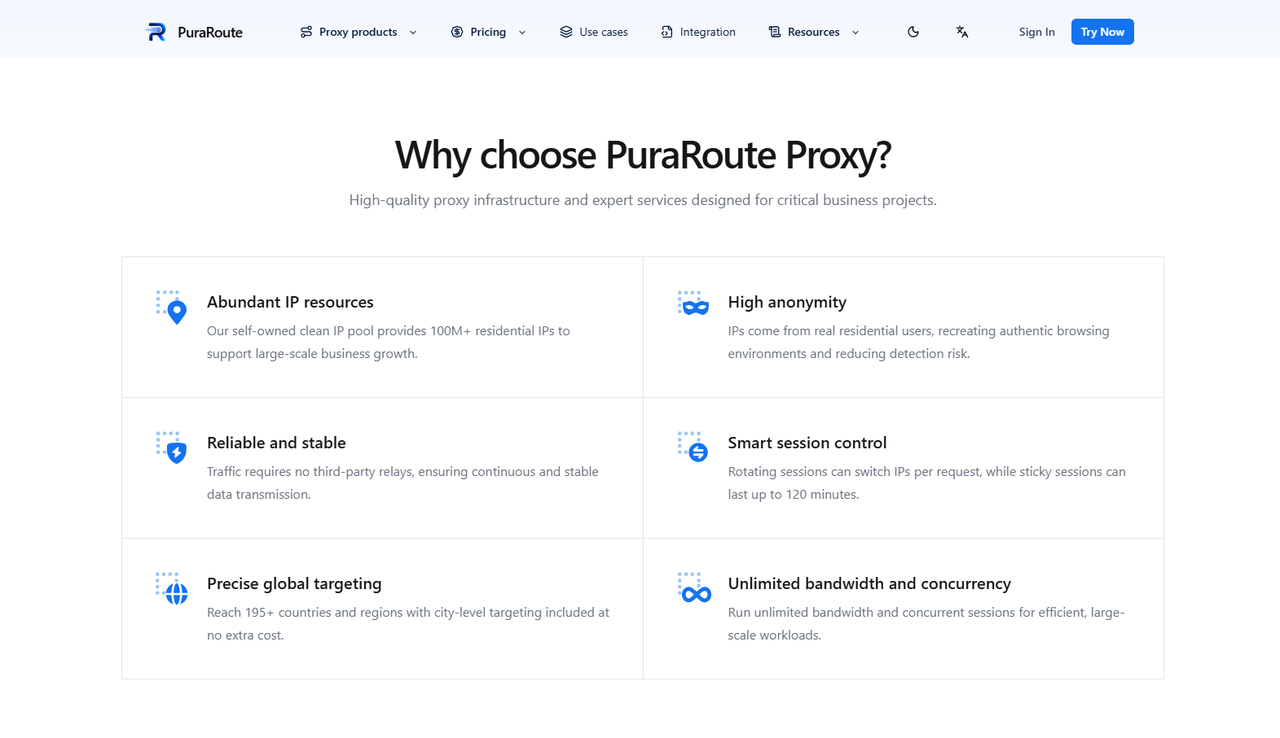
Access Supported Regions with 195+ Countries and Precise Location Targeting
When testing a connection from a different location, you may want more control than simply selecting a random IP address. With PuraRoute's residential proxies, users can choose from a network covering over 195 countries and regions. Country, state, and city targeting options allow users to select a more specific residential network location, depending on current IP availability. This can be useful for checking network routes or testing location-based website behavior.
For example, someone working remotely in the United States might want to test a residential connection in a particular US city rather than use an IP from another country. Selecting a more specific location can make it easier to compare connection results and identify possible routing problems. However, ChatGPT unblocked access still depends on OpenAI's policies and security checks. Users should only select permitted locations and should not treat IP location changes as a way to bypass unsupported-region restrictions.
Maintain Consistent Connections with Static Residential IPs and Sticky Sessions
If you use ChatGPT for long conversations, document reviews, or research, frequent IP changes may make connection problems harder to diagnose. With PuraRoute's static residential proxies, users can choose a dedicated IP address that stays the same during the purchased period. Those who need a temporary connection can instead select sticky sessions through the dynamic residential proxy service. Sticky sessions can attempt to retain the same residential IP for a selected period of up to 120 minutes, although reconnects and network conditions may still cause the IP to change.
For example, someone using ChatGPT to work through a lengthy report may prefer a static IP rather than a connection that rotates after each request. If the task only takes 30 minutes, a sticky session may be sufficient for testing a more consistent route. Both options can reduce planned IP changes, but neither guarantees uninterrupted ChatGPT sessions or prevents security checks. Users can choose between temporary and longer-term IP consistency based on how they work and the type of connection problem they are investigating.
Configure Proxy Connections Flexibly with HTTP(S) and SOCKS5 Support
Different browsers and applications may require different proxy connection settings. When using PuraRoute's residential proxy service, users can configure supported HTTP(S) or SOCKS5 connections and generate the required proxy details through the dashboard. This gives users flexibility when connecting a compatible browser, application, or network tool. The best choice depends on the software being used and whether it supports the selected protocol. Users can follow the PuraRoute integration guide to understand the available connection settings.
For example, a Windows user might choose an HTTP(S) proxy for a browser that follows the system's web proxy settings. Someone using an application with SOCKS5 support may prefer that protocol instead. After entering the proxy details, users can check their public IP address to confirm that the connection is working before opening ChatGPT. If ChatGPT still shows login errors or verification problems, testing without the proxy can help identify whether the proxy route is contributing to the issue. For users exploring ChatGPT unblocked access, this flexibility can make connection testing more manageable without requiring a VPN.
Frequently Asked Questions About ChatGPT Unblocked
How Can I Get ChatGPT Unblocked at School or Work?
To get ChatGPT unblocked at school or work, first check whether your network blocks the website. If access is restricted by school or company policy, ask your IT administrator for permission. You can also try another authorized network or an approved AI tool.
Can I Access ChatGPT Without a VPN?
Yes, you can access ChatGPT without a VPN in supported regions. If your normal connection has problems, you can try another authorized network or test a residential proxy where permitted. However, a proxy does not guarantee ChatGPT unblocked access.
Why Is ChatGPT Blocked in My Country?
ChatGPT is not available in every country because OpenAI limits its services to supported regions. Local regulations and service availability may also affect access. Check OpenAI's official supported countries list before looking for ChatGPT unblocked solutions.
Are Free ChatGPT Unblocked Websites Safe?
Not all free ChatGPT unblocked websites are safe. Some unofficial sites may collect personal information, display misleading content, or imitate the official ChatGPT login page. For better security, use ChatGPT's official website or an official app.
Can a Residential Proxy Help with ChatGPT Connection Issues?
A residential proxy may help users test another network route when ChatGPT connection problems are related to their IP address or internet connection. Stable residential IPs and sticky sessions may also reduce disruptions caused by IP rotation. However, residential proxies cannot guarantee ChatGPT unblocked access or override OpenAI's regional restrictions.
Conclusion
Getting ChatGPT unblocked in 2026 starts with understanding why the service is unavailable. The problem may come from school or workplace restrictions, regional availability rules, browser settings, or temporary server issues. Each situation requires a different solution, so changing your IP address or installing new software should not be your first step. Checking OpenAI's service status, reviewing your browser settings, and testing an authorized network can often help you identify the cause.
For users dealing with IP-related connection problems, residential proxies may offer another way to test network access. Residential proxy services with location targeting, static IP addresses, and sticky sessions can help users manage their connections more consistently. However, proxies cannot guarantee ChatGPT access or bypass OpenAI's regional policies. Whether you use a direct connection or a residential proxy, the best approach is to choose a reliable, permitted network setup that fits your needs.
Ultimately, ChatGPT unblocked access is about finding the cause of the problem and choosing the right solution. Start with simple checks, follow the access rules that apply to you, and focus on maintaining a stable connection for everyday use.
