Discord is a popular place to chat with friends, join gaming communities, and work with online teams. But what happens when you try to open Discord at school or work and see a connection error? Maybe the website won't load, or the app gets stuck on "Connecting." These problems can be frustrating, especially when you need to join a group discussion or check an important message.
The good news is that getting Discord unblocked may be possible, depending on what is causing the problem. Some access issues come from school or office network restrictions, while others involve DNS settings, regional limits, or app errors. You can try different methods, including the official Discord web version, a residential proxy, or another internet connection. This guide explains six ways to access Discord in 2026, how to choose a suitable method, and what to consider before connecting.
Why Is Discord Blocked at School or Work?
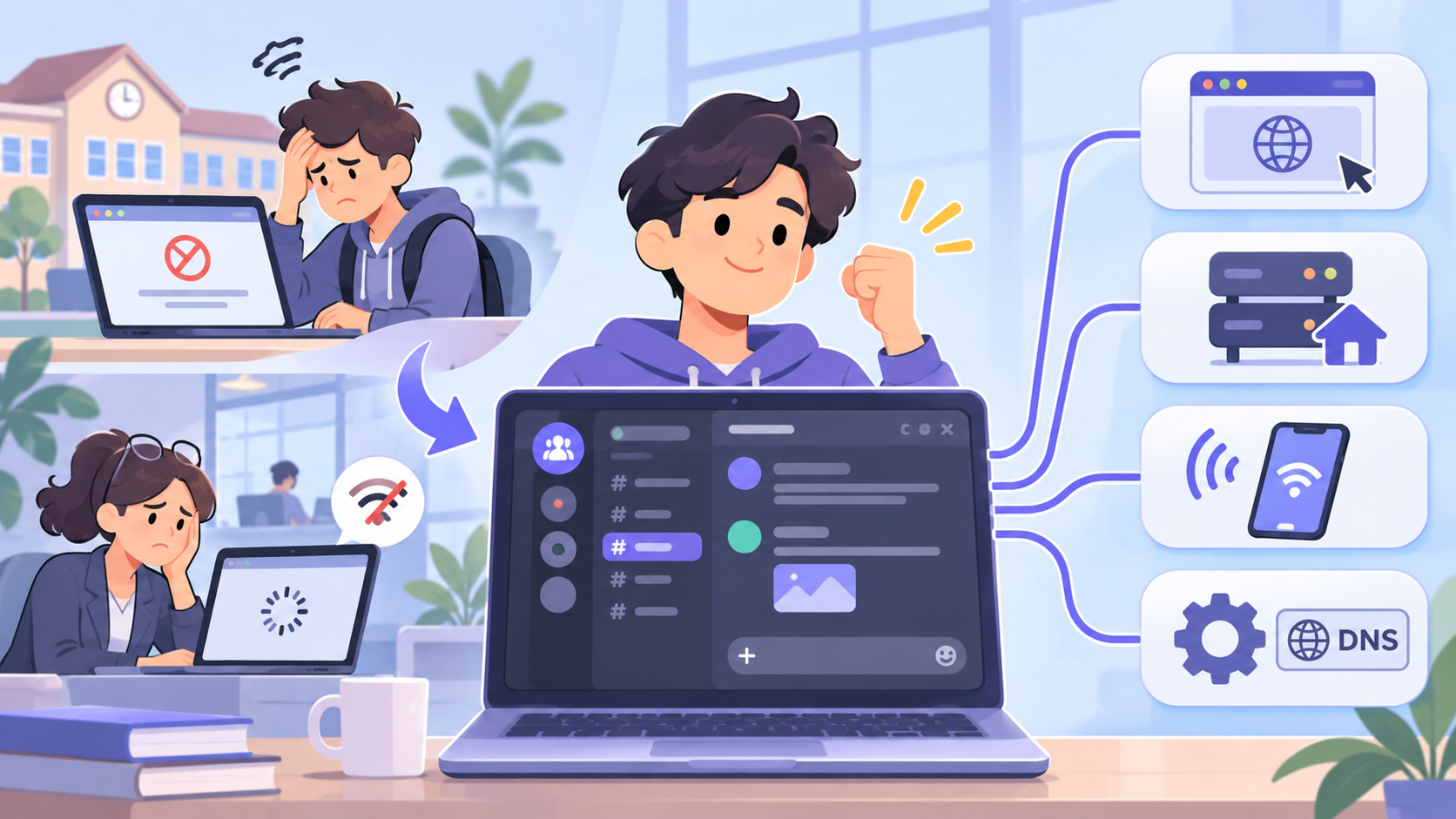
Trying to open Discord during a lunch break, only to see a connection error, can be frustrating. But Discord may not be blocked at all. Network rules, regional limits, and app errors can all stop it from working. Before looking for ways to get Discord unblocked, it helps to know what is causing the problem.
School and Workplace Network Restrictions
Schools and offices often use firewalls to control which websites and apps people can access. Schools may block Discord to reduce distractions during class, while companies may limit it for security reasons. For example, Discord might work at home but show a blocked website message on school Wi-Fi. In this case, the school network is likely restricting access, not Discord itself.
Regional Restrictions and ISP-Level Blocks
Discord access also depends on where you live. Some countries restrict the platform, while internet service providers (ISPs) may block access under local rules. For example, Russia and Turkey blocked Discord in October 2024. If Discord fails across different networks in your area, a regional restriction may be the reason, although service outages and local connection problems are also possible.
Discord App, DNS, and Connection Issues
Not every Discord error means the service is blocked. An outdated app, DNS problem, or unstable internet connection can also prevent Discord from loading. For example, the desktop app may get stuck on "Checking for Updates" even when other websites work normally. Discord's official troubleshooting guide recommends checking common connection and app issues. You can also check Discord Status to see whether the service is having problems.
6 Ways to Get Discord Unblocked in 2026
Now that you know why Discord may be blocked, the next step is finding a way to access it. Some problems have simple fixes, while others may require a different network connection. Here are six ways to get Discord unblocked in 2026, depending on what is stopping you from connecting. Always check your school or workplace rules before using another connection method.
Method 1: Access Discord Through Its Official Web Browser
If you cannot install the Discord app on a school or work computer, try its official web version. Open Chrome, Firefox, or Edge and visit discord.com/app. Sign in to your account to access your servers, messages, and supported voice features without downloading anything.
This method works well when app installation is restricted but the Discord website is still available. However, if your network blocks the Discord domain, the browser version may not load either. Avoid unofficial Discord unblocked websites that ask for your login details.
Method 2: Use a Residential Proxy for Discord
A residential proxy sends your internet traffic through an IP address linked to a residential network. This changes the IP address Discord sees and may help when a connection problem depends on your network's IP address or route. For example, someone experiencing an IP-related access issue could test a residential proxy from another supported location.
To try this method, choose a trusted residential proxy provider, obtain its connection details, and enter them in your browser or operating system's proxy settings. Then open Discord and check whether it connects. Keep in mind that proxies do not fix every network block, and some may cause login or voice chat problems. Use them only where permitted.
Method 3: Try a Mobile Hotspot or Different Network
Sometimes, checking another network is the easiest way to find out why Discord is not working. If Discord fails on school Wi-Fi but works through your phone's mobile data, the school network may be blocking access. This quick test helps you find the cause without changing your computer settings.
Turn on your phone's personal hotspot, connect your own laptop, and try opening Discord again. You can also test Discord directly through its mobile app. Keep an eye on your mobile data usage, especially during long voice or video calls, and follow your school's or employer's network rules.
Method 4: Check Your DNS and Firewall Settings
If Discord keeps showing connection errors, the problem may be linked to your DNS or firewall settings. DNS helps your device find websites, while a firewall controls which connections are allowed. A problem with either one can stop Discord from loading, even when your internet works normally.
On a personal device, you can try a trusted DNS service such as Google Public DNS (8.8.8.8) or Cloudflare DNS (1.1.1.1). Discord's official DNS guide also discusses these options for connection problems. If your firewall is blocking Discord by mistake, check its app permissions. Do not change school or company security settings without approval.
Method 5: Use a VPN Where Permitted
A VPN routes your connection through another server and changes the public IP address seen by Discord. This may help with some IP-based or regional access limits. For example, if a network route is causing connection problems, testing another VPN server may help identify the issue.
Choose a reputable VPN provider, install its official app, and connect to a suitable server before opening Discord. However, VPNs can also slow down calls or cause connection errors. Discord notes that voice connections require VPN support for UDP traffic.
Method 6: Troubleshoot Discord App and Browser Errors
If none of the methods above works, Discord itself may be having trouble. For example, the app might get stuck on "Connecting," or the browser might show a blank page. These problems do not always mean Discord has been blocked.
Start by restarting Discord and checking its service status for outages. Next, update the app, clear your browser cache, or try another supported browser. If Discord works on another device, focus on the settings of the device that cannot connect. You may also need to review your device's firewall or network permissions.
Discord Proxy vs. VPN: Which Is Better for Unblocking Discord?
Both proxies and VPNs can help with certain network restrictions, but they work in different ways. If your goal is to get Discord unblocked, the better choice depends on whether you want to send messages, join voice calls, or keep a stable connection. Understanding these differences can help you avoid slow speeds and unexpected disconnections.
Differences Between Proxies and VPNs
A proxy routes selected internet traffic through another IP address. For example, you can set up a residential proxy in your browser to access Discord's web version without changing every connection on your device. However, a browser proxy may not handle Discord voice traffic, so text messages could work while calls fail.
A VPN usually routes your device's internet traffic through an encrypted connection. This makes it more suitable for users who need Discord's desktop app and voice features, as long as the VPN supports the required traffic. Neither option guarantees access on a restricted network.
Static vs. Rotating Residential Proxies for Discord
Not all residential proxies keep the same IP address. A static residential proxy provides a fixed IP, which may be useful for longer Discord sessions. A rotating residential proxy changes IP addresses based on time or connection rules. Frequent changes may interrupt your session or lead to extra login checks.
For example, if you use Discord for several hours each day, a static IP is usually a better fit than an IP that changes every few minutes. Some rotating proxy services also offer sticky sessions, which keep the same IP for a set period. However, a stable IP alone does not guarantee that Discord will connect successfully.
What to Consider for Connection Stability and Voice Chat
Getting Discord unblocked is only useful if the connection works well. A proxy or VPN that adds too much delay can make messages load slowly or cause voices to break up during calls. For example, connecting through a distant server may increase lag, even if Discord opens without errors.
Discord's official Voice Connection Errors guide confirms that VPNs must support UDP for voice connections. If voice chat is your priority, choose a connection that supports UDP and has low delay. For browser-based text chat, a stable residential proxy may be enough, provided your network permits it.
How to Access Discord Safely on Restricted Networks
Finding a way to get Discord unblocked is helpful, but keeping your account safe matters just as much. Some websites promise free Discord access but may put your login details at risk. Whether you use a proxy, VPN, or another network, a few simple steps can help protect your account and personal information.
Avoid Unofficial Discord Unblocked Websites
When searching for Discord unblocked at school, you may find websites that claim to offer free Discord access without installing anything. Be careful with these sites, especially if they ask you to enter your Discord password or download unknown software. Some fake pages copy Discord's login screen to steal account details. Discord's official account safety guide warns users about fake login pages and harmful links.
For example, a website called "Discord Unblocked Free" might look like the real Discord page but use a different domain. Before signing in, check the website address carefully. The safer choice is to visit Discord's official website directly rather than trusting an unknown third-party site.
Protect Your Discord Login and Account Privacy
Even when using a trusted connection, you should protect your Discord account with a strong, unique password and multi-factor authentication (MFA). MFA adds another step to the login process, making it harder for someone else to access your account. Discord supports passkeys, authenticator apps, and other verification options, as explained in its official MFA guide.
If you access Discord on a shared school or office computer, avoid saving your password and sign out when finished. Never approve a QR code login you did not start yourself, even if someone claims it is needed to get Discord working. These habits help protect your messages and account details, no matter which access method you choose.
Why Choose PuraRoute Residential Proxies for Discord?
If you decide to use a residential proxy, choosing the right type matters. Users looking for different IP options can explore PuraRoute residential proxy services, including static and dynamic residential connections. These options may help with certain IP-based access issues when trying to get Discord unblocked, although results depend on your network and Discord's connection requirements.
Static Residential Proxies for Consistent IP Connections
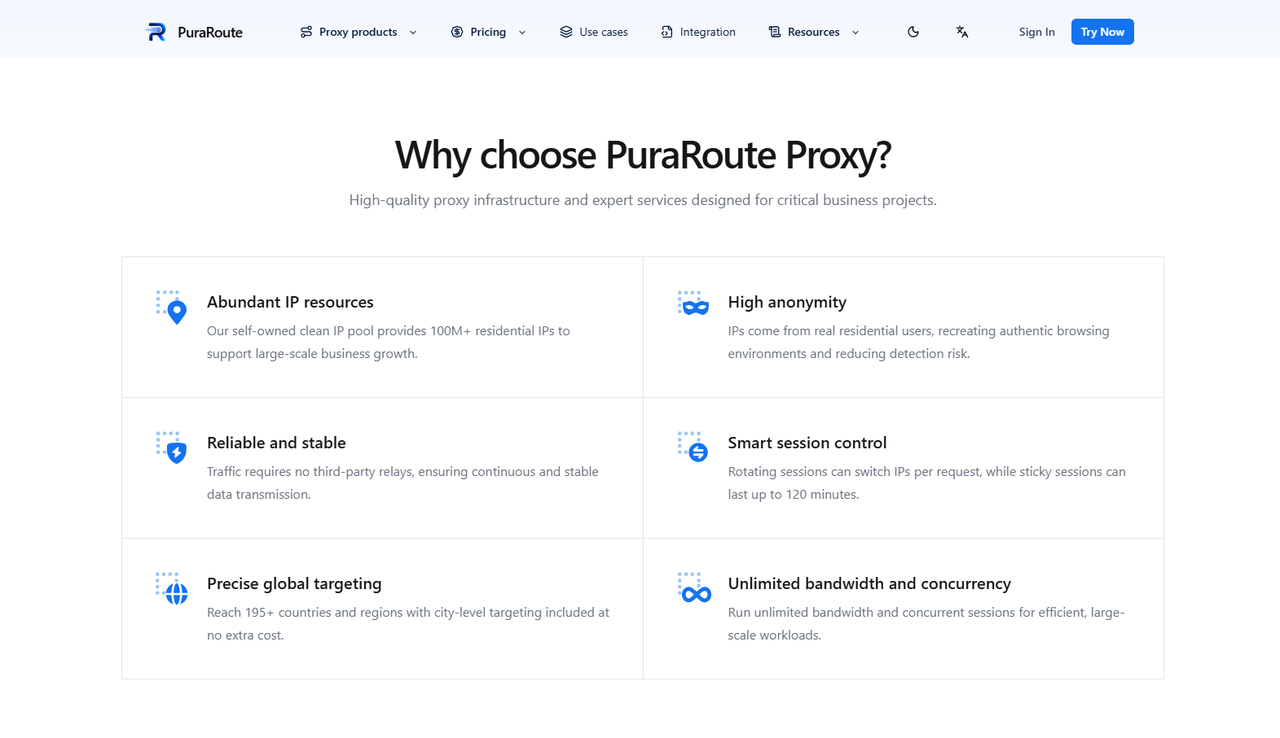
Users who prefer a fixed IP address can consider PuraRoute Static Residential Proxies. These proxies use dedicated IP addresses that remain assigned throughout the subscription period. This may be useful for people who access Discord regularly and want to avoid frequent IP changes. For example, someone who joins the same Discord study group each evening may prefer a consistent IP rather than switching addresses during every session.
Users can also choose plans with unlimited traffic and dedicated bandwidth. Static residential proxies are billed by IP quantity and subscription length rather than data usage. However, actual connection quality may still depend on network conditions and the user's location.
Dynamic Residential Proxies with Flexible Session Control
Users who need more flexibility can explore PuraRoute Dynamic Residential Proxies. They can choose between rotating IPs and sticky sessions, depending on their connection needs. Rotating mode allows IP changes, while sticky sessions aim to keep the same IP for a selected period of 1 to 120 minutes. Actual session length may vary due to network conditions.
For example, someone testing whether a different network route can reach Discord's website may find rotating IPs useful. For longer browser sessions, sticky mode may be more practical. However, changing IPs does not guarantee Discord access, and voice chat may need additional network support.
Global Proxy Coverage with Country and City Targeting
Users who need a specific connection location can choose from 195+ countries and regions in PuraRoute's dynamic residential network. Country, state, and city targeting options may help them select a location that fits their needs. For example, someone in the United States could try a nearby U.S. proxy location to test another route instead of sending traffic through a distant country.
Users can also configure HTTP(S) or SOCKS5 connections with compatible applications. Still, choosing a nearby proxy does not always mean lower delay, and browser proxy support does not guarantee Discord voice chat will work. If you're exploring Discord unblocked options, consider testing the connection with a suitable location and session type before making a longer commitment.
FAQs About Discord Unblocked
How Can I Get Discord Unblocked at School Without a VPN?
You can try Discord's official web version or test a different network, such as your mobile hotspot. A residential proxy may also help with certain IP-based restrictions. However, always check your school's network rules before trying these methods.
Can I Use Discord Unblocked in a Web Browser?
Yes, you can use Discord directly in Chrome, Firefox, or Edge without installing the desktop app. Simply visit Discord's official web application and sign in. However, the web version may still be blocked if your network restricts Discord's domain.
Why Does Discord Voice Chat Not Work When Messages Do?
Discord voice chat uses different network connections than text messages. A firewall, proxy, or VPN that does not support the required UDP traffic may prevent voice calls from connecting. Check your network settings and try another permitted connection.
Are Free Discord Unblocked Proxy Sites Safe?
Not all free Discord unblocked proxy sites are trustworthy. Some may collect login details, display harmful ads, or redirect you to fake Discord pages. Avoid entering your password on unofficial websites and use Discord's official login page whenever possible.
Can a Residential Proxy Help with Discord Connection Issues?
A residential proxy may help if your Discord connection problem is related to your IP address or network route. A static residential proxy may be useful for keeping a consistent IP during longer sessions. However, proxies cannot fix Discord server outages or guarantee that voice chat will work.
Conclusion
Getting Discord unblocked in 2026 starts with understanding why you cannot access it. School or workplace restrictions, regional blocks, and simple connection errors can all affect Discord. Depending on the cause, you may be able to use Discord's web version, switch networks, adjust DNS settings, or try a proxy or VPN where permitted.
If you prefer a residential proxy, you can consider static and dynamic residential IP options from PuraRoute. A static IP may be useful for longer sessions, while dynamic proxies offer more flexibility when testing different network routes. However, no method guarantees Discord access, especially when network policies or voice chat restrictions are involved.
Before choosing a solution, check Discord's service status, protect your login details, and follow your school or workplace rules. The best approach is one that fits your connection needs without putting your account or privacy at risk.
