

You can set up a proxy in five minutes, but getting proxy authentication right is where most people hit a wall. Whether you're using proxies for scraping, regional access, or multi-account management, your connection lives and dies by how you handle proxy auth, especially if your stack mixes HTTP and SOCKS5. One wrong credential, or a mismatched protocol, and requests start failing without clear errors.
It sounds simple: provide a username and password, or maybe just your IP for whitelisting. But the real world rarely lines up so neatly. Some apps only support basic HTTP proxy authentication, while others need full SOCKS5 proxy authentication. Rotating proxies might demand new credentials for each session. Even browser extensions and automation tools often need credentials in formats that don’t match official docs. Miss a step, and you’ll waste hours chasing “connection refused” errors that are really about session mismatches or expired tokens.
The trick is to map out exactly which proxy authentication methods your workflow, and your tools, require, then set up credentials to match. If you skip that, you’re almost guaranteed to hit silent blocks, failed scripts, or rate limits you can’t explain.
Here’s how real operators handle proxy authentication, from setup to troubleshooting.
What Proxy Authentication Actually Does, and When You Need It
Proxy authentication controls who’s allowed to use a proxy and how each user gets access. You’ll run into it any time you need to lock down proxy usage, separate traffic by user, or keep usage within defined limits. Skip it, and you risk open access, leaks, or failing workflows when credentials don’t line up.
Why proxies require authentication in business and automation tasks
Most business and automation proxy setups need authentication for three reasons: to block outsiders from using your proxy and running up costs, to track usage and stop anyone from blowing past limits, and to let teams split access between users or projects. If your workflow needs audit trails or resource controls, authentication isn’t optional.
What happens when authentication fails (HTTP 407 and other errors)
When your credentials are wrong or missing, HTTP proxies usually throw a 407 error (“Proxy Authentication Required”). SOCKS5 clients may just drop the connection or display a generic “connection refused” message. In practice, failures can come from typos in the username, using an IP that’s not whitelisted, or a session that’s expired, sometimes with little hint about which one broke. For example, a browser might keep asking for login info, while a script will just exit with an error code. This is where things get tricky: automation tools often mask proxy errors as generic network timeouts, making it hard to spot that it’s the authentication, not the script, at fault. If you see repeated 407s or silent connection drops, step back and confirm your proxy login details match what your provider expects, wrong credentials or expired sessions are the top culprits.
When you can skip authentication (rare cases and risks)
- Only safe if the proxy runs on localhost (127.0.0.1) and never exposes ports to the public internet
- Some internal company proxies use IP allowlists instead of passwords, but that’s risky if your network isn’t fully locked down
- “Open” public proxies skip auth, but attract abuse, malware, and data theft; never use for business or automation
Next up: the nuts and bolts of how each authentication method actually works, and what to check before setup.
How Different Proxy Authentication Methods Work, and What to Check Before Setup
Choosing the right proxy authentication method isn’t just about what your proxy supports, it’s about what your apps, scripts, and network setup can actually handle. Miss the fit, and you’re in for silent failures, not simple login errors. Here’s what you need to check before you start.
How username and password authentication works for proxies
Most proxies use a username and password for access. Browsers prompt for these when you load a page. Scripts or automation tools need credentials set in code or config files, usually as part of a proxy URL or a separate parameter. For HTTP/HTTPS, these credentials are sent in the Proxy-Authorization header; for SOCKS5, the protocol uses its own login step.
| Factor | Username/Password | Where it goes | Risks |
|---|---|---|---|
| HTTP/HTTPS | Proxy-Authorization header | Browser prompt, config, or script | Exposed if hard-coded or shared |
| SOCKS5 | RFC 1929 login | App, script, or automation tool | Credential leaks in logs or misconfig |
| Automation tools | Often require embedding in config or URL | Code, environment variable, browser | Hard-coded secrets, session token sprawl |
Hard-coding credentials or sharing them across team members can leak access faster than most people realize. Always check whether your tool supports secure storage or environment variables before you drop passwords into code.
How IP whitelisting works and when it’s a better fit
With IP whitelisting, you give the proxy provider your source IP address, then only that IP can connect. It sounds simple, but if your office, cloud server, or mobile device changes IPs (dynamic assignment, NAT, or carrier-grade NAT), you’ll lose access until you update the whitelist. In shared workspaces, someone else’s traffic could count as yours.
IP whitelisting is less hassle for static cloud servers, but it’s risky if your address changes often or if multiple people share the same network exit.
Protocol differences: HTTP(S) vs SOCKS5 proxy authentication
HTTP and HTTPS proxies use the Proxy-Authorization header for login, which works with most browsers and standard HTTP clients. SOCKS5 proxies use a different, protocol-level username/password step (RFC 1929). Some tools only support HTTP proxy authentication, so always check what your script, app, or bot actually expects, using the wrong protocol usually means silent failures, not a helpful error message.
When you’re mapping out proxy use across a team or workflow, knowing exactly which authentication method fits your protocol and network setup is as important as the proxy itself. Next, you’ll need to keep those credentials, session settings, and location controls organized, or your connections will break when you scale up.
How to Manage Proxy Credentials, Sessions, and Location Settings in a Business Workflow
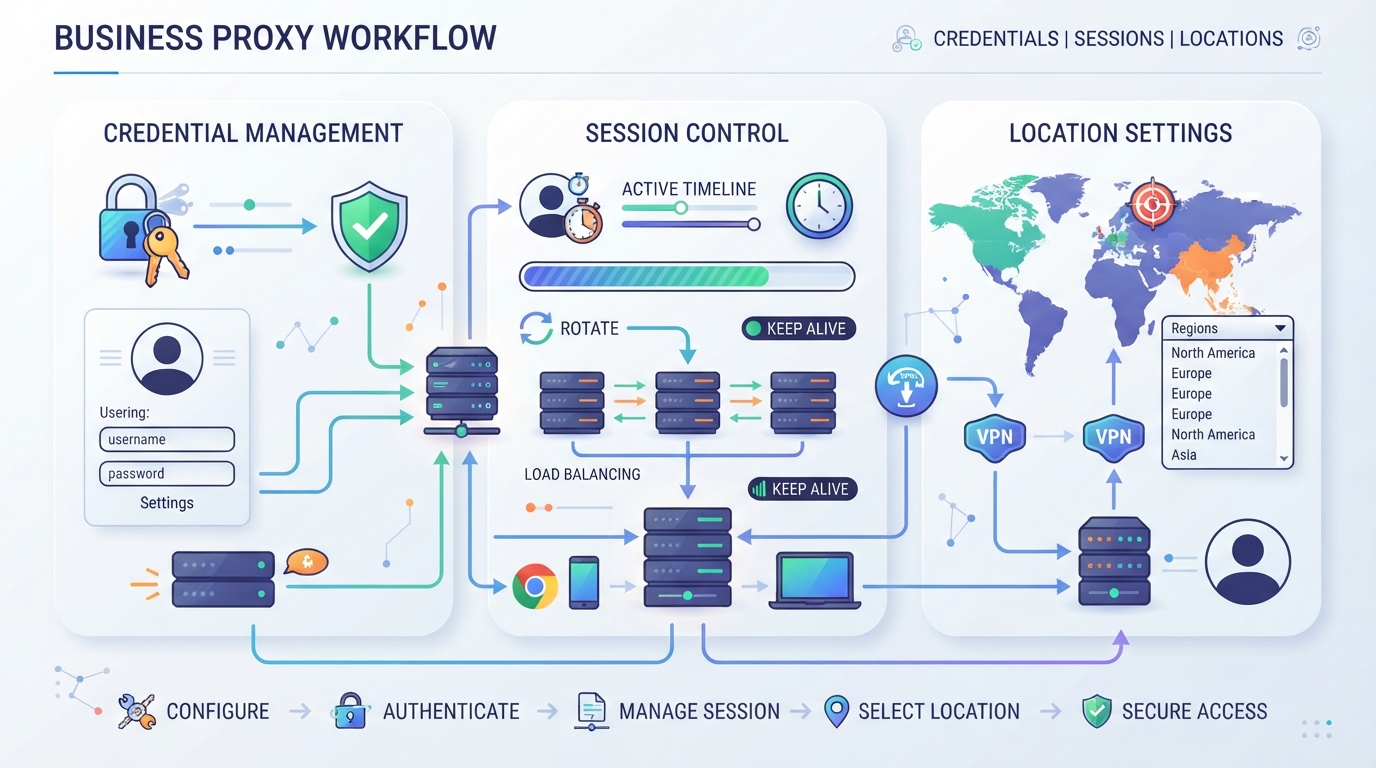
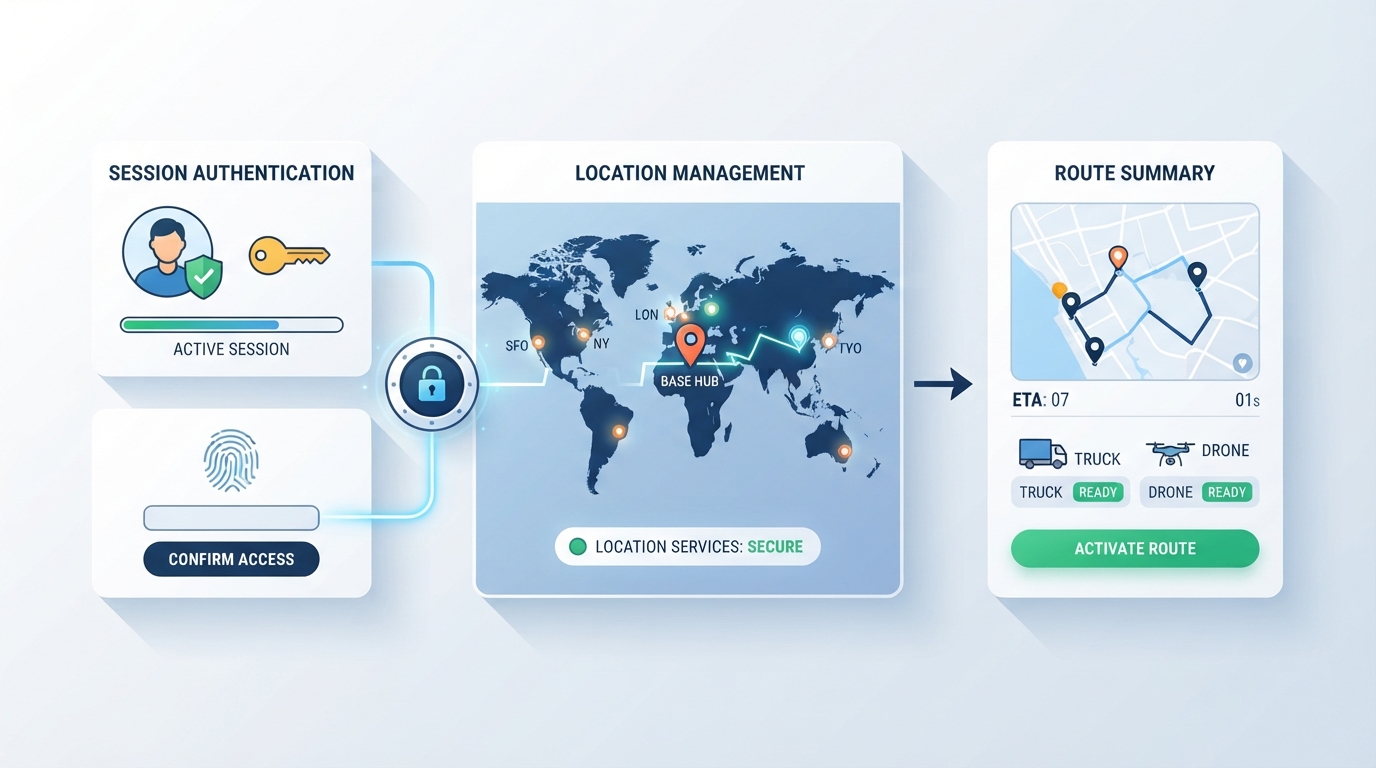
When you’re running business workflows that depend on proxy authentication, the real pain is matching credentials, session settings, and location options to each tool’s quirks, not just picking a proxy type. The best operators don’t just copy credentials; they map out which session mode fits, which location matters, and how authentication will actually work for each app or script. If you skip that, you’ll waste hours debugging silent blocks or odd traffic spikes.
How PuraRoute proxy authentication works in practice
PuraRoute gives you standard proxy credentials, Host, Port, Username, and Password, across all its proxy types. You enter these directly in browsers, scripts, or automation tools, matching the protocol your tool expects (HTTP(S) or SOCKS5). Credentials are generated in the PuraRoute console, and operators can set up separate proxies or sub-accounts as needed. The catch: if your tool needs IP-based authentication or token formats, you’ll need to check compatibility first.
How session and location settings affect authentication and proxy behavior
Session and location choices are where most setups break. With PuraRoute, you pick rotating, sticky, or static proxy modes. Rotating proxies change the exit IP often; sticky sessions temporarily keep the same IP for a session window, but this isn’t a permanent fix, actual IP consistency depends on network conditions and session settings. Static proxies give you a fixed IP for the duration you select. If your workflow expects a stable IP for a long period, don’t rely on sticky sessions; go static. Location targeting (country, state, city) is available for dynamic proxies, so you can match the geographic requirement of each task. But your tool’s authentication must support the session mode you choose, if not, expect mismatches and failed logins.
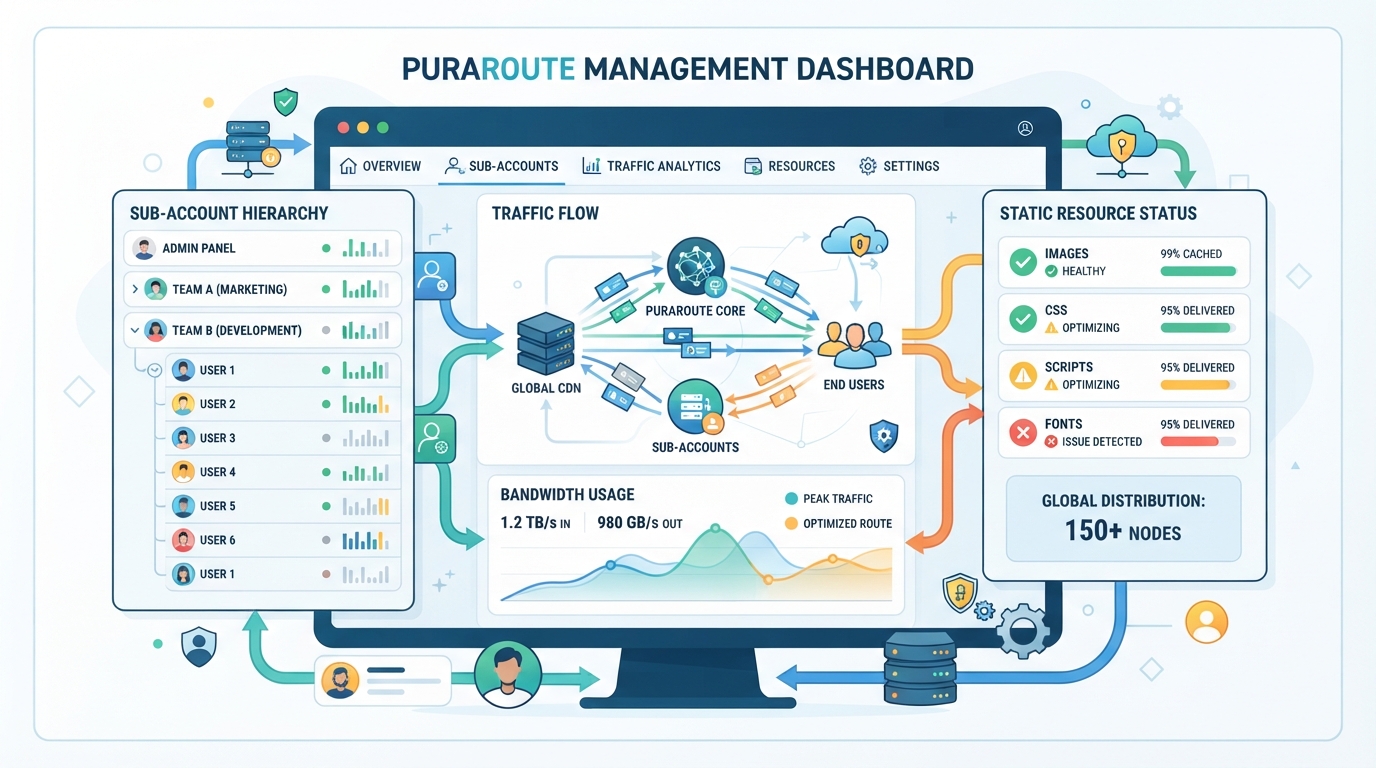
How to manage sub-accounts, traffic limits, and resource status for secure access
For teams handling multiple workflows, PuraRoute lets you create sub-accounts to split proxy credentials and set traffic limits. You can monitor usage in real time, renew static proxy IPs, and check resource availability in the console. The limitation: traffic limits and renewals only apply to eligible resources, so double-check inventory and expiration before scaling up access.
Done right, this setup means fewer surprises when authentication fails, next, we’ll break down the most common errors and security risks.
Which Setup Errors and Security Risks Cause Proxy Authentication to Fail
Tiny mistakes in setup or security can wipe out hours of work, especially when the problem hides behind vague “auth failed” errors. If your credentials or session settings don’t match exactly what your proxy or tool expects, you’ll either get blocked, expose credentials, or leak data without realizing it. Here’s what actually breaks proxy authentication in real-world setups.
Common mistakes in entering or managing proxy credentials
Small errors cause outsized pain. Typos in the username or password, expired credentials, or a copy-paste mistake in a config file will all trigger instant auth failures, sometimes without a clear error message. Even one stray space or invisible line break can leave scripts stuck in retry loops.
Session and location mismatches that break authentication
Session handling is where things get messy fast. Suppose you request a proxy location your plan doesn’t cover, or the inventory runs out, your connection silently fails, often with a timeout or generic “403” response. Sticky session windows can expire mid-task if your tool doesn’t refresh credentials or re-authenticate, especially with rotating proxies. That’s how you wind up with a process that works for ten minutes, then breaks when the exit IP changes unexpectedly. A static proxy setup expecting a fixed IP will also fail if the provider rotates the IP mid-session, causing all downstream authentication to break. The real trap: these issues often look like network errors, so you waste time debugging the wrong layer.
Security pitfalls: storing, sharing, and rotating proxy credentials
- Never hard-code proxy credentials in source code or commit them to version control, leaked secrets are a goldmine for attackers.
- Don’t share the same credentials across teams, environments, or automation jobs; a single leak can compromise all access.
- Always rotate or revoke credentials when staff leave or roles change, it’s the only way to keep old logins from being misused.
Miss these basics, and you risk silent data leaks or unauthorized proxy usage. Next, you’ll want to see how to set up proxy authentication directly in browsers, scripts, and automation tools, where most mistakes happen on day one.
How to Set Up Proxy Authentication in Browsers, Scripts, and Automation Tools
If you skip the right setup for your browser, script, or automation tool, you’ll waste time on silent failures that look like network issues but are really about missing or misformatted credentials. Here’s what works for each common setup.
How to enter proxy credentials in browsers (Chrome, Firefox, Edge)
Most browsers show a login popup when hitting a proxy that needs username and password. You can also pre-fill credentials by entering them into the proxy URL, like http://username:password@proxyhost:port, inside your browser’s network settings. For more control, browser extensions let you manage and switch between proxy profiles.
How to configure proxy authentication in popular scripting languages
Python’s requests module takes proxies as a dictionary, but you need to embed credentials:
proxies = {"http": "http://user:pass@host:port"}.
Selenium and Puppeteer usually require proxy details in driver or launch arguments, forgetting to set them means scripts silently connect direct and get blocked. Node.js’s axios accepts a proxy object, but for SOCKS5, you’ll need extra libraries. Command-line tools like curl use -x for proxy and -U for credentials. The most common failure: putting credentials in the wrong place or forgetting to URL-encode special symbols, which makes the script throw 407 errors or just hang.
Automation and headless browser tools: special considerations
- Always check if your tool supports passing credentials in startup config, not just pop-ups
- Store proxy credentials in environment variables or secure config files, not hardcoded in scripts
- In CI/CD, test with real proxy login, headless runs miss browser pop-ups, so failures can sneak by undetected
Session handling, protocol selection, and concurrency settings are next, these choices directly impact how your credentials are validated and reused.
How Session Length, Concurrency, and Protocol Choice Affect Proxy Authentication
Session behavior and protocol choice directly shape how proxy authentication works in practice. Ignore the details, and you’ll hit avoidable lockouts or connection failures, especially as you scale up or automate.
How session length and rotation affect authentication persistence
Sticky sessions keep an exit IP stable for a limited time, so your credentials stay valid for the session window. Once that window resets or the proxy rotates, you’ll need to re-authenticate. For long-term jobs or where the same IP is essential, static proxies simplify things since the IP and credentials don’t change mid-task.
Concurrency: what to check when running many proxy connections
If you plan to run many connections at once, concurrency rules matter more than most guides admit. With dynamic rotating residential proxies, you can often open unlimited sessions, no artificial caps per credential, but each may get a different IP, and sticky sessions only hold their IP during the set window. Static proxy plans, on the other hand, may limit how many parallel connections you can make from a single IP or credential; exceeding these can lead to authentication failures or silent throttling. A common pitfall is reusing the same username/password combo across too many threads, which sometimes triggers rate limits or session drops, even if the docs claim "unlimited." Always check the actual concurrency limits for your proxy type and test your workflow at scale before assuming parallel runs will work smoothly.
Protocol-specific authentication behaviors and pitfalls
- HTTP(S) proxy authentication usually prompts for credentials or fails with a clear 407 error.
- SOCKS5 proxy authentication is more flexible but may not show helpful errors if credentials are wrong.
- Some static proxies offer UDP support, but authentication isn’t always enforced at the UDP layer, so don’t assume the same security controls apply.
If you ever see silent failures, mismatched IPs, or unexplained connection resets, double-check the protocol-specific behavior and whether your client supports the right authentication handshake. Trying to force HTTP credentials into a SOCKS5-only tool (or vice versa) is a classic time-waster.
Next up: what to test in your setup before running any long job or automation task.
What to Test Before Running a Long-Running or Automated Task with Proxy Authentication
Jumping straight into a big workflow without checking your proxy setup is asking for trouble. One missed credential or session mismatch, and your script could stall or burn through traffic with zero useful results. Always test authentication, session stability, and credential handling before scaling up, fixing errors after launch costs time and money.
How to verify proxy authentication before scaling up
Send a single request from your tool using the credentials you plan to use. If you get an HTTP 407 or SOCKS5 auth error, stop, something’s wrong. Confirm the exit IP and location are correct; mismatches here mean your proxy login or targeting isn’t set right. For sticky sessions, run a short sequence and check the IP stays consistent. If you skip this, you risk silent failures when you automate.
How to monitor authentication and session status during a workflow
- Log all auth errors and session drops automatically for review.
- Watch for unexpected IP changes mid-session, which signal session instability.
- Rotate credentials or proxy IPs if failures persist to avoid being blocked.
What to do if authentication fails mid-task
If your workflow hits repeated auth errors, expired credentials, or session timeouts, don’t just retry blindly. Check your credential expiry and session settings, these often explain mid-task failures. Try switching to a backup sub-account or another proxy type if available.
- Diagnose if credentials expired or session timed out.
- Switch to backup sub-account or new credentials.
- Restart with adjusted session or proxy settings to resume work.
Frequently Asked Questions About proxy authentication
Can I use the same proxy authentication method for HTTP, HTTPS, and SOCKS5?
You need to match the authentication method to each protocol. HTTP and HTTPS proxies usually use basic authentication with a username and password. SOCKS5 proxies also accept username/password, but some clients may handle login prompts differently. Always check your tool’s proxy settings and make sure credentials and protocol are set correctly for your use case.
What should I do if my proxy credentials are leaked or compromised?
Change your proxy credentials right away. Revoke or disable the old credentials, set up new ones, and update all devices or apps that use them. Watch your traffic or logs for any signs of misuse. Quick action limits the risk of unauthorized access or unwanted charges.
How do sticky sessions differ from static proxies in terms of authentication?
Sticky sessions let you keep the same exit IP for a limited session, but the underlying authentication still uses proxy credentials like username and password. Static proxies assign a fixed IP for the whole plan period, and you still log in with credentials. The main difference is how long the exit IP stays the same, not how you authenticate.
Is it safer to use IP whitelisting or username/password authentication?
IP whitelisting can work if you have a fixed IP, but it’s risky with changing networks or mobile devices. Username/password proxy authentication is more flexible and works even if your device’s IP changes, but you must keep credentials secure and update them if leaked. Many prefer credentials for remote or dynamic access.
Can I manage multiple proxy users or teams with separate credentials?
Yes, you can set up sub-accounts or create different proxy credentials for each user or team. This keeps access separate, helps you track usage, and lets you revoke access for a single person without affecting others. It’s a good way to control and monitor proxy resource use in larger groups.
Before moving forward, it's worth confirming which authentication method your tools support and how credentials are managed across different proxy types. Once those requirements are clear, you can match your workflow needs to the right configuration and avoid common connection errors.
