

Choosing between IPv4 and IPv6 proxies is rarely just about ticking a box on a signup form, most proxy users run into real issues with compatibility, ban rates, or workflow gaps the moment they try to switch. The question comes up fast when a tool or website starts blocking requests, or when costs and IP availability look very different across providers. For anyone running automation, scraping, or geo-testing, the whole IPv4 vs IPv6 proxy debate is less about technical specs and more about what actually works with your targets, software stack, and operational limits.
But it’s easy to get tripped up by surface-level advice. IPv6 proxies sound cheaper and more plentiful, but many sites and third-party APIs still block or ignore IPv6 traffic. Stick with IPv4 and you might face higher prices, smaller pools, or stricter rate limits, yet for some workflows, it's the only type that gets through. The real risk is assuming you can swap IP types on the fly, only to find out your main tool, bot, or even your target website doesn’t play along.
Instead of guessing, you need a clear process: check where IPv6 is supported, what breaks if you change, and how providers handle protocol, authentication, and location targeting for each IP type. Most people hit a wall when they skip this step and have to backtrack mid-project.
Here’s what changes for proxy users when you move between IPv4 and IPv6, and what actually matters when you’re choosing.
What Actually Changes When You Use an IPv4 vs IPv6 Proxy?
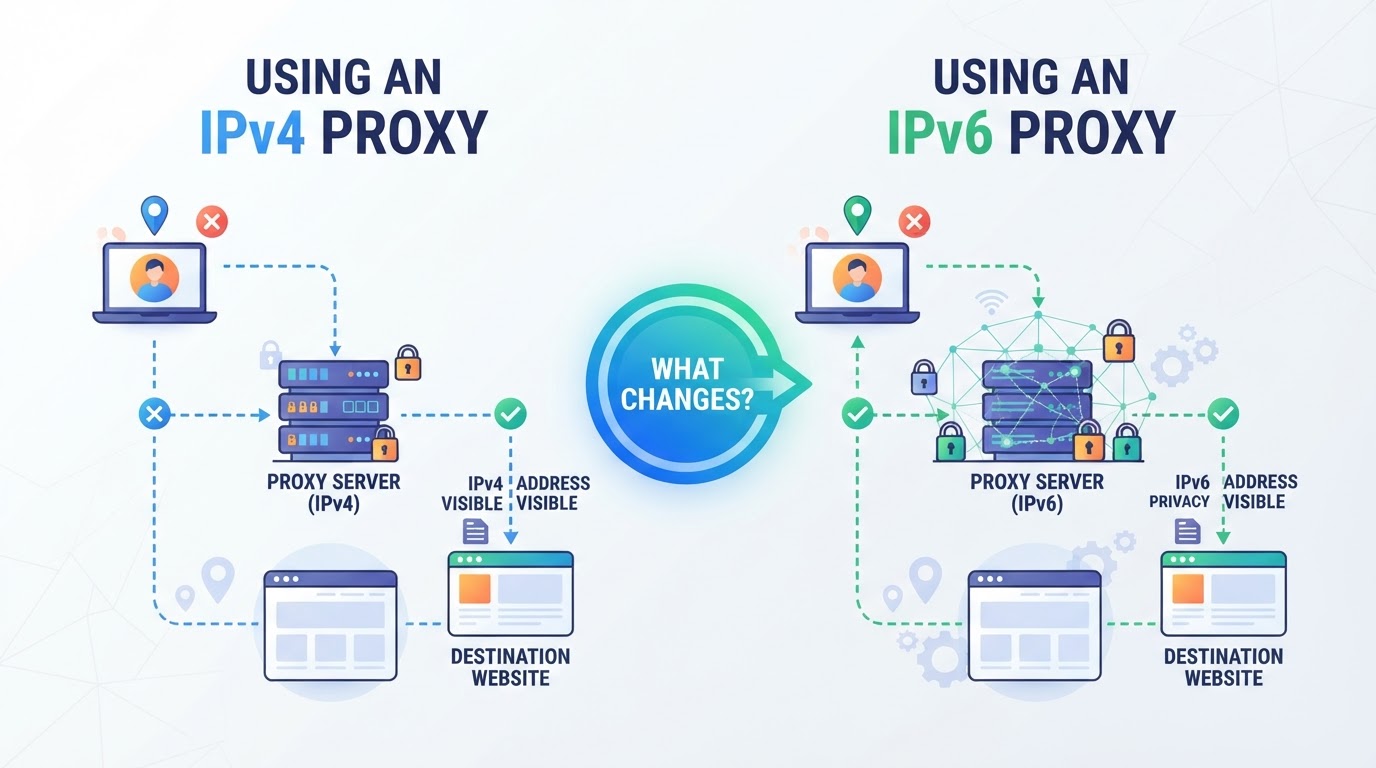
The main gap isn’t just about address length. What usually trips people up is not knowing which sites, tools, or protocols actually work with each version. That’s where the real headaches start, with failed requests, broken automation, or entire workflows stopping cold.
How Do IPv4 and IPv6 Addresses Differ in Proxy Use?
IPv4 and IPv6 proxies behave differently at the most basic level: the addresses themselves, and how widely they’re accepted by other systems. The table below highlights the biggest contrasts:
| IPv4 Proxy | IPv6 Proxy | |
|---|---|---|
| Address | 32-bit (e.g. 192.0.2.4) | 128-bit (e.g. 2001:db8::1) |
| Compatibility | Supported by almost all sites, APIs, and legacy software | Rejected or ignored by many target sites and APIs; often unsupported by legacy tools |
| Pool Size | Limited, can be expensive | Much larger, often cheaper |
The bottom line: most sites still expect IPv4. If you swap to IPv6 without checking support first, you risk losing access where it matters most.
Which Protocols and Tools Support IPv6 Proxies?
Plenty of browsers, scrapers, and bots still choke on IPv6, either they don’t support it, or default to IPv4 when given a choice. Some proxy protocols (like SOCKS5) can handle both, but not every tool or automation script lets you pick or even see which version you’re using. Double-check your stack before moving past IPv4.
What Are the Workflow Risks of Choosing the Wrong IP Version?
Pick IPv6 and run into an unsupported site, and your requests just vanish or error out, no warning, just dead ends. Stick with IPv4, and you might pay more or hit stricter limits, but at least your traffic reaches most destinations. Skipping this compatibility check is the fastest way to break a working workflow.
If you’re still wondering when IPv6 actually fits your use case, the next section breaks down the real-world scenarios where it does, or doesn’t, make sense.
When Does an IPv6 Proxy Actually Fit Your Task?
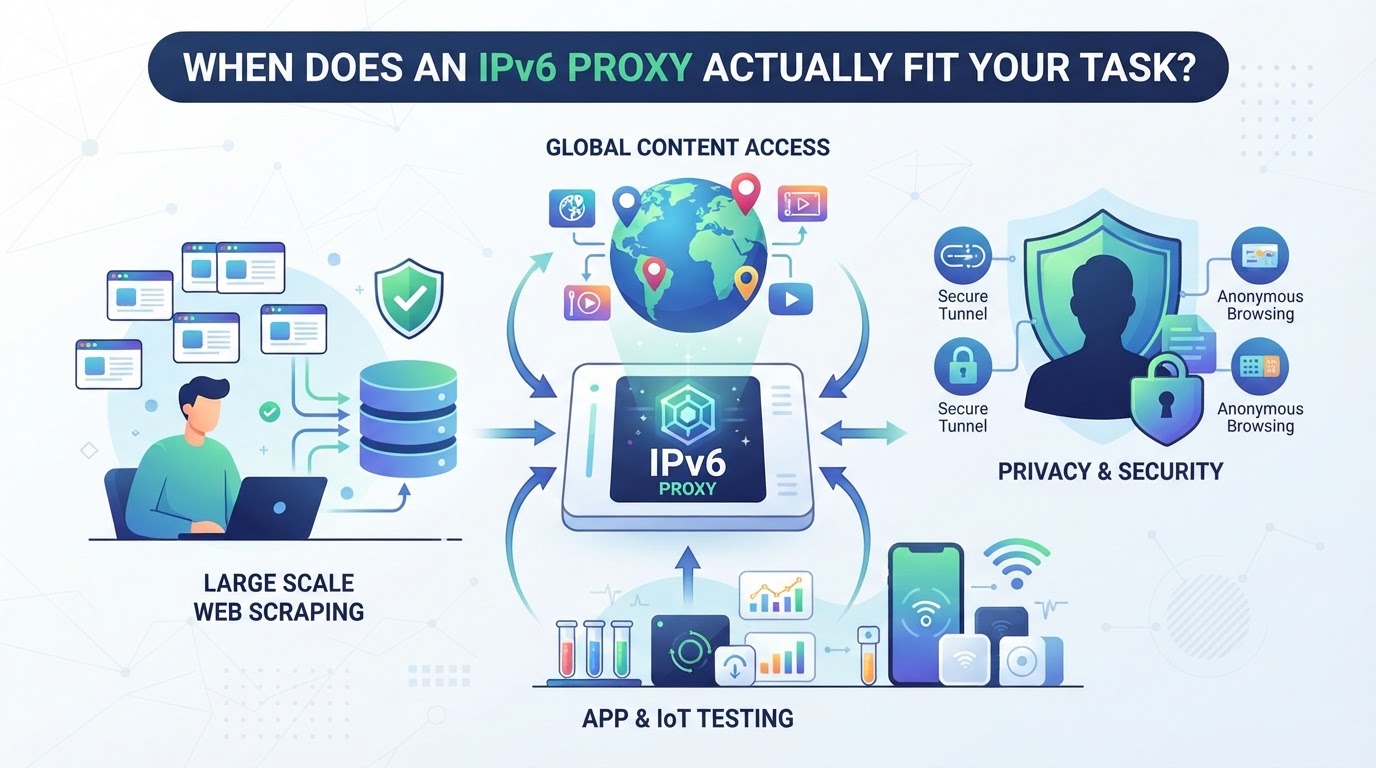
If you’re trying to figure out where IPv6 proxies actually work, stop looking for a one-size-fits-all answer. The real question is whether the sites, APIs, and tools you need actually accept IPv6 connections, or if you’ll hit a wall, waste money, or break your workflow by forcing it.
Which Websites and APIs Accept IPv6 Proxy Connections?
Plenty of newer platforms and some public APIs accept IPv6, especially in tech or cloud-native environments. But most e-commerce sites, social networks, and legacy business tools still block or ignore IPv6 traffic. If you’re targeting mainstream platforms, always check their support lists or developer docs up front.
How Does IPv6 Affect Proxy Availability and Cost?
IPv6 proxy addresses are less scarce, so you’ll usually pay less and get a bigger pool compared to IPv4. This sounds great, unless you notice your required city or region isn’t available for IPv6, or your traffic ends up routed through random locations. For example, you might buy 1,000 IPv6 residential proxies only to find they’re all clustered in a handful of countries, while the city-level targeting you need is missing. The biggest risk is assuming you can save on costs by switching to IPv6, only to discover your main target blocks those connections outright or rejects your session mid-task. If you need reliable access to high-demand regions or must match a local presence, IPv4 is still the default for a reason.
| Feature / Constraint | IPv4 Proxy | IPv6 Proxy |
|---|---|---|
| Address scarcity | High | Low |
| Typical cost | Higher | Lower |
| Location targeting | Country, city, region | Often country only |
| Major site compatibility | Universal | Partial (check per target) |
Table: Practical tradeoffs in IPv4 vs IPv6 proxy use. Source: direct provider documentation, major proxy industry trends.
What Are the Real-World Limitations of IPv6 Proxies?
- Many sites still block or ignore IPv6, causing random connection failures.
- Geo-targeting is often less granular, so city-level targeting is hit-or-miss.
- Session stability may drop, some tools mis-handle dual-stack or fallback scenarios.
Matching your proxy IP version to session type and location is the next critical step, get that wrong, and you’ll spend more time troubleshooting than collecting data.
How to Match Proxy IP Version, Session Type, and Location to Your Workflow
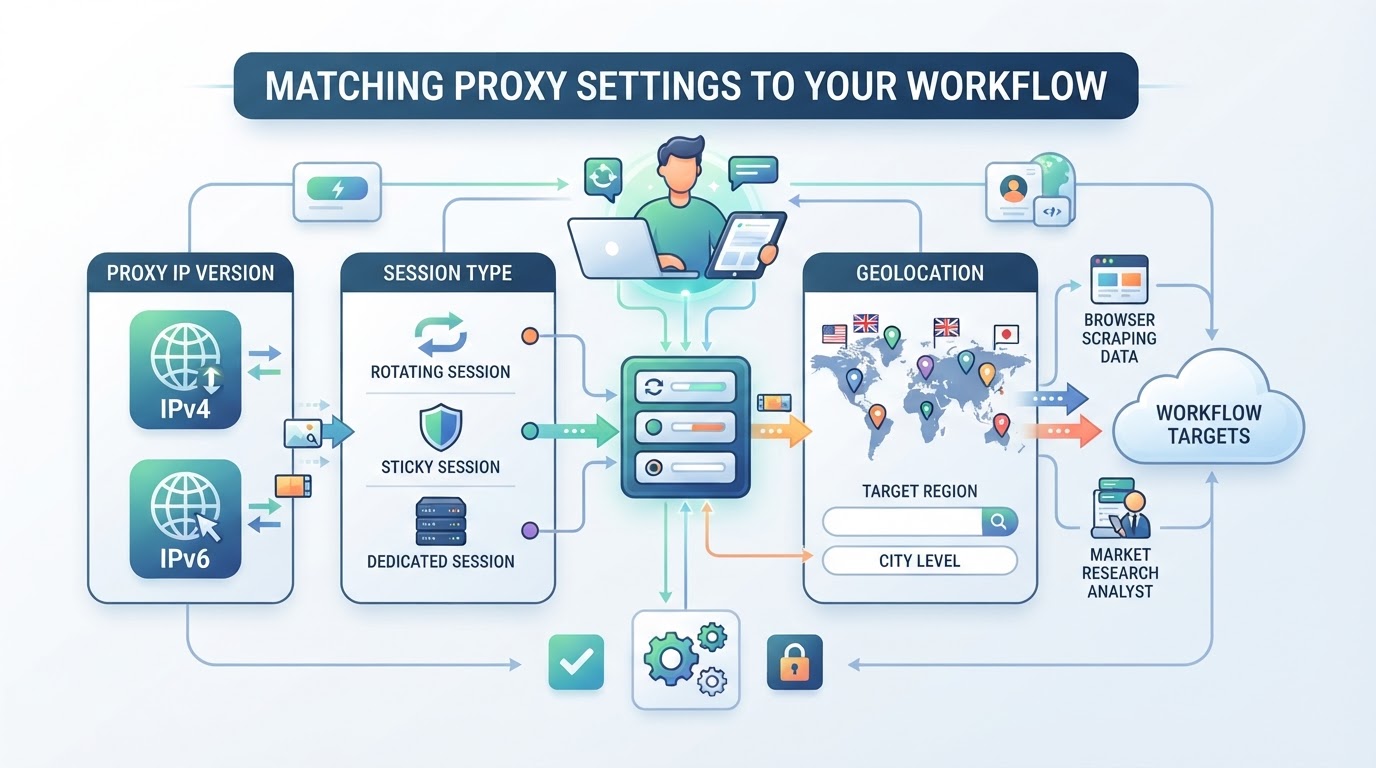
Choosing between proxy types isn’t just about address space, it’s about lining up IP version, session timing, and geographic targeting with what your workflow or target site actually allows. Miss on any one of these, and you’ll hit connection errors or get the wrong results.
How Does PuraRoute Handle Proxy IP Version and Compatibility?
PuraRoute’s proxy products, rotating residential, static residential, and static native, are all based on IPv4 addresses. IPv6 proxy support isn’t listed for these products, so if you need an IPv6 option, you’ll have to check directly with your provider. For most automation or web-facing use, sticking with IPv4 covers the broadest compatibility.
How Are Session Types and IP Consistency Managed?
Session control is product-specific. Rotating residential proxies let you switch IPs between requests or maintain the same IP for a selected sticky session period. Static residential proxies provide a fixed IP for the duration of your plan. The right session type depends on how long your script or app needs to keep the same exit IP, not on the IP address version. Keep in mind that sticky sessions have time limits, and the IP may change once a session expires, potentially interrupting ongoing tasks. For workflows that require consistent IP access over several days or longer, static residential proxies are generally a better choice.
How Does Location Targeting Work With PuraRoute Proxies?
- Rotating residential proxies let you target by country, state, or city (IPv4 only)
- Static proxy location options depend on real-time inventory, don’t assume every region is in stock
- Always confirm both the location and IP version before buying, especially if your workflow depends on strict geo-matching
Next: what to double-check in your own stack and with your provider before making any IPv4 vs IPv6 proxy switch.
What to Check Before Buying or Switching Proxy IP Versions
Switching proxy IP versions without checking a few basics can burn your budget or break your workflow. The catch is that IPv4 and IPv6 proxies work differently with target sites, protocols, and session types, what looks compatible on paper often fails in practice.
How to Test Target Site Compatibility With IPv6 Proxies
Plenty of sites claim to support IPv6, but real-world results vary. Before you buy or switch to IPv6 proxies, try loading your key target sites directly over IPv6, use a native IPv6 connection, a tunnel, or public test tools. If the site loads, check that every critical function (login, content, APIs) actually works. Sites often block or ignore IPv6 traffic, even if the homepage loads fine. When in doubt, check official site documentation or reach out to their support about IPv6 proxy compatibility. Skipping this step is the fastest way to waste money on proxies you can’t use.
Which Proxy Protocols and Tools Support Each IP Version?
- Confirm your browser or automation tool lists IPv6 proxy support, older tools often default to IPv4 only.
- Test your script or API client with an IPv6 proxy before committing to bulk orders or long-term plans.
- Double-check that your tool’s proxy protocol (HTTP, HTTPS, SOCKS5) works with the chosen IP version.
What Session and Location Needs Affect IP Version Choice?
Session length and location targeting can force you back to IPv4, even if IPv6 looks cheaper or more available. For long-running jobs or strict location needs, IPv4 coverage is still more reliable.
- Check if your workflow needs sticky or fixed IP sessions unavailable with some IPv6 proxy products.
- Confirm that your required country, state, or city targeting works with the IP version you plan to buy.
- Make sure your provider offers session behavior (rotation, stickiness) and location choices for the IP version you need.
If you skip any of these checks, expect sudden connection drops, blocked requests, or finding out halfway through a project that you need to start over with a different proxy type.
Next up: how IPv4 and IPv6 proxies stack up when it comes to security and staying anonymous.
How Do IPv4 and IPv6 Proxies Compare on Security and Anonymity?
Most people think switching to IPv6 will solve privacy or security issues, but the real story is more layered. The IP version alone doesn’t guarantee better anonymity, how your proxy is set up, what protocols you use, and how sessions are managed matter far more in practice.
Are IPv6 Proxies More Secure Than IPv4?
IPv6 was designed with some built-in security features, like mandatory support for IPsec encryption, but these aren’t always enabled or relevant for proxy users. In practice, most proxy setups rely on HTTP(S) or SOCKS5 protocols for traffic, not direct IP-layer encryption.
| Feature | IPv4 Proxy | IPv6 Proxy |
|---|---|---|
| Address pool size | Limited | Much larger |
| Built-in IP-level security | Optional (rarely used) | Mandatory in spec, but rarely active |
| Real-world proxy anonymity | Depends on provider | Depends on provider |
The core takeaway: your exposure usually comes from session handling and leaks, not the IP version itself.
What Anonymity Risks Are Shared Across Both IP Versions?
Both IPv4 and IPv6 proxies can leak your real identity if the provider misconfigures DNS, fails to isolate sessions, or allows protocol mismatches. WebRTC and DNS leaks ignore IP version, if your browser or tool isn’t locked down, switching from IPv4 to IPv6 won’t hide you. You’re also at risk if your proxy provider reuses exit IPs or doesn’t rotate them as promised.
Short version: changing IP type won’t fix basic proxy leaks or poor session hygiene. If you’re worried about privacy, check for protocol leaks, DNS exposure, and session isolation before you worry about the number in the IP address.
Next up: see how the costs for IPv4 and IPv6 proxies actually stack up, price differences can be the real deciding factor.
How Does Pricing Differ for IPv4 and IPv6 Proxies?
IPv4 proxies often come with a higher price tag than IPv6, but that gap isn’t just about numbers, it’s about what you can actually do with each type. If you’re picking proxies for a job, the real question isn’t just “which is cheaper?” but “which actually works for my workflow without causing headaches later?”
Why Are IPv4 Proxies Usually Pricier?
IPv4 addresses are a finite resource. Demand keeps rising, but supply is capped. That pushes costs up for everyone who needs reliable, compatible proxy connections. IPv6 addresses, on the other hand, are plentiful and much cheaper to get in bulk, but the catch is that many sites, apps, and automation tools still don’t fully support IPv6.
| Proxy Type | Address Supply | Typical Price | Compatibility with Sites/Tools | Use Case Fit |
|---|---|---|---|---|
| IPv4 | Scarce, fixed pool | High | Nearly universal | Best for legacy and broad compatibility |
| IPv6 | Abundant, easy to get | Lower | Patchy, many sites block/ignore | Niche or IPv6-ready tasks |
Table: IPv4 vs IPv6 proxy pricing and compatibility, see also Wikipedia's IP address exhaustion for background.
The main reason you pay more for IPv4 proxies is simple: you’re buying access to a scarce resource that nearly everything online still expects.
When Is It Worth Paying More for IPv4?
If your workflow depends on hitting sites or APIs that don’t play nice with IPv6, or you need city-level targeting that’s only available with IPv4, paying extra is usually the only way to keep things running. Cheaper IPv6 proxies only save money if your tools, and your targets, fully support them.
If you know you’ll need both IP types for different steps or targets, don’t try to cut corners, mixing them can cause more troubleshooting than the savings are worth. The next section breaks down what to do when your workflow needs both.
What to Do If Your Workflow Needs Both IPv4 and IPv6 Proxies
If your workflow can’t pick a side in the IPv4 vs IPv6 proxy debate, you’ll have to plan for both. Mixing IP versions means more moving parts and more ways for things to break. The biggest risk is finding out too late that a tool or target rejects one of your proxy types.
How to Set Up Dual-Stack Proxy Access
- List every tool, platform, and endpoint you need to reach. Not every system supports both IP versions.
- Pick a provider known to supply both IPv4 and IPv6 proxies, not all do, and some only offer one type per product.
- Confirm you can manage sessions and credentials separately for each IP version. This prevents cross-version conflicts.
- Document the protocol (HTTP, HTTPS, SOCKS5) and authentication method for each proxy type, mix-ups here are the top source of silent failures.
What to Test Before Running Dual-Stack Workflows
- Run a test connection from each tool using both proxy types. Look for errors, timeouts, or missing features.
- Check if every target site, API, or service accepts IPv6 traffic. Some block, ignore, or misroute IPv6 requests.
- Monitor logs for mismatches, sometimes only one IP version gets flagged or rate-limited, which can break automation mid-run.
- Revisit this checklist after updates: a tool or endpoint that worked yesterday may silently drop IPv6 support after a patch.
Skipping these steps almost always means wasted hours on troubleshooting when dual-stack proxies suddenly stop working.
Frequently Asked Questions About IPv4 vs IPv6 proxy
Can I use both IPv4 and IPv6 proxies in the same workflow?
Yes, you can use both if your tools and target sites support them. Before combining IPv4 and IPv6 proxies, check that your software accepts both protocols and test each connection. Some sites or apps may only accept IPv4. Always verify everything works together before using at scale to avoid unexpected errors.
Are IPv6 proxies always cheaper than IPv4?
IPv6 proxies are usually less expensive than IPv4 options, but the lower price often means you need to accept some trade-offs. Many sites and services still rely mostly on IPv4, so the real cost might be workflow changes or reduced compatibility. Always test with your real targets before switching based only on price.
Do all proxy providers offer IPv6 residential or static proxies?
No, not every provider offers IPv6 residential or static IP proxies. Many focus on IPv4 because it works with more sites and tools. If you need IPv6, check the provider's inventory and ask about real-time availability before buying, especially for residential or static options.
Will using an IPv6 proxy improve my anonymity?
Using an IPv6 proxy does not automatically make you more anonymous. Anonymity depends more on the proxy type, how sessions are managed, and the provider’s setup than the IP version. Good session control and trusted proxy sources matter much more than simply switching from IPv4 to IPv6.
What should I check before switching from IPv4 to IPv6 proxies?
Before making the switch, test your target sites and tools for IPv6 compatibility. Confirm that your proxy protocols, like HTTP(S) or SOCKS5, support IPv6 as needed. Also, check if there are any restrictions on location targeting or session handling with the new proxy type.
The real next step is to map your network requirements, like protocol support, location targeting, and session stability, to the type of proxy IP that fits your workflow, whether that's IPv4 or IPv6. If your task needs flexible IP management, reliable session handling, or specific geographic coverage, make sure your provider supports the features that matter most to your use case.
