
What Is Nebula Proxy?
Nebula Proxy is a free, open-source web proxy that lets users visit websites through another server. Instead of connecting directly to a website, users open it through Nebula Proxy. This can help them access websites that are blocked by certain network filters. It is often used by students and people who want a simple way to browse websites without installing extra software.
Unlike paid proxy services, Nebula Proxy is mainly designed for browser-based access. It does not offer a large pool of residential IP addresses or advanced tools for web scraping. Users can access public versions of Nebula Proxy or set up their own server. According to the Nebula Services GitHub repository, the project supports many popular websites and offers several browsing features. However, its performance depends on the server and the website being opened.
How Does Nebula Proxy Work?
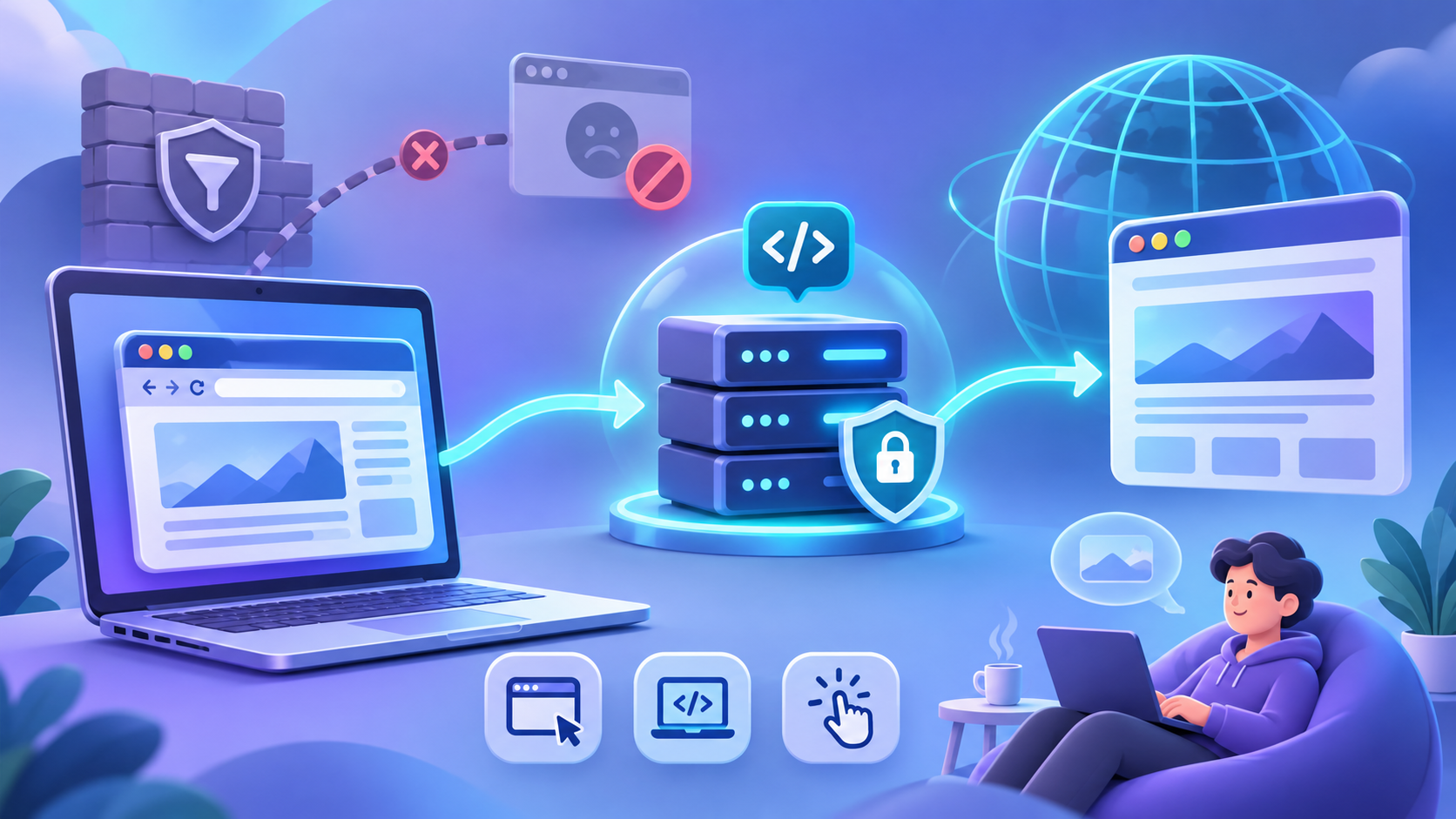
Nebula Proxy works as a middle point between your browser and the website you want to visit. When you enter a website address, the proxy server helps load the page and sends the content back to your browser. The website usually sees the IP address of the proxy server rather than your home or school network's IP address. This is different from opening the website directly, where your connection comes from your own network.
For example, imagine you want to read a public article on a website that your local network blocks. If the network allows access to Nebula Proxy, you may be able to open that article through its web interface. Nebula uses web proxy technology to handle website requests and page content. However, some websites may not load correctly, especially those with complex login systems or video features. Your school or workplace may also still detect that you are using a proxy, so this method does not make your browsing completely private.
Key Features of Nebula Proxies
One reason people try nebula proxies is that they are easy to access through a browser. Users do not usually need to change their device's network settings when visiting a public instance. The open-source design also allows developers to review the code and create their own versions. This gives users more control over how the software is hosted and managed.
Some of the main features of Nebula Proxy include:
- Browser-based access: Open websites through a web interface without installing a separate proxy application.
- IP address masking: Websites generally see the proxy server's IP address instead of the user's original public IP.
- Open-source software: Developers can view, modify, and host the code under its license terms.
- Custom themes: Users can change the appearance of the interface with supported themes.
- Website compatibility: Nebula Proxy supports many popular websites, although some pages may not work as expected.
- Privacy-related display options: Some versions offer features such as tab cloaking, which changes how the proxy page appears in the browser.
These features make Nebula Proxy useful for basic browsing and learning how web proxies work. For example, someone who wants to test an open-source web proxy can run their own instance and explore its settings. However, Nebula Proxy is not the same as a commercial proxy network. It does not provide built-in residential IP rotation, detailed location targeting, or large proxy pools for business tasks. Users who need those features may want to consider a dedicated proxy provider.
Is Nebula Proxy Free to Use?
Yes, Nebula Proxy is free to use. Its source code is available on GitHub under the GNU AGPL-3.0 license, so users do not need to pay a software license fee to download or use it under the license terms. Some public Nebula Proxy websites are also available for free. This makes it an accessible choice for people who only need occasional web browsing. However, public instances can become unavailable when their owners shut them down or when networks block their domains.
Running your own Nebula Proxy server may involve extra costs. For example, if you want a private instance that you control, you may need to pay for web hosting and a domain name. The total cost depends on the hosting service and the resources you use. Free public instances also come with privacy concerns because their operators may be able to access information sent through the proxy. For this reason, users should avoid entering passwords, payment details, or other sensitive information through an unknown public proxy.
What Can You Use Nebula Proxy For?
Now that you know how Nebula Proxy works, the next question is what you can actually do with it. Most people use this free web proxy to open blocked websites, browse with a different IP address, or play online games. Since it runs in a web browser, users can try it without installing special software. However, what you can access depends on the network, the proxy server, and the website you want to visit.
Accessing Restricted Websites
One common reason people use Nebula Proxy is to access websites blocked by school, office, or public Wi-Fi networks. These networks often use filters to limit access to social media, video platforms, or entertainment websites. Nebula Proxy may help users reach some of these pages by loading them through another server. This means the local network connects to the proxy website instead of directly opening the blocked page.
For example, imagine you are connected to public Wi-Fi at a library and want to watch a YouTube tutorial. If YouTube is blocked by the network, you could try opening it through Nebula Proxy, provided the network allows proxy access. You may be able to view the page and play the video without changing your browser settings. However, video playback can be slow, and some features may fail to load. Nebula Proxy cannot guarantee access to every blocked website, especially when the network also blocks proxy services. Users should also follow the access rules of the network they use.
Browsing Privately with a Different IP Address
Another use of Nebula Proxy is hiding your original public IP address from the websites you visit. Normally, when you open a website, its server can see the public IP address used by your network. With Nebula Proxy, the website generally sees the proxy server's IP address instead. This can reduce direct exposure of your network's IP address while browsing.
For example, suppose you want to read articles on a public forum without showing your home IP address to that website. You could open the forum through Nebula Proxy and read its public posts. However, a different IP address does not mean complete anonymity. Websites may still recognize you through cookies, account logins, or browser data. The proxy operator may also have access to connection information, so it is important to avoid sharing sensitive details through unknown public proxy servers.
Playing Browser-Based Games on Restricted Networks
Nebula Proxy is also popular among people who want to play browser-based games on networks where gaming websites are blocked. Many schools and shared networks restrict access to game sites to reduce distractions or save bandwidth. Because Nebula Proxy can load supported websites through its own interface, some simple online games may remain accessible when their original websites are blocked. This makes it an option for casual gaming during permitted breaks or free time.
For example, a student might want to play a simple puzzle game or an online chess match after class. If the game website is blocked but Nebula Proxy is available, the student may be able to open the game through the proxy. Simple HTML5 games are often easier to load than games that require large downloads, complex login systems, or fast real-time connections. Some games may run slowly, lose their connection, or fail to save progress. For a better experience, users should start with lightweight browser games and avoid entering gaming account passwords on public proxy websites they do not trust.
How to Use Nebula Proxy
If you want to try the features mentioned above, getting started with Nebula Proxy is fairly simple. Unlike traditional proxy services, Nebula Proxy works through a website, so you do not need to install an app or change your browser's proxy settings. You only need an available Nebula Proxy link, a web browser, and an internet connection. The following steps explain how to find a working proxy, open a website, and check whether your connection works as expected.
Step 1: Find an Available Nebula Proxy Website
First, you need to find a working Nebula Proxy website. Since public proxy links can change or become unavailable, it is better to start with the official Nebula Services GitHub page. The developers list their main website at nebulaservices.org and provide links to their documentation and community. You can check these sources for current access options rather than trying random proxy links from search results.
Once you find an available link, open it in Chrome, Firefox, Edge, or another supported browser. If the page loads correctly, you should see the Nebula interface with an option to enter a website address. Some public Nebula Proxy instances may use different layouts or require extra verification before allowing access. If a link does not open, it may be offline or blocked by your network. Avoid downloading unknown files or browser extensions from websites claiming to offer Nebula Proxy, since the web-based version does not normally require them.
Step 2: Enter the Website You Want to Visit
After opening Nebula Proxy, look for the search bar or website address field on its main page. Enter the URL of the website you want to visit, such as https://example.com, and press Enter. Nebula Proxy will try to load the requested page through its proxy system. Depending on the version, it may open the website within the same tab or through another browser page. You can then use the website much like you would during normal browsing.
For your first test, choose a simple public website that does not require a login. For example, you can enter https://www.wikipedia.org to see whether Nebula Proxy can load the page and display its content. If the website opens, try clicking a few links to check whether navigation works properly. Some pages may take longer to load because their content must pass through the proxy server. If the page stays blank or shows an error, try a different public website before assuming that Nebula Proxy itself is not working.
Step 3: Browse and Check Your Connection
Once the website opens, you can begin browsing through Nebula Proxy. However, it is worth checking whether your traffic is actually using the proxy server. One simple method is to visit an IP-checking website, such as WhatIsMyIPAddress.com, through the Nebula interface. Compare the IP address shown there with the one you see when opening the same website directly in your normal browser. If the addresses are different, this may indicate that your web requests are passing through the proxy.
Keep in mind that this test only checks the IP address visible to that website. It does not prove that your browsing is fully private or that every connection is protected. For example, if you log into a personal account through Nebula Proxy, the website may still identify you through your account details and cookies. Some websites may also fail to load because of browser compatibility issues or proxy server limits. For safer browsing, use trusted Nebula Proxy instances, avoid entering sensitive information on unknown public servers, and remember that a web proxy does not protect all traffic from your device.
Is Nebula Proxy Safe and Legal?
After learning how to use Nebula Proxy, you may wonder whether it is safe to trust. The proxy can hide your original IP address from some websites, but this does not mean your online activity is completely private. Your safety also depends on who runs the proxy server and how they handle your data. Before using Nebula Proxy for regular browsing, it helps to understand its privacy risks, possible tracking, and legal limits.
Is Nebula Proxy Safe for Private Browsing?
Nebula Proxy can be useful for basic browsing, but it is not guaranteed to be safe or fully private. The project is open-source, which means developers can review its code and look for security problems. However, public nebula proxies may be hosted by different people, and not every server follows the same security practices. Even if the original software is trustworthy, a poorly managed server could still put your information at risk.
For example, reading a public news article through Nebula Proxy is different from signing into your bank account. A news website may only require you to open a page, while online banking involves passwords and financial information. If you use an unknown public proxy, you may have little control over how the server handles that data. HTTPS can protect parts of a connection, but a web proxy that processes website content may still have access to sensitive information. For this reason, it is better to open banking, shopping, and other sensitive accounts directly through trusted connections.
Can Nebula Proxy Track Your Online Activity?
Yes, a Nebula Proxy server may be able to collect information about your browsing activity, depending on how it is configured. When you connect to a public proxy, its operator may be able to see your IP address, connection times, and the websites you request. Some operators may store this information in server logs to monitor errors or manage traffic. Others may choose not to keep detailed records. Since public Nebula Proxy websites can have different owners, you should not assume that every server follows the same privacy rules.
Imagine using Nebula Proxy to visit an online forum. The forum may see the proxy server's IP address, but the proxy operator could still have records linking your connection to that visit. If you log into your forum account, the forum can also recognize you through your username and saved cookies. This is why hiding an IP address is not the same as browsing anonymously. Before using an unfamiliar proxy, check whether its operator provides a clear privacy policy and explains what data is collected. If you cannot find this information, avoid entering personal details or using the service for sensitive tasks.
Is Using Nebula Proxy Legal?
Using Nebula Proxy is generally legal in the United States, as proxy technology itself is not banned for ordinary browsing. People can use web proxies for research, testing websites, or accessing public information. However, laws vary by country, and the actions you take through a proxy still matter. Using one to commit fraud, access private accounts without permission, or carry out other illegal activities does not make those actions legal.
There is also an important difference between breaking the law and breaking network rules. For example, a school may block gaming websites and prohibit students from using proxies to get around those restrictions. Even when the act of using a proxy is not a crime, the school may still limit a student's network access or take other disciplinary action. Workplaces can have similar rules for company devices and office networks. Before using Nebula Proxy on a shared or managed network, check its acceptable-use policy and make sure your activity is allowed.
Pros and Cons of Nebula Proxy
After looking at the safety and legal concerns, it is also worth asking whether Nebula Proxy is a good choice for your daily needs. The answer depends on how you plan to use it. A free web proxy may be enough for reading articles or visiting a few websites, but it may struggle with tasks that need stable connections or special IP settings. Understanding both its strengths and weaknesses can help you decide when Nebula Proxy is useful and when another proxy service might work better.
Benefits of Using Free Nebula Proxies
The biggest advantage of Nebula Proxy is that you can use its open-source software without paying a license fee. For someone who only wants to open a few public websites, this removes the need to buy a monthly proxy plan. The browser-based interface also makes it easy for beginners to get started. You do not need to understand proxy protocols or configure a separate network connection. Nebula's official GitHub project also describes support for many popular websites and offers options for users who want to host their own instance.
Another benefit is the freedom to customize the software. For example, a developer who wants to learn about web proxies can download Nebula's source code, run a test server, and explore how its features work. This makes it useful for small personal projects or learning about web proxy technology. Users who prefer a simple experience can instead try an available public instance. However, self-hosting may involve server costs, and the quality of public nebula proxies depends on who operates them.
Limitations of Nebula Proxy for Everyday Browsing
Although Nebula Proxy is convenient, free public servers may not always offer a smooth browsing experience. When many people use the same server, pages can take longer to load or stop responding. Websites with complex scripts, live video, or interactive tools may also have problems because the proxy must handle their requests and content. For example, you might be able to read a news article without trouble but find that an online video meeting or a live streaming page does not work correctly. These issues can depend on the website, the proxy software, and the server's available resources.
Another limitation is that users have little control over public proxy servers. If a server becomes unavailable, you may need to find another working link, and your browsing session may be interrupted. Some websites may also block shared proxy IP addresses or ask for extra verification when they detect unusual traffic. This can be frustrating if you need to stay logged into a website for a long time. While Nebula Proxy can be helpful for occasional browsing, it may not be the best option when you need reliable access throughout the day.
Why Nebula Proxy May Not Be Suitable for Business Tasks
Business tasks often need more control over IP addresses than Nebula Proxy is designed to provide. For example, an online store owner may want to compare product prices in the United States, Japan, and Germany. To do this accurately, they may need proxy IP addresses from specific countries or cities. Nebula Proxy does not offer a built-in residential IP network, country targeting, or automatic IP rotation like dedicated proxy services. Since its main purpose is browser-based website access, it is not built to manage large numbers of business requests.
The difference becomes clearer with automated tasks. Imagine a research team that needs to check prices on 500 product pages every morning, where the websites allow this type of data collection. The team may need to control request timing, keep certain sessions on the same IP address, and switch IPs when necessary. A regular Nebula Proxy website does not provide these tools as a standard service, so building a reliable workflow around it could require extra development work. A dedicated residential proxy provider may be more suitable because it can offer location selection, session controls, and proxy connections for automation tools. Even then, results depend on the target websites, connection quality, and how the tasks are configured.
Nebula Proxy Alternatives: What Other Options Are Available?
As we discussed earlier, Nebula Proxy works well for simple web browsing, but it may not meet every user's needs. If you only want to open a blocked article, another free web proxy might be enough. However, tasks like checking local product prices or keeping an online session active for hours often need more control over IP addresses. The good news is that several Nebula Proxy alternatives are available in 2026. The right choice depends on whether you need free website access, location-based browsing, or a stable IP address.
Free Web-Based Proxy Alternatives
If you like the simple setup of Nebula Proxy, other free web-based proxies are worth exploring. Two options are CroxyProxy and ProxySite. Both let users enter a website address and open supported pages through a proxy server without changing their browser settings. CroxyProxy offers a free basic version and supports many popular websites, including video and social media platforms. ProxySite also provides free browser-based access and lets users select from available proxy servers.
For example, suppose you want to read an article on a website that does not open through Nebula Proxy. You could try the same URL through CroxyProxy or ProxySite to see whether it loads correctly. However, a different proxy does not always solve the problem, especially if your network blocks proxy websites or the destination site limits proxy traffic. Free services may also have ads, slow connections, or limited features. Since these proxies are run by third parties, avoid using them for sensitive accounts unless you can verify how your information is handled.
Residential Proxies for Location-Based Browsing
Residential proxies are a different type of Nebula Proxy alternative. Instead of opening websites through a public web proxy page, users route their traffic through IP addresses associated with residential internet connections. Many residential proxy services also let users choose the country or city they want to connect from. This makes them useful for checking location-based website content, comparing regional product listings, and collecting public market data. Some services offer rotating IPs that change between sessions, while others provide sticky sessions that keep an IP for a limited time.
For example, imagine you run an online store in the United States and want to compare how a product page appears to shoppers in Japan and Germany. With a residential proxy service that supports these locations, you can connect through an IP address in each market and check the available product information. This may help you spot differences in local prices, language options, or regional offers. However, websites may also use account settings, cookies, and other signals to decide what visitors see. A residential IP alone does not guarantee that you will see exactly the same page as a local shopper. It is best to compare results across several sessions and check whether the location is correct.
Static Proxies for Long-Term Online Sessions
Static proxies are often a better fit when you need to keep the same IP address for a longer period. Unlike rotating proxies, which may change IPs during normal use, a static proxy keeps a fixed address for the assigned service period. This can be useful for managing authorized online accounts, accessing business tools, or running tasks that need a stable connection. Static residential proxies are especially helpful when you want an IP address associated with a residential internet provider. However, they usually cost more than free nebula proxies and require some setup before use.
Consider a small business that uses an online dashboard to manage its daily orders. If its connection changes IP addresses too often, the website may ask for extra verification or require the user to sign in again. A static residential proxy may help the business keep a more consistent network identity during its work sessions. Still, using a fixed IP does not prevent every login check or connection problem. Websites can consider device information, account activity, and other security signals when deciding whether to request verification. For users who depend on long sessions, it is worth checking the proxy's location, connection quality, and renewal terms before buying.
Here is a quick comparison to help you choose:
| Proxy Type | Best For | Main Limitation |
|---|---|---|
| Nebula Proxy | Basic web browsing and occasional website access | Limited IP and connection control |
| Free web proxies | Opening public websites without extra software | Unstable availability and varying privacy practices |
| Residential proxies | Regional research, price checks, and public data collection | Usually paid and may require configuration |
| Static residential proxies | Long-term sessions and tasks needing a fixed IP | Higher cost and less IP flexibility |
The main difference is control. Free web proxies are simple options for occasional browsing, while residential and static proxies give users more choices over how and where they connect. Before choosing a paid service, think about how often you need a proxy, which locations matter, and whether your tasks require the same IP address. That way, you can avoid paying for features you do not need while choosing a connection method that fits your work.
Why Choose PuraRoute as a Nebula Proxy Alternative?
While Nebula Proxy can be useful for basic web browsing, some users need more control over their IP addresses and online connections. This is where PuraRoute may be worth considering. Instead of relying on free public proxy websites, users can choose residential or static residential proxies based on their tasks. Whether you need to check regional content, collect public website data, or maintain a consistent IP address, PuraRoute offers different options that may better suit these needs.
Access Residential IPs Across 195+ Countries and Regions
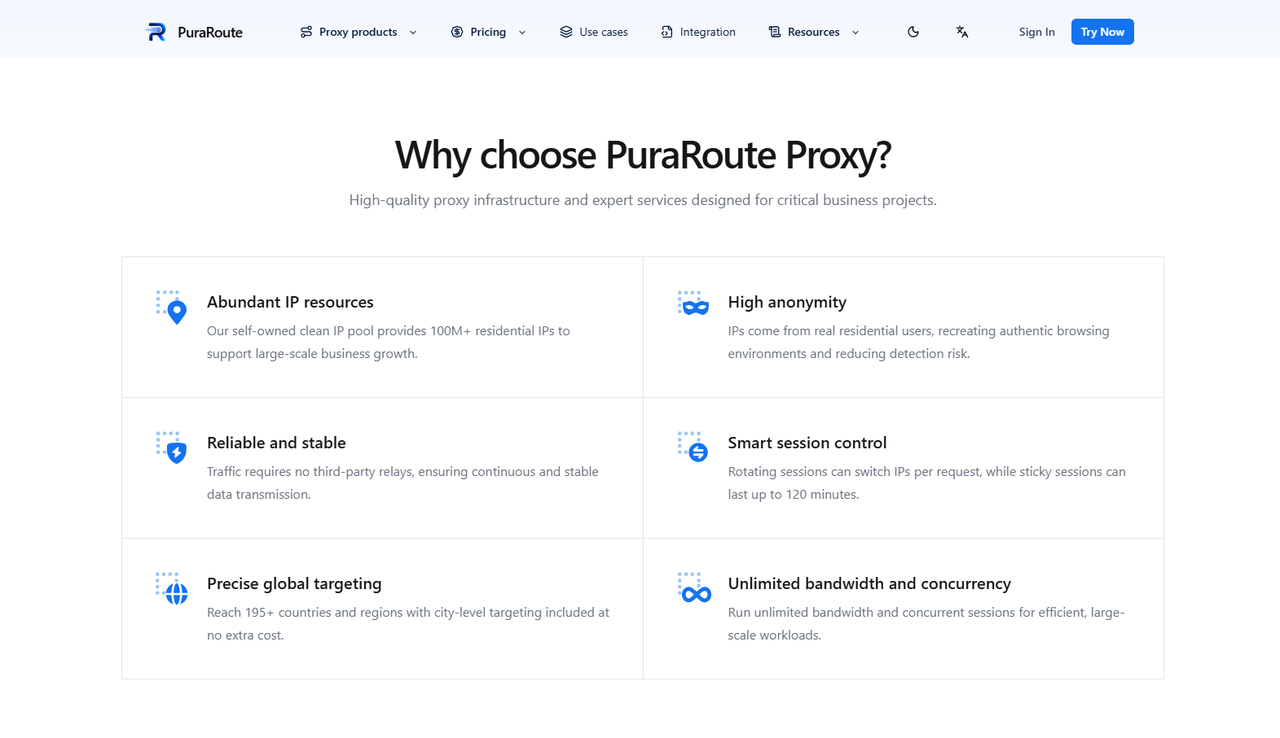
When researching overseas markets, the location of your IP address can affect the content you see. With PuraRoute residential proxies, users can select IP addresses from a network covering 195+ countries and regions, with country, state, and city targeting options. This may be helpful for e-commerce sellers, marketers, and researchers who need to view websites from different locations. Unlike free nebula proxies, which offer limited control over server locations, users can choose a target region based on their research needs.
For example, an online seller in the United States might want to compare product prices in Germany, Japan, and Brazil. By selecting residential IP addresses in these markets, they can check how product listings and local offers appear from different regions. This may help them better understand regional pricing and market differences. However, the results can also depend on website settings, cookies, and user accounts, so using a local IP does not always mean seeing exactly what a local customer sees.
Use Rotating and Sticky Residential Proxies for Different Tasks
Different online tasks may require different ways of managing IP addresses. With PuraRoute's dynamic residential proxies, users can choose between rotating and sticky sessions. Rotating sessions allow users to switch IP addresses between requests, which can be useful for collecting public data from multiple web pages. Sticky sessions let users keep the same IP address for a selected period of up to 120 minutes, depending on the session settings and connection availability. Both options give users more control than a standard Nebula Proxy website.
For example, a market research team collecting public product data from hundreds of pages may prefer rotating IPs to spread requests across different connections. Meanwhile, someone checking a multi-step booking process might choose a sticky session to keep the same IP while moving between pages. This can help reduce unwanted IP changes during a short task, although it does not guarantee that a website will keep the session active. Users can select the session type that fits their workflow rather than relying on one connection method for every task.
Choose Static Residential Proxies for Consistent IP Sessions
For tasks that require a fixed IP address, users can consider PuraRoute static residential proxies. Unlike dynamic residential proxies, these provide a dedicated IP address that stays the same throughout the active subscription period, subject to service availability. Users can choose available locations and purchase proxies based on the number of IPs and the subscription length. Static residential plans also include unlimited traffic, although actual connection speed may depend on network conditions and available bandwidth.
Imagine an e-commerce team that regularly accesses the same authorized store management dashboard. If team members use connections that frequently change IP addresses, they may face extra login checks or interrupted sessions. A static residential proxy could help them maintain a more consistent IP address during daily work. However, account security checks can still depend on browser settings, login behavior, and the website's own rules. For businesses that need stable connections over several days or weeks, a fixed residential IP may be a more practical option than a free web proxy.
Ultimately, the best Nebula Proxy alternative depends on what you want to accomplish. If you only need to open a public website occasionally, a free web proxy may be enough. But if your work involves regional research, flexible IP sessions, or ongoing business tasks, you can explore PuraRoute's residential proxy options and choose a plan based on your actual usage.
Frequently Asked Questions About Nebula Proxy
What Is Nebula Proxy Used For?
Nebula Proxy is a free, browser-based web proxy used to access websites through another server. People often use it to open restricted websites, browse with a different IP address, or play browser-based games. However, some websites may not work correctly through the proxy.
Is Nebula Proxy Still Working in 2026?
Yes, the Nebula Proxy project has remained active in 2026, with a release listed in October 2026. However, individual public proxy links may stop working or become blocked. Users can check the official GitHub repository linked earlier for project updates and access information.
Is Nebula Proxy Safe to Use at School?
Nebula Proxy may be suitable for basic browsing, but public proxy servers are not always trustworthy. Some may collect browsing data or have weak security settings. Students should avoid entering sensitive information and follow their school's network rules.
Can Nebula Proxy Hide Your IP Address?
Yes, Nebula Proxy can hide your original public IP address from websites by routing requests through a proxy server. However, it does not provide complete anonymity. Websites may still identify users through cookies, account logins, or other browser data.
What Are the Best Nebula Proxy Alternatives?
Popular Nebula Proxy alternatives include CroxyProxy and ProxySite for basic web browsing. For more advanced tasks, users can consider residential proxy services like PuraRoute, which offer location targeting and different IP session options. The best choice depends on your browsing needs, budget, and required connection stability.
Conclusion
Nebula Proxy is a free, browser-based proxy that can help users access restricted websites, hide their original IP addresses, and play online games. Its simple setup makes it a convenient option for casual browsing without installing extra software. However, public nebula proxies may have slow connections, limited website support, and privacy risks. Users should choose trusted proxy websites and avoid sharing sensitive information through unknown servers.
For people who need more control over their connections, paid proxy services may be a better choice. With PuraRoute, users can explore residential IPs across 195+ countries and regions, choose rotating or sticky sessions, and use static residential proxies for longer tasks. These options may be useful for market research, e-commerce, and other business activities that require specific IP locations or consistent connections. Ultimately, the best Nebula Proxy alternative depends on your needs, budget, and how you plan to use it.
