

Choosing between a residential proxy and a datacenter proxy is not simply a question of which one is better. Both can route your traffic through another endpoint and change the IP address visible to a website, but the source of that IP is different. That difference can affect speed, cost, geographic targeting, IP stability, and how websites classify the connection.
In a residential vs datacenter proxy comparison, residential proxies use IP addresses associated with residential or ISP networks, while datacenter proxies use addresses hosted in data centers or cloud infrastructure. Datacenter proxies are usually easier and cheaper to operate at scale, while residential proxies are often chosen when a workflow needs residential network identity or more flexible location coverage.
The proxy is also only one part of the connection. It does not automatically hide cookies, change a browser fingerprint, encrypt every type of traffic, protect an account, or prevent tracking. Those functions belong to other parts of the network or browser stack.
This guide focuses on the practical question: when should you choose a residential proxy, when is a datacenter proxy enough, and what should you test before using either one in a real workflow?
Why Choose Between Residential and Datacenter Proxies?
The exit IP becomes one of the signals a destination sees when you connect through a proxy. If the IP type does not match the needs of the task, a proxy can be fast and inexpensive but still perform poorly on the actual website you need to access.
The choice therefore affects more than price. It can influence connection stability, regional accuracy, session continuity, blocking frequency, and the amount of engineering work needed to keep a workflow running.
What Are the Main Differences in Functionality?
The biggest difference is the source of the IP address.
Residential proxy IPs are associated with consumer ISP or residential networks. Datacenter proxy IPs come from servers hosted in data centers or cloud environments. This makes datacenter addresses easier for websites to identify as hosting infrastructure in many cases.
| Factor | Residential Proxy | Datacenter Proxy |
|---|---|---|
| IP source | Residential or ISP-associated networks | Datacenter or cloud infrastructure |
| Network identity | Appears as a residential or ISP network | Appears as hosting infrastructure |
| Speed | Can vary by route and residential node | Often fast and consistent |
| IP rotation | Common with rotating residential pools | Depends on provider and product |
| Fixed IP options | Available through static residential or ISP proxies | Common with dedicated datacenter proxies |
| GEO targeting | Often broad, sometimes down to state or city | Usually limited to available server locations |
| Blocking risk | Often lower on sites that distrust hosting IPs | Can be higher on sites that filter datacenter ranges |
| Cost | Usually higher | Usually lower |
| Common billing | Traffic or IP-based depending on product | Traffic, IP, or server-based |
| Typical fit | Localized access, rotating requests, strict targets | High-volume tasks, development, open public sites |
These are typical patterns rather than guarantees. A residential IP with poor reputation can still be blocked, while a clean datacenter IP may work reliably on a website that does not restrict hosting networks.
Static residential proxies also create a middle ground. They combine an ISP-associated network identity with the continuity of a fixed IP, which can be useful when a session must keep the same endpoint for a longer period.
How Does Each Type Affect Your Online Activities?
Datacenter proxies often work well when the destination is easy to access and the task benefits from speed, scale, or lower cost. A developer testing public endpoints, a monitoring system checking website availability, or a data team working with unrestricted pages may have little reason to pay for residential routing.
Residential proxies become more useful when network location or IP classification affects the result. An SEO team may need to compare local public search pages. An e-commerce research team may need to view prices from different markets. A website team may need to verify how public content appears from consumer-network locations.
Session behavior matters too. Independent requests may benefit from IP rotation, while a multi-step browser task may need one IP to remain stable during the entire session.
Changing the IP does not reset the rest of the browser environment. Cookies, login state, browser storage, headers, fingerprint characteristics, and account history can still remain visible to a destination.
What Are the Risks of Choosing the Wrong Proxy?
The first risk is wasted money. A residential network may be unnecessary for a target that accepts inexpensive datacenter traffic without problems. On the other hand, a cheaper datacenter proxy can become expensive if a high percentage of requests must be retried.
The second risk is unstable workflows. A task that needs one consistent IP can fail if a rotating proxy changes the exit during login, checkout, testing, or another multi-step process.
The opposite problem can happen when one IP is used for too much traffic. Concentrating every request on the same endpoint can trigger rate limits or make a workload harder to distribute.
A better way to compare proxy costs is to look at cost per successful task, not just price per IP or price per GB. Include failed requests, retries, engineering time, and traffic that produced no useful result.
What Risks Are Associated with Each Proxy Type?
Neither proxy type removes blocking or operational risk. Residential proxies address some problems related to network identity, while datacenter proxies often provide simpler and more predictable infrastructure.
The important question is which risks matter for your target and workflow.
Are Residential Proxies More Prone to Blocking?
Residential proxies are not automatically more likely to be blocked. Because their exit addresses are associated with residential or ISP networks, many websites treat them differently from known hosting ranges. Proxy providers generally position residential networks as less exposed to datacenter-based IP filtering.
That does not mean a residential proxy is unblockable. Websites can still respond to:
- excessive request rates
- repeated identical behavior
- bad IP reputation
- account history
- unusual location changes
- cookies and browser state
- automated traffic patterns
Shared residential pools can also contain addresses that have previously been used by other customers. IP reputation can therefore change over time.
Residential proxy sourcing is another issue worth checking. Because some residential networks involve end-user devices or ISP partnerships, buyers should look for clear information about how addresses are obtained and whether appropriate consent or agreements exist. Industry providers such as Oxylabs explicitly identify sourcing and participant consent as important parts of residential proxy procurement.
Do Datacenter Proxies Compromise Anonymity?
A datacenter proxy can change the IP visible to the destination, but the destination may still recognize that the new IP belongs to a hosting provider. That is different from exposing your original address.
The word "anonymity" can also be misleading because websites can observe more than an IP. Cookies, browser characteristics, request headers, login activity, and other signals may still identify or correlate sessions.
A proxy should not be treated as an encryption product by default either. When HTTPS traffic passes through an HTTP proxy, the HTTP CONNECT method can establish a tunnel to the target, after which TLS can secure the end-to-end connection. The encryption comes from TLS, not simply from using a proxy.
IP masking, traffic encryption, browser privacy, account security, and malware protection are separate technical concerns.
How Can You Mitigate These Risks?
Start with traffic behavior rather than assuming a different proxy type will solve every problem. Keep request rates reasonable, use retries carefully, and avoid changing regions during a session that should remain geographically consistent.
Useful proxy monitoring should include:
- 403 and 429 response rates
- CAPTCHA or challenge frequency
- connection failures
- timeouts
- p50 and p95 response latency
- successful tasks per 100 attempts
- traffic consumed by retries
- actual exit location
- unexpected IP changes during sticky sessions
Do not judge a proxy only by its provider-wide success rate. Your own results against the specific target are much more useful.
A proxy network may work very well against one website and poorly against another.
How to Decide Which Proxy Type Is Right for You
The easiest way to make the decision is to start with the workflow rather than the proxy category.
Ask what kind of IP identity, location control, stability, volume, and budget the task actually requires.
What Factors Should Influence Your Decision?
Four questions usually narrow the choice quickly:
- Does the target work reliably with datacenter IPs?
- Does the workflow require a particular country, state, or city?
- Does one session need to keep the same IP?
- How much traffic or concurrency does the project require?
If the destination accepts hosting IPs and the workload is large, a datacenter proxy may be the more efficient option.
If the destination treats hosting networks differently, or localized residential access is important, a residential proxy may provide a better fit.
Price should come after technical fit. A low-cost proxy that produces large numbers of failed requests is not necessarily cheaper.
How Do Your Specific Needs Affect Your Choice?
Different workflows place pressure on different proxy features.
A public-data collection job may need thousands of independent requests and frequent IP rotation. A browser session that lasts 45 minutes may need one stable address. An SEO team checking local search results may care more about city accuracy than raw speed.
A website testing team may want several fixed regional endpoints so the same locations can be checked repeatedly over time.
Use this simple checklist:
- Choose datacenter proxies when volume, speed, and lower unit cost matter and the target accepts datacenter traffic.
- Choose rotating residential proxies when you need residential exits across many requests or locations.
- Choose sticky residential sessions when several related requests need one residential IP for a limited period.
- Choose static residential proxies when the IP should remain fixed for a longer workflow.
- Test first when you do not know how a target reacts to each IP type.
Avoid choosing based only on the phrase "residential is better." A proxy is better only when its properties solve a problem your workflow actually has.
What Are the Long-term Implications of Each Choice?
Proxy infrastructure becomes more difficult to change once it is built into applications, account allowlists, browser profiles, monitoring systems, and internal workflows.
A small script that originally uses one endpoint may later require multiple countries, several proxy pools, traffic quotas, or team-level access controls. Hard-coding one specific proxy structure can make that change expensive.
Billing can also affect long-term architecture. Traffic-priced residential proxies may work well for lightweight requests but become costly when each page transfers large images, video, or other assets.
Fixed-IP products create a different cost pattern. They are easier to budget for long-running sessions but still cost money when the IP is idle.
For larger systems, treat proxy type, region, credentials, and session policy as configuration. Do not build the entire application around one fixed assumption.
How to Implement Your Proxy Choice Effectively
Selecting the right product is only the first step. Poor configuration can make a good proxy network look unreliable.
Authentication, timeouts, retry rules, session settings, and location parameters all need to match the workload.
What Steps Ensure a Smooth Setup?
A practical rollout can follow five steps:
- Start with a small test. Use one destination, one region, and low concurrency.
- Keep proxy credentials outside the code. Store usernames and passwords in environment variables or a secret manager.
- Choose the session policy deliberately. Rotate independent requests, but use a stable session when multiple steps must keep the same exit.
- Set clear timeouts and retry limits. A failed connection should not create an unlimited retry loop.
- Log useful technical data without exposing credentials. Record the target, timestamp, response status, latency, and region instead of proxy passwords.
PuraRoute's current integration documentation follows the same general pattern. It recommends small test requests before production traffic, separating credentials from source code, selecting the correct session type, and confirming current connection details from the console.
How to Test Your Proxy for Optimal Performance
An IP checker only confirms that the route works. It does not tell you whether the proxy works well against your real target.
Test the setup at three levels.
First, confirm the exit IP and location. Make sure the country or region matches the configuration.
Second, measure connection performance across many requests. Look at median latency, slow requests, errors, and timeouts instead of testing once.
Third, run the real workflow. Record how many requests return the expected page or data, how many produce blocks or challenges, and how much traffic is consumed.
For sticky sessions, confirm that the exit IP stays consistent for the required period. For rotating sessions, check that rotation actually provides useful IP diversity.
Testing should answer a business question, not just a networking question: Does this proxy complete the task reliably enough at an acceptable cost?
What Common Mistakes Should You Avoid?
One common mistake is using a simple IP-check website as the entire test. A proxy may respond quickly to a lightweight diagnostic page but perform very differently on a large marketplace, search engine, or JavaScript-heavy website.
Another problem is aggressive retry logic. If a destination returns a rate-limit response, sending the same request repeatedly can increase both costs and blocking.
Use exponential backoff and a maximum retry count. Separate network failures from target-level blocks so they can be handled differently.
Browser state also needs attention. If cookies say one thing about the user while the network suddenly jumps between distant countries, the overall session becomes inconsistent. Proxy routing and browser state should support the same workflow rather than work against each other.
Can Tool Assistance Improve Proxy Performance?
Tools cannot repair poor-quality IP resources, but they can make a proxy operation much easier to control.
The biggest improvement usually comes from understanding what is failing instead of blindly changing proxies.
Which Tools Enhance Proxy Efficiency?
A proxy manager can centralize credentials, endpoint configuration, locations, and session rules. Monitoring platforms can measure traffic, latency, failed requests, and usage over time.
HTTP libraries and browser automation tools can also apply consistent proxy rules across many workers. This reduces the chance that each script uses a slightly different connection format.
IP intelligence tools are helpful for troubleshooting. They can show:
- ASN
- ISP
- approximate country
- approximate city
- hosting classification
- IP reputation signals
These databases can disagree, so they should be treated as diagnostic sources rather than perfect truth.
For larger teams, subaccounts or project-level traffic limits can make usage easier to control. PuraRoute's dynamic residential system, for example, includes dynamic subaccounts, traffic allocation, location parameters, and generated proxy credentials.
How Do These Tools Address Common Proxy Issues?
Tools mainly help with diagnosis and consistency.
Without logs, a user might describe every failure as "the proxy is bad." With better monitoring, the same failure can often be separated into:
- authentication error
- DNS issue
- connection timeout
- region mismatch
- expired resource
- target rate limit
- target block
- session rotation
- application error
That distinction matters because changing the IP will not solve every category.
Centralized configuration also reduces human mistakes. If ten team members manually build different proxy strings, credential formatting and location settings can quickly drift apart.
A controlled configuration gives each worker the same tested route and session policy.
What Are the Limitations of Relying on Tools?
Monitoring does not guarantee access to a website. It can tell you that an IP is blocked, but it cannot force a target to accept that traffic.
Automation also does not remove website rules, access controls, rate limits, contracts, or legal obligations.
Metrics can be misleading when they are viewed without context. A provider network may be healthy while one specific target rejects requests. Low latency can also look excellent even when the actual response is a CAPTCHA page.
Use tools to understand and manage the system. Do not treat them as a replacement for target-specific testing.
What Are the Edge Cases for Proxy Usage?
Most proxy projects fit into a few common patterns, but some workloads do not work well with a single proxy type.
Mixed targets, long connections, uncommon protocols, narrow location requirements, and large data transfers can change the decision.
When Might You Need Both Proxy Types?
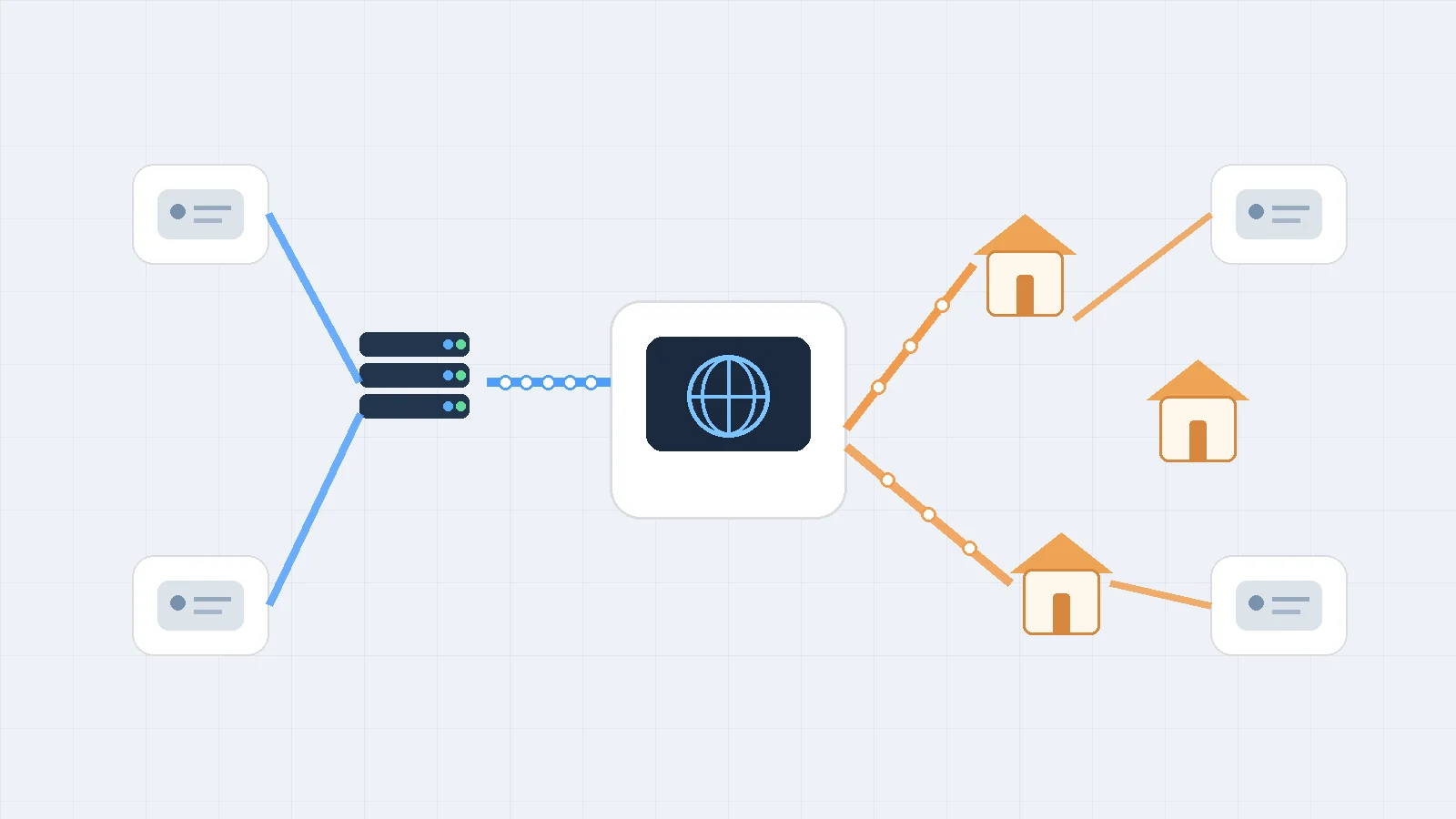
A data collection system may use datacenter proxies for open public pages and residential proxies only for targets that react differently to hosting traffic.
This keeps higher-cost residential traffic focused on requests that benefit from it.
A testing team could follow the same approach. Datacenter proxies may handle routine uptime or API tests, while residential exits check localized public pages from consumer-network regions.
The two proxy types are then solving different problems rather than competing with each other.
If you build a hybrid system, route traffic based on explicit rules. Do not switch proxy types randomly during a stateful session.
How Do Unusual Scenarios Affect Proxy Performance?
Geolocation is one example. Two IP databases may assign the same address to different nearby cities or regions. A website may also use its own location database.
If precise city-level results matter, test the IP with more than one source and compare the actual content returned by the target.
Long-lived connections create another edge case. A sticky residential session may try to keep the same exit for a defined period, but sticky does not mean permanently reserved.
PuraRoute currently documents sticky sessions from 1 to 120 minutes for dynamic residential credentials. Its documentation also warns that reconnects, supplier conditions, or session expiration can still result in a different exit.
If an application must have the same IP for days or weeks, a static resource is usually the more appropriate architecture.
Protocol requirements can narrow the options too. Some applications work well through HTTP proxies, while others need SOCKS5. Confirm support for the exact product rather than assuming every proxy plan supports every protocol.
What Are the Costs of Handling Edge Cases?
Complex setups create engineering cost before they create proxy cost.
A fallback architecture may require:
- several proxy pools
- target-based routing
- health checks
- separate credentials
- retry policies
- region rules
- traffic monitoring
- automatic failover
Traffic can also become an unexpected cost. Browsers often download images, fonts, JavaScript, analytics requests, and other assets that a simple HTTP client might skip.
A 2 MB browsing session costs much more bandwidth than a 50 KB API-style response when residential traffic is billed per GB.
For edge cases, measure three things together: successful tasks, traffic per successful task, and engineering effort.
How to Avoid Mistakes When Using Proxies
A large share of proxy problems come from incorrect assumptions rather than from the proxy itself.
Understanding what a proxy does and does not control makes troubleshooting much easier.
What Common Misconceptions Lead to Errors?
The first misconception is that residential means invisible. Residential IPs can still be blocked, challenged, rate-limited, or associated with poor reputation.
The second misconception is that a proxy automatically encrypts traffic. It does not. HTTP CONNECT can create a tunnel through a proxy, and TLS can then secure communication with the destination. The encryption is provided by TLS.
The third misconception is that rotating more often always improves performance. Rotation helps when requests are independent, but it can break stateful workflows that expect one IP.
Another mistake is treating IP type as the only detection signal. A website can combine the IP with cookies, browser characteristics, session history, request frequency, and account behavior.
How to Correctly Interpret Proxy Performance Data
Average response time is not enough.
Suppose a proxy shows an average response time of 500 ms. That figure looks good, but it may hide a group of requests taking five or ten seconds.
Track median performance and slower percentiles such as p95 when possible.
Success rate also needs a clear definition. A TCP connection that returns a CAPTCHA technically connected successfully, but the business task failed.
Define success according to the actual job. For example:
- expected product page returned
- correct city content loaded
- requested data field received
- workflow completed without IP change
- required API response returned
Performance should also be separated by target and region. One global average can hide serious problems in a single market.
What Are the Signs of Proxy Misuse?
A sudden increase in 403, 407, or 429 responses deserves investigation. The same applies to rising CAPTCHA rates, unexpected location changes, repeated timeouts, or rapidly growing bandwidth use.
Other warning signs include credentials appearing in public logs, unrelated teams sharing one traffic balance, and retry loops continuing after a target clearly rejects the workload.
Proxy use should also remain within applicable law, contracts, access rules, and website policies. Technical access does not automatically mean an activity is permitted.
The goal should be to build a controlled network workflow, not to treat the proxy as a way to ignore normal operational boundaries.
How PuraRoute Supports Different Residential Proxy Requirements
Once a workflow has a clear reason to use residential IPs, the next decision is not simply "get a residential proxy." Users still need to decide how long the IP should stay fixed, whether it should rotate, what location is required, and how usage should be billed.
PuraRoute currently focuses on dynamic residential proxies and static residential proxies rather than positioning a datacenter proxy as the alternative inside the same product line. Its official documentation describes dynamic residential proxies as the option for geographic flexibility, rotation, and short-term sticky sessions, while static residential proxies are intended for workflows that need a stable dedicated IP.
Choose Static Residential Proxies When You Need a Fixed, Dedicated IP
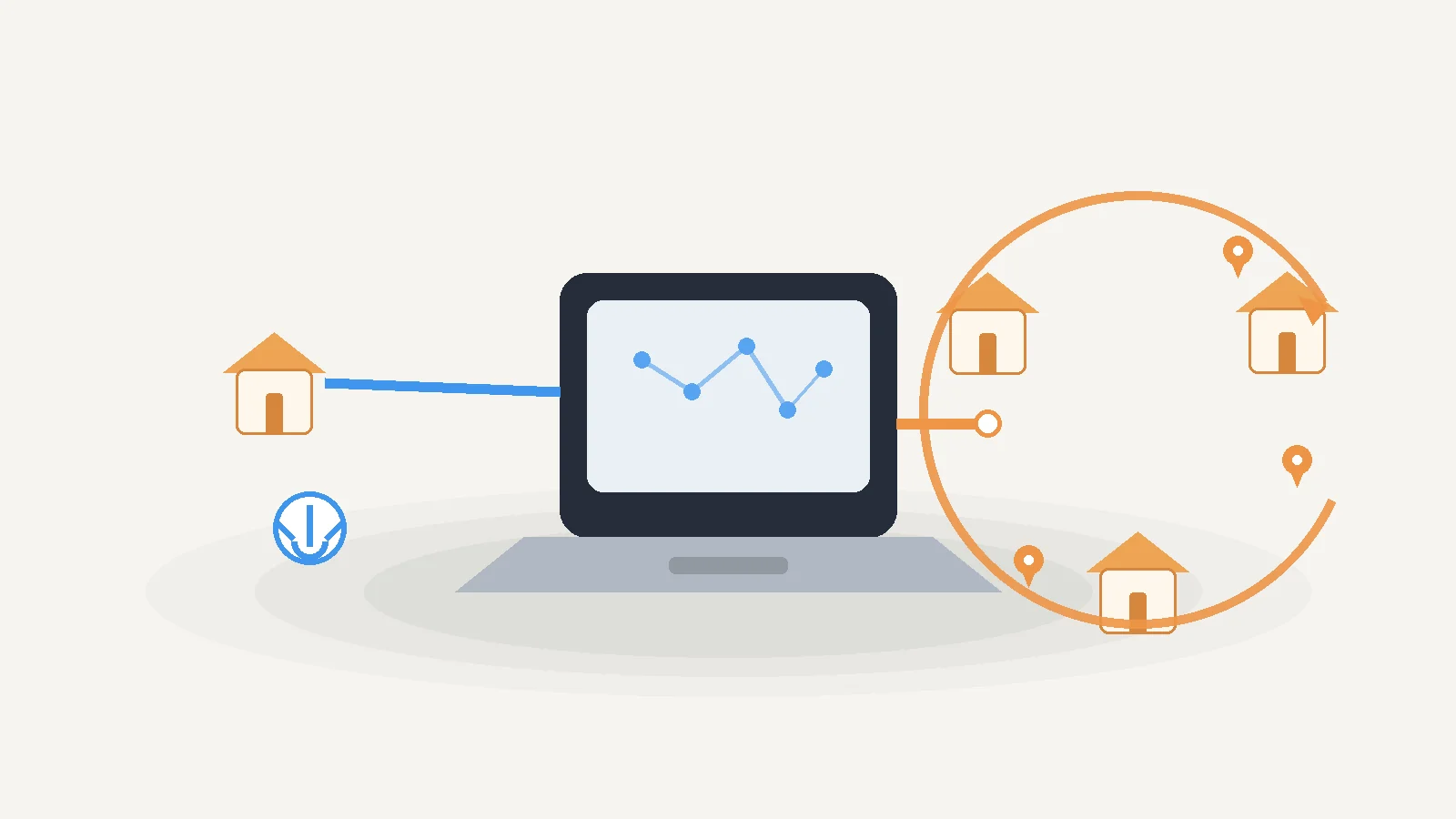
PuraRoute static residential proxies are designed around a fixed IP instead of repeated rotation.
The current product documentation states that a static residential resource provides a dedicated IP for the active resource term. Static plans are purchased by IP quantity and duration rather than dynamic traffic volume.
This structure fits workflows such as:
- long-running browser sessions
- allowlisted applications
- repeated testing from the same location
- workflows that need a consistent network identity
- account operations that should not change IP during normal use
The static product also depends on available inventory. PuraRoute states that product availability, locations, protocols, inventory, and pricing are live values, so users should confirm the current options in the console before purchasing.
This is an important difference from a sticky dynamic session. A static IP is designed to remain assigned during its active term, while a sticky session only attempts to keep one dynamic exit for a limited session window.
Use Dynamic Residential Proxies for Rotating or Sticky Sessions
PuraRoute's dynamic residential proxies support two session policies: Rotating and Sticky.
Rotating mode can use different residential exits across connections or requests. It is better suited to independent tasks that do not require the same IP to stay attached to the entire workflow.
Sticky mode attempts to keep one exit IP for a selected period. PuraRoute's current API documentation lists a supported sticky duration of 1 to 120 minutes.
That makes sticky sessions useful for short multi-step workflows where immediate rotation would cause problems.
PuraRoute also makes an important limitation clear: a sticky session is not a permanent IP reservation. Reconnects, supplier conditions, retries, or session expiration can result in a different exit.
Dynamic residential traffic is purchased by data volume in GB. PuraRoute also supports dynamic subaccounts, allowing teams to separate traffic allocation and credentials between applications or projects.
Configure GEO Targeting and Session Policies for Different Workflows
PuraRoute's dynamic proxy credential API currently supports country, province or state, and city parameters. Region fields follow a hierarchy, so city targeting requires the relevant country and province or state values as well.
Its residential product page currently advertises coverage across more than 195 countries and regions, with country, state, and city targeting. Dynamic residential connections support HTTP(S) and SOCKS5 according to the current product and API documentation.
A practical selection can look like this:
| Workflow | PuraRoute option | Session approach | Why |
|---|---|---|---|
| Large public-data collection | Dynamic Residential | Rotating | Provides residential IP rotation across independent requests |
| Regional price monitoring | Dynamic Residential | Rotating or sticky | Supports GEO selection while matching session length to the task |
| Short multi-step browser flow | Dynamic Residential | Sticky | Keeps one exit for a limited workflow window |
| Long-running browser session | Static Residential | Fixed | Uses a dedicated address for the active resource term |
| IP allowlisting | Static Residential | Fixed | Provides a predictable IP for access rules |
| Repeat location testing | Static Residential | Fixed | Makes comparisons from the same endpoint easier |
The key is to configure the session around the job rather than selecting the most advanced option available.
PuraRoute's current product documentation also warns that inventory, regions, pricing, and some connection options are live values. Users should confirm them in the console when purchasing instead of relying on old screenshots or saved pricing pages.
FAQ about Residential Proxies and Datacenter Proxies
Are Residential Proxies Legal to Use?
Residential proxies are not automatically legal or illegal based only on their proxy type. Legality depends on the jurisdiction, the data or service being accessed, authorization, and how the proxy is used. Always check relevant laws, website terms, and your proxy provider's usage rules.
How Often Should You Change Your Proxy Settings?
There is no universal schedule. Change proxy settings when the workflow, region, target behavior, or performance changes. Stateful sessions usually benefit from consistency, while independent requests may use rotation more frequently.
Can Proxies Improve Internet Speed?
A proxy should not be treated as a speed booster. It introduces another network route, so performance depends on the provider, distance, congestion, proxy type, and destination. Datacenter proxies often have fast infrastructure, but actual results still need to be tested.
What Are the Signs of a Compromised Proxy?
Unexpected traffic, unknown credential use, unexplained bandwidth consumption, configuration changes, or connections through resources you did not create can indicate a problem. Disable affected credentials, rotate passwords or proxy credentials, review logs, and contact the provider if needed.
How Do Proxies Affect SEO Efforts?
A proxy does not improve search rankings by itself. SEO teams mainly use proxies for operational work such as checking localized search results, comparing public pages across regions, or collecting permitted SERP data. Ranking still depends on factors such as content, technical SEO, links, relevance, and search engine systems.
Conclusion
The most useful way to compare a residential vs datacenter proxy is to look at the real workflow rather than assume one category is always better.
Datacenter proxies often make sense when speed, scale, and lower cost matter and the destination accepts hosting-network traffic. Residential proxies become more valuable when residential network identity, broader geographic routing, or lower exposure to datacenter-based filtering matters.
If residential routing is the right choice, session behavior becomes the next decision. PuraRoute's dynamic residential proxies provide rotating and short-term sticky options, while its static residential proxies are designed around a fixed, dedicated IP.
Start with a small real-world test, measure successful tasks rather than raw connection speed, and choose the least complex proxy setup that reliably meets the workflow.
