
Using Twitter (now called X) for business, research, or daily browsing can sometimes come with challenges. You may need to manage several accounts, check content from another country, or deal with an unstable connection. A Twitter proxy can help with some of these tasks by routing your traffic through a different IP address. However, choosing the right proxy and setting it up correctly are just as important as using one.
In this guide, you'll learn how Twitter proxies work, why people use them, and which proxy types may fit different needs. We'll also walk through proxy setup on Windows, macOS, Android, iPhone, and web browsers. Along the way, you'll find practical examples, common connection problems, and tips to help you choose the best proxies for Twitter in 2026.

What Is a Twitter Proxy and How Does It Work?
A Twitter proxy is a server that connects you to Twitter through a different IP address. Instead of sending requests directly from your device to Twitter, your connection goes through the proxy server first. Twitter then sees the proxy's IP address rather than your home or office IP address. People often use a proxy for Twitter to access the platform from different locations, manage work accounts, or keep their business traffic separate from personal browsing.
Here is how it works. Imagine you run a small marketing agency in New York, but you also manage a Twitter account for a client in Los Angeles. You can connect your browser to a US residential proxy before opening the client's account. When you visit Twitter, your request travels through the proxy server and reaches Twitter using the proxy's IP address. Twitter sends the response back through the same server, allowing you to browse and manage the account as usual. This process changes the IP address Twitter sees, but it does not change your account details, browser cookies, or login history.
Not all Twitter proxies work the same way. Some provide a fixed IP address that stays the same across sessions, while others rotate between different addresses. For example, a fixed residential IP may be useful when a team needs a steady connection for daily account management. A rotating proxy may be more suitable for certain public data research tasks, depending on the tools used and Twitter's access rules. If you're new to these differences, this guide to residential proxies explains how residential IP addresses work and where they can be useful. The right proxy type depends on what you plan to do, how often you connect, and whether you need a stable IP or access to different locations.
One important thing to understand is that a proxy only changes how your network traffic reaches Twitter. It does not make an account invisible or prevent every security check. Twitter can still use other account and activity signals, and its rules prohibit certain forms of spam, unauthorized automation, and platform manipulation. Choosing a reliable proxy is useful, but normal account activity and compliance with Twitter's rules still matter.
Why Use a Proxy for Twitter?
Now that you know how a Twitter proxy works, the next question is when you might need one. For most users, it is not just about changing an IP address. A proxy for Twitter can help separate account connections, access the platform through different regions, and support business research. The right setup depends on whether you manage social media accounts, study market trends, or simply want more privacy when browsing X.
Manage Multiple Twitter Accounts
Managing several Twitter accounts can get confusing, especially when you work with different clients. Imagine a social media agency that handles five accounts for five small businesses. Each client has their own posts, messages, and marketing plans. Using separate browser profiles with a dedicated Twitter proxy for each client can help the team keep account sessions and network connections organized. For example, the team could use a stable US residential IP for one client's account and another IP for a second client, rather than sending every session through the same connection.
However, using different IP addresses does not mean Twitter will treat every account as unrelated. X allows multiple accounts for different, legitimate purposes, but it has rules against coordinated spam and platform manipulation. A proxy also does not separate browser cookies or saved login data on its own. For better account management, users can pair proxies with separate browser profiles and avoid unnecessary IP changes during regular work.
Access Twitter from Different Locations
A Twitter proxy can also be useful when you need to connect through another country or city. For example, a US marketing team may want to review how its brand's Twitter page appears when accessed from Germany. By connecting through a German proxy server, the team can send its requests using a German IP address without traveling there. This can help with location-based testing, checking regional access, and reviewing parts of the browsing experience that depend on IP location.
There are still some limits to understand. X uses IP addresses as one signal to estimate location, but account settings, activity, and other information can also affect what users see. A German proxy does not guarantee that your timeline or search results will match those of a person living in Germany. Some posts may also be unavailable in certain countries due to local laws. If you need to compare several markets, choose Twitter proxies that support your target locations and check the results instead of assuming the IP address controls everything.
Collect Public Twitter Data for Market Research
Twitter is a useful place to learn what customers think about products, brands, and industry news. Suppose an online store wants to launch a new wireless headset. Its marketing team could study public posts about battery life, sound quality, and common problems with competing products. These conversations may help the team find customer needs that do not appear in product descriptions. A Twitter proxy can provide a separate network connection for approved research tools, while different proxy locations may help teams test regional access to public content.
For larger research projects, the method used to collect data matters as much as the proxy itself. X offers an official API for accessing public platform data, while its automation rules restrict certain methods of collecting information through the website. Using rotating proxies does not remove those rules or guarantee access to more data. For example, a researcher tracking public comments about a product launch should first check the available API options, access limits, and permitted uses of the data. This makes the research process easier to maintain and less likely to be interrupted by access restrictions.
Improve Privacy When Browsing Twitter
Every time you connect to Twitter without a proxy, the platform can receive your public IP address. This address may reveal your approximate location and internet provider, even though it does not normally show your exact home address. A Twitter proxy changes the IP address seen by X, which can be useful when you want to keep your home or office network address separate from your browsing activity. For example, a freelance researcher who checks public Twitter discussions for different clients may prefer to use a trusted residential proxy instead of always connecting through a personal network.
Still, changing an IP address is only one part of online privacy. If you log into your regular Twitter account, X can still connect your activity to that account through your login details, cookies, and other signals. The proxy provider may also handle information about your connections, so choosing a trustworthy service is important. When comparing the best proxies for Twitter, look beyond IP location and price. Check the provider's privacy policy, connection security, and reputation before sending account traffic through its servers.
What Are the Best Proxies for Twitter?
After learning why people use a Twitter proxy, the next step is choosing the right type. Not all proxies offer the same IP quality, connection speed, or stability. Some work better for daily account management, while others are more useful for testing access from different locations. The best proxies for Twitter depend on your tasks, budget, and how long you need to keep the same IP address.
Residential Proxies for Twitter
Residential proxies use IP addresses linked to residential internet networks rather than typical data center servers. These addresses can appear similar to those used by regular home internet customers. Many residential proxy services also let users choose an IP from a specific country or city. This makes them useful for checking regional Twitter content or managing research across different markets.
For example, a marketing team may want to compare public Twitter discussions about a new smartphone in the US, UK, and Japan. With rotating residential proxies, the team can connect through IP addresses in each country and check what public content is available. Some services also offer sticky sessions, which let users keep the same IP for a set period, such as 30 minutes. However, a residential proxy for Twitter does not guarantee access to every post or prevent account checks. Users should also make sure the provider gets its residential IPs through clear and lawful methods.
Static Residential Proxies for Twitter
Unlike rotating residential proxies, static residential proxies provide an IP address that stays the same for a longer period. Depending on the provider, these may use a fixed residential connection or an ISP-issued IP hosted on server infrastructure. The main benefit is connection consistency. You do not need to switch IP addresses each time you open Twitter, which makes this type worth considering for regular account use.
Imagine a social media manager who logs into the same client's Twitter account every morning to publish posts and answer customer questions. A static residential Twitter proxy lets the manager use a consistent network address across work sessions. This may help reduce unexpected location changes, although Twitter can still request account verification for other reasons. Static residential proxies are often sold by IP address and subscription period, making costs easier to plan for steady daily use. Before buying, check whether the IP is dedicated, how long it remains assigned to you, and whether you can renew it. For a closer comparison, see how to choose between dynamic and static residential proxies.
Datacenter Proxies for Twitter
Datacenter proxies use IP addresses from cloud hosting companies or data center networks. They are often cheaper than residential proxies and can provide fast connections. This makes them an option for simple network tests or low-cost tasks that do not require a residential IP address. However, websites can often identify these IPs as belonging to hosting providers, and access may be limited depending on the IP's reputation and the site's security rules.
For example, a developer might use a datacenter proxy to check whether a public Twitter page loads through a server in another country. This can be useful during basic connection testing, especially when the developer does not need to sign in. But for long-term account management, a datacenter IP may not be the best choice if the connection receives frequent checks or access errors. If you are comparing different Twitter proxies, test both connection quality and actual Twitter access before making a larger purchase.
Free vs. Paid Twitter Proxies
Free proxies may look attractive when you only need to change your IP address for a quick task. You can find public proxy lists online without paying a monthly fee. However, many free proxies are shared by unknown users, and their speed or availability can change without warning. Some operators may also log traffic or interfere with connections. These risks make unknown free proxies a poor choice for handling sensitive account activity.
Paid Twitter proxies generally give users more control over IP location, session settings, and connection support. For instance, a small agency managing three client accounts may prefer three dedicated IPs instead of relying on free addresses that could stop working during the day. Paid services still differ in quality, so price alone should not decide your choice. Check the provider's IP sourcing, available locations, replacement policy, and support before buying. A paid proxy also cannot guarantee that Twitter will accept every connection.
Here is a quick comparison to help you choose:
| Proxy type | Main advantage | Best suited for |
|---|---|---|
| Rotating residential | Wide IP and location options | Regional research and location testing |
| Static residential | Consistent IP address | Regular account management |
| Datacenter | Often fast and affordable | Basic connection testing |
| Free proxy | No upfront cost | Limited, non-sensitive experiments |
| Paid proxy | More control and provider support | Ongoing business use |
For people who manage Twitter accounts every day, a reliable static residential proxy is worth considering first. If your work involves checking public content across different regions, rotating residential proxies may offer more flexibility. Regardless of the type you choose, remember that X's rules still apply, including its restrictions on spam, unauthorized automation, and coordinated account activity.
How to Set Up a Twitter Proxy on Different Devices
Once you have chosen a suitable Twitter proxy, the next step is connecting it to your device. The setup process depends on whether you use Windows, macOS, a smartphone, or a web browser. Most methods require a proxy server address, port number, and sometimes a username and password. You can find these details in your proxy provider's dashboard. Before starting, make sure your proxy supports the connection method available on your device.
How to Configure a Twitter Proxy on Windows
Windows 10 and Windows 11 have built-in proxy settings, so you can configure a Twitter proxy without installing extra software. This is useful if you normally access Twitter through Chrome or Microsoft Edge. For example, a social media manager working from a Windows laptop can set up a residential proxy before opening a client's Twitter account.
Follow these steps on Windows 11:
- Open Settings → Network & Internet → Proxy.
- Find Manual proxy setup and click Set up next to Use a proxy server.
- Turn on Use a proxy server.
- Enter your proxy server address and port number.
- Click Save, then open your browser and visit Twitter.
Windows will use these proxy settings for supported connections. If your proxy requires login details, the browser may ask for a username and password when you connect. You should also visit an IP-checking website to confirm that your public IP has changed. Keep in mind that Windows' built-in proxy setup is mainly designed for HTTP-based proxies, so a SOCKS5 proxy may require another tool. Microsoft's official Windows proxy guide explains the available settings.
How to Set Up a Proxy for Twitter on macOS
Mac users can configure a proxy for Twitter through the system's network settings. Unlike Windows, macOS provides separate options for web proxies, secure web proxies, and SOCKS proxies. This gives users more flexibility when choosing a connection method. For example, if you use a static residential SOCKS5 proxy for daily Twitter work, you can enter its details directly in the Mac network settings.
Here is how to configure it:
- Open Apple Menu → System Settings → Network.
- Select your active network connection, such as Wi-Fi.
- Click Details → Proxies.
- Choose Web Proxy (HTTP), Secure Web Proxy (HTTPS), or SOCKS Proxy, depending on your proxy type.
- Enter the proxy server address and port. Add your username and password if required.
- Click OK to save your changes.
After saving, open Twitter in your browser to check whether the connection works. If the page fails to load, check the proxy type, port, and login details before changing other settings. For instance, entering a SOCKS5 server under the HTTP proxy option may cause connection problems. You can also follow Apple's official proxy setup instructions for more details.
How to Use Twitter Proxies on Android and iPhone
You can also configure Twitter proxies on Android and iPhone, but mobile devices have some limits. Both systems support manual HTTP proxy settings for Wi-Fi connections. However, these settings do not automatically apply to mobile data, and some apps may not use the configured proxy. If you want to browse Twitter through a mobile browser while connected to Wi-Fi, this is a simple place to start.
On Android:
- Open Settings → Network & Internet → Internet or Wi-Fi.
- Select your connected Wi-Fi network and open its network details.
- Find Advanced options → Proxy.
- Select Manual and enter the proxy hostname and port.
- Save the settings and open Twitter in your browser.
On iPhone:
- Open Settings → Wi-Fi.
- Tap the ⓘ icon next to your connected network.
- Scroll down to Configure Proxy.
- Select Manual and enter the server address and port.
- Turn on Authentication if needed, then enter your username and password.
- Save the settings and test the connection in Safari.
For example, a researcher using an iPhone can connect to an office Wi-Fi network and set up a proxy to check public Twitter pages from another IP location. However, switching from Wi-Fi to mobile data will not carry over that proxy setting. Android menu names may also differ between phone brands. If your provider requires SOCKS5 or another connection method, you may need a compatible third-party app rather than the phone's built-in Wi-Fi proxy settings.
How to Configure a Twitter Proxy in a Web Browser
If you only need a Twitter proxy for browser-based work, changing your entire device's network settings may not be necessary. Firefox offers built-in proxy controls, while Chrome and Edge generally use the operating system's proxy settings. Browser-level configuration can be useful when you want a separate connection for Twitter without changing how other desktop applications connect to the internet.
To configure a proxy in Firefox:
- Open Firefox → Settings → General.
- Scroll to Network Settings and click Settings.
- Select Manual proxy configuration.
- Enter your HTTP, HTTPS, or SOCKS proxy details in the matching fields.
- Click OK, then visit an IP-checking website to test the connection.
For Chrome or Edge, you can open the browser's system settings and select the option to open your computer's proxy settings. This takes you to the Windows or macOS configuration described earlier. If you need different connections for different browser profiles, you may need a browser tool that supports per-profile proxy settings. Firefox's official proxy configuration guide explains how its manual settings work.
A successful IP check is a useful first test, although it does not guarantee that every Twitter feature will work through that proxy.
Common Twitter Proxy Problems and How to Fix Them
Even after setting up a Twitter proxy correctly, you may still run into problems when using X. A page might fail to load, your account may ask for extra verification, or the connection could become unusually slow. These issues do not always mean your proxy is bad. Sometimes the problem comes from incorrect settings, an unstable IP address, or Twitter's own security checks. Knowing how to identify the cause can save you time and help you avoid unnecessary proxy changes.
Twitter Proxy Not Connecting
If your Twitter proxy is not connecting, start by checking whether the proxy server works at all. For example, you might enter your proxy details in Chrome, only to see a connection error when opening x.com. Before changing your browser settings again, try visiting an IP-checking website through the same proxy. If that website also fails to load, the problem likely lies with the proxy connection rather than Twitter itself. Common causes include an incorrect server address, a closed port, expired credentials, or an unsupported proxy protocol.
Check the server address and port against the details in your provider's dashboard. If you see a 407 Proxy Authentication Required error, the proxy has not accepted the login details provided by your browser or application. Make sure your username and password are correct, or check whether your current IP is allowed if the provider uses IP-based authentication. If other websites work but Twitter does not, try opening X in a supported browser with extensions disabled to rule out browser-related issues. Mozilla's HTTP 407 documentation explains this authentication error in more detail.
Twitter Login or Verification Issues
Sometimes a proxy for Twitter connects successfully, but you cannot sign in to your account. You may receive a verification code request, a suspicious login warning, or a temporary account lock. For example, imagine you normally manage a Twitter account from a US IP address but suddenly sign in through a proxy in another country. X may treat this as an unusual login and ask you to confirm that you own the account. According to X's account security guidance, the platform can send security notifications when it detects suspicious logins or new devices.
If verification appears, complete the requested steps through X's official website or app. Avoid repeatedly switching proxies or making many login attempts while troubleshooting, as this can make it harder to identify the original problem. If you manage the same account regularly, a stable IP and a consistent browser profile may help reduce unnecessary connection changes, although they cannot prevent every security check. Also, make sure your browser accepts cookies, since X uses them to maintain login sessions. If your account is locked, follow X's official account recovery instructions rather than trying to work around the restriction with another IP address.
Slow Connections and Frequent IP Changes
A slow Twitter proxy can make even simple tasks frustrating. Images may take longer to load, videos might pause, and pages may stop responding. This can happen when the proxy server is overloaded, the connection travels through a distant location, or the IP changes during an active session. For example, a marketing manager in California using a proxy in Europe may notice slower page loading than with a nearby US server. The distance is not always the only cause, but it can add delay to each request.
If you use rotating Twitter proxies, check how often your provider changes the IP address. A proxy that rotates with every request may be useful for some approved research tasks, but it can interrupt work that depends on a steady session. For regular account management, consider a static residential proxy or a sticky session that keeps the same IP for a set period. You can also test a server closer to your location and compare page loading times at different hours. If the connection remains slow, ask your provider to check the server or offer another available IP.
When comparing the best proxies for Twitter, do not focus only on the number of IP addresses or the lowest price. A proxy that stays connected throughout your work may be more useful than one that offers thousands of IPs but frequently disconnects. Test how quickly Twitter loads, whether the IP remains consistent during your session, and how often connection errors appear. If you still receive activity limits even with a working proxy, remember that X applies its own account and API limits. Changing IP addresses does not remove those limits, as explained in X's official limits documentation.
Why Choose PuraRoute for Twitter Proxies?
As discussed earlier, choosing the right Twitter proxy is only part of the process. You also need a provider that offers suitable IP locations, stable connections, and clear configuration options. If you are still dealing with slow speeds, frequent IP changes, or limited location choices, PuraRoute may be worth considering. Users can choose between dynamic and static residential proxies based on whether they need flexible IP rotation or a more consistent connection for daily Twitter tasks.
Dynamic Residential Proxies for Location-Based Twitter Research
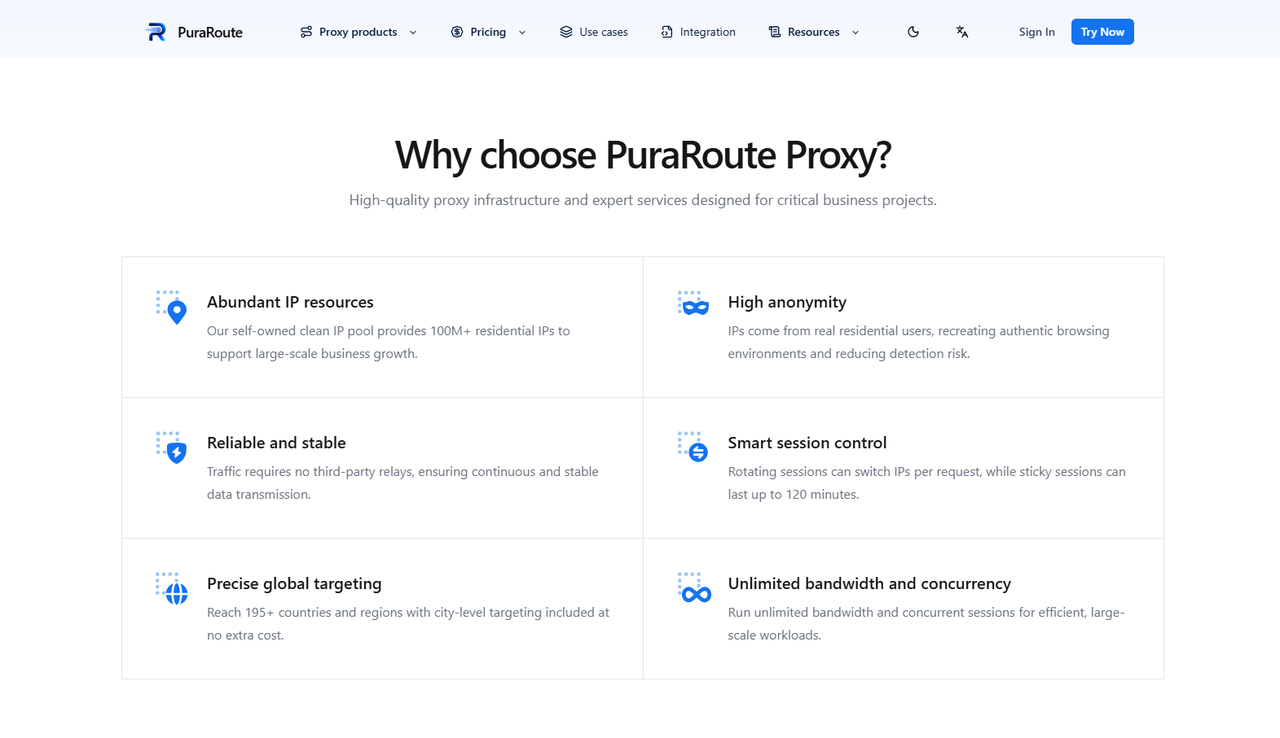
If you need to study Twitter trends across different countries, PuraRoute's dynamic residential proxies offer several useful options. Users can access residential IPs across 195+ countries and regions, with country, state, and city targeting available where supported. For example, a marketing team studying public conversations about a new product could select IPs in the US, UK, and Japan to compare regional access. They can also choose rotating IPs for separate research requests or sticky sessions when they need to keep one IP for a short period. These settings may make location-based research easier, although the content shown on Twitter still depends on the platform's own rules and location signals.
Static Residential Proxies for Consistent Twitter Sessions
For users who manage Twitter accounts regularly, a stable IP address may be more useful than frequent rotation. With PuraRoute's static residential proxies, users can get a dedicated IP that remains assigned to them during the active subscription period. Imagine a social media manager who checks the same client's account every morning, replies to messages, and schedules posts. Using one fixed IP may help keep the network connection consistent instead of switching between different addresses each day. These proxies also come with dedicated bandwidth and unlimited traffic, though actual connection speed can still vary. Users pay based on the number of IPs and the subscription length, which may be easier to plan for ongoing account work.
Flexible Proxy Configuration and Geographic Targeting
Setting up a proxy for Twitter should not require complicated technical work. With PuraRoute, users can choose from supported proxy connection methods and generate the required details through the dashboard. Dynamic residential proxy users can also select rotating or sticky sessions based on how long they need to keep an IP. For example, someone using a browser with manual proxy support could enter the provided server address, port, and login details, then check the IP before opening Twitter. Users who need local IPs can select available geographic targets instead of using a random location. The exact regions, protocols, IP availability, and connection options should be checked in the dashboard before purchase.
If you are comparing the best proxies for Twitter, it helps to start with your actual tasks rather than choosing the largest IP pool. Dynamic residential proxies may be more suitable for regional research, while static residential proxies may better fit ongoing account management. You can explore PuraRoute's available options and start with a small test to see how the connection performs with your browser and intended Twitter workflow.
FAQs About Twitter Proxies
Before choosing a Twitter proxy, you may still have questions about compatibility, account management, and connection problems. Here are quick answers to five common questions.
Can I Use a Proxy for Twitter Without a VPN?
Yes. You can use a Twitter proxy without a VPN by entering the proxy server details in your browser or device settings. A proxy changes the IP address seen by Twitter for traffic routed through it. However, it does not always protect all traffic from your device.
Are Residential Proxies Better for Twitter?
Residential proxies may be a better choice for Twitter because they use IP addresses linked to residential networks. They can be useful for regular account management and location-based research. However, connection quality, IP reputation, and stability also matter.
Can I Manage Multiple Twitter Accounts with One Proxy?
Yes, you can use one proxy for Twitter with multiple accounts, but sharing an IP does not separate their browser sessions. If you manage several client accounts, separate browser profiles and dedicated proxies may help keep your work organized. Always follow X's rules for managing multiple accounts.
Why Is My Twitter Proxy Not Working?
A Twitter proxy may stop working because of incorrect login details, an expired subscription, or a server connection problem. Check your proxy address, port, and authentication settings first. If the proxy works on other websites but not Twitter, the issue may involve X's access restrictions.
How Do I Choose the Best Proxies for Twitter?
The best proxies for Twitter depend on your needs. Static residential proxies may suit regular account management, while rotating residential proxies may be useful for regional research. Compare IP stability, supported locations, connection speed, and pricing before choosing a provider.
Conclusion
Choosing the right Twitter proxy can make a difference in how you manage accounts, access content from different locations, and carry out market research. However, not all proxies work the same way. Residential proxies may be useful for location-based tasks, while static residential proxies can offer more consistent IP addresses for daily account management. Understanding these differences can help you avoid common connection problems and choose a setup that fits your needs.
Before buying, think about how often you use Twitter, which locations you need, and whether your work requires a fixed or rotating IP. You should also test the connection speed, IP stability, and browser compatibility. If you are looking for suitable options, PuraRoute offers dynamic and static residential proxies that may fit different Twitter workflows. Start with your actual needs, compare the available options, and choose a proxy for Twitter that supports your work while following X's platform rules.
