
Have you ever opened a website only to find that certain content is not available in your country? Or maybe you need to check product prices in another market without traveling there. These are common reasons why people use a web proxy. It lets you access websites through another IP address, which can be useful for browsing, research, and business tasks.
But not every web proxy works the same way. Some are simple tools for browsing websites, while others support web scraping, automation, and long-term online sessions. This guide explains what a web proxy is, how it works, the different types available in 2026, and how to choose the right one for your needs.

What Is a Web Proxy?
A web proxy is a service that acts as a middle point between your browser and a website. Instead of connecting to a website directly, your browser sends its request through the proxy first. The proxy then contacts the website and sends the response back to you. This process can help hide your original IP address from the website and make your traffic appear to come from another location.
For example, imagine you run an online store in the US and want to check how your product pages appear to visitors in Germany. A web proxy with a German IP address can help you view the site from that location. However, the results may still depend on your browser settings, cookies, and account details. Some services also offer a web-unblocker, which adds tools to handle access challenges that a basic proxy may not solve.
How Does a Web Proxy Work?
The process is simple. When you open a website through a web proxy, your request goes to the proxy server instead of reaching the website directly. The proxy forwards the request using its own connection and receives the website's response. It then sends that response back to your browser, where the page loads as usual. In many cases, the website sees the proxy's IP address rather than your home IP address.
For example, suppose you are in New York and use a web proxy based in London to visit a news website. The website may recognize the request as coming from the UK and show content meant for British visitors. Still, a proxy does not guarantee access to every page or protect all your personal data. The proxy provider may see parts of your traffic, so choosing a trusted service matters.
What Is the Difference Between a Web Proxy and a Proxy Server?
The terms web proxy and proxy server are often used in the same way, but they are not exactly the same. A proxy server is a broader term for a system that forwards requests between devices and other servers. A web proxy focuses on web traffic, mainly HTTP and HTTPS requests. Other proxy types, such as SOCKS5, can also support traffic from applications beyond standard web browsing.
Think of a web proxy as one type of proxy server. You might use a web proxy to check a website from another country, while a developer might use a SOCKS5 proxy with an application that needs a different network connection. The right choice depends on what you want to do and which traffic your software needs to send through the proxy.
What Are the Different Types of Web Proxies?
Not all web proxies work the same way. Some let you visit websites through a simple online page, while others need to be set up in your browser or software. They also differ in speed, IP address sources, and supported traffic. Understanding these differences can help you choose a web proxy that fits your needs.
Web-Based Proxies
A web-based proxy lets you visit websites through another website without installing software. You simply open the proxy service, enter the URL you want to visit, and let it load the page for you. This makes it a simple option for quick browsing or viewing public content. However, some web-based proxies may struggle with websites that need logins, videos, or complex scripts.
For example, you might use a web-based proxy to read a public news page that is unavailable through your normal connection. However, it may not work well with an online shopping site that needs cookies and a shopping cart. Some advanced services, often called a web-unblocker, can handle JavaScript and certain access challenges. These tools are usually designed for automated data collection rather than everyday browsing.
HTTP and HTTPS Proxies
HTTP and HTTPS proxies are commonly used for website traffic. An HTTP proxy can forward normal web requests and may also support secure HTTPS connections through a method called CONNECT. An HTTPS proxy uses an encrypted connection between your device and the proxy server. This adds protection to that part of the connection, although overall security still depends on the website and proxy setup.
For example, a small business might use an HTTP or HTTPS proxy to check product prices across several online stores. The team can configure the proxy in a browser or data collection tool to send requests through a chosen IP address. This can help them compare prices from different regions without changing their physical location. Still, they should check whether their tools support the selected proxy protocol before starting.
SOCKS5 Proxies
A SOCKS5 proxy works with more than just website requests. It can handle different types of network traffic, including connections from browsers and other supported applications. Unlike an HTTP proxy, SOCKS5 does not need to understand the web content it forwards. This makes it useful when you need one proxy connection for different types of software. However, SOCKS5 does not encrypt your traffic on its own.
Imagine a developer testing an application that connects to several online services. A SOCKS5 proxy may help route those connections through a chosen server without changing the application's main network logic. It can also be useful for tools that support SOCKS5 but not HTTP proxies. Before using one, check whether the application supports SOCKS5 and whether the connection needs separate encryption.
Residential vs. Datacenter Proxies
Residential and datacenter proxies are grouped by where their IP addresses come from, rather than how they handle traffic. Residential proxies use IP addresses linked to residential internet connections. Datacenter proxies use IP addresses hosted on servers in data centers or cloud networks. Both types can support HTTP, HTTPS, or SOCKS5, depending on the provider.
For example, an online seller checking product listings in different countries may prefer residential proxies because their IP addresses are linked to consumer internet networks. A developer running basic website tests may prefer datacenter proxies because they are often faster and more affordable. However, residential IPs do not guarantee successful access, and datacenter IPs are not always blocked. The best option depends on the target website, location requirements, budget, and how often you send requests.
| Feature | Residential Proxies | Datacenter Proxies |
|---|---|---|
| IP source | Residential internet networks | Data centers or cloud servers |
| Typical cost | Higher | Lower |
| Speed | Depends on the connection | Often faster |
| Common uses | Location-based research, e-commerce monitoring | Website testing, general automation |
| Main limitation | Higher cost and variable performance | Some websites restrict datacenter IPs |
If you want to learn more about residential IPs and their uses, read this guide on what a residential proxy is and why to use it in 2026.
Web Proxy vs. Web-Unblocker: What's the Difference?
A web proxy and a web-unblocker can both help users access websites through another IP address, but they solve different problems. A regular web proxy focuses on routing traffic, while a web-unblocker adds tools to handle website access challenges. This difference becomes important when you need to collect public data from websites that use CAPTCHAs, rate limits, or bot detection systems. Knowing how each tool works can help you avoid paying for features you may not need.
How a Web Proxy Handles Website Requests
A standard web proxy sends your requests to a website and returns the response. It can change the IP address the website sees, but it does not usually manage CAPTCHAs or other security checks. If a website blocks the proxy IP or returns an error, you may need to change the IP address, adjust your request settings, or try again later. These tasks are often handled by the user or their software.
For example, imagine you want to check product prices on five online stores every morning. A residential web proxy may be enough if those websites allow your requests and load their content normally. However, if one store starts showing a CAPTCHA instead of product prices, a basic proxy will usually pass that challenge back to your tool. You would then need to handle the issue separately.
How a Web-Unblocker Handles CAPTCHAs and Anti-Bot Challenges
A web-unblocker goes beyond basic IP routing by managing some of the problems that can stop automated website requests. Depending on the service, it may rotate IP addresses, adjust request headers, manage cookies, or retry failed requests. Some services also support JavaScript rendering and CAPTCHA handling. These features can help data collection tools receive usable page content without requiring users to manage every failed request themselves.
Consider a price monitoring tool that checks hundreds of public product pages each day. Some pages may load normally, while others return a security challenge because the website detects unusual traffic. A web-unblocker may try another IP address or use browser-based tools to handle the challenge. However, success is not guaranteed. Websites can still restrict access based on traffic patterns, account status, or other security rules.
When Should You Use a Web Proxy or Web-Unblocker?
The right choice depends on your task and how often you face website access problems. If you mainly need a different IP address for browsing, location-based research, or simple website testing, a web proxy is often a practical choice. It gives you more direct control over proxy settings and may cost less than a full web-unblocker service. You can also choose between residential and datacenter IPs based on your budget and location needs.
A web-unblocker may be more useful when you collect large amounts of public web data and often face CAPTCHAs or failed requests. For example, a small online seller checking a few competitor prices may only need a residential web proxy. A research team collecting product details from thousands of pages may benefit from automated retries and JavaScript rendering. Before choosing either option, test it on your target websites, compare the costs, and follow the websites' access rules.
What Can You Use a Web Proxy For?
A web proxy is useful for more than changing your IP address. Businesses, marketers, and developers use proxies to access regional content, collect public data, and manage online tasks. While a web-unblocker is often designed for more complex data collection, a standard web proxy can handle many everyday needs. Here are four common ways people use web proxies in 2026.
Accessing Geo-Restricted Websites and Content
Some websites show different content based on where visitors are located. A web proxy lets you connect through an IP address from another country, which may help you view content available in that region. For example, a US shopper might use a Japanese proxy to check local product listings on a Japanese shopping website. This can be useful for comparing prices, checking product availability, or researching overseas markets. However, some services also check account details, payment information, or device location, so a proxy alone may not provide access to every page.
Web Scraping and Data Collection
Web scraping involves collecting information from websites using automated tools. A web proxy can help businesses send requests through different IP addresses while gathering public product prices, reviews, or stock information. For example, an online retailer might collect prices from several competing stores to track changes over time. If the websites use complex scripts or access challenges, a web-unblocker may provide extra tools such as JavaScript rendering and request retries. Users should still respect website rules, rate limits, and privacy laws when collecting data.
SEO Monitoring and Market Research
Search results and website content can vary between countries, making local research important for SEO teams. A web proxy can help marketers view websites through IP addresses from different regions and check how local content appears. For example, a US marketing agency working with a German client might use a German proxy to review local competitor pages, product offers, and search results. This can reveal differences in language, pricing, and marketing messages that may not appear from the US. However, search results also depend on other factors, and automated Google rank scraping without permission violates Google's policies.
Managing Multiple Accounts and Online Sessions
Businesses often manage several online accounts for different stores, clients, or social media pages. A web proxy can give each account connection a selected IP address, which may help teams maintain consistent regional access. For example, an agency managing US and UK client accounts might assign a suitable proxy to each browser profile. This makes it easier to keep network settings organized when switching between clients. However, a proxy does not separate cookies, login data, or browser fingerprints on its own. Teams may need separate browser profiles to keep sessions apart, and they should follow each platform's account rules.
Are Free Web Proxies Safe and Reliable?
A free web proxy may seem like an easy way to browse websites without paying for a service. You can find public proxy lists and online proxy tools that promise quick access to websites. However, free does not always mean safe or reliable. Some services have weak security, slow connections, or unclear privacy rules. Before using one, it helps to understand what could go wrong and when a paid option may be worth the cost.
Common Risks of Free Web Proxies
One major concern is data privacy. When you use a web proxy, the provider handles your requests and may be able to record your IP address, the websites you visit, and any data sent without encryption. Some free services may also insert ads or change website content. A 2024 study presented at the NDSS Symposium examined free proxies over 30 months and found serious security and reliability problems. This shows why using an unknown proxy for sensitive browsing can be risky.
Connection quality is another common problem. Free proxies often have limited resources, which can lead to slow loading, failed requests, or sudden disconnections. For example, imagine checking product prices through a free web proxy during a busy shopping season. If the connection drops halfway through, you may miss important price changes or receive incomplete results. For safer browsing, avoid entering passwords or payment details through unknown proxy websites, and never ignore browser security warnings.
Free vs. Paid Web Proxies: Which Should You Choose?
Free web proxies may be enough for simple tasks, such as testing access to a public page or checking how a website responds from another IP address. However, they are less suitable for regular business work that needs stable connections and clear privacy rules. Paid web proxy services often provide more IP locations, better connection management, and customer support. Some also offer advanced tools, such as a web-unblocker, for handling difficult website requests. Still, paying for a proxy does not automatically make it secure or reliable.
| Feature | Free Web Proxy | Paid Web Proxy |
|---|---|---|
| Cost | Free | Subscription or usage-based |
| Connection stability | Can be unpredictable | Often more consistent |
| IP locations | Usually limited | Often more choices |
| Privacy | May have unclear policies | Depends on the provider |
| Customer support | Often unavailable | Usually available |
| Best for | Basic public-page testing | Regular browsing, research, and business tasks |
For example, a student checking a public website once may not need a paid service. But an online seller monitoring competitor prices every day may benefit from a paid residential proxy with stable connections and selected locations. Before choosing a provider, review its privacy policy, IP sources, supported protocols, and refund or trial options. Testing a small amount of traffic first can also help you decide whether the service meets your needs.
How to Set Up and Use a Web Proxy
Once you have chosen a reliable web proxy, the next step is setting it up. Most proxy services provide connection details that you can enter in your browser or device settings. The process usually takes just a few steps, but it may vary depending on your operating system and proxy type. Here is a simple way to get started.
Step 1: Choose a Suitable Web Proxy Provider
Start by choosing a web proxy provider that supports your needs. Check the available IP locations, supported protocols, connection limits, and pricing. For example, if you want to check product listings in the UK, look for a provider that offers UK residential IP addresses. If you need automated data collection, check whether the service supports rotating IPs or offers a web-unblocker for more complex requests. Before purchasing, review the provider's setup guide and available testing options.
Step 2: Configure Proxy Settings in Your Browser or Device
After choosing a provider, find your proxy host, port, username, and password in its dashboard. You will need these details to connect your browser or device to the proxy. The exact steps depend on your system:
- Windows 10/11: Go to Settings → Network & internet → Proxy. Under Manual proxy setup, select Set up, then enter your proxy address and port.
- macOS: Open System Settings → Network, select your network connection, click Details, and choose Proxies. Enter the proxy details and save your changes.
- Firefox: Open Settings, find the proxy or connection settings, and select Manual proxy configuration. Enter the required proxy information.
Some providers require a username and password, while others use IP allowlisting. Make sure your chosen setup method matches the provider's instructions. Also, remember that device proxy settings may not apply to every application. For a more detailed example, see this step-by-step guide to using residential proxies in Chrome.
Step 3: Test Your Proxy Connection and IP Address
Once the settings are saved, open your browser and visit an IP-checking website such as WhatIsMyIPAddress. Compare the displayed IP address and location with the details provided by your proxy service. For example, if you selected a UK proxy, the website should normally show a UK-based IP address instead of your regular connection. You can also open a few public websites to check whether pages load correctly.
If the connection fails, check the proxy address, port, login details, and supported protocol. An incorrect setting or inactive proxy can prevent websites from loading. If your original IP address still appears, check whether your browser is using the proxy and whether any traffic is bypassing it. Testing the connection before starting regular work can help you avoid unexpected problems.
Why Choose PuraRoute for Your Web Proxy Needs?
Choosing the right web proxy provider can make daily online tasks easier to manage. PuraRoute offers residential proxy services for users who need different IP locations, flexible sessions, or fixed connections. Its proxy options support common connection methods such as HTTP(S), with SOCKS5 available for supported products and configurations. Whether you are checking regional prices or managing online accounts, you can choose a proxy type based on your specific needs.
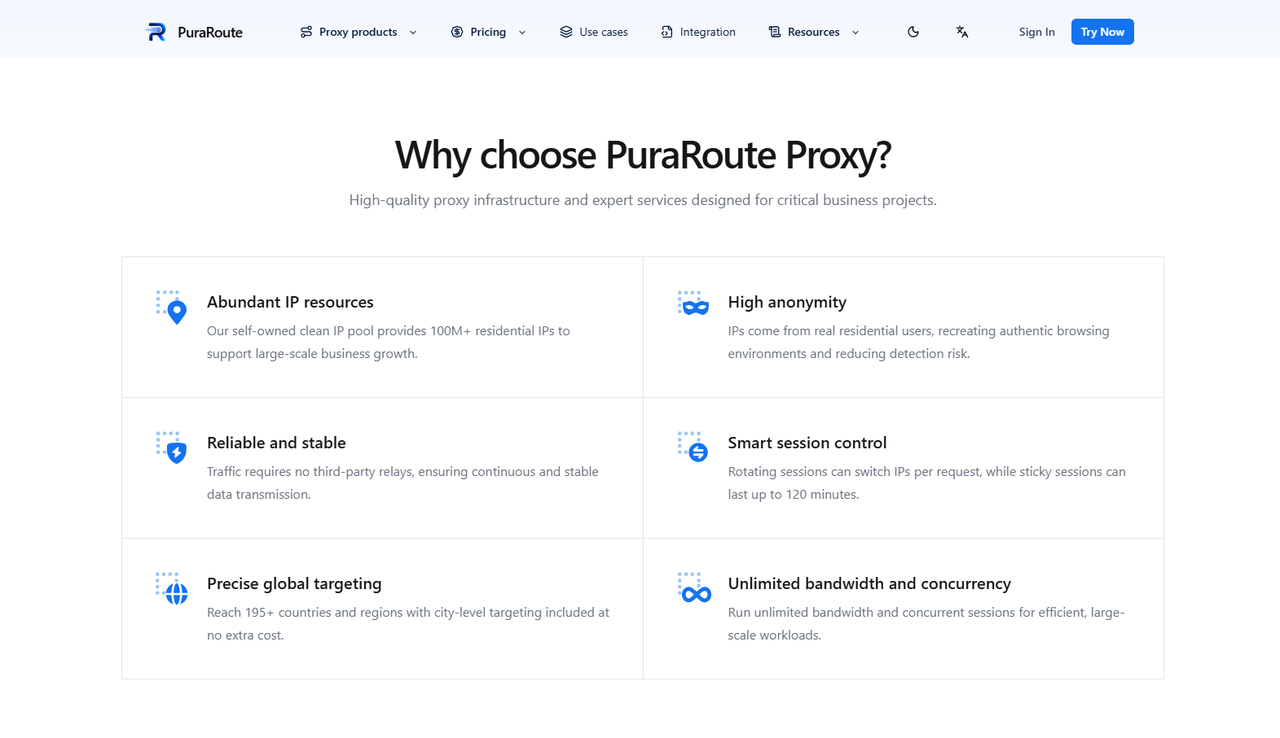
Access Residential IPs Across 195+ Countries and Regions
PuraRoute's residential proxies cover over 195 countries and regions, with options to select IPs by country, state, or city. This can help users view local website content and collect public data from different markets. For example, an e-commerce seller in the US could use German residential IPs to check local product prices and availability. The actual content shown may still depend on website settings and location detection methods.
Choose Rotating or Sticky Residential Proxies for Different Tasks
Different tasks need different IP session settings. With PuraRoute, users can choose rotating residential proxies that may change IPs between requests or sticky sessions that aim to keep one IP for a set time, from 1 to 120 minutes. For example, rotating IPs may suit large-scale public price checks, while sticky sessions are more useful when browsing several pages within one shopping session. Unlike a web-unblocker, these proxies focus on IP routing and session control rather than automatic CAPTCHA handling.
Use Static Residential Proxies for Consistent IP Sessions
For tasks that need a longer-lasting connection, PuraRoute also offers static residential proxies. These provide a dedicated IP address that stays fixed during the active subscription period, with unlimited traffic subject to the connection's bandwidth limits. For example, an agency managing client accounts can assign a static IP to a browser profile to help maintain a consistent network location across sessions. Static plans are billed by IP quantity and subscription length, making them an alternative to traffic-based residential proxies for ongoing work.
Frequently Asked Questions About Web Proxies
Is a Web Proxy Legal to Use?
Using a web proxy is generally legal in many countries, including the US. However, the law depends on your location and how you use it. Activities such as unauthorized access or illegal data collection can still break the law.
Can a Web Proxy Hide My Real IP Address?
Yes, a web proxy can hide your real IP address from the websites you visit by showing its own IP instead. However, your proxy provider may still see your original IP address. A proxy also does not guarantee complete online privacy.
What Is the Difference Between a Web Proxy and a Web-Unblocker?
A web proxy routes your internet requests through another IP address. A web-unblocker adds features such as automatic IP rotation, retries, and CAPTCHA handling. It is often used for more complex web scraping tasks.
Can I Use a Free Web Proxy for Web Scraping?
Yes, a free web proxy can work for small tests or collecting limited public data. However, free proxies often have slow speeds, unstable connections, and privacy risks. For regular web scraping, a reliable paid proxy is usually a better option. Always follow website access rules.
What Is the Best Web Proxy for Browsing and Data Collection?
The best web proxy depends on your needs. For general browsing, choose a provider with stable connections and clear privacy policies. For data collection, residential proxies from providers like PuraRoute may offer more useful IP locations and session options.
Conclusion
A web proxy is a useful tool for accessing regional content, collecting public data, and managing online tasks through different IP addresses. From simple web-based proxies to residential and SOCKS5 proxies, each type serves different needs. Understanding how they work can help you choose the right option without spending money on features you may not need.
For everyday browsing, a basic web proxy may be enough. For large-scale data collection, a web-unblocker may offer extra tools to handle access challenges. If you need flexible IP locations, rotating sessions, or stable long-term connections, PuraRoute provides residential proxy options worth exploring. Whatever you choose, start with a small test to check speed, reliability, and compatibility with your target websites.
