
Have you ever tried to collect information from a website, only to receive an access error or a CAPTCHA? This can be frustrating, especially when you need public data for market research, price tracking, or business analysis. Many websites use security systems to control automated requests, making it harder to collect large amounts of information. A Web-Unblocker can help users manage some of these problems and retrieve publicly available web data more efficiently.
But how does a Web-Unblocker work, and is it different from a regular proxy server? Do you need one for web scraping, or would a residential proxy be enough? In this guide, we'll explain what a Web-Unblocker is, how it works, and why businesses use it in 2026. We'll also cover common website restrictions, real-world use cases, and the steps to set up a basic web scraping workflow.

What Is a Web Unblocker?
A Web-Unblocker is a tool that helps users access websites that may block or limit automated requests. Many websites use security systems to detect unusual traffic, repeated visits, or requests from certain IP addresses. These systems help protect websites, but they can also make it harder for businesses to collect public information. A Web-Unblocker helps manage these access problems by using proxy servers, browser settings, and automatic request handling.
For example, imagine an online seller who wants to compare product prices across several shopping websites. The seller uses a data collection tool, but some websites begin showing error pages after too many requests. A Web-Unblocker may help the tool retrieve public pages by changing IP addresses, adjusting request settings, or retrying temporary failures. This makes it useful for web scraping, price monitoring, market research, and other tasks that need regular access to online data.
How Does a Web Unblocker Work?
When you visit a website, your browser sends a request to the website's server. The server checks the request and decides what content to return. It may look at your IP address, browser information, cookies, and request activity. If the server sees unusual traffic, it may show a CAPTCHA, return an error, or limit access. A Web-Unblocker works between your data collection tool and the target website to help manage these issues.
The process usually starts when a user sends a website URL through a Web-Unblocker service. The service selects a proxy IP address and prepares the request with suitable browser information. If the website rejects the request, some services can retry it or use different connection settings. For websites that use JavaScript to load content, the service may also run a browser to display the full page before collecting its data. Commercial services such as Oxylabs Web Unblocker document optional JavaScript rendering for pages that need a browser to load their content.
Consider a business that collects hotel prices from travel websites. A simple request may return an incomplete page because the hotel listings load through JavaScript. A Web-Unblocker with browser rendering can help load the page and return the displayed information. If a request fails because of a temporary connection problem, an automatic retry may help the business collect the data without restarting the whole task. The result still depends on the website's security settings and the features of the service.
What Problems Can a Web Unblocker Help Solve?
Collecting information from websites sounds simple until the same task needs to run every day. A website may work during a quick test but start limiting requests when the number of visits increases. Other websites display different content based on the visitor's country or require JavaScript to load important details. These problems can make data collection slow and difficult to manage. A Web-Unblocker may help users handle several common issues without changing their entire data collection process.
Here are some examples of where a Web-Unblocker may help:
- IP-based restrictions: A price monitoring tool sends many requests from one IP address and starts receiving errors. A Web-Unblocker may offer different proxy connections for permitted data collection tasks.
- Location-based content: An online retailer wants to compare public product listings in the United States and the United Kingdom. A service with location targeting can help the retailer view content available from each market.
- CAPTCHA challenges: A website asks visitors to complete verification before displaying content. Some advanced Web-Unblocker services include CAPTCHA handling, although not every challenge can be completed automatically.
- JavaScript-heavy websites: A shopping website loads product details after the page opens. JavaScript rendering can help collect information that a basic HTTP request cannot display.
- Failed requests: A research tool receives temporary errors while collecting public pages. Automatic retries can reduce the need to restart each failed request by hand.
For example, a small e-commerce business might track prices for 200 products across several online stores. When one store limits repeated requests, the business may miss important price changes or receive incomplete results. A Web-Unblocker can help manage supported requests and reduce the work needed to collect the information. Still, it cannot guarantee access to every website, and users should respect website rules, privacy requirements, and applicable laws.
Key Features of a Web Unblocker
Not every Web-Unblocker offers the same tools. Some focus on proxy routing, while others include advanced browser controls and automatic request management. The right choice depends on the websites you need to access and how often you collect information. For example, a small research project may only need proxy rotation, while a larger data collection task may benefit from JavaScript rendering and automatic retries.
These features are found in different combinations across commercial services. For example, Oxylabs Web Unblocker offers automated request handling and JavaScript rendering. Bright Data Web Unlocker also provides proxy routing, browser fingerprint management, and CAPTCHA handling. These examples show why a Web-Unblocker is more than a basic proxy server. A regular proxy mainly routes traffic through another IP address, while a Web-Unblocker may also manage how requests are sent, checked, and retried.
Before choosing a service, think about the type of data you need and the websites you plan to visit. If you only need to view public content from another country, a residential proxy may be enough. If your work involves thousands of requests, changing page content, and repeated access errors, a Web-Unblocker with more advanced features may be worth considering. Checking these needs first can help you avoid paying for tools you may not use.
Web Unblocker vs. Proxy Server: What's the Difference?
A Web-Unblocker and a proxy server can both help users access websites through different IP addresses. However, they handle website requests in different ways. A regular proxy server mainly sends your internet traffic through another server, while a Web-Unblocker can also manage failed requests, browser settings, and website access challenges. Understanding this difference can help you choose the right tool for your work and avoid paying for features you do not need.
For example, an online store owner may only need to check how product pages appear in another country. A residential proxy could be enough for that task. However, a company collecting thousands of product listings every day may face more complex problems, such as pages that fail to load or CAPTCHA checks. In that case, a Web-Unblocker may help reduce the amount of manual work needed to collect public data. The best choice depends on the website, the number of requests, and how much control you want over the process.
How a Regular Proxy Server Works
A regular proxy server acts as a middle point between your device and the website you want to visit. Instead of connecting directly to the website, your request first goes to the proxy server. The proxy then sends the request to the website using its own IP address and returns the response to you. This allows you to access websites through an IP address that differs from your original one. Many proxy services also let users choose IP addresses from specific countries or regions.
For example, imagine you run an online store in the United States and want to check product listings shown to shoppers in Japan. You can connect to a Japanese residential proxy and open the shopping website through that connection. The website will see the proxy's Japanese IP address, which may affect the content, prices, or product availability you see. This can help you compare regional shopping experiences without traveling to Japan. However, the result may also depend on your account settings, cookies, and the website's location rules.
Residential proxies are especially useful when users need IP addresses linked to consumer internet service providers. They can support market research, ad verification, account access, and web data collection. However, a residential proxy does not automatically manage every website access problem. If a request fails, the user or their software may need to adjust request settings or try again. Some proxy providers include IP rotation and session controls, but more advanced request handling often requires additional tools.
How a Web Unblocker Handles Website Access and Data Collection
A Web-Unblocker goes beyond sending requests through another IP address. It combines proxy connections with tools that help manage website responses. Depending on the service, these tools may include automatic retries, browser fingerprint management, JavaScript rendering, and CAPTCHA handling. Users can send a request to the service instead of setting up each of these features themselves. The Web-Unblocker then manages the supported steps needed to retrieve the requested public page.
Consider a company that collects public hotel prices for a travel comparison website. The company sends requests to several hotel websites, but some pages return errors or do not display their prices right away. With a regular proxy, the development team may need to build its own retry system and use a browser tool to load the missing content. A Web-Unblocker with these features can handle some of that work within one service. This may reduce the amount of code and maintenance needed for the project.
The main benefit is that developers may spend less time fixing failed requests and managing browser settings. Instead, they can focus more on collecting and organizing the information they need. However, not all Web-Unblocker services offer the same features, and some websites may still limit access. More advanced request handling can also come with higher costs. For simple tasks, using a regular proxy may be easier and more affordable.
When Should You Use a Web Unblocker or a Residential Proxy?
Choosing between a Web-Unblocker and a residential proxy starts with one question: What do you need the connection to do? If your main goal is to use an IP address from another location, a residential proxy may be the more practical choice. If you need to collect large amounts of public web data and regularly face failed requests, a Web-Unblocker may be more useful. It is also worth considering whether you already have software that handles retries, browser rendering, and other parts of the process.
The following table compares common use cases to help you choose.
| Use Case | Residential Proxy | Web-Unblocker |
|---|---|---|
| View websites from another country | Good choice for location-based access | Possible, but may offer more features than needed |
| Check regional product prices | Useful for manual checks and smaller tasks | Useful for larger automated collection tasks |
| Manage long online sessions | Static or sticky residential IPs can help maintain a consistent connection | Depends on the service's session options |
| Collect public website data | Works with your own scraping tools | Can manage more parts of the collection process |
| Handle CAPTCHA challenges | Usually needs separate tools or manual action | Some services offer built-in handling |
| Load JavaScript-based pages | Requires a browser or rendering tool | Some services include JavaScript rendering |
| Control proxy settings and request logic | Offers more direct control | Some request management is handled by the provider |
For example, a marketing agency managing social media accounts may prefer residential proxies with stable IP addresses. The team can choose suitable locations, keep sessions consistent, and manage browser settings through its existing software. In contrast, a price comparison business that collects public listings from hundreds of pages may benefit from a Web-Unblocker. The service can help manage failed requests and reduce the need to build a separate system for every website.
Cost is another important factor. Residential proxies are often priced by data usage, IP quantity, or subscription length, depending on the product. Web-Unblocker services may charge by successful requests, traffic, or other usage measures. For a small project with a few hundred requests, a residential proxy combined with basic data collection software may be enough. For a larger project, the extra automation of a Web-Unblocker could save development time, even if the service costs more. The best way to decide is to test both options on your target websites and compare their total costs, response times, and data quality.
Why Do Websites Restrict Access and Web Scraping?
Have you ever opened a website several times, only to see a CAPTCHA or an access error? This can happen because many websites use security systems to check incoming traffic. These systems help protect website performance, user accounts, and online content. However, they can also affect businesses that collect public data for research, price tracking, or website monitoring. Understanding why these restrictions happen can help users decide whether a Web-Unblocker is suitable for their needs.
Websites do not all use the same security rules. Some check where a visitor's IP address comes from, while others look at how often requests are sent. More advanced systems may also examine browser details and visitor behavior. This is why a scraping tool might work well on one website but receive errors on another.
IP-Based Restrictions and Geographic Limitations
Every internet connection uses an IP address, which gives websites some information about where a request comes from. Websites can use this information to control access based on country, region, or network. For example, an online retailer may show different products to shoppers in the United States and Germany. Some streaming platforms also limit content by country because of licensing agreements. In other cases, websites may restrict traffic from IP addresses linked to unusual activity.
These restrictions can create problems for businesses that need to study several markets. Imagine a clothing retailer in the United States that wants to compare its prices with stores in France. When the retailer visits a French website, the page may show international prices instead of local offers. A residential proxy with a French IP address may help the retailer view content intended for visitors in France. A Web-Unblocker with geographic targeting can support similar research while providing additional tools for automated data collection.
CAPTCHAs, Rate Limits, and Anti-Bot Detection
Websites often use CAPTCHAs and rate limits to control automated traffic. A CAPTCHA asks visitors to complete a check, such as confirming that they are human. A rate limit controls how many requests a user or application can send within a certain period. If too many requests arrive, a website may return an HTTP 429 error, which means the client has sent too many requests. These systems can help prevent server overload, spam, and harmful automated activity.
For example, a travel research company might collect public room prices from several hotel websites every morning. If its software sends hundreds of requests in a short period, one website may begin returning errors. The company may need to slow down its requests, reduce the number of pages it checks, or use an approved data API. Some Web-Unblocker services can also handle supported verification challenges and retry temporary failures. However, request limits and website access rules still need to be respected.
According to Cloudflare's bot detection documentation, websites can use several detection methods to identify automated traffic. These methods examine patterns across requests rather than depending on a single signal. This helps explain why changing an IP address alone may not solve every access problem.
Browser Fingerprints and Automated Traffic Detection
An IP address is only one part of the information a website can see. Websites may also examine browser details such as the user agent, screen size, language settings, and supported browser features. Together, these details can form a browser fingerprint. Security systems may compare this information with other signals to understand whether requests come from a normal browser or an automated tool. They may also examine how visitors move between pages and how often they repeat certain actions.
For example, a company may use a simple script to collect public product information. The script sends requests without loading JavaScript or keeping normal browser sessions. A website that expects visitors to use a full browser may treat these requests differently from regular page visits. Some advanced Web-Unblocker services offer browser rendering and request management features that can help with supported websites. However, their results depend on the target site's security rules and the service being used.
Cloudflare's Bot Management documentation describes how security systems can use signals such as JavaScript detection results and TLS fingerprints when evaluating requests. This shows why modern traffic detection is more complex than simply checking an IP address. For businesses, it also means that reliable data collection requires more than choosing a proxy. Request frequency, website rules, browser support, and data quality all matter.
Common Use Cases of a Web Unblocker
A Web-Unblocker can support many tasks that depend on collecting or checking public information online. Businesses use website data to compare prices, study markets, track search results, and test how their pages appear in different places. Without suitable tools, collecting this information across many websites can take a lot of time. A Web-Unblocker may help automate parts of the process, especially when websites use different page formats or request controls.
The value of a Web-Unblocker depends on what users want to achieve. A small online store may only need to check a few competitor pages, while a larger company might collect public information from thousands of URLs. The following examples show how the technology can fit into everyday business tasks.
Web Scraping and Automated Data Collection
Web scraping means using software to collect information from websites instead of copying it by hand. This information may include product names, prices, article titles, public reviews, or other details displayed on web pages. A Web-Unblocker can work with scraping software to retrieve public pages and manage supported request errors. This can be useful when businesses need updated information from many sources on a regular schedule.
For example, a real estate research company might collect public property listings to study housing prices across several cities. The company needs details such as listing prices, locations, property sizes, and posting dates. Instead of opening hundreds of pages each morning, its software can collect permitted information and organize it into a database. A Web-Unblocker may help the company retrieve pages that need JavaScript rendering or additional request handling. The company must still check each website's data access rules and make sure the collected information is accurate.
E-commerce Price Monitoring and Competitor Research
Online prices can change often, especially during sales events and holiday shopping periods. E-commerce businesses may want to know when competitors lower their prices, introduce new products, or run special promotions. Checking this information manually becomes difficult when a company sells hundreds of products. A Web-Unblocker can help collect public product information so businesses can compare changes over time.
Imagine an electronics seller that wants to monitor laptop prices across five competing stores. The seller collects product names, listed prices, stock status, and promotion details each day. If one competitor cuts the price of a popular model, the seller can review that change before planning its own offer. A Web-Unblocker with geographic targeting may also help the business compare public listings across different regional websites. This can support pricing decisions, although the seller should also account for taxes, shipping fees, and other factors that affect the final price.
SEO Monitoring and Search Engine Data Collection
SEO teams often need to understand how websites appear in search results. They may track keyword rankings, examine search result features, or compare how results differ by location. Search results can vary based on the user's country, language, and search settings. This makes location-specific data important for companies that serve customers in several markets.
For example, an SEO agency working with a dental clinic in Chicago may want to study local search visibility. The agency can use an approved search data service to collect results for relevant keywords and compare changes over several weeks. A Web-Unblocker may support permitted data collection workflows that require geographic targeting, although a dedicated search engine results API can be a better option for structured ranking data. The agency can then use the results to identify competing pages, review local content, and improve its SEO plan. Search engine access policies and data quality should be checked before choosing a collection method.
Market Research and Geo-Targeted Content Testing
Businesses that operate in different countries need to understand what customers see in each market. A website may display different languages, currencies, products, or promotions based on a visitor's location. These differences can affect how customers understand an offer or decide what to buy. A Web-Unblocker with location targeting can help research teams retrieve public regional pages and compare the information they contain.
Consider a company preparing to launch a skincare product in Canada and Australia. Its research team wants to compare local competitors, product descriptions, and seasonal promotions. Using IP addresses from each country may help the team view locally available public content. The researchers can then compare prices, product claims, and promotional messages before planning their launch. They should also check whether cookies, account settings, or language preferences affect the results, since location alone does not always determine what a website displays.
Website Testing and Performance Monitoring
Website owners need to know whether their pages work properly for visitors in different locations. A page might load correctly in one country but display an error or missing content in another. Regional settings, third-party services, and server problems can all affect the visitor experience. A Web-Unblocker or location-specific proxy connection can help testing teams check how public pages respond from different regions.
For example, an online store may launch a new checkout page for customers in the United Kingdom. Before promoting it, the team wants to confirm that the page displays the correct currency, shipping information, and product availability. They can use a UK proxy connection to check the regional version of the site and run tests on their own systems. If the page fails to load, the team can review the response and investigate the cause. For detailed speed measurements, a dedicated website monitoring service is usually more suitable because it can measure loading times and other performance details.
How to Use a Web Unblocker for Web Scraping
Using a Web-Unblocker for web scraping does not always require advanced programming skills. Many services provide APIs, proxy connection details, and setup guides that help users connect their existing scraping tools. However, the exact process depends on the provider and the type of website you want to access. Some services handle request settings automatically, while others give users more control over IP locations, browser rendering, and session settings.
To make the process easier to understand, imagine you run a small online store and want to collect public product prices from several competing websites. You need the product name, current price, and availability status for each item. The following five steps explain how to set up a basic data collection workflow and check whether it works as expected.
Step 1: Choose a Web Unblocker or Proxy Solution
Start by looking at the websites you want to collect data from. If the pages are simple and do not require much request handling, a residential proxy with a basic scraping tool may be enough. If the websites use JavaScript to display product details or your requests often fail, a Web-Unblocker with browser rendering and automatic request management may be more useful. You should also compare supported locations, connection methods, pricing, and documentation before making a decision.
For example, some commercial Web-Unblocker services support geographic targeting and optional JavaScript rendering. Others also provide automatic request management for public data collection. If you prefer to manage the scraping process yourself, you can use a residential proxy service with Python, Scrapy, or another compatible tool. Before buying a large plan, test a small group of permitted pages to see whether the service meets your needs.
Step 2: Identify the Target Website and Required Data
Once you have chosen a tool, decide exactly what information you need to collect. Opening every page on a website is usually unnecessary and can increase both costs and request volume. Instead, make a list of the target URLs and the specific data fields you want. For an e-commerce project, these fields might include product names, prices, product links, and stock status. A clear list makes it easier to build your scraper and check the collected results.
For example, suppose you want to compare prices for 50 wireless headphones across three online stores. Start with a small sample of product pages and check where each website displays the price and availability information. Some websites place these details directly in the HTML, while others load them through JavaScript. You should also review the site's terms, robots.txt instructions, and any available official APIs before collecting data. Google's robots.txt documentation explains how website owners use this file to communicate crawling preferences.
Step 3: Configure IP Locations and Proxy Settings
Next, configure the connection based on your research needs. If you only need prices shown to US visitors, choose a US IP location when the service supports that option. If your project covers several countries, create separate requests for each market so the results are easier to compare. Residential proxy services may also let you choose rotating IP addresses or sticky sessions. A rotating connection can change the IP used for requests, while a sticky session can keep the same IP for a selected period.
Suppose you are comparing the same product in the United States and Germany. You can set one group of requests to use US IP addresses and another group to use German IP addresses. Keep the target product and other relevant settings consistent so you can compare the results more fairly. With some Web-Unblocker services, location settings are passed through request headers or API parameters instead of a separate proxy configuration. Always check the provider's setup guide to find the correct method.
Step 4: Set Up Your Web Scraping Tool or Automation Script
After setting up your connection, you can connect the Web-Unblocker to a scraping tool. Python is a common choice because it has libraries such as Requests and Beautiful Soup for collecting and reading web page content. Scrapy is another option for projects that need to process many pages and organize the results. Some Web-Unblocker providers let you send requests through a proxy endpoint, while others provide an API that accepts a target URL. Follow the provider's documentation to enter the correct endpoint, account details, and request settings.
For example, you might create a Python script that opens a permitted product page and reads its HTML. The script can then use Beautiful Soup to find the product title and displayed price before saving the values in a CSV file. If the price only appears after JavaScript runs, you may need browser rendering instead of a basic HTTP request. Some Web-Unblocker providers include a rendering option in their API or request headers. These settings are specific to each service, so check the documentation before using them.
For a first test, keep the workflow small. Try collecting information from five product pages rather than hundreds. Check whether the script extracts the correct values and saves them in the format you need. Once the results look correct, you can add more permitted pages and schedule the task to run at suitable intervals. This approach makes problems easier to find before they affect a larger project.
Step 5: Test Your Requests and Monitor Performance
Before running a large scraping task, test how well your setup handles real website responses. A successful connection does not always mean you received the information you wanted. Sometimes a request returns a page without product details, an old cached result, or an error message inside the HTML. You should check both the HTTP response and the extracted data. This helps you find issues that might otherwise lead to incorrect research results.
For example, imagine your script collects 100 product pages and receives usable price information from 85 of them. The other 15 may have missing prices, connection errors, or changed page layouts. Review those failures to see whether the problem comes from your scraper, the website, or the connection settings. If the site returns an HTTP 429 response, reduce your request rate and follow any retry guidance provided by the website. If the HTML loads but the price is missing, check whether the page structure has changed or needs JavaScript rendering.
You can use the following measurements to understand how well your setup performs.
| Metric | What to Check | Why It Matters |
|---|---|---|
| Request Success Rate | Percentage of requests that return an expected response | Shows how reliably your tool can retrieve pages |
| Data Completeness | Percentage of pages with all required fields | Helps identify missing prices or product details |
| Response Time | Time needed to retrieve each page | Helps estimate how long the full task will take |
| Error Rate | Number of failed requests and their error types | Helps identify connection and website issues |
| Data Usage | Amount of traffic used during collection | Helps control proxy and Web-Unblocker costs |
| Data Accuracy | Whether collected values match the displayed pages | Helps make research results more trustworthy |
You should also review these results over time rather than relying on one successful test. For example, a product page may change its layout after a website update, causing your scraper to collect the wrong price. Regular checks can help you find these errors before they affect business decisions. If your project continues to grow, you can compare different tools based on cost per usable record, data quality, and the amount of maintenance required. This will help you decide whether your current Web-Unblocker setup is still the right choice for your data collection needs.
PuraRoute: A Flexible Residential Proxy Solution for Web Scraping
Not every web scraping project needs a full Web-Unblocker service. Sometimes, users simply need residential IP addresses, flexible proxy connections, or more control over how they collect public data. For these needs, PuraRoute is an option worth considering. Users can choose from dynamic residential, static residential, and static native proxies based on their project requirements. These options may suit tasks such as price monitoring, SEO research, market analysis, and location-based website testing.
Use Dynamic Residential Proxies for Web Scraping and Price Monitoring
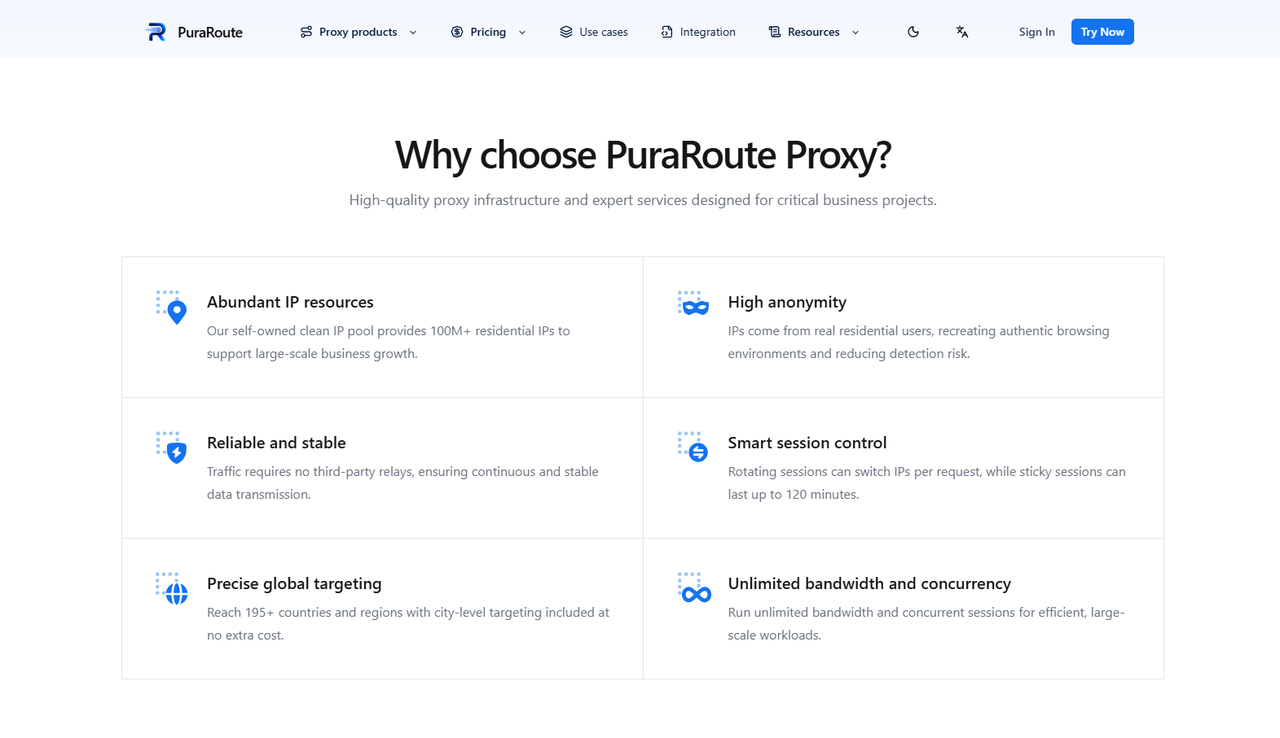
When collecting information from many web pages, users may need access to IP addresses from different countries or regions. With PuraRoute Dynamic Residential Proxies, users can select residential IP connections from a network covering 195+ countries and regions. Country, state, and city targeting options can help users focus their research on specific markets. Users can also configure rotating connections or sticky sessions lasting up to 120 minutes, depending on their workflow. These settings may be useful for collecting public information across different locations.
For example, an e-commerce seller may want to compare public product prices in the United States, Japan, and Germany. The seller can configure proxy connections for each country and use a compatible scraping tool to collect product listings. This may help the business compare regional prices, product availability, and local promotions. Since dynamic residential proxies are billed by traffic usage, users can estimate their costs based on the amount of data their projects require. For a small project, testing a limited number of pages first can help users understand traffic use and connection performance.
Choose Static Residential Proxies for Consistent Connections
Some online tasks work better when the IP address stays the same. For example, a research team may need to check a regional website several times during the day while keeping a consistent connection location. Instead of changing IP addresses frequently, the team can use PuraRoute Static Residential Proxies to maintain a dedicated IP address throughout the subscription period. Users who need an IP associated with native residential broadband can also explore Static Native Proxies. Both options may fit long-running research, regional content checks, and other tasks that benefit from a fixed IP address.
Unlike dynamic residential proxies, these static options are priced by IP quantity and subscription duration. Users can work with unlimited traffic under their plans, although connection speeds still depend on the available bandwidth and network conditions. For projects that require repeated access from one location, this pricing model may be easier to plan around than paying for every gigabyte. However, users should compare the available regions, subscription periods, and bandwidth before choosing a plan.
Connect PuraRoute Proxies to Your Existing Scraping Tools
Users who already work with Python, Scrapy, Selenium, or other scraping tools may prefer to keep their current workflow. They can add PuraRoute proxy connection details to compatible software and manage how requests are sent through different IP addresses. Supported proxy protocols include HTTP(S) and SOCKS5, depending on the selected product and connection options. Users can follow the PuraRoute integration guide to learn how to configure proxy credentials, select connection settings, and test requests. However, users still need to manage data extraction, JavaScript rendering, and request retries through their own software when required.
For example, a small SEO team might start by collecting public information from a few selected websites. The team can test proxy connections, check the quality of the returned data, and measure traffic usage before expanding the project. If the setup meets their needs, they can adjust their proxy resources as the workload grows. Users can also read PuraRoute's guide on dynamic vs. static residential proxies to better understand which type may fit their research tasks.
Frequently Asked Questions About Web-Unblocker
What Is a Web-Unblocker Used For?
A Web-Unblocker helps users access public website data when automated requests face restrictions. It is commonly used for web scraping, price monitoring, SEO research, and market analysis.
Is a Web-Unblocker the Same as a Proxy Server?
No. A proxy server mainly routes traffic through another IP address. A Web-Unblocker may also handle failed requests, JavaScript rendering, CAPTCHA challenges, and browser settings.
Can a Web-Unblocker Access Any Website?
A Web-Unblocker can help users access some websites that restrict automated traffic, but results depend on the website's security rules and the service's features. It cannot guarantee access to every website.
Do I Need Coding Skills to Use a Web-Unblocker?
Not always. Some Web-Unblocker services offer APIs and simple setup guides. Users with coding experience can also connect these services to Python, Scrapy, or other scraping tools.
Can I Use Residential Proxies Instead of a Web-Unblocker?
Yes. Residential proxies may be enough for location-based browsing, price checks, and basic web scraping. A Web-Unblocker may be more suitable when users need automatic retries, JavaScript rendering, or additional request management.
Conclusion
A Web-Unblocker can be a useful tool for businesses and individuals who need to collect public website data. It helps users manage common challenges such as IP restrictions, CAPTCHA checks, and failed requests. Whether you are tracking product prices, studying search results, or researching different markets, understanding how a Web-Unblocker works can help you choose the right approach for your project.
However, not every task requires an advanced Web-Unblocker service. If you mainly need access to different IP locations or stable connections for web scraping, residential proxies may be a practical alternative. With PuraRoute, users can explore dynamic and static residential proxy options based on their location, session, and traffic needs. Start with a small test, check the quality of your results, and choose a solution that fits your workflow and budget.
