
Every IP address has a history, and that history can affect how websites and online services treat your connection. If an IP address has been linked to spam, fraud, or harmful traffic, some websites may block it or ask for extra verification. Even normal users can face these problems when they use an IP address with a poor reputation.
This is why understanding IP Reputation matters. Whether you send business emails, collect public website data, or manage online accounts, your IP's reputation can affect your daily work. A poor reputation may lead to blocked requests, missed emails, or repeated security checks.
In this guide, you will learn what IP Reputation means, how it works, and why it matters. You will also discover how to run an IP Reputation Check, understand the results, and take practical steps to improve your IP's reputation.

What Is IP Reputation?
Every device connected to the internet uses an IP address to send and receive data. However, not all IP addresses are treated the same way. Some have a history of normal activity, while others may be linked to spam, fraud, or harmful traffic. This difference is known as IP Reputation. Websites, email providers, and security systems use this information to help decide whether to trust traffic from an IP address.
What Does IP Reputation Mean?
IP Reputation refers to how trustworthy an IP address appears based on its past activity and known security risks. Security services collect information about how an IP has been used, including reports of spam, malware, and unusual traffic. They use this data to judge whether the address may pose a risk. According to Spamhaus, an IP's reputation can depend on its network provider, nearby IP addresses, past activity, and other security signals.
For example, imagine two IP addresses connecting to the same online store. The first has a history of normal browsing and no known reports of abuse. The second was recently linked to automated spam or harmful requests. The store's security system may allow the first connection while asking the second visitor to complete an extra check. This does not always mean the second user has done anything wrong. The IP address may have been used by someone else before.
Some security services also give IP addresses a reputation score. However, there is no single score used by every provider. Each service may collect different data and use its own rating system. For this reason, an IP Reputation Check on one platform may show a different result from another platform.
Why Is IP Reputation Important?
IP Reputation matters because it can affect how easily users access websites, send emails, and complete online tasks. When an IP address has a poor reputation, security systems may treat its traffic as suspicious. This can lead to extra verification steps, blocked requests, or limited access to certain services. For businesses that depend on stable online connections, these problems can interrupt daily work.
Email delivery is a good example. Imagine a small online store sending order updates and shipping notices to customers. If its sending IP address has been linked to spam, some emails may be sent to spam folders or rejected. Google's email sender guidelines explain that the activity of other senders using a shared IP address can affect email delivery. This means even a business sending legitimate messages may face problems when another sender has harmed the shared IP's reputation.
IP Reputation is also important for people using proxies, managing online accounts, or collecting public website data. For example, a research team may use a proxy to check product prices across different websites. If that proxy IP was previously linked to abusive traffic, some websites may request extra verification or block its requests. A clean reputation can reduce certain trust concerns, but it does not guarantee access because websites also check other signals. Before using an unfamiliar IP address, running an IP Reputation Check can help identify known risks and avoid unexpected problems.
How Does IP Reputation Work?
IP Reputation works by tracking an IP address's past activity and looking for signs of risk. Security services collect data from websites, email systems, and other network sources. They use this information to decide whether an IP address is likely to be trustworthy. Understanding how these checks work can help you find possible problems before they affect your online activities.
How Is an IP Reputation Score Calculated?
An IP Reputation score is a rating based on an IP address's activity and security history. Each provider uses its own data and scoring rules, so results may differ. Some systems use number scores, while others use labels such as good, neutral, or poor. For example, Cisco Talos provides email reputation information based on threat and email activity data. An IP Reputation Check helps you see how a specific service rates your IP, but no single score tells the whole story.
What Factors Affect IP Reputation?
Several factors can affect IP Reputation, including how an address is used, who provides it, and whether it has been linked to harmful activity. Security systems may also consider the behavior of related IP addresses or networks. Common signals include:
- Spam reports: Emails or messages reported as unwanted.
- Security threats: Connections linked to malware or other harmful activity.
- Traffic patterns: Unusual request volumes or behavior that may suggest abuse.
- IP history: Past activity, including how and when the address was used.
- Network reputation: The security history of related IP addresses and network providers.
These factors do not carry the same weight in every system. A website may focus on suspicious login attempts, while an email provider may care more about spam complaints and sending patterns.
What Causes a Bad IP Reputation?
A bad IP Reputation often develops when an address is linked to repeated spam, harmful software, or abusive network activity. For example, a company server infected with malware might send thousands of unwanted emails without the owner's knowledge. Over time, security services may flag the IP, even after the company stops the harmful traffic.
Poor IP Reputation can also come from previous users. This is especially important for shared IP addresses and proxy services, where an address may have been used by someone else. If you need to learn more about these risks, PuraRoute's guide to IP fraud scores and proxy risk checks explains why a low risk score does not always mean an IP has a clean history.
How Does IP Reputation Affect Your Online Activities?
IP Reputation can affect many everyday online activities, from sending emails to accessing websites and managing accounts. A poor reputation may cause security systems to question your connection, even when your actions are legitimate. The impact depends on how each platform checks IP addresses and handles possible risks.

Email Deliverability and Spam Filtering
Email providers use IP Reputation to help decide whether messages should reach the inbox or be marked as spam. For example, a business may send hundreds of order updates each day. If its sending IP has a history of spam, some messages may be delayed, rejected, or moved to spam folders. According to Google's email sender guidelines, senders using the same IP address can affect each other's email delivery. Businesses can use Google Postmaster Tools to check available reputation data and find possible delivery problems.
Gmail Help
Website Access and Security Restrictions
Websites also use IP Reputation to help protect themselves from suspicious traffic. An IP address linked to past attacks or harmful requests may face extra security checks. For example, someone trying to access an online shopping site might see repeated CAPTCHA challenges or an access denied message. However, these restrictions do not always mean an IP has a bad reputation, since traffic behavior and website settings also matter.
Web Scraping and Multiple Account Management
IP Reputation also matters for businesses that collect public website data or manage multiple online accounts. For example, a market research team may use proxies to monitor product prices across several stores. If one proxy IP has been linked to abusive traffic, the team may face blocked requests or repeated verification checks. Similar problems can happen when account managers use shared IP addresses with a poor history.
Running an IP Reputation Check before using a new proxy can help identify known security reports or blocklist records. However, a good reputation alone does not guarantee smooth access. Websites may also look at request frequency, login behavior, and other security signals.
How to Check Your IP Reputation
Checking your IP Reputation can help you find possible problems before they affect your online activities. You do not need advanced technical skills to get started. Several free tools let you check whether an IP address has been linked to spam, malware, or other security risks. However, different tools may show different results, so it is useful to compare more than one source.
Best Free IP Reputation Check Tools
There are several reliable tools for running an IP Reputation Check. Some focus on email security, while others provide information about online threats and suspicious activity. Here are three useful options:
| Tool | Main Features | Best For |
|---|---|---|
| Spamhaus | Checks IP addresses against Spamhaus blocklists | Finding email-related IP Reputation issues |
| Cisco Talos | Provides IP and domain reputation information | Checking email and web security risks |
| MXToolbox | Checks an IP against multiple email-related blocklists | Finding possible email blacklist problems |
Each tool uses different data to assess IP addresses. For example, Cisco Talos provides reputation information from its security network, while MXToolbox focuses on identifying blacklist records. Using two or more tools can give you a clearer picture of your IP's history.
If you are checking a proxy IP, you may also want to look at its network type, location, and possible fraud signals. These details are not always included in email-focused tools. PuraRoute's Scamalytics review explains how to read IP fraud scores and why the number alone may not tell you everything.
How to Check If Your IP Is Blacklisted
An IP blacklist is a list of addresses linked to spam, security threats, or activity covered by a specific blocking policy. To check whether your IP appears on one, you can use the free Spamhaus Reputation Checker. The process is simple:
- Visit the Spamhaus Reputation Checker.
- Enter the IP address you want to check.
- Run the lookup and review any reported listings.
- If your IP is listed, read the details to understand the reason.
For example, if your business emails suddenly stop reaching customers, checking your sending IP against email blocklists can help you investigate the problem. Keep in mind that not every listing means the IP has sent spam. The Spamhaus Policy Blocklist (PBL), for instance, identifies IP ranges that should not send email directly to other mail servers. A normal residential IP can appear on this list without having a history of abuse.
Spamhaus
How to Understand Your IP Reputation Score
An IP Reputation score shows how a security service rates an IP address, but scoring systems are not universal. Some tools use numbers, while others display risk levels or blacklist results. A high number may mean low risk on one platform, while another platform may use the opposite scale. Always read the score description before deciding whether your IP has a good reputation.
When reviewing an IP Reputation Check, look beyond the score itself. Check whether the IP has active blacklist records, what type of activity was reported, and how recent the information is. An IP with no known abuse reports may be a better starting point than one with repeated security warnings. Still, a clean result does not guarantee that every website or email provider will trust the address.
How to Improve Your IP Reputation
Improving your IP Reputation takes time because security systems look at how an IP address behaves over time. If your IP has been linked to spam, harmful traffic, or other suspicious activity, fixing the cause is the first step. Simply switching to another IP address may not solve the problem if the same activity continues. The best approach is to find what went wrong, make the right changes, and keep your network activity under control.
Identify and Fix Issues Affecting Your IP Reputation
Start by finding out why your IP Reputation has dropped. Run an IP Reputation Check using tools like Spamhaus or Cisco Talos, then review any reported security issues. If your IP appears on a blocklist, check the reason before requesting removal. For example, if a business email server is listed because of spam, the owner should check for hacked accounts, unusual sending activity, or incorrect server settings. Some listings also require help from the network provider.
If you use a shared IP or proxy, the problem may come from another user rather than your own activity. In this case, contact your service provider and ask whether the IP has known issues or can be replaced. Keep in mind that receiving a new IP does not automatically mean it has a good reputation. Checking its history before using it can help you avoid similar problems. For more details on harmful traffic and blacklist issues, see PuraRoute's guide to IP abuse and how to reduce its impact.
Avoid Spam, Suspicious Traffic, and Malicious Activities
One of the most effective ways to protect IP Reputation is to prevent activity that security systems may view as harmful. For email marketing, send messages only to people who have agreed to receive them. Remove invalid addresses, provide a clear unsubscribe option, and avoid sudden jumps in sending volume. Google's email sender guidelines recommend keeping spam complaint rates below 0.1% and avoiding rates of 0.3% or higher. Google also requires email authentication, such as SPF or DKIM, to help prevent unwanted or fake messages.
Gmail Help
The same care applies to other online activities. For example, a company collecting public product data should avoid sending thousands of requests to a website in a short period. It should respect the website's access rules, limit request frequency, and stop when the server returns rate-limit responses. Businesses should also keep their devices updated, use strong passwords, and check for malware that could create harmful traffic without their knowledge. These steps help reduce security risks and support a healthier IP Reputation.
Monitor Your IP Reputation Regularly
Even after fixing a problem, your IP Reputation may not improve right away. Some security services need time to collect new activity data and update their records. For this reason, regular monitoring is important, especially for businesses that depend on email delivery, proxies, or online account access. An IP Reputation Check once a week can be a useful starting point, while high-volume email senders may need more frequent checks.
For example, an online store could check its sending IP every Monday and compare the results with the previous week. If new blocklist records appear or email delivery rates fall, the team can investigate before more customers are affected. Businesses sending emails to Gmail users can also use Google Postmaster Tools to monitor available spam and delivery data. Keep a simple record of the dates, reported issues, and actions taken. This makes it easier to spot changes and understand whether your efforts to improve IP Reputation are working.
How Do Proxies Affect IP Reputation?
A proxy sends your internet traffic through another IP address, so websites usually see the proxy's IP instead of your own. This means the proxy's IP Reputation can affect how websites respond to your requests. If the proxy has a history of spam or harmful traffic, you may face extra security checks or blocked connections. Choosing a proxy with a good reputation is useful, but the proxy type and how you use it also matter.
Shared vs. Dedicated Proxies: Which Is Better for IP Reputation?
Shared proxies allow several customers to use the same IP address, while dedicated proxies reserve an IP for one customer during the rental period. Shared proxies are usually cheaper, but other users' activity may affect the IP's reputation. For example, if someone uses a shared IP to send harmful requests, a website may later restrict that address. This can affect another customer who uses the same proxy for normal business activities.
Dedicated proxies give you more control because other customers cannot use the same IP during your rental period. This makes them a useful choice for businesses that need stable connections for regular account management or e-commerce tasks. However, a dedicated IP may still have a poor history from a previous user. Running an IP Reputation Check before using it can help you identify existing problems.
Residential vs. Datacenter Proxies: Understanding IP Reputation Differences
Residential proxies use IP addresses assigned by internet service providers (ISPs), while datacenter proxies use addresses from hosting companies and data centers. This difference can affect IP Reputation because some security systems consider the type of network behind an IP address. Residential IPs come from networks commonly used for home internet access, which may make them suitable for tasks that need consumer network connections. Datacenter proxies are often faster and less expensive, making them useful for basic browsing, testing, and public data collection.
For example, an e-commerce team may use residential proxies to research product prices in different countries. These IPs can provide access through local consumer networks, but that does not mean every residential IP has a good reputation. A residential address linked to past abuse may still face restrictions. Websites may also detect residential proxy traffic and apply additional checks based on how the connection is used.
When choosing between these proxy types, consider your work needs, the provider's network quality, and the IP's history. A well-maintained datacenter IP may have a better IP Reputation than a residential IP with repeated abuse reports. Before making a decision, run an IP Reputation Check and confirm whether the address has any known security issues. Remember that websites may also review traffic patterns and other signals, so proxy type alone cannot guarantee reliable access.
Choose PuraRoute for Reliable Residential Proxy Solutions
Choosing the right proxy is an important part of managing IP Reputation. While no proxy provider can guarantee a perfect IP reputation, using suitable IP addresses can help reduce some connection problems. If you need residential proxies for web scraping, e-commerce, or account management, PuraRoute is one option worth considering. You can choose between dynamic and static residential proxies based on how often you need to change your IP address and how long you need to keep it.
Access Residential Proxies for Different Online Tasks
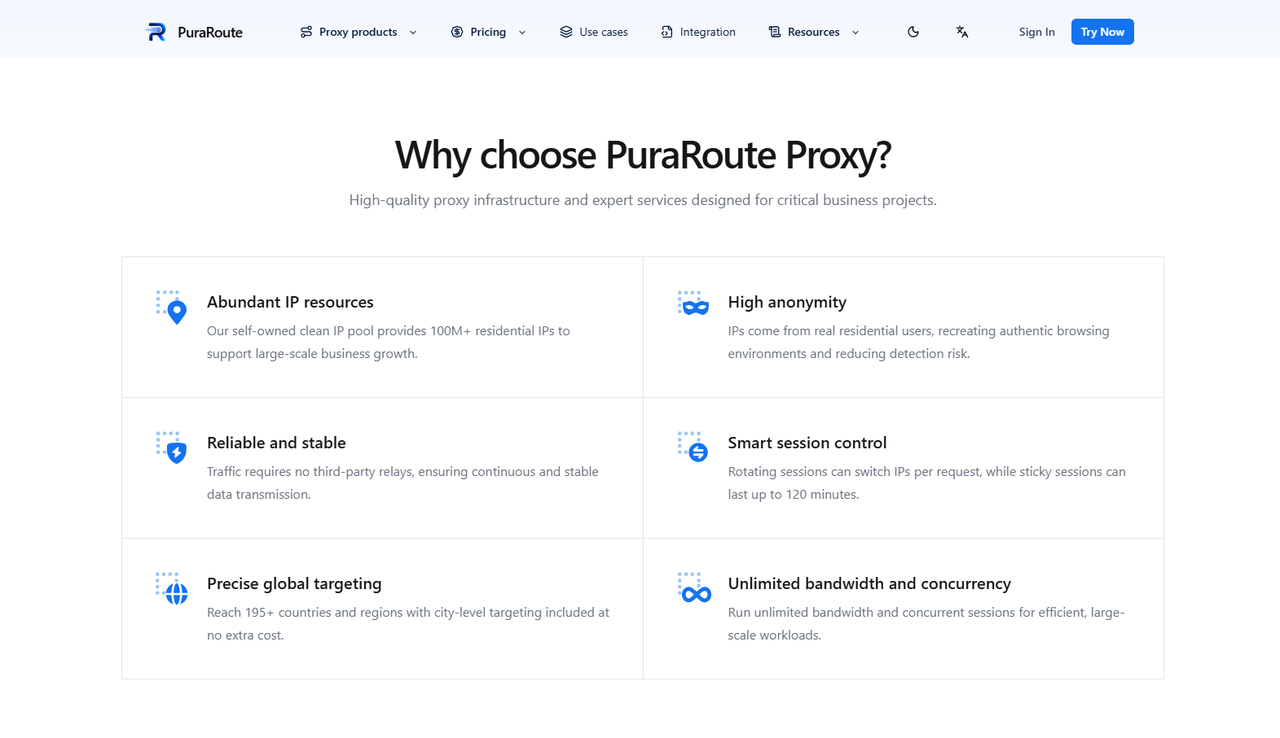
Different online tasks require different proxy setups. With PuraRoute's dynamic residential proxies, you can access IP addresses across 195+ countries and regions, with location options at the country, state, and city levels. You can also choose rotating sessions to change IP addresses between requests or sticky sessions to keep an address for a selected period, up to 120 minutes. These options may be useful when collecting public product data, checking regional search results, or researching prices across different markets.
Maintain Consistent IP Addresses with Dedicated Static Residential Proxies
If your work requires the same IP address over a longer period, you may prefer PuraRoute's dedicated static residential proxies. Each IP is assigned exclusively to you during the rental period, which means you do not have to share it with other customers. For example, if you manage an online store or access a business account regularly, keeping a consistent IP may help you maintain a more predictable connection history. However, a dedicated IP does not automatically have a good IP Reputation, so checking its history before use is still recommended.
Get Started with PuraRoute's Flexible Proxy Plans
You can choose a PuraRoute plan based on your traffic needs, preferred locations, and budget. Dynamic residential proxies are billed by data usage, while static residential proxies are billed by the number of IPs and rental period. Static residential options include seven-day plans, with reference prices starting at $2.25. Prices may vary by location and available inventory, so check the current quote before purchasing.
If you are unsure which proxy type fits your work, read the Dynamic vs. Static Residential Proxies guide to compare IP rotation, session length, and connection needs. You can also visit the PuraRoute Website to explore available options before choosing a plan.
Frequently Asked Questions About IP Reputation
What Is a Good IP Reputation Score?
A good IP Reputation score means an IP address has few known reports of spam or harmful activity. However, scoring systems vary between providers, so there is no universal score that guarantees a good reputation.
How Can I Check My IP Reputation for Free?
You can run a free IP Reputation Check using tools like Spamhaus, Cisco Talos, or MXToolbox. These services can help you find blacklist records, spam reports, and other security risks linked to your IP address.
How Long Does It Take to Improve IP Reputation?
Improving IP Reputation may take several days or weeks, depending on the problem and the security provider. Fixing harmful activity and resolving blacklist issues can help, but reputation updates are not always immediate.
Can Changing My IP Address Improve IP Reputation?
Changing your IP address may help if your current IP has a poor IP Reputation. However, the new IP may also have a history of abuse. Running an IP Reputation Check before using it is recommended.
Does Using a Residential Proxy Improve IP Reputation?
A residential proxy does not automatically improve IP Reputation. However, choosing a residential IP with a clean history and using it responsibly may help reduce certain security concerns. Websites can still restrict access based on other risk signals.
Conclusion
Understanding IP Reputation can help you avoid common problems with email delivery, website access, and online account management. A poor reputation may lead to blocked requests, extra verification, or other connection issues. By running regular IP Reputation Checks, fixing security problems, and avoiding suspicious activity, you can take steps to maintain a healthier IP history.
If you rely on proxies for daily online tasks, choosing the right IP type is also important. Residential and dedicated static residential proxies may offer different benefits depending on your needs. With options from PuraRoute, you can choose proxy solutions that fit your work while continuing to monitor your IP Reputation and use your connections responsibly.
