
A Ticketmaster proxy is a proxy sold for use with ticketing tools or related research. The label alone tells you little about the product. Static proxies provide an assigned IP for longer use, while dynamic residential services offer changing IPs for repeated checks. Plans can also charge by IP, time or data used.
Start with the tool and task you need to support. A business checking public event information has different needs from an ordinary customer trying to buy one ticket. If you are troubleshooting a personal purchase, read Ticketmaster's own connection guidance before paying for another service.
For a proxy purchase, compare the actual type, available locations, full plan price and required period. A low price per IP may belong to a larger bundle, so it is not necessarily the amount you can pay for a small test.
I would compare the service type, published offer and a small test with your tool before choosing a plan. I use provider descriptions to check what is sold, without treating them as a live ticket-purchase success rate.
Which Ticketmaster Proxy Type Should You Compare First?
Static proxies and rotating traffic solve different connection needs
Choose a static proxy when your tool needs one assigned IP for longer. Dynamic residential proxies can suit separate research checks and are usually sold by data use. Some services also offer a temporary same-IP option. Check how long that option lasts and whether it fits your tool.
| Task or requirement | Resource to investigate | What to verify |
|---|---|---|
| Continuing permitted client session | Assigned static IP or the client's documented continuity option | Validity, authentication, interruption handling and required region |
| Independent public event or market observations | Residential location selection and supported rotation | Usable content, market settings and cost per valid observation |
| Short related research sequence | Temporary Sticky behavior | The observed exit before and after the sequence |
| A normal personal purchase showing a network error | The platform's recommended direct connection | Its actual error message and current browser guidance |
Datacenter, ISP and residential are network categories, not purchase outcomes. A low ping or a provider's "ticketing" label does not establish that the tool you use can complete its work. A source returning a verification document has not supplied useful event data simply because the status code was 200.
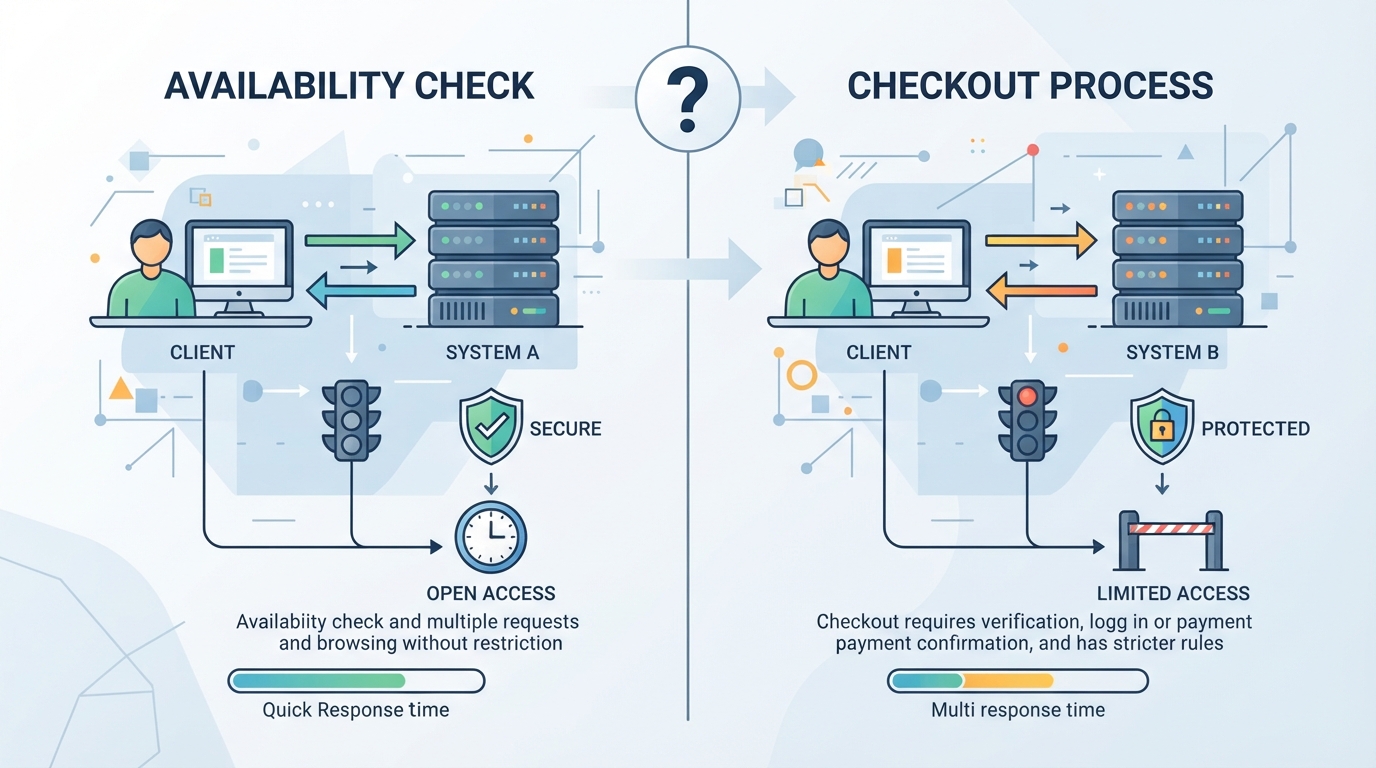
A consistent IP is only one part of a session
A ticketing tool may need to keep a login, selected event and booking time limit as work continues. A fixed IP can meet its connection requirement, but the tool still has to keep those other details. If a login or reservation expires, read that message before changing proxies.
I would check a connection change separately from a session failure. If the resource remains connected but the application asks you to sign in, inspect account state. If authentication to the proxy fails before the destination responds, check the endpoint credentials.
For ordinary shopping, do not experiment with route changes during an active booking. After an interruption, inspect confirmation or order status before repeating payment. That is a transaction-state question, not a reason to buy another proxy pool.
Which Ticket Proxy Offers Are Worth Comparing?
Read a provider's resource listing, not just its headline
I reviewed IPRoyal's Ticketmaster page to compare its ISP, rotating residential, datacenter and mobile offerings. Its displayed starting amounts use different units: per proxy, per GB or per day. The lowest headline figure should not be assumed to describe every resource on the page.
I also looked at HypeProxies' ticketing page, which emphasizes non-rotating static residential resources and bundled plans. That is a different purchase model from a small traffic-based experiment. I would keep its performance claims separate from the product and billing details I can verify.
| Public offer example | Useful information to extract | Question the headline cannot answer |
|---|---|---|
| IPRoyal multi-product ticketing page | Which product type and billing unit the displayed amount belongs to | Whether the lowest starting amount buys your required resource |
| HypeProxies static bundle | Assigned-IP quantity, full plan amount and billing period | Whether a large bundle is appropriate for a small job |
| A rotating residential quote | Available region, GB allowance and session options | How much usable data your client obtains from one GB |
I use this comparison to shortlist purchase models, then check the current coverage and price before buying. I would need comparable live-release tests to name a winning network.
Compare evidence of the task you intend to run
A trial can establish authentication and retrieval for a small permitted sample. A completed homepage request is narrower evidence than a continuing client session. A latency test against the proxy host is narrower still.
Ask what the provider's test actually covers: destination, market, client and observation time. Those four details make a compatibility statement interpretable. An order screenshot without its conditions is a weak basis for estimating what your own setup will do.
If no relevant evidence is available, keep that uncertainty in the comparison. Choose a small commitment that can answer a defined resource question rather than paying for a larger plan to compensate for an undefined requirement.
How Much Will a Ticketmaster Proxy Plan Actually Cost?
Convert unit prices into the amount you would actually pay
When I reviewed the HypeProxies page, its monthly Pro bundle paired 50 IPs with a $65 total, or $1.30 per IP. That does not mean a buyer can obtain one IP for $1.30 through that bundle. Quarterly and larger offers have their own terms. Compare the actual checkout commitment for the resource and period you need.
For traffic-based access, estimate GB from a small job using your normal tasks. Full browser assets can use a different amount from a structured response. Ten successful HTTP statuses are not ten useful observations if most responses contain errors or the wrong market.
| Planning example | Calculation | What it helps decide |
|---|---|---|
| A 50-IP bundle at $65/month | $65 payable for the bundle | Whether you need that quantity at all |
| Hypothetical 2 GB sample at $4/GB | $8 for that measured traffic | Whether traffic billing fits the defined collection |
| A persistent client used for a month | Assigned quantity × period cost | Whether resource validity matches the duration |
I included the second row to illustrate the calculation, rather than quote a provider. I would compare plans using the same task, market and standard for a useful result.
Include validity, renewal and failure conditions
For an assigned resource, note when it expires and what renewal maintains. For temporary Sticky behavior, understand the supported window and what happens if the peer disconnects. For every model, inspect the stated support and replacement policy.
A provider can help with a wrong location, failed proxy authentication or unavailable purchased resource under its terms. It cannot establish that an event has seats, that an account has presale eligibility or that an active reservation survives every interruption. Those outcomes belong elsewhere in the workflow.
For a small project, the useful budget is the smallest commitment that produces relevant evidence. For an established recurring job, reliability and support for the actual operating window can outweigh a lower headline rate.
Should You Buy a Proxy to Fix a Ticketmaster Error?
Personal purchase errors start with Ticketmaster's own advice
I checked Ticketmaster's browser guidance: for normal use, it says to turn off VPNs, Apple Private Relay and other proxy tools. A proxy seller's claim that every buyer needs its product should not override that platform instruction.
I also read the official error guide to separate expired or unverified sessions from network-related messages. Respond to the message you actually received. A request to refresh or sign in is not evidence that an additional paid IP will fix the account.
Change one thing at a time when checking a problem. If you change the browser, account and network together, you will not know what helped. During an active purchase, follow the platform's instructions and avoid unnecessary changes.
An unknown free proxy is a different trust decision
A public endpoint may work for one request while leaving ownership, availability and handling unclear. That is a poor basis for account or payment activity. Confirmed connectivity does not establish a trustworthy operator.
For a business collector, evaluate a provider with inspectable terms and configuration against a permitted public sample. For normal ticket buying, follow the official direct route and support advice. I would judge a business collection job and an ordinary ticket purchase separately when choosing a connection.
PuraRoute for Ticketing Tools and Event Research
If your ticketing tool or public-event research needs paid proxies, PuraRoute offers dynamic residential, static residential and static native services. These cover different needs: changing IPs for repeated research, or an assigned IP for longer-running work. The useful choice depends on the tool, the market and the task you want it to perform.
Pick the service that fits your ticketing work
For public-event and price research, available location choices can help you focus on the markets you follow. A static service can suit a tool that needs the same assigned IP for longer; dynamic residential proxies can suit separate repeated checks. PuraRoute offers those service choices, so you can compare them around a clear job and budget rather than buying a generic ticketing package without knowing what you need.
Try your actual tool before choosing a larger plan
Use a few known events and check that your tool returns the correct event, date and required information. Review the cost of repeating those checks and whether the service meets the tool's requirements. This gives you a practical basis for choosing a plan. For ordinary personal ticket buying, follow Ticketmaster's own browser and connection guidance discussed earlier.
How Do You Test the Connection Without Making a Purchase?
Check from the same client you will use
Configure the client, make an IP-check request through it and confirm the observed exit. Checking a separate browser that connects directly does not establish how your collector routes its requests. Nor does pinging the endpoint prove that authentication or destination access works.
Then request a permitted public observation relevant to your project. Inspect the content, not just the status code. Confirm that it contains the expected event and market information, rather than an error, verification page or unexpected locale.
Keep the comparison small and consistent. The purpose is to establish that the route serves the job, not to generate request volume. If the expected data is absent, inspect the source's coverage before buying a larger resource pool.
For a small test, note the tool, proxy type, country, time and result. Keep "the right event details appeared" separate from "the homepage loaded" or "a verification page appeared." If the tool needs several connected steps, check those steps as well. These notes help you ask the provider about a specific problem.
Read the error before changing the setup
A proxy-authentication error points toward endpoint, protocol or credentials. A timeout may occur before the destination returns anything. An account-verification request belongs to the account flow. These need different responses.
Ticketmaster's error guide distinguishes several situations involving network activity, sessions and verification. Follow the advice for the actual message. For ordinary ticket buying, apply its normal connection recommendations.
Avoid changing browser, route, account and cookies at the same time. If the result changes, you would have little basis for understanding why. A small relevant correction is easier to evaluate and easier to describe to support.
What Event Data Can You Use for Price Research?
Choose a source that answers the right question
I checked Ticketmaster's developer overview and found separate products for event discovery, inventory and partner transactions. An event listing can tell you that a show exists without providing every current seat offer. Check the fields and access terms for the information you need before building a larger collection.
For a simple event calendar, artist, venue, date and event status may be enough. A price-monitoring report needs more: the offer represented, currency, time checked and any known fee conditions. A ticket-availability project needs an appropriate inventory source, not just a successful request for an event page.
I would let those data needs guide the choice of tool as well as the connection. A proxy can help the tool make its requests, but the selected source still needs to provide the information the report depends on.
Compare the same event and kind of offer
| Difference between two results | Why the price comparison needs care |
|---|---|
| Same artist, different dates | You are comparing separate performances |
| Primary offer versus resale listing | The offers come from different selling situations |
| Different seat areas | The lower amount may refer to a different experience |
| Different currency or fee treatment | The displayed totals may not be directly comparable |
| Different check times | The offer or availability may have changed |
For example, a lower starting price for a Saturday show does not prove the Friday show became cheaper. Keep the event date and offer details beside the amount. Then a change in the report can be traced to the event and purchase it actually describes.
Begin with a few known events and inspect the returned details. Once those rows answer your question, estimate the cost of checking them again. This helps you choose both the data source and the proxy plan around useful research, rather than request volume alone.
Frequently Asked Questions About Ticketmaster Proxies
Does a proxy change event membership or presale eligibility?
A network route does not grant an account entitlement, membership or presale permission. Follow the event's stated requirements and the official account process. A provider's geographic coverage or ticketing label should not be interpreted as authorization to enter a sale for which the account is not eligible.
Can I assume SOCKS5 applies to every application?
Only clients configured to use the route are covered by that configuration. Check the application's documented proxy support and authentication format. Entering credentials in one browser or tool does not establish device-wide routing, and a system setting may not be used by every application.
Will a free IP checker tell me whether tickets are available?
An IP checker can help confirm the exit used by a request. It does not inspect event inventory or your account's ability to reserve an offer. Use an appropriate event source for that question, and keep connectivity checks separate from inventory or transaction results.
Can I move an active booking between different connections?
Avoid experimenting during an active booking. Follow the platform's session guidance and check confirmation or order status after an interruption before repeating payment. Network changes do not repair expired state or guarantee that a selection remains available. Use official support for unresolved account or transaction issues.
Do all ticket websites behave like Ticketmaster?
No. Sites can have different sources, account rules, queues and session behavior. A connection that works for one permitted collection is not proof of compatibility with another platform. Define the second task and test its relevant public content separately rather than transferring a general ticket-proxy claim.
