

If your team tried to gather pricing, reviews, or local search results from public websites at scale, you’ve probably hit blocks, either your requests slowed to a crawl, or you started seeing errors and missing data. Web scraping sounds simple on paper: send automated queries, collect what’s visible in the browser. But in practice, sites track incoming requests by IP, add location filters, and change page layouts to trip up bots. The real question isn’t just what is web scraping, but how to handle these moving targets so you actually get the data you came for.
Most people picture web scraping as running a script that pulls content from a page. That works for small jobs. But when you need ongoing, reliable access, whether for market research, price monitoring, or building AI datasets, the details become messy. Blocking, rate limits, and location-based content can make or break your workflow. The right approach isn’t about brute force; it’s about matching your tools to the ways sites defend themselves.
The guide below breaks down the web scraping definition, shows real-world web scraping examples, and spells out what separates basic scripts from production-grade data collection. If you want to know how web scraping works for actual business use, this is where to start.
Let’s look at what web scraping really means and where the biggest roadblocks show up.
What Is Web Scraping and How Does It Work?

Web scraping uses software to extract and structure information from web content. It can involve public pages or authenticated pages the operator is authorized to access. Requesting content, parsing it, and validating the output are separate from deciding whether collection and reuse are permitted.
How does a web scraper access and extract data?
- Sends HTTP or HTTPS requests to a web page, acting like a real browser or bot.
- Parses returned content, often HTML, sometimes JSON, to spot the info you want.
- Extracts data elements, like prices, names, or links, and turns them into structured output.
Some pages return the needed content directly; others require supported client-side rendering. An access challenge is a separate signal to review permission and the available interface, not a reason to assume that more browser automation is always required.
What are the typical steps in a web scraping workflow?
A practical scraping workflow starts by picking target URLs, say, a product catalog or search results. You write extraction logic, which means defining what HTML tags or API endpoints the script should grab. Handling pagination is a headache: sites often split data across many pages, and each navigation step can trigger new anti-bot checks. Saving scraped data sounds straightforward, but format mismatches (like inconsistent CSV columns or broken JSON) can trip you up.
A common failure is hitting a rate limit, suddenly, your requests get blocked, and the script dies. Some teams run into content changes: the site owner updates the layout, and the parser breaks, pulling empty fields or wrong values. If you don’t build error handling in, you risk losing hours of data with no warning.
The hardest part isn’t writing code, it’s keeping your workflow stable when sites change, block, or throttle your access. Real scraping means constant patching, monitoring, and adapting. Most pros set up logging to catch failures early and use test runs before full-scale jobs.
That’s why the next step isn’t just grabbing more data, it’s figuring out what to collect, where, and how to keep your pipeline running when the site pushes back.
What Are the Main Uses and Examples of Web Scraping?
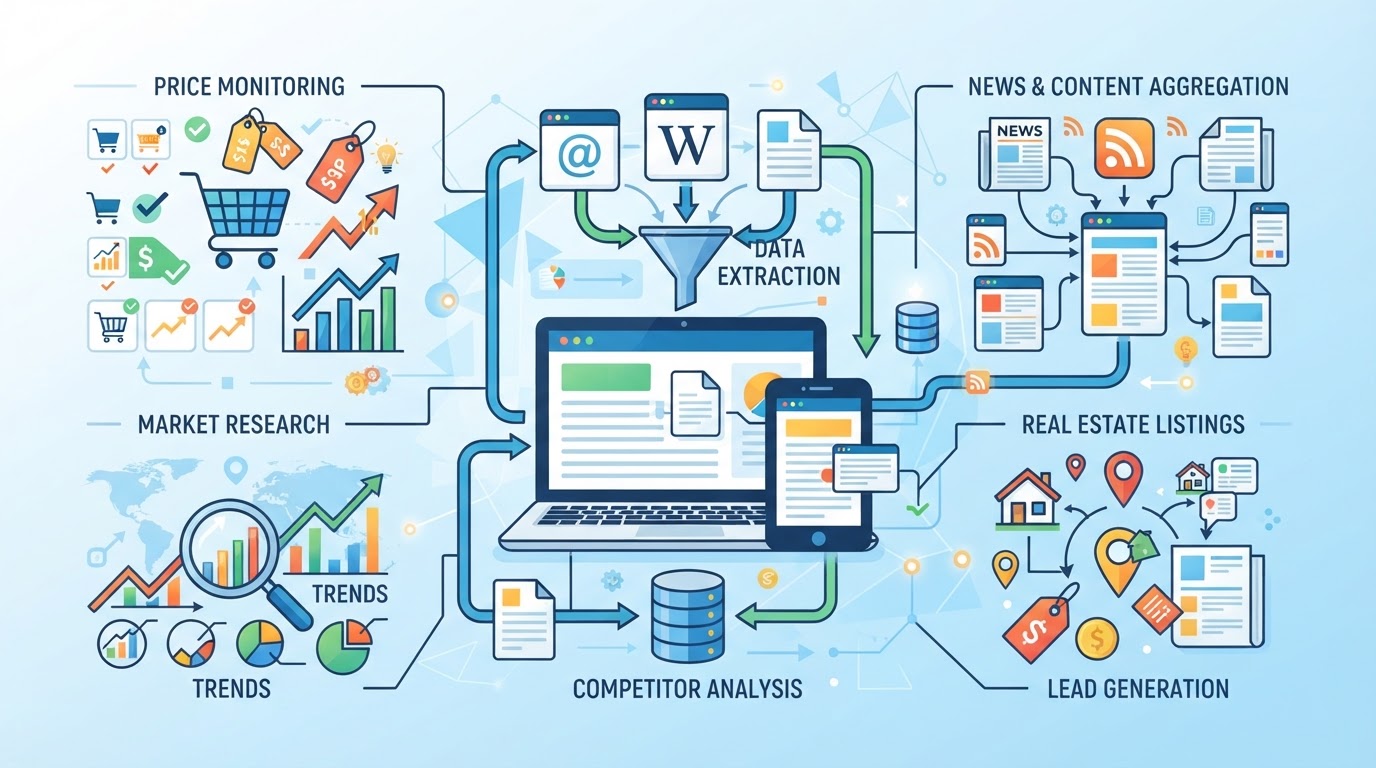
When people ask what is web scraping, they usually want to know how it’s actually used, not just the technical definition. The main uses break down into price tracking, business research, lead generation, news aggregation, and building datasets for AI or analytics. What matters most is that scraping isn’t just about grabbing content; it’s about structuring public data so a team can act on it.
How is web scraping used for price monitoring and comparison?
Price scraping is one of the most common real-world uses, especially in e-commerce and retail.
- Collecting product prices from online stores to track competitors or supply chain changes
- Building comparison shopping platforms that aggregate price data across multiple sellers and regions
- Tracking price changes over time to spot market trends or catch sudden drops
Even a basic script can pull prices, but scaling up means dealing with site changes, anti-bot measures, and location-specific pricing.
What are other business and research applications?
Scraping is core to market research, teams use it to monitor competitor launches, analyze product listings, and gauge customer sentiment. Lead generation relies on pulling contact details from public directories, but here’s the catch: many sites limit access or change layouts frequently, so scripts break unless maintained. News aggregation uses scraping to collect articles and headlines for trend analysis or alerting, but copyright and licensing rules can block certain content.
Building datasets for AI and machine learning is another major use. Public reviews, real estate listings, and social media posts get scraped to train models or spot patterns. The hardest part isn’t getting the first batch, it’s keeping the pipeline running when sites update their structure or block high-volume requests. If your workflow depends on steady data, you need to plan for frequent script updates and handle failures when content shifts or access gets cut off.
What’s an example of a web scraping workflow?
A typical setup might look like this:
- Request the permitted page or documented API at an appropriate pace.
- Validate the response before parsing HTML or JSON.
- Extract and store fields with a stable schema.
- Detect layout changes, missing fields, duplicates, and unexpected status codes separately.
- Use bounded retries for transient failures and respect any retry guidance or access restriction.
A parser change does not fix an authentication error, and IP rotation does not remove a request limit. Diagnose the observed failure before changing infrastructure.
The next section looks at the types of web scraping tools and methods, including ready-made platforms and custom scripts for different tasks.
What Are the Types of Web Scraping Tools and Methods?
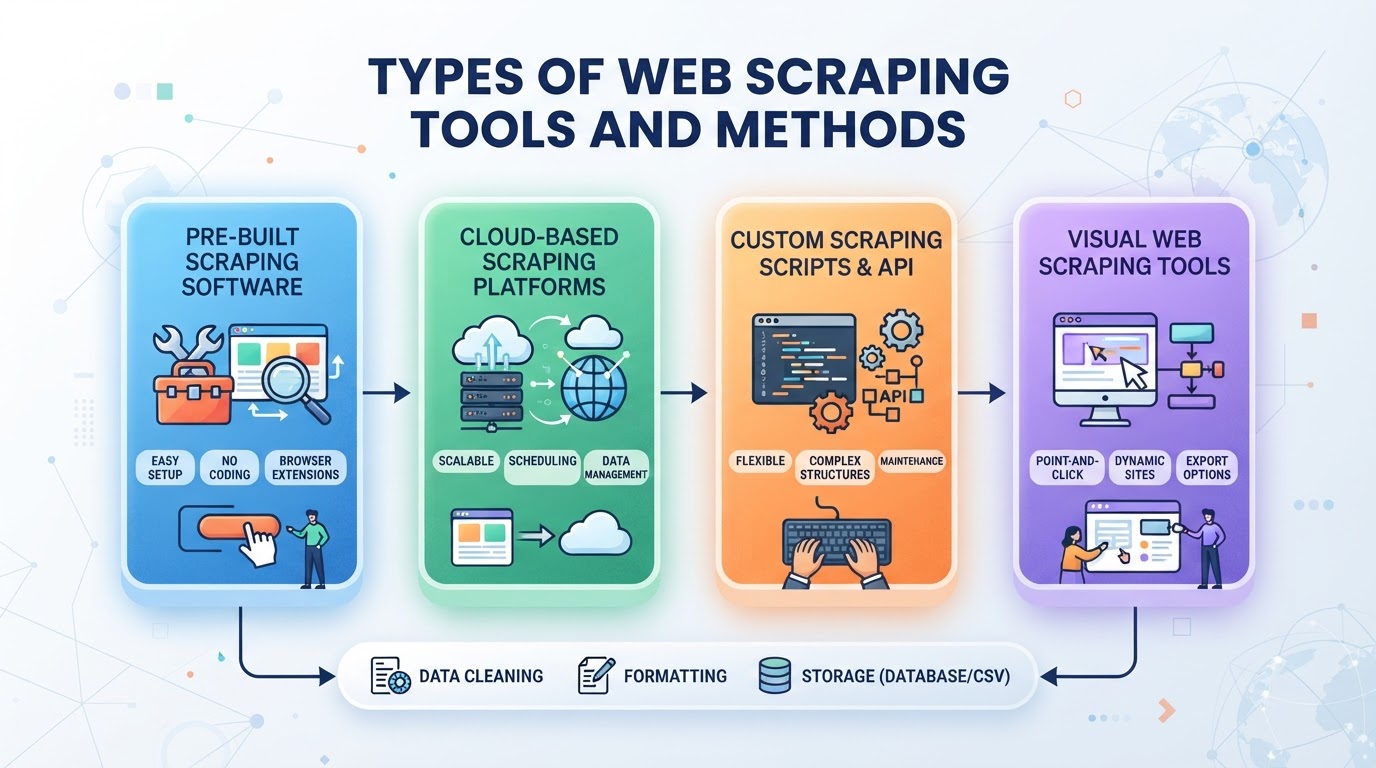
If you’re trying to decide how to scrape web data, the main choice is between self-built scripts and ready-made software or platforms. Each approach comes with tradeoffs in control, speed, and maintenance. The right fit depends on whether you need custom logic or just want to grab standard data quickly.
How do self-built scripts differ from ready-made scraping tools?
| Tool Type | Control & Custom Logic | Ease of Use | Maintenance & Troubleshooting |
|---|---|---|---|
| Self-built scripts | Custom request and extraction logic | Requires engineering work | Team owns maintenance and permissions |
| Ready-made tools | Features offered by the current product | Depends on workflow | Verify supported sites, updates, and limits |
Self-built scripts let you tailor every step, but you’re on the hook for fixing breakages. If you want speed and simplicity, ready-made tools are less hassle, but you sacrifice fine-tuned control.
What are the pros and cons of browser extensions, software, and cloud platforms?
Browser extensions are quick to set up and good for small jobs, but struggle with scale and automation. Dedicated software brings more features, like scheduling and bulk exports. Cloud platforms handle massive workloads and offer integration with APIs, but you pay for scalability and lose some privacy.
For recurring, large-scale scraping, cloud platforms are usually the easiest way to manage volume and automate workflows.
If your task grows, like collecting thousands of listings or updating data daily, manual tools and browser add-ons can't keep up. At that point, switching to software or a cloud-based platform is the safer bet.
The next step is figuring out how to handle blocking and location checks, which is where proxy infrastructure comes in.
How PuraRoute Supports Large-Scale Web Scraping and Public Data Collection
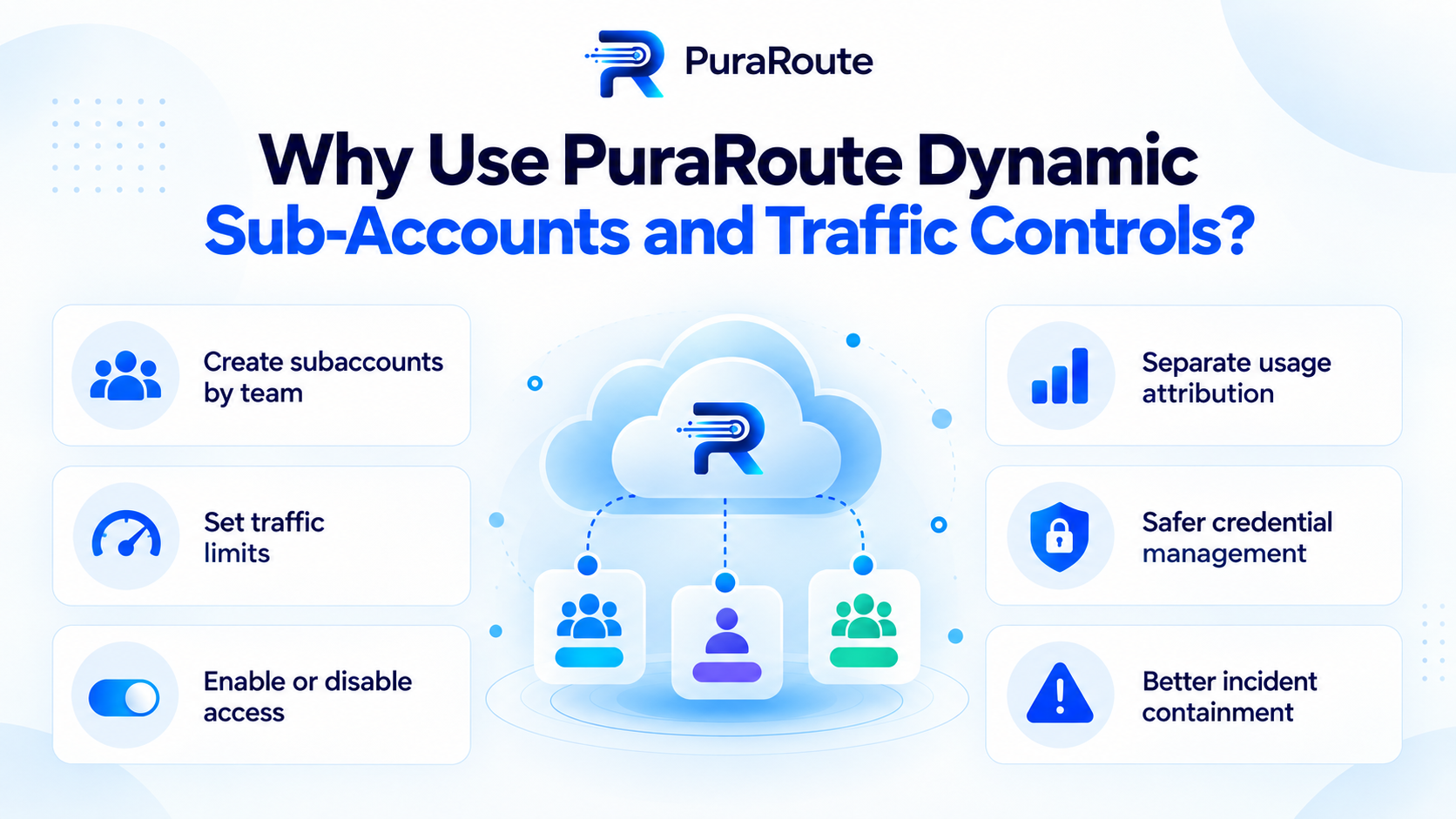
For an authorized collection workflow shared by several teams, resource accounting matters independently of page parsing. PuraRoute's selected dynamic sub-account feature helps separate credentials and monitor proxy traffic by workflow; it does not grant access rights or remove target request limits.
Dynamic Sub-Accounts and Traffic Controls
Operators can use separate names and credentials, inspect accumulated usage, and configure a cumulative traffic cap for each sub-account. A cap of zero means no separate sub-account cap, not unlimited purchased traffic. Available main-account balance and effective control state still matter.
Review Usage and Effective Controls
Check each workflow's usage against its configured cap and the main traffic balance. An enabled flag alone does not prove a connection is available when balance or pending controls prevent use. Keep accounting errors separate from target-site response errors.
Keep Credential Lifecycle Explicit
Use a clear mapping from workflow to sub-account and update the consuming client when credentials change. A deleted sub-account name cannot simply be assumed reusable. Validate the client after a control change without exposing its password in logs.
These controls organize resource usage. The scraper still needs correct parsing, request pacing, error handling, and permission for the collection task.
What Are the Risks, Limitations, and Legal Considerations of Web Scraping?
Operational planning includes permissions, request pacing, error handling, data validation, and maintenance. Do not treat a working request as evidence that every form of collection or reuse is authorized.
What operational risks do web scrapers face?
Sites block IPs that send too many requests or look automated. Layouts change without warning, breaking your parsers. Even when you get data, gaps and duplicates can slip in. If you don’t monitor for these issues, your results can be incomplete or useless.
What legal and ethical boundaries should scrapers respect?
Scraping public websites can cross a line if you ignore legal rules or ethical limits.
- Check the applicable service terms, data permissions, privacy obligations, and reuse rights for the actual task.
- Review robots.txt as a crawler instruction, not proof of authorization. Public visibility alone does not establish a right to collect or reuse personal or copyrighted material.
The next step is figuring out which protocols and workflow tools you’ll need to handle these risks and keep your data collection stable.
What Protocols, Technologies, and Workflow Steps Are Needed for Web Scraping?
Web scraping depends on a mix of basic web protocols, parsing tools, and careful workflow design. Getting these right is the difference between a script that works twice and a setup that runs reliably.
Which protocols and technologies are most commonly used?
- Send HTTP(S) requests: Nearly all scraping starts with HTTP or HTTPS. If a site doesn’t load in your browser, your script won’t get far either.
- Parse returned content: Use HTML parsers for web pages (like BeautifulSoup or Cheerio), and JSON or XML libraries for APIs. Fail here, and you’ll pull empty or broken data.
- Automate with a language such as Python or JavaScript; Node.js is a JavaScript runtime. For pages requiring a supported browser workflow, tools such as Selenium or Puppeteer may help, with additional resource and maintenance costs.
What are the basic workflow steps for a scraping project?
- Use the headers, authentication, and cookies required by the authorized interface. Check the actual response instead of assuming that a user-agent string explains every failure.
- Manage sessions and cookies: Some workflows need to keep the same session across requests. If you don’t track cookies, login steps and paginated data can break, meaning you’ll miss part of your target information.
- Export and structure scraped data: Choose CSV, JSON, or a database export. The best format depends on how you’ll use the results. If you skip structuring, downstream analysis turns messy.
The real risk is underestimating how fragile scraping setups can be, one layout change, a blocked IP, or a missing header can halt an entire workflow.
Most scraping projects hit limits not because the tools are weak, but because the details aren’t managed. Next up: how scraping stacks against other data collection methods, and where each approach fits.
How Does Web Scraping Compare to Other Data Collection Methods?
Choosing between web scraping, APIs, manual export, or prebuilt data feeds comes down to how much control, speed, and risk you can handle. Each method fits a different use case, if you just need a CSV, don’t overcomplicate it. But when you need to extract messy, unstructured web data at scale, the gaps between methods get wide fast.
How does web scraping differ from using APIs?
APIs offer clean, structured data but often come with strict rate limits or require approval. Web scraping lets you extract what’s visible on the page, even if there’s no public API. But sites can block or throttle you, and scraped data may break if the site layout changes.
| Web Scraping | APIs | |
|---|---|---|
| Flexibility | Extracts visible, unstructured data | Only exposes what API allows |
| Rate Limits | Blocked/throttled by site defenses | Enforced by provider rules |
| Reliability & Freshness | May break with site updates | Data stays stable, but updates depend on provider |
Scraping can extract fields present in an authorized response when an appropriate API or export is unavailable. Hidden presentation elements are not a separate grant of access rights; validate the response and permitted use of the data.
What are the pros and cons of manual extraction and data feeds?
Manual extraction (copy/paste or downloads) works for one-off tasks or small datasets, but falls apart at scale, errors creep in and it just doesn’t scale. Data feeds (like RSS or vendor CSVs) are easy to automate but only give what the provider chooses to share, rarely matching the depth or freshness of targeted web scraping.
For large, custom, or fast-changing data, scraping fills a gap that manual methods and prebuilt feeds can’t match.
Frequently Asked Questions About what is web scraping
Can web scraping be used for both structured and unstructured data?
Yes, web scraping works for both structured data (like tables or lists) and unstructured data (such as paragraphs, reviews, or news articles). Structured data is easier to extract because it follows a clear format. Unstructured data often needs extra parsing and cleaning to turn it into something useful for analysis.
Is it possible to scrape websites that require login or authentication?
Scraping sites that need login is technically possible, but it’s more complicated. You’ll need to handle session cookies or tokens so your scraper stays logged in. Many sites block bots or change session rules, so scraping these pages can break easily and may violate site terms. Always check the rules before trying.
What role can proxies play in an authorized scraping workflow?
They can provide a configured egress route or documented location option for compatible clients. They do not remove account permissions, request limits, or the need to validate data. Rotation is a routing capability, not a guarantee against blocks.
How should I respond to failed scraping requests?
Classify the actual response. A timeout, an authentication error, a rate limit, and a challenge need different handling. Respect retry guidance, stop requests that lack required authorization, and use an available supported interface rather than assuming that changing IPs solves the problem.
Do I need programming skills to start web scraping?
Basic coding skills help if you want to build custom scrapers, but you don’t always need them. Many web scraping tools offer visual interfaces or browser extensions. Beginners can use these to extract data without writing code, though more advanced tasks will require some programming knowledge.
If you want to start collecting public web data for business tasks, the next step is to clarify whether you need to access specific locations, handle large volumes, or keep the same IP for short sessions. Once your workflow is clear, you can compare proxy options and set up credentials that fit the real demands of your project.
