
The most useful CroxyProxy alternatives to try are ProxySite, Proxyium, BlockAway, 4everproxy, hide.me and Shifter's web proxy. Each gives you a website where you can enter a link and start browsing. You can try another service without first buying a proxy plan or installing an application.
Choose according to what went wrong with CroxyProxy. If you just need to read a public page, start with a simple option such as ProxySite. If the country matters, 4everproxy and Shifter give you more location choices. For video, check the player itself: a page opening successfully does not mean the clip will play.
The differences become clearer when you look beyond the homepage. Some services offer useful page controls. Some make country selection easier. Ads, usage limits and how links open can also change the experience, especially on a phone.
I have set out why I would try each option, what I could confirm and what I would check on your own websites before choosing one.
Which CroxyProxy Replacement Should You Try First?
Start with the problem you want to solve
| Alternative | Main reason to try it | Best starting use | What to keep in mind |
|---|---|---|---|
| ProxySite | A simple address box with US/EU server choices | Public articles and quick browsing | Ads can appear near the browsing controls |
| Proxyium | A small form with a country choice | Trying another easy web proxy | Its speed labels are the provider's own descriptions |
| BlockAway | A familiar address/search box and website shortcuts | A quick alternative for the sites you normally visit | A shortcut does not prove every feature works |
| 4everproxy | More control over server and country selection | Browsing where location matters | Extra choices can take a little more trial and error |
| hide.me | A straightforward free web tool | Public-page browsing using its available locations | My earlier YouTube check was unsupported |
| Shifter web proxy | A country map and a broad advertised country list | Viewing public pages from a chosen country | Country choice alone does not prove a site's local features work |
For reading, try one simple option first. For a country-specific page, start with the location-focused group. For YouTube, choose only after checking a clip you actually want to watch. There is little value in keeping ten bookmarks if none works for the task that made you leave CroxyProxy.
Choose a service you can use on your device
These are browser-based web tools. That matters if you use a shared computer, cannot install an extension or only need occasional access. When I read this no-install discussion, the practical problem was clear: an alternative is no help if the person asking cannot use its setup.
Open the provider's actual web-proxy page and find its address box. A download advertisement or a separate paid product may appear on the same site. You should not need to install an unrelated extension just to try the web form listed in this guide.

Which Free Web Proxy Alternatives Suit Everyday Browsing?
ProxySite: a simple place to start
ProxySite is easy to understand: choose a US or European server, paste a website address and press GO. Shortcuts to familiar sites make it convenient for quick visits. You can also change page options such as allowing cookies or removing scripts, which can help explain why part of a page is missing.
In my November 2, 2026 desktop check, the default US server opened the public Example Domain page. My earlier EU-server check also opened a public text page. I would try it for reading on that basis, without treating those visits as a speed comparison.
One small annoyance caught my eye: a "DOWNLOAD EXTENSION" advertisement appeared above the address form. It was an ad, not the step required to browse. Use the site's URL field and GO button. If a page opens with broken menus, also check whether script removal is enabled before switching services again.
Proxyium: an easy country-and-address form
Proxyium keeps the starting screen simple. You choose from the listed countries, then enter a URL or search query. The interface reviewed for this update listed Poland/France, the United States and Singapore, with its own speed labels beside them.
That can suit a reader who wants another quick option without working through several settings. For example, if a public page fails through the first service you try, Proxyium gives you a different country choice in a small form. The page itself is easy to find and use.
I treat "Fast" and "Slow" as the site's own labels. I reviewed its entry page, but I did not complete a video-playback test. For your first visit, open the required page, follow an internal link and try its main controls. That short check tells you more than the label about whether the service suits your destination.
BlockAway: a familiar alternative for quick visits
BlockAway has an address-or-search field and shortcuts to sites such as YouTube, Wikipedia and Reddit. For someone used to CroxyProxy's simple entry page, it is an easy alternative to understand. There are few decisions to make before opening a public page.
What appeals to me here is convenience. If you only want to read a discussion or open a link someone sent you, country selection and extra browser settings may add little. In that situation, a familiar search box can be enough reason to try it.
The public page also links to premium access. Check what that offer includes before assuming a paid membership is needed for the free form. I reviewed its starting page; I would still check the video experience on the device you plan to use. Try it on your destination and judge the features you need, rather than treating a new name as proof of better performance.
Which Alternatives Give You More Location Choices?
4everproxy: useful when you want more control
4everproxy lets you choose both a web server and an IP location. In plain terms, you can select the service handling the visit and the country used to reach the website. This gives you more control than a single broad US/EU selector.
The form also offers page options, including cookies, script removal and permanent URLs. These are useful when a page needs a particular feature or when you want to return to a public page later. Leave necessary page features enabled before deciding that the site does not work.
My earlier text-page check succeeded. For the tested YouTube clip, I reached the video page and a sign-in-to-confirm message, so I could not verify uninterrupted viewing. Location choice is a clearer reason to shortlist 4everproxy than a claim that it always plays video better. The provider sells other products too, so read the conditions for the web tool you are using.
hide.me: a straightforward web tool for public pages
hide.me offers a free web proxy alongside its other services. The web tool has a website-address box and a location selector. In my earlier desktop check, the listed choices included the Netherlands, Germany and Finland, and a public text page loaded successfully.
That makes it a candidate for a quick public-page visit where one of its available locations fits. You do not need to treat the rest of the provider's product range as part of that small task. Open the free-proxy form itself and enter the page you want.
Video was a different result: the YouTube URL I tested produced an unsupported-site message. If watching that service is your main need, start with another option rather than repeatedly retrying the same rejected URL. For reading, check ordinary links and menus too. A tool can be useful for articles while being a poor fit for a particular media site.
Shifter: a broad country selector
Shifter's web-proxy page advertises residential IPs in 120 countries, with no ads or signup. It provides a country map and list, followed by a Browse action. Its description says the website opens in a new tab, leaving the starting page available.
That makes it worth inspecting when you want a public page as viewed from a particular country. For example, a researcher comparing how a website presents its public information in two markets may value a clear country choice more than a row of popular-site shortcuts.
I checked these features against the provider's current page. I have not measured its playback or access-success rate. After choosing the country, check the returned page for the market you intended. Language, account settings and a site's own location choice can still affect what appears, so a country selector is a useful starting point rather than the whole comparison.
What About YouTube, Mobile Browsing and Privacy?
Check that the video actually plays
In this mobile-video discussion, I found a familiar problem: one service had stopped working, while another did not load videos well. I would judge a replacement by whether it fixes that particular failure.
In my October 30 desktop checks, ProxySite and 4everproxy reached an error or verification state for the same public clip. hide.me rejected the destination. CroxyProxy displayed a video frame, but I did not verify full playback. I would not name a streaming winner from those results.
For your own clip, press play, check that time advances, move further into the video and resume. On a phone, also try fullscreen and the back button. If the link opens a separate app, you may have left the web proxy. I made those checks on desktop, so I would test again before recommending an option specifically for iPhone or Android.
Look at ads and the actual privacy policy
The relayed page is where you spend your time, so check it as well as the homepage. An ad covering a player or a toolbar covering a menu can make an otherwise working service awkward. On a phone, the available screen space makes this especially noticeable.
I also read ProxySite's policy, which describes 14-day public-proxy abuse-monitoring logs. A privacy statement about another product on the same website may cover different terms. Read the policy for the service you actually use.
Keep the sensitivity of the task in mind. Reading a public article is a different decision from sending work documents, payment details or email credentials through a free relay. For important accounts, use a trusted service and the account provider's normal access route.
Want a Paid Proxy for Regular Use? Try PuraRoute
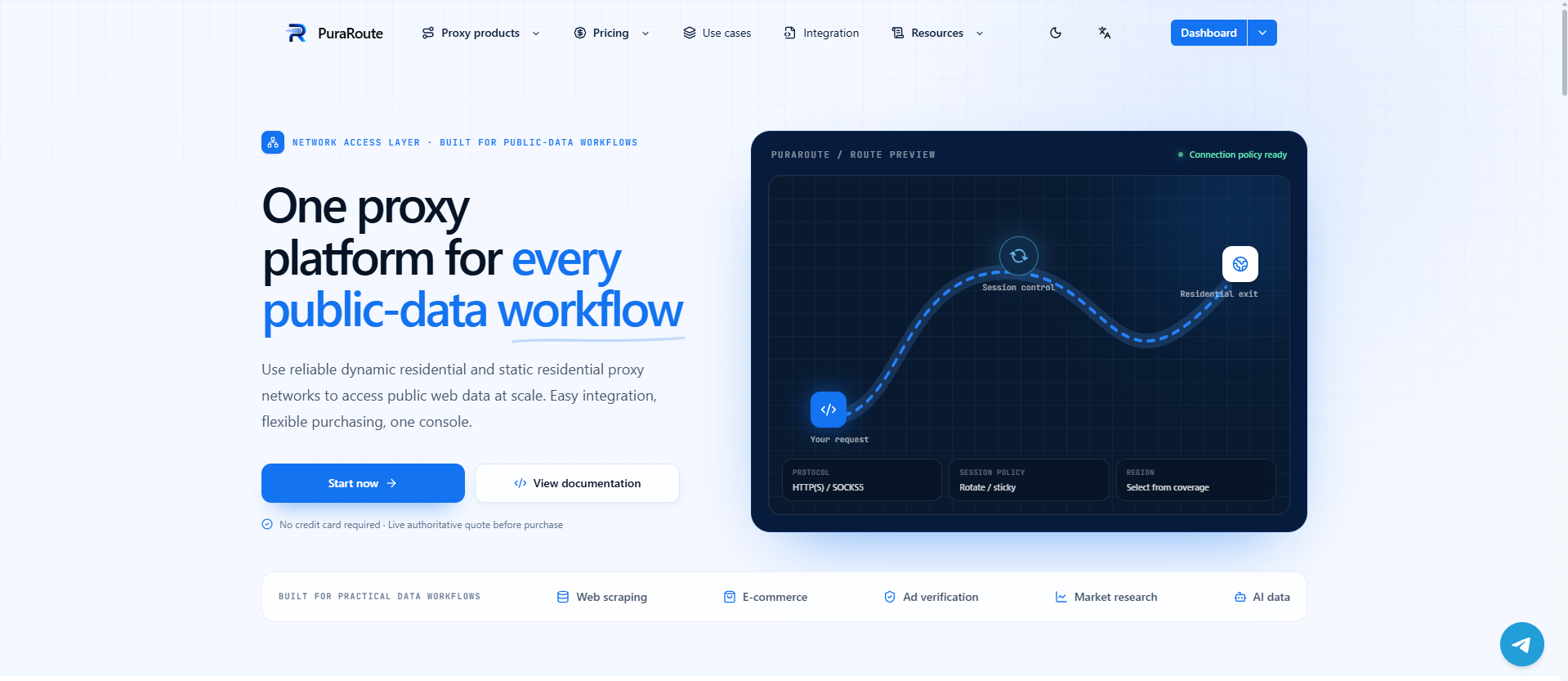
If you need a paid proxy for regular browsing or online research, PuraRoute is worth trying. It offers rotating residential proxies, static residential proxies and static native proxies. You can choose changing IPs for repeated checks or a fixed IP for ongoing work, with location options suited to the websites you use.
More choice for browsing and research
PuraRoute's dynamic residential proxies are useful when you want to view public websites from different available countries or cities. Its static services are designed for work that needs one assigned IP over a longer period. That gives regular users a choice beyond a shared free web-proxy page. You use the service with your own browser or tool, so choose it when that suits the way you already work.
Try the websites that matter to you
Start with a small, normal browsing task: open the pages you use, follow a few links and try the features you need. For research, check that the page represents the intended country and contains the information you want. Use those results to judge the service before choosing a larger plan. A useful proxy is one that works well for your own websites and budget.
Why Does a Web Proxy Open a Page but Break Some Features?
The page and its player can load separately
A modern page can fetch videos, images and interactive controls from several places. The main text may appear while one of those other parts fails. That explains why "the page loaded" and "the website works" are different results.
Check the feature that matters: the player, search box, menu or next page. If script removal is enabled, a site that needs scripts may lose its controls. Change the relevant option once and try again. Repeatedly switching every setting makes it harder to see what helped.
Find out whether the problem follows the service or the destination
If the proxy's own homepage will not open, its address field cannot help you. Use an access method permitted on that network or ask its administrator about the access you need.
If only one destination fails, check the official direct page when available. A service outage, account requirement or unavailable clip can remain a problem through several proxies. Save the visible message so you can compare the same failure, rather than assuming every new service has become slow or broken.
When Is Paying for a Proxy Worth Considering?
Pay for a need you can name
Occasional public reading may be covered by one of the free tools above. Regular browsing or research can bring different needs: a chosen country, an assigned IP, a clearer allowance or a service you use with your own browser or collection tool.
Write down the feature you are missing before paying. A large country list is little help if you only need one country. A fixed-IP service may be unnecessary if you just want to read an article. A paid web-tool upgrade also needs to say what changes, such as ads, access conditions or its included allowance.
Compare the same small task before choosing a plan
Use one or two familiar websites and try the actions you normally perform. For reading, follow links and open the next page. For video, test playback and seeking. For research, check that the page contains the information and market view you need.
Keep the option that works for those tasks and a useful backup. A small comparison is easier to repeat when a service changes. It also helps you decide whether the free option remains enough or a paid service offers something you will actually use.
Frequently Asked Questions About CroxyProxy Alternatives
Do I need to install an extension?
The six web tools listed here can be opened through a browser page. Some providers also offer extensions or applications as separate products. Use the actual URL-entry form if you want no installation, and check that a large download button is not simply an advertisement for something else.
Can I share a page opened through a web proxy?
Check whether the service provides a sharing or permanent-link feature. An address copied from a browsing session may not work for another person, especially if the destination requires an account. Avoid sharing links containing private account information, and try the shared public link before relying on it.
Can I download a file through the same service?
A file may come from a different address from the page displaying its download button. Check that the transfer actually starts and finishes, and read any usage limit. A working webpage is not enough to establish that a large download or a separate media file will complete.
Does a private browser window make a free proxy anonymous?
A private window changes what your browser keeps locally after a session. The proxy provider and destination still take part in the visit, and information submitted to an account remains information you supplied. Choose a service according to the task and its policy, rather than the window's label.
Is a web proxy the same as a VPN?
A web proxy relays pages entered through its interface. A VPN normally uses an installed or configured connection, with coverage determined by its setup. They are different services even when their advertising sounds similar. Check which method your device permits and which applications you need to use.
