
Your page appears near the top of Bing during a manual search, but your tracking report shows a lower position. Before you change the page, you need to know whether its ranking moved or the two checks used different search conditions.
A bing rank tracker can help you follow keyword positions over time, but a number alone leaves gaps. Location, device, search settings, and the time of each check can affect what you see. One search does not establish a trend.
The practical job is to build a repeatable record. Choose the keywords and pages you want to monitor, keep the search conditions consistent, and record which URL ranks for each query. Then compare changes across checks rather than reacting to a single drop. You will learn what to look for in a Bing rank checker and how to separate ranking movement from measurement differences.
Start by defining what a tracked position means and which details belong beside it. That gives you a clear basis for reading reports before you act on them.
How Do You Check a Keyword’s Position on Bing?

Search Bing for your exact keyword, count the standard organic results, and record where your domain or page appears. Save the search conditions alongside that number. This gives you a dated observation you can repeat, rather than a position that applies to every searcher.
Choose the keyword, domain, and result type before checking
-
Define what counts as a match. Write down the query and decide whether you want any page on your domain or one exact landing page. If another page ranks, record its URL rather than treating it as the intended page.
-
Count standard organic web listings separately from ads, map results, and other search modules. Use the same counting rule throughout. Otherwise, a change in page layout can look like a ranking change.
-
Decide whether you need one observation or a history. Use a Bing rank checker for a snapshot; use repeated, dated checks to track movement. One check cannot tell you whether a position has risen or fallen.
Record the position, ranking URL, and search conditions
-
Search the query and count qualifying listings from the top. For example, if two ads appear above three organic listings and your page comes next, record organic position 4. Do not count the ads as positions 1 and 2.
-
Save the query, date, time, time zone, organic position, and observed URL. Include the search market, language, device context, and any location setting you used. Record the actual landing page, even when it differs from your target.
-
Note how you checked, including sign-in status and browser context. A manual search gives you a baseline, not a perfectly neutral reference. If a later check differs, these notes help you identify whether you repeated the same test.
Keep the ranking URL. A position alone can hide a change in which page Bing shows.
Label results that fall outside your checking depth
-
Set a checking depth before you start, such as 20 organic listings. Record that depth with each observation. If your next check covers only 10 listings, you cannot treat both searches as equally complete.
-
Write “not found within 20 organic results” when no matching URL appears in a completed check. Do not translate that into “removed from Bing.” The page may rank deeper; this observation alone does not establish its indexing status.
-
Mark interrupted searches as incomplete. A timeout, challenge page, or loading failure does not supply a valid ranking result. Retry later and preserve the failed attempt separately, rather than recording a drop.
These records give you a concrete test for a tracking tool: can it preserve the evidence behind each reported position?
What Should You Verify Before Choosing a Bing Rank Tracker?

Once you have a check worth repeating, choose who will handle the repetition. Use manual checks for small samples, a dashboard for recurring reports, or custom collection when you need more control and can maintain it. Verify current Bing support before committing.
Match manual checks, dashboards, and custom collection to the task
| Method | Setup effort | History and scheduling | Maintenance responsibility |
|---|---|---|---|
| Manual checks | Low; choose queries and a recording sheet | You save results and repeat checks yourself | You handle missed checks and inconsistent entries; useful for small samples and spot verification |
| Rank-tracking dashboard | Verify Bing support, then configure a trial project | Confirm saved history, refresh options, and exports before purchase | The provider runs the service; you still review missing results and reporting changes |
| Custom collection | Build collection, result parsing, storage, and reports | You design historical records and schedule jobs | You maintain code, handle failed requests, and update parsing when page layouts change |
Table basis: workflow responsibilities, not verified features of any named service; confirm dashboard details in current official documentation.
Choose custom collection only if someone owns those ongoing jobs; network access alone does not produce a ranking report.
Confirm Bing support with a small live test
Check current official documentation for explicit Bing support, then test available markets, device contexts, refresh behavior, checked depth, and export fields. Neither support for another search engine nor a dated competitor list establishes current Bing support or API availability; confirm what the trial actually returns.
Estimate the workload before comparing costs
Estimate observations as keywords × markets × devices × checks per reporting period: 50 × 2 × 2 × 7 gives 1,400 planned observations. Confirm how the service bills those checks, retries, and depth; count implementation and maintenance time for custom collection, then turn the chosen scope into consistent tracking settings.
How Do You Set Up Tracking That Produces Comparable Results?

Once you choose a tracking method, save a measurement specification before collecting history. Define keyword groups, intended pages, search context, counting rules, and refresh timing. Your bing rank tracker should keep those settings separate from the results each check returns.
Group keywords and map them to intended landing pages
- Separate branded and non-branded queries, then group them by topic and business priority. Keep those labels stable so adding new keywords does not silently change what an existing group represents.
- Assign an intended landing page to each query. For “waterproof hiking boots,” that might be a category page. If several pages could serve the query, record that uncertainty rather than forcing a match.
- Store the observed ranking URL in a separate field. Do not replace the intended page when another URL appears. Keeping both lets you spot page switching without losing the original target.
Keep search context and ranking rules consistent
Turn the rules from your initial checks into saved settings. Avoid relying on whoever runs the next report to remember them.
- Save market, language, and device context for each tracking series. Keep desktop and mobile records separate; flag any run that lacks its expected context.
- Save the result-counting rule and search depth. If collection stops before reaching that depth, mark the run incomplete rather than reporting the keyword as absent.
- Give each configuration a version label. When settings change, start a separately labeled series or mark the change date. Do not silently join incompatible records.
Choose a refresh schedule and preserve missing-data states
Choose a cadence you can maintain. More checks create more records, but they do not fix inconsistent collection.
- Match collection timing to your reporting cycle. For a weekly review, choose a recurring collection window. If a run slips, retain its actual timestamp.
- Keep specification fields separate from observation fields. Save the configuration version with each observation, alongside collection time, position, observed URL, and status.
Before accepting each run, use this checklist:
- [ ] Record the actual collection timestamp, not just the scheduled date.
- [ ] Distinguish “not found within tracked depth” from a failed request or parsing error.
- [ ] Leave position empty after a failed check; do not insert the previous position as fresh data.
- [ ] Preserve the original failure record when retrying, and timestamp the retry separately.
These records give you a way to investigate conflicting positions without assuming either check captured a ranking change.
Why Do Two Bing Ranking Checks Show Different Positions?
Even with a stable tracking setup, two checks can disagree because they capture different searches, count results differently, or summarize different periods. Investigate those measurement differences before treating a mismatch as a ranking change.
Check whether the observations describe the same search
Inspect the captured results or exports for differences in timestamps, location, device, search settings, checked depth, and organic-result counting before deciding which number to trust. A signed-in browser check may reflect personal context, so do not treat it as definitive proof that your Bing rank checker is wrong.
Separate a single position from an aggregated metric
A snapshot and an average answer different questions.
- What can go wrong: You might read an average position of 8 as a contradiction of a current position of 5, even though the average includes earlier observations.
- The safer move: Read the metric definition, date range, and filters. Confirm which observations contribute to the number before using it to judge movement.
Identify collection failures before reporting a ranking loss
Keep timeouts, HTTP errors, unexpected page content, and parsing failures separate from valid results that omit your page; a 429 response or a different response through another route does not prove an IP ban. Retain error codes and diagnostic details, follow applicable access rules rather than increasing requests blindly, and mark failed checks as missing data.
Once you separate valid observations from collection failures, ranking history gives you a sounder basis for choosing SEO actions.
How Do You Turn Bing Ranking History into Useful SEO Actions?
Once you rule out measurement differences, use ranking history to choose what to investigate. Prioritize sustained movement, unexpected ranking URLs, and keyword groups tied to business goals. Rankings alone do not explain why something changed.
Investigate sustained changes before reacting to one observation
Review several comparable observations and annotate known site changes. A drop across related queries deserves a page-level review; an isolated movement gives less reason to edit content or blame an algorithm update.
Check whether the intended page is the page that ranks
An SEO manager at a plumbing company notices that a general services page has replaced the intended drain-cleaning page for related searches. Before rewriting either page, she checks whether Bing can access the intended page, whether its content answers those queries, and whether relevant internal links point to it. These checks test possible causes. The URL switch alone does not prove a technical defect. She records her findings and any resulting edits so later ranking history has context.
Report opportunities with context rather than position alone
Group findings by topic and intended page, then add separately measured traffic or conversions where available. Keep Bing and Google ranking histories separate.
For a custom collection workflow, keep data collection and SEO interpretation as separate jobs. Infrastructure supports the record; it does not explain ranking changes.
How Can PuraRoute Support Location-Specific Bing Ranking Checks?
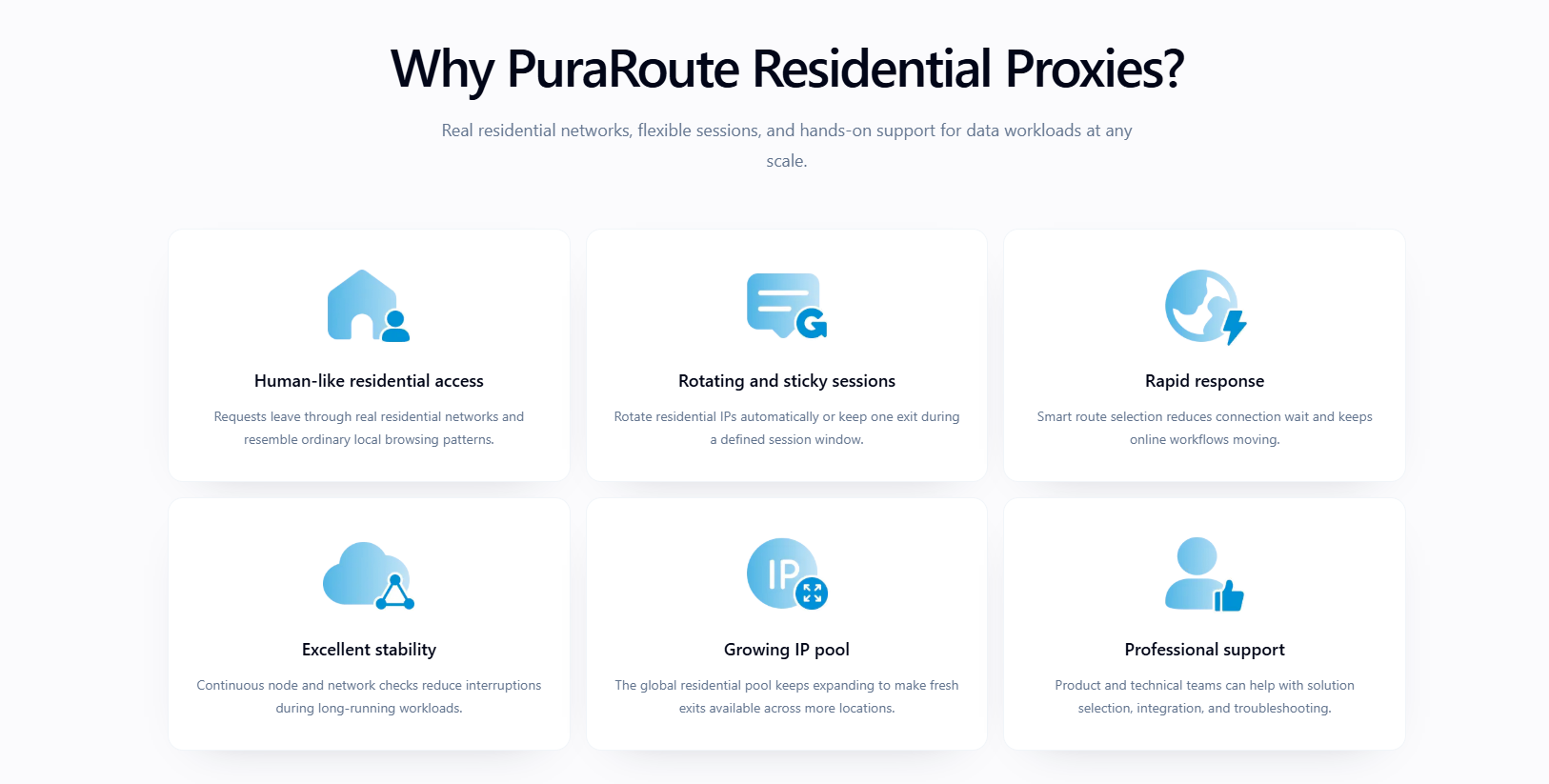
If you use a managed Bing rank tracker, its location settings may already cover the job. PuraRoute is relevant when you operate your own proxy-compatible collection client and need to choose its network exit. It supplies that connection, not the keyword positions, ranking history, or reports.
Match the proxy region to the tracking series
For a series intended to observe a particular market, select an available PuraRoute country and, where needed, state or city. Save the chosen route alongside the market, language, device context, timestamp, and observed URL already defined in your tracking specification. An exit IP's location is only one input to a search; it does not make differently configured searches comparable or establish one universal local ranking. Repeat the same measurement settings when checking later changes.

Keep one collection pass consistent and record failed checks separately
Generate connection credentials for your client and choose Rotating or Sticky mode to fit the collection. A Sticky session can provide temporary exit-IP consistency while one ranking check collects several result pages; it is not a permanent location or IP reservation. Retain the actual connection and response status with each attempt. If a request times out or returns a challenge rather than search results, leave the ranking unset and review the failed attempt instead of recording a ranking loss. Proxy configuration cannot guarantee Bing access or correct result parsing.
How Can You Test a Tracking Workflow Before Expanding It?
With collection in place, test the full workflow on a small sample. Expand only after you can interpret saved results, reuse exports, and assign maintenance.
Test a representative sample before adding more keywords
- Select branded, non-branded, and location-sensitive queries relevant to your pages. Include a query with no ranking inside your tracking depth to test that outcome.
- Run the sample and inspect saved URLs, timestamps, positions, and failure states. Reject records that turn failed checks into ranking losses.
- Review saved results against your declared counting rules. If positions disagree, fix interpretation before adding keywords.
Confirm that history and exports remain usable
- Export the sample; check that dates, URLs, positions, and search settings survive.
- Make a test configuration change; confirm history identifies it.
- Name an owner for failed-run reviews and repairs; do not leave maintenance unassigned.
Expand only when the measurements answer a real SEO question
Tie new coverage to a page decision.
- Add keywords for priority pages and reporting needs; skip coverage nobody will use.
- Choose a dashboard if custom upkeep exceeds its value. Document the measurement specification and run the sample test before committing to wider tracking.
Frequently Asked Questions About bing rank tracker
Does a higher Bing ranking guarantee more website traffic?
No. A higher position can increase visibility, but traffic also depends on query demand, how the result appears, and whether people click. A bing rank tracker records positions, not visits. Compare ranking changes with separately collected website analytics for the same period before deciding whether better positions brought more traffic.
Does an organic Bing position measure visibility in AI-generated answers?
No. An organic ranking shows a page’s position in the search results observed. It does not prove that an AI-generated answer mentions or cites that page. Measure those appearances separately. Record the query, date, answer text, and cited URLs so you can distinguish a brand mention from a direct citation.
Can I track a competitor's Bing rankings without access to its website?
Yes. Public search results let you observe where a competitor’s domain appears for selected keywords. You do not need access to its website or analytics to record those positions. Keep the keyword list and search conditions consistent, but do not treat those observations as evidence of its traffic, conversions, or complete search performance.
Can a Bing rank tracker improve rankings by itself?
No. A bing rank tracker measures search positions; it does not change your pages or guarantee better rankings. Use its records to identify pages worth reviewing, then make separate SEO changes. Document what you changed and when, and compare later observations without assuming every ranking movement came from your work.
What should happen to tracking history after a domain migration?
Preserve observations for the old domain and mark the migration date in your records. Track the new domain separately, or use a clearly documented mapping between old and new URLs. Do not replace historical URLs silently. Keeping both records lets you compare positions before and after the move without changing what earlier reports actually measured.
Test your shortlist with a small keyword set, then check whether each tool reports the locations, ranking history, and page URLs you need before expanding coverage. If you also collect public search results yourself, assess geographic proxy routing separately from the tool’s rank-tracking features.
Try Puraroute Now
