

Searching for a proxy for unblock often starts with an access-denied page. A proxy changes the route used by a compatible application, but that may not address the reason for the failure.
Separate endpoint authentication, network policy, regional availability, and account restrictions first. Then choose the supported protocol and the amount of IP continuity your authorized workflow needs. This guide explains those choices without treating a different IP as a universal fix.
When Does a Proxy Actually Unblock a Website, and When Does It Fail?
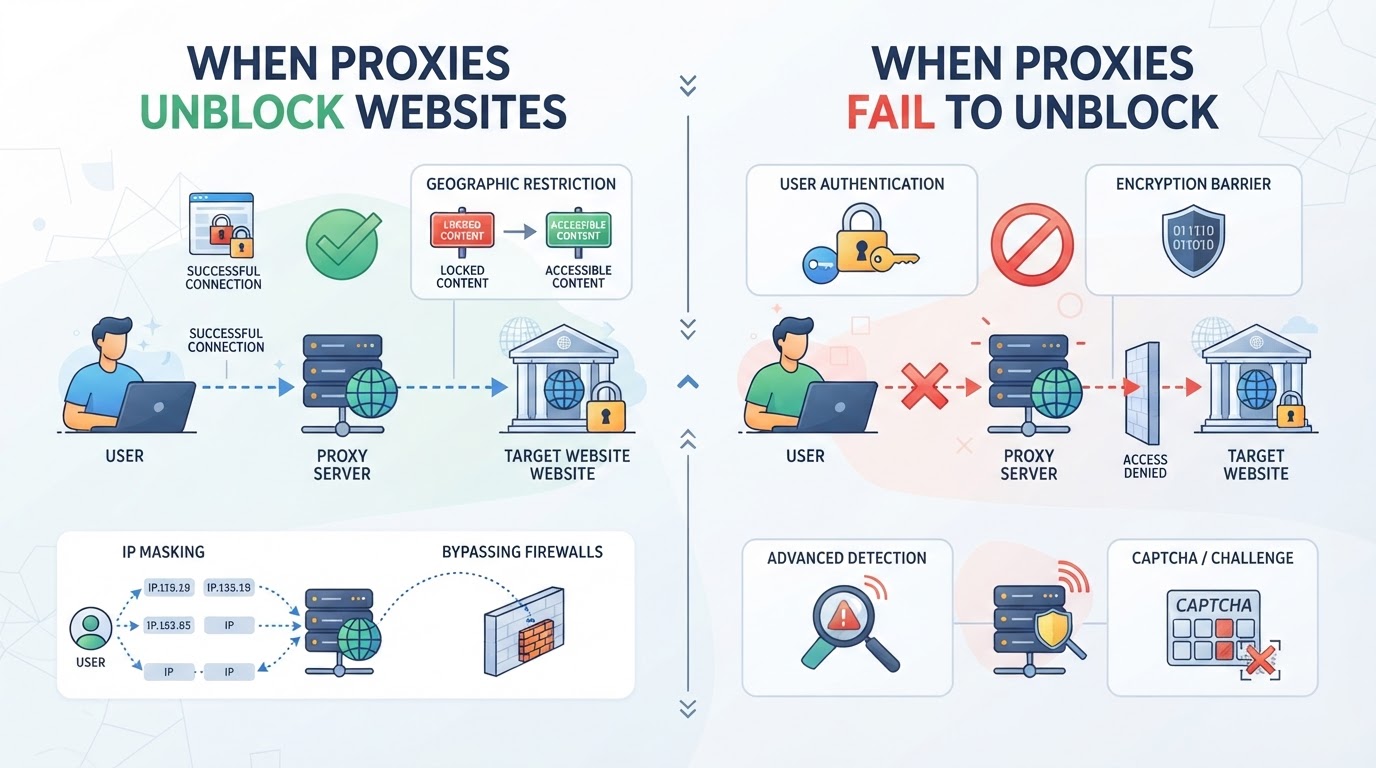
A proxy can let you see a blocked site, but it isn’t a magic bullet. Sometimes, it gets you straight in. Other times, you hit a wall, or worse, trigger a lockout. The key is knowing when a proxy actually changes your access and when it just shifts the problem.
How Website Blocks Work: IP, Region, and Network Controls
Most blocks target your IP address, your region, or your network. Geo-blocks check your location and block visitors from certain countries. Some sites just blacklist certain IP ranges. School or work networks use firewalls to block whole categories. Blocks that rely only on your IP or region are usually the simplest to bypass.
What a Proxy Changes About Your Connection
A proxy routes your traffic through another server and swaps your real IP for a new one. If the site only cares about your IP or location, this can be enough to unblock it. For example, if a streaming service blocks US visitors, using a proxy server in the UK may let you watch. But this only works if the site doesn’t dig deeper. If you try to log in, or if the site checks your browser fingerprint, device ID, or uses cookies, the proxy alone may fail. Many sites now layer checks: they look at IP, then scan for traffic patterns, or flag logins from “suspicious” networks. The hard truth: a proxy for unblock works best against simple, IP-based blocks, not against sophisticated bans or logins tied to your account history. If a site ties access to your account, you may still get denied even with a fresh IP. When a proxy fails, you’ll see errors like “suspicious activity,” instant redirects, or requests for extra verification. Sometimes you get in, but only until the next step, like a checkout or a post-login page, where stricter checks kick in.
When a Proxy Won’t Unblock: Common Failure Points
- Login walls: Sites may require extra authentication, block unfamiliar locations, or freeze accounts if they detect proxy use.
- Advanced fingerprinting: Some use browser or device fingerprints, not just IPs, to track and block access, even if you change your IP.
- Legal and policy barriers: If a site enforces blocks due to law or licensing, technical workarounds can risk violating terms or even local laws.
It comes down to matching your proxy setup to the block you’re facing. If your only issue is location, the right proxy often works. But for layered or account-based restrictions, a proxy can fall short, sometimes fast. The next step is figuring out which type of proxy fits your real-world unblock challenge.
Which Proxy Type Works Best for Unblocking: Rotating, Static, or Residential?
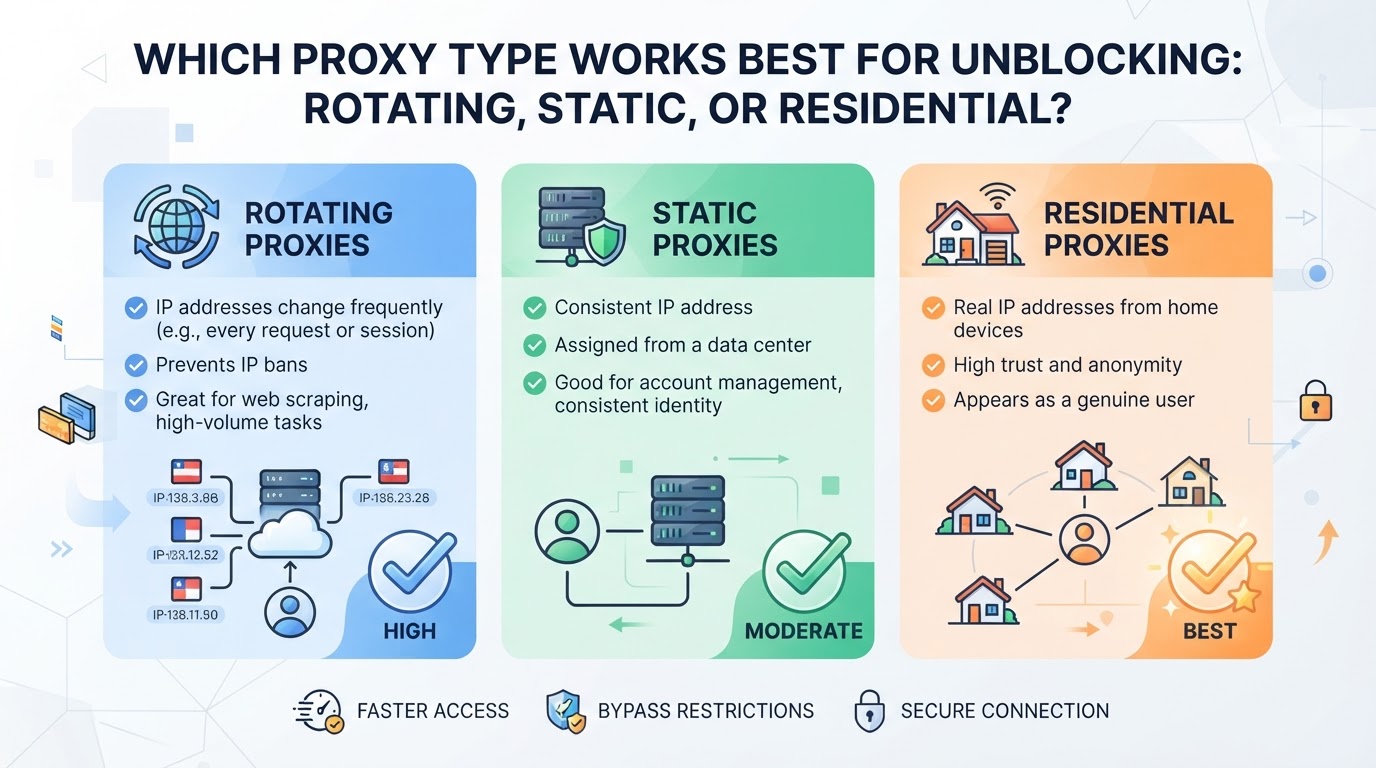
The right proxy for unblock tasks comes down to what the site checks, how often you need a new IP, and whether your workflow can handle session drops. It’s easy to waste money on traffic packs or static IPs that fail, what matters is matching proxy behavior to the site’s defenses and your task’s persistence needs.
Rotating Proxies: When Frequent IP Changes Help
Rotating proxies change exit IPs according to the provider and client configuration. They may suit authorized tests requiring different exits, but they do not remove rate limits or create a new account identity.
| Mode | Relevant Requirement | Boundary |
|---|---|---|
| Rotating | Exit changes | Can affect IP-sensitive sessions |
| Sticky | Temporary IP continuity | Not a permanent IP reservation |
| Static | Fixed assigned resource | Depends on active term and availability |
An IP change may affect an IP-bound session, but not every login is tied to one IP. Diagnose the observed response rather than assuming rotation always breaks logins or fixes scraping failures.
Static Proxies: When You Need a Consistent IP
Static proxies hold the same IP for the full session or even days. This matters most for account logins, business platforms, or any workflow where losing the session means starting over. If your target is strict about session continuity, static proxies are the safer bet, but reusing the same IP can get you flagged if you push too much traffic or hit sensitive endpoints.
Residential vs. Datacenter vs. Native IPs
Residential and datacenter labels describe aspects of IP sourcing; static and rotating describe allocation or session behavior. A provider's "native" label needs its own documented definition rather than being treated as a universal protocol category. None establishes that a website will accept a request.
Practical Takeaway
List the required IP continuity, client protocol, location options, budget, and task authorization. Compare resources on those requirements instead of assuming a residential label guarantees invisibility or a datacenter label guarantees a ban.
The next step is matching protocol and location, which can make or break your access even if you pick the right proxy type.
What Protocol and Location Details Matter Most When Setting Up a Proxy for Unblocking?
If you want a proxy for unblock, the biggest mistakes happen when you skip protocol and location choices. Pick wrong, and you’re stuck with broken connections or still seeing the same block , no matter how much you paid. The most practical move is to match your protocol to the app you use and set your proxy exit location to the exact region your target site expects.
How Protocol Choice Affects Compatibility and Detection
Match the endpoint scheme and authentication to the application's documented support. An HTTP proxy and a SOCKS5 endpoint use different connection negotiation. An unsupported scheme can fail before the target receives a request; it does not prove the site detected a bot.
Why Location Targeting (Country, City) Changes Access
If a legitimate task depends on geography, check the service's documented availability and the endpoint's current location options. Country and city choices are not interchangeable, and not every task requires a particular city. An account or licensing restriction is not automatically resolved by matching an IP location.
What to Check About Proxy Inventory and Availability
Don’t assume every country or city is available , inventory changes fast. Before you buy or configure, check:
- Is your target region currently in stock for residential proxies?
- Can you preview available IPs or see a live inventory list?
- Does your provider let you switch locations if your first pick fails?
If you skip these steps, you risk paying for a proxy that can’t unblock your site, or you’ll waste hours troubleshooting a location mismatch.
The right protocol and location setup lays the groundwork for reliable unblocking. The next section explains how certain proxy platforms make these choices easier by supporting both session modes and location control.
How PuraRoute Supports Reliable Unblocking with Rotating, Sticky, and Static Proxy Options
PuraRoute provides proxy credentials and resource-management choices for compatible clients. Start with the required routing scope and IP continuity rather than promising that a selected endpoint will unblock a destination.
Managing Proxy Credentials, Locations, and Sessions in the PuraRoute Console
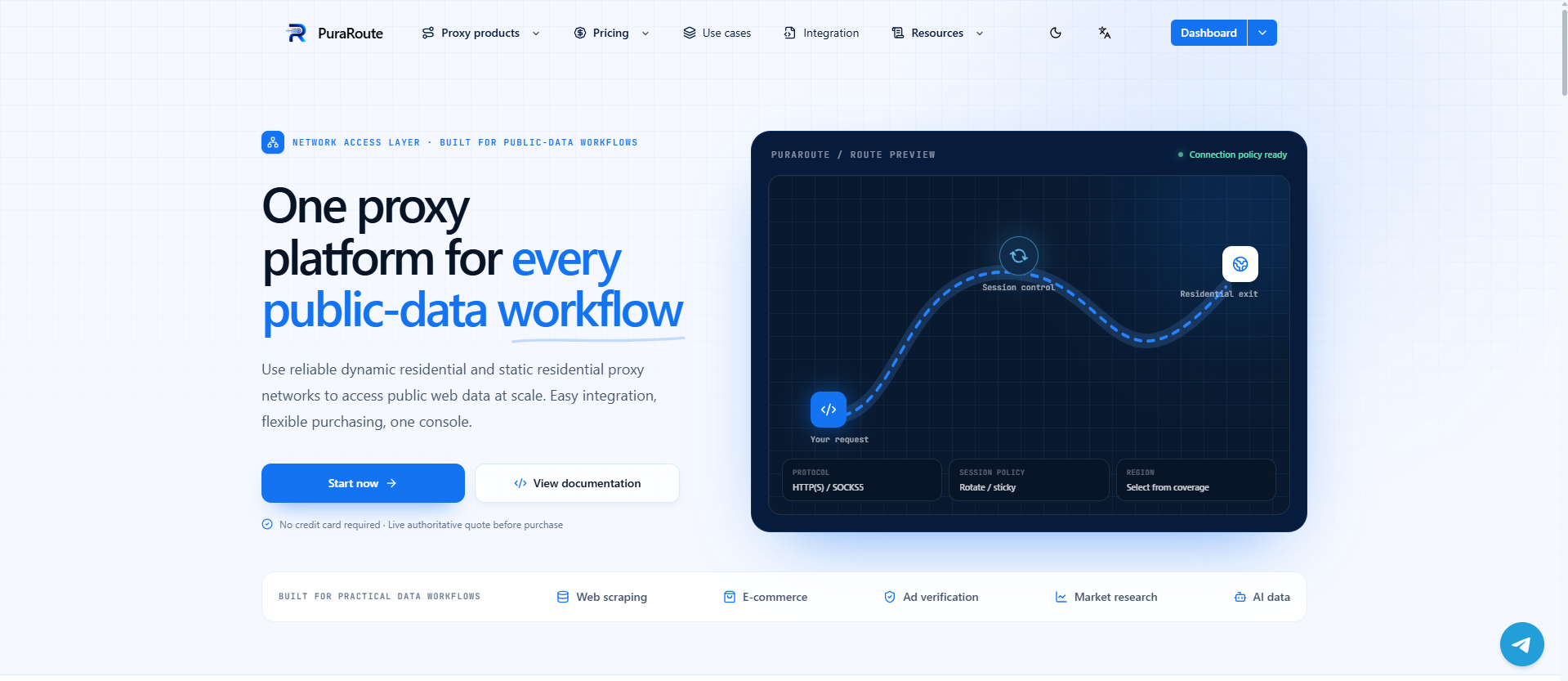
Rotating residential location choices and static-resource inventory are product-specific. Operators can generate credentials, monitor usage, and review active static resources. Sub-accounts and available Open API operations support usage and credential management; the client still needs correct configuration.
Rotating Residential Proxies for Large-Scale IP Rotation
Rotating residential resources offer configured rotation and available country, state, or city choices for authorized tasks. An unlimited-concurrency product description does not mean unlimited bandwidth, purchased traffic, or target-side request allowance. Measure performance at the intended workload.
Sticky Sessions for Temporary Exit-IP Consistency
Sticky sessions seek temporary exit-IP consistency under the current settings and network conditions. They are not a permanent reservation and do not guarantee that an application session will remain connected. Choose an eligible static resource if a fixed assigned IP is required.
Static Residential and Native Proxies for Long-Term Fixed IP Use
Static proxies are the answer when you need a fixed IP for days or months, ideal for account logins, business operations, or stable access. You get unlimited traffic, and the assigned IP stays the same during the resource validity period. If your workflow requires persistent, predictable access, this is the option to check first. Still, inventory is live, availability and renewal depend on current supply.
Ready to set up your proxy for unblock? The next section walks through the exact steps to configure and troubleshoot your connection.
What Steps Should You Follow to Set Up a Proxy for Unblocking in 2026?
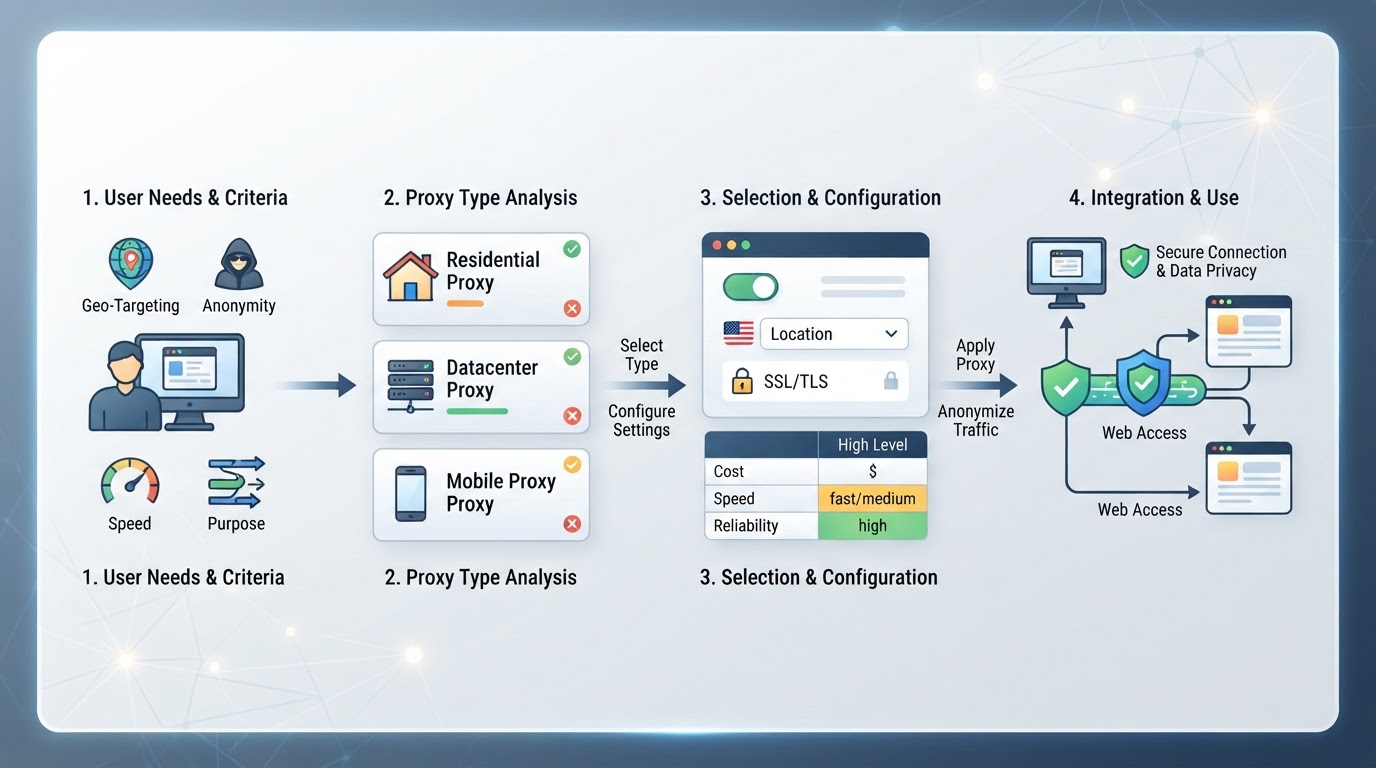
To set up a proxy for unblock tasks, you need to match the proxy type and location to your target site, configure the right protocol and credentials, and test for access. The process is simple on paper, but the main pitfall is picking the wrong session or failing to verify your new IP. Here’s how to do it without getting stuck.
Step 1: Choose the Right Proxy Type and Location
- Identify the restriction: Is the site geo-blocked, account-limited, or IP-filtered?
- Select proxy behavior: Pick rotating for frequent IP changes, sticky for short sessions needing the same IP, or static for longer-term access. If you misjudge, you may trigger blocks or session drops.
- Target location: Choose the country or city that matches your access needs; some sites check city-level IPs, so double-check before committing.
Step 2: Configure Protocol and Credentials
- Decide protocol: If your browser or app only supports HTTP(S), stick to it. For automation or multi-app use, SOCKS5 may be required.
- Enter credentials: Copy Host, Port, Username, and Password into your tool’s proxy settings. If any field is wrong, most browsers or scripts will fail instantly, don’t skip the details.
Step 3: Test Access and Troubleshoot Errors
- Test the actual client's route and endpoint authentication.
- Record the destination's status code, message, and any request identifier without exposing credentials.
- Address the relevant cause: unsupported protocol, expired resource, account requirement, network policy, or request limit. Respect retry guidance instead of repeatedly changing locations.
Next, you’ll need to know the risks and limits that come with using proxies, especially when sites actively fight back.
What Are the Main Risks and Limitations When Using Proxies to Unblock Websites?
Using a proxy for unblock can seem simple, but the real trouble starts when sites actively look for proxy traffic and you miss key privacy or legal checks. Most mistakes come from overlooking these risks, not from the technical setup.
Detection and Blocking by Target Websites
Sites track more than just IP addresses. They flag proxy users by watching for patterns, like rapid IP changes, mismatched locations, or known proxy pools. Even residential and rotating proxies make detection harder, but they can’t guarantee invisibility; expect occasional blocks or extra verification, especially if you push volume or repeat access.
Privacy and Data Security Concerns
Visibility depends on the proxy type. A web proxy that fetches and rewrites pages can process their content. With a properly verified HTTPS connection through a CONNECT or SOCKS tunnel, application content remains protected by target TLS unless interception or an insecure configuration changes that boundary. The intermediary can still observe connection metadata. Do not disable certificate validation to make an endpoint work.
Legal and Policy Restrictions
Unblocking websites may break terms of service or local laws. If you use a proxy to bypass restrictions, the site can suspend your account or take legal action. Check both the website’s rules and your country’s regulations before connecting. Some uses risk more than a blocked account, they can lead to real legal trouble.
If your task still fails after checking these risks, the next section covers what to try when a proxy isn’t enough.
When Is a Proxy Not Enough, and What Are the Alternatives?
Sometimes, a proxy for unblock just won’t cut it, even if you’ve matched the right type and region. Here’s where proxies hit a wall.
Limits of Proxies: When They Cannot Bypass Advanced Restrictions
- A proxy does not supply a missing password, one-time code, subscription, or access right.
- An IP change does not erase browser or account state.
- A web proxy does not automatically route an installed app; encrypted apps may use a configured endpoint only where their client supports it.
Proxy vs VPN: Routing Scope
A configured proxy handles traffic the application sends to it. A VPN tunnel covers traffic selected by its route configuration, which may include exclusions. Neither grants access rights or guarantees anonymity; this is a technical distinction, not a recommendation to use a VPN.
Frequently Asked Questions About proxy for unblock
Can I use a proxy to unblock any website?
A proxy for unblock can help you access many blocked sites, but it doesn’t work for every situation. If a website uses strong blocks like advanced detection or account bans, some proxies might not get through. Also, certain streaming or banking sites may block known proxy IPs. Always test the proxy before relying on it.
Is it safe to enter my passwords when using a proxy?
Check the operator and the encryption boundary. A page-rewriting web proxy can handle relayed content; a verified end-to-end TLS connection through a tunnel has different visibility. Do not send sensitive credentials through an untrusted service or ignore certificate errors.
What is the difference between a web proxy and a browser proxy extension?
A web proxy is a website where you type in the address you want to visit, and it loads the page for you. A browser proxy extension, on the other hand, changes your browser’s settings so all your browsing goes through the proxy. Extensions usually work for every tab, not just one site.
How do I know if my proxy is working for unblocking?
To check if your proxy for unblock is working, first visit the blocked website. If you get access, the proxy is doing its job. You can also check your IP address online to see if it matches the proxy’s location. If the site still blocks you, try a different proxy or location.
Do proxies slow down my internet connection?
An extra route can add delay, and capacity, distance, packet loss, client behavior, and target response time all matter. Measure the intended workload against a direct-route baseline. Price or a static IP label alone does not predict speed.
Before making your final choice, line up your workflow requirements with the type of proxy connection you actually need, whether that's frequent IP changes, temporary stability, or a long-term fixed resource. Once you're clear on your session and location needs, it's easier to match the right provider and configuration to your task.
