
A forward proxy is a server that sends internet requests on behalf of a user or device. Instead of connecting directly to a website, your browser sends the request through the proxy first. This can help you manage network traffic, change your visible IP address, and access websites through selected network locations.
Today, businesses use forward proxies for web scraping, market research, e-commerce, and network management. However, not every forward proxy works in the same way. Some are designed for stable connections, while others support changing IP addresses across different regions.
This guide explains what a forward proxy is, how it works, and how it differs from a reverse proxy. You will also learn about common use cases, benefits, risks, setup steps, and how to choose the right forward proxy for your needs.

What Is a Proxy Server?
A proxy server is a system that connects your device to websites on your behalf. Instead of sending requests directly to a website, your device sends them through a proxy server first. The proxy then passes the request to the website and returns the response to you. This gives you more control over how your internet traffic moves.
When people ask what is a proxy server, they often want to know how it affects their internet connection. A proxy can change the IP address that a website sees, filter traffic, or help manage network access. Two common types are forward proxies and reverse proxies. They work in similar ways but serve different purposes.
How Does a Proxy Server Work?
A proxy server works as a middle point between your device and the website you want to visit. For example, imagine you are browsing an online store through a proxy. Your browser sends a request to the proxy server, which connects to the store using its own IP address. The store sends its response back through the proxy, and the page appears in your browser.
During this process, the proxy may check requests, block certain websites, or save copies of web content. These features depend on how the proxy is set up. A proxy can also hide your original IP address from the destination website, but it does not guarantee complete privacy.
What Is a Forward Proxy Server?
A forward proxy server is a type of proxy that handles internet requests for users or devices. It sits between the user and the internet, sending requests to websites on the user's behalf. For example, a company may use a forward proxy to manage employee browsing and block access to certain websites. A business may also use one to route web research traffic through a selected IP address.
The main purpose of a forward proxy is to manage outgoing requests. This also helps explain what is a reverse proxy: unlike a forward proxy, a reverse proxy sits in front of web servers and handles incoming requests. A forward proxy serves users, while a reverse proxy serves websites and applications. You can learn more in this forward proxy vs. reverse proxy comparison.
How Does a Forward Proxy Work?
A forward proxy works by sending internet requests through another server before they reach a website. It acts as a middle point between your device and the internet. This setup allows the proxy to manage requests, control access, and change the IP address that websites see. Understanding how this process works can help you choose the right proxy for different tasks.
How a Forward Proxy Handles Client Requests
When you use a forward proxy, your browser connects to the proxy server instead of directly connecting to the target website. The proxy receives your request, checks any rules set by its owner, and forwards the request if it is allowed. Once the website responds, the proxy sends the data back to your browser. This process usually happens in seconds or less, depending on the connection and server speed.
For example, a company might use a forward proxy to manage employee internet access. When an employee opens a website, the request first passes through the company's proxy server. The server can block restricted sites while allowing approved websites to load normally. This gives the company more control over how its network is used.
How a Forward Proxy Changes Your Visible IP Address
Every device connected to the internet uses an IP address for network communication. When you visit a website directly, its server can usually see your public IP address. A forward proxy changes this by connecting to the website from the proxy server's IP address. As a result, the website normally sees the proxy's IP rather than your original public IP.
For example, an online seller in the United States may use a forward proxy with a UK IP address to check how a shopping website appears to UK visitors. The website receives the request from the UK proxy, which may affect the prices, currency, or regional content shown. However, a forward proxy does not guarantee anonymity. Websites may still identify users through cookies, account logins, or other data, and some proxies may pass along the original IP address in request headers.
HTTP, HTTPS, and SOCKS5 Forward Proxies Explained
Not all forward proxies handle traffic in the same way. The three common options are HTTP, HTTPS, and SOCKS5 proxies. Each uses a different method to manage connections, so the right choice depends on the application and the type of traffic you need to send.
| Proxy Type | How It Works | Common Use |
|---|---|---|
| HTTP Proxy | Handles HTTP requests and can support HTTPS connections through tunneling | Web browsing and website access control |
| HTTPS Proxy | Uses an encrypted connection between the client and the proxy | Protecting the connection to the proxy |
| SOCKS5 Proxy | Routes different types of network traffic without being limited to HTTP | Applications, browser connections, and data transfer |
For example, a company may choose an HTTP forward proxy to filter employee web requests. An HTTPS proxy can protect the connection between a browser and the proxy server, while SOCKS5 offers more flexibility for applications that use different network protocols. An HTTP proxy can also support secure HTTPS websites through the CONNECT method. However, the proxy protocol alone does not guarantee privacy or security.
The key is to match the forward proxy type to your needs. For basic website access, an HTTP proxy may be enough. If your application needs wider protocol support, SOCKS5 may be a better choice. Users who want to explore different connection options can also review PuraRoute's proxy integration guide.
What Is a Forward Proxy Used For?
A forward proxy is useful for more than changing your visible IP address. Businesses use it to collect public data, check regional websites, manage online accounts, and control network access. The main benefit depends on the task. For example, an online store may need to compare prices across countries, while a company may want to control which websites employees can visit.
Web Scraping and Data Collection
Web scraping means collecting information from websites with automated tools. A forward proxy can route these requests through selected IP addresses instead of sending them all from one connection. This is useful for businesses that track public product prices, search results, or market trends. It also helps teams manage where their data collection traffic comes from.
For example, a price comparison company may collect product listings from several online stores each day. It can use a forward proxy to send requests through different network locations and check whether the results vary. However, a proxy does not give permission to collect restricted data or ignore website rules. Teams should follow site terms, respect applicable crawling rules, and limit request rates to avoid putting too much load on websites.
For projects that need flexible network locations, users may consider rotating residential proxies. These allow users to choose between changing IP addresses and keeping the same address for a limited session. The right setup depends on the website, request volume, and data collection needs.
Accessing Geo-Specific Content
Some websites show different content based on a visitor's location. This may include product prices, local news, available services, or language settings. A forward proxy with an IP address in a selected country can help users view the version of a website shown to visitors from that region. This is especially useful for businesses that operate in several countries.
For example, a US marketing team may want to check how its website appears to customers in Germany. By connecting through a German forward proxy, the team can test whether the website displays the right language, currency, and local offers. The result may also depend on browser settings, cookies, or account details. A proxy changes the network location seen by the website, but it does not guarantee that every page will match what a local customer sees.
E-commerce and Market Research
Online sellers often need to understand how competitors present their products in different markets. A forward proxy can help them compare public storefronts, local search results, and product availability from selected regions. This is useful when planning international sales or reviewing competitor pricing. Instead of relying only on a US view of a website, sellers can examine how the shopping experience may change across markets.
For example, a Shopify seller planning to expand into the UK might use a UK residential forward proxy to review competing stores. The seller can compare product prices, shipping messages, and promotional banners with those shown in the US. If a competitor offers free shipping only to UK customers, that detail could affect the seller's own pricing plan. A forward proxy supports this research, but the seller should still verify final prices and shipping costs at checkout.
Social Media and Multiple Account Management
Social media agencies often manage accounts for different brands, clients, or regions. A forward proxy allows them to assign specific network connections to different accounts or work sessions. This can help teams organize account access and keep their regional workflows consistent. However, a proxy alone does not separate browser cookies, saved logins, or other account data.
For example, an agency managing Instagram accounts for US and UK clients may use different forward proxies for each region. It can also use separate browser profiles to keep login sessions and stored data apart. This reduces the chance of opening the wrong client account during daily work. Teams should still use approved account access methods and follow each platform's rules, since a forward proxy cannot prevent account restrictions or verification checks.
Network Access Control and Security
Companies also use forward proxies to manage how employees access the internet. A network administrator can set rules that allow certain websites while blocking others. Some forward proxies can also record connection activity or inspect permitted traffic for security threats. These features help businesses manage network use and reduce access to unwanted content.
For example, a company may use a forward proxy to block known harmful websites and limit access to unapproved online services. When an employee tries to open a blocked site, the proxy can reject the request before a connection is made. This gives the IT team one place to manage web access rules. Unlike a reverse proxy, which protects and manages traffic going to web servers, a forward proxy focuses on requests leaving the user's network. It adds a useful layer of control, but it should work alongside other security measures rather than replace them.
What Are the Advantages and Disadvantages of a Forward Proxy?
A forward proxy offers several benefits, from managing network access to supporting online business tasks. However, it also has some limits that can affect speed, privacy, and reliability. Before using one, it helps to understand what a forward proxy can do and where problems may occur. The right choice depends on your goals, network setup, and the quality of the proxy service.

Benefits of Using a Forward Proxy
One major benefit of a forward proxy is better control over internet connections. Businesses can use it to manage employee access, filter unwanted websites, and monitor network traffic. It can also help users access location-based content through IP addresses in different regions. For example, an e-commerce team can use a forward proxy to check product listings in several countries without traveling to those locations.
Another advantage is improved IP privacy. A forward proxy can replace your visible IP address with the proxy server's address, so websites do not always see your original public IP. Some forward proxies also support caching, which means saving copies of frequently requested content. This can reduce repeated downloads and improve loading times when the same content is requested again. These benefits depend on the proxy's features and configuration.
Limitations and Potential Risks of Forward Proxies
Despite these benefits, a forward proxy can sometimes slow down your connection. Since requests pass through an extra server, poor network quality or an overloaded proxy may increase loading times. For example, a business collecting product data may experience delays if its proxy server handles too many requests at once. An unreliable proxy can also interrupt connections, making regular tasks harder to complete.
Privacy and security are also important concerns. A forward proxy does not automatically encrypt all traffic or make users completely anonymous. Some proxies may pass the original IP address through headers such as X-Forwarded-For, while websites can still recognize accounts through cookies and login details. Free or untrusted proxy services may also expose users to data collection or other security risks. For business use, it is better to choose a reliable provider, check its privacy practices, and test connection stability before handling important tasks.
How to Set Up and Use a Forward Proxy
Setting up a forward proxy is usually simple once you have the right connection details. Most proxy providers give you a server address, port number, and sometimes a username and password. You can add these details to your browser or computer's network settings. The exact steps depend on your operating system and the type of proxy you use.
Configure a Forward Proxy in Your Browser
Some browsers allow you to configure a forward proxy directly, while others use your computer's network settings. Firefox supports manual proxy configuration, making it a useful option for testing different connections. Google Chrome generally uses the system proxy settings on Windows and macOS. Before starting, make sure you have the correct proxy details from your provider.
To configure a forward proxy in Firefox:
- Open Firefox and go to Settings.
- Select Privacy & Security, then find Connection and Software Security.
- Open Advanced Settings and select Configure Proxy.
- Choose Manual Proxy Configuration.
- Enter the proxy server address and port in the correct HTTP, HTTPS, or SOCKS field.
- Save your settings and open a website to test the connection.
For example, if you use a SOCKS5 forward proxy for web research, enter its server address and port in the SOCKS Host field and select SOCKS v5. If your provider requires authentication, Firefox may ask for your login details when you connect. You can also return to the same menu and select No Proxy to restore a direct connection. Firefox's official connection settings guide explains these options in more detail.
Set Up a Forward Proxy on Windows or macOS
You can also set up a forward proxy through your computer's network settings. This is useful when you want browsers and other applications that support system proxy settings to share the same connection. However, not every application follows these settings, so some programs may need their own proxy configuration.
| Operating System | Steps to Configure a Forward Proxy |
|---|---|
| Windows 11 | Open Settings → Network & Internet → Proxy. Under Manual proxy setup, select Set up next to Use a proxy server. Turn it on, enter the server address and port, then save. |
| macOS | Open System Settings → Network. Select your active network, click Details, and open Proxies. Choose the appropriate proxy type, enter the server address and port, then apply the changes. |
On Windows, the manual proxy settings are mainly designed for web proxy connections. On macOS, you can choose Web Proxy (HTTP), Secure Web Proxy (HTTPS), or SOCKS Proxy. For example, an employee connecting through a company forward proxy can enter the server details provided by the IT team. If the proxy requires a username and password, use the authentication method supported by your system or application.
Test Whether Your Forward Proxy Is Working
After configuring your forward proxy, check whether your browser is actually using it. The easiest method is to compare your public IP address before and after enabling the proxy. You can use an IP-checking website such as IPinfo to view the address seen by the service. If the proxy is working correctly, the displayed IP should usually match the proxy's exit IP rather than your normal public IP.
For example, suppose your normal connection shows a US IP address, but you configure a forward proxy located in Germany. When you refresh the IP-checking page, it should show the German proxy's address if your request is routed through that server. If the original IP still appears, check the server address, port, authentication details, and browser settings. You should also check whether the browser is using a direct connection because of an exception rule.
Keep in mind that changing your visible IP does not mean every connection is protected. Some applications may bypass the forward proxy, and DNS or WebRTC behavior may differ depending on your browser and proxy setup. For important business tasks, test the actual application you plan to use rather than relying only on an IP-checking page. This helps you confirm that your forward proxy works as expected before using it for regular activities.
How to Choose the Right Forward Proxy for Your Needs
Choosing the right forward proxy starts with understanding how you plan to use it. Some proxies work well for collecting public website data, while others are better for keeping the same IP address during long sessions. Price also matters, but the cheapest option may not offer the speed, location, or reliability you need. Comparing these factors before buying can help you avoid connection problems and unnecessary costs.
Choose the Right Proxy Type for Your Use Case
Different tasks require different types of forward proxies. Datacenter proxies are often fast and affordable, making them suitable for basic browsing and public data collection. Residential proxies use IP addresses linked to home internet networks, which can help businesses test how websites appear to regular consumers. Static residential proxies provide a more consistent IP address, making them useful for work that requires longer sessions.
For example, a company collecting public product prices from hundreds of pages may prefer rotating residential forward proxies when requests need to come from different network locations. An online seller who regularly logs into the same store dashboard may prefer a static residential proxy to keep the connection location consistent. Neither option guarantees access or prevents verification checks. The better choice depends on how the target website works and whether your task needs a stable session.
If you are still deciding between these options, this dynamic vs. static residential proxy guide explains how different IP behaviors fit different workflows.
Compare IP Stability, Location Coverage, and Protocol Support
A reliable forward proxy should match your needs in three areas: IP stability, location coverage, and protocol support. If you need to stay logged into a website, choose a static IP or a sticky session that keeps the same address for a set period. If you need to review content from different countries, check whether the provider supports the specific countries, states, or cities you need. You should also confirm that your browser or application supports the provider's HTTP, HTTPS, or SOCKS5 connection options.
For example, a marketing agency testing search results in New York, London, and Tokyo needs more than a provider that simply offers US, UK, and Japan IPs. City-level targeting may be important because local search results can change within the same country. Before purchasing a large forward proxy plan, test a small number of connections in your target locations. Check the actual IP location, page loading speed, and whether the connection stays stable during your normal tasks.
Understand Proxy Pricing and Traffic Requirements
Forward proxy pricing usually depends on the IP type, the amount of traffic used, and how long you need the service. Rotating residential proxies are commonly priced per gigabyte (GB), while static residential and datacenter proxies are often sold per IP for a set period. Some plans include traffic limits, while others offer unmetered traffic under their service terms. Comparing only the advertised price can be misleading if the plans use different billing methods.
For example, imagine a business needs 50 GB of residential proxy traffic each month. At a sample rate of $2 per GB, the monthly traffic cost would be $100. A static proxy priced at $10 per IP per month may look cheaper, but it serves a different need and may not provide the same location coverage or IP rotation. Before choosing a forward proxy plan, check the minimum purchase, traffic expiration rules, renewal costs, and any limits on simultaneous connections. These details can make a big difference as your usage grows.
Why Choose PuraRoute for Your Forward Proxy Needs?
Finding the right forward proxy often comes down to how you plan to use it. Some tasks need different IP addresses for regular data collection, while others work better with a stable connection. For users looking for residential proxy options, PuraRoute offers both dynamic and static residential proxies. These options may suit different needs, from web scraping and market research to e-commerce and account management.
Dynamic Residential Proxies for Web Scraping and Market Research
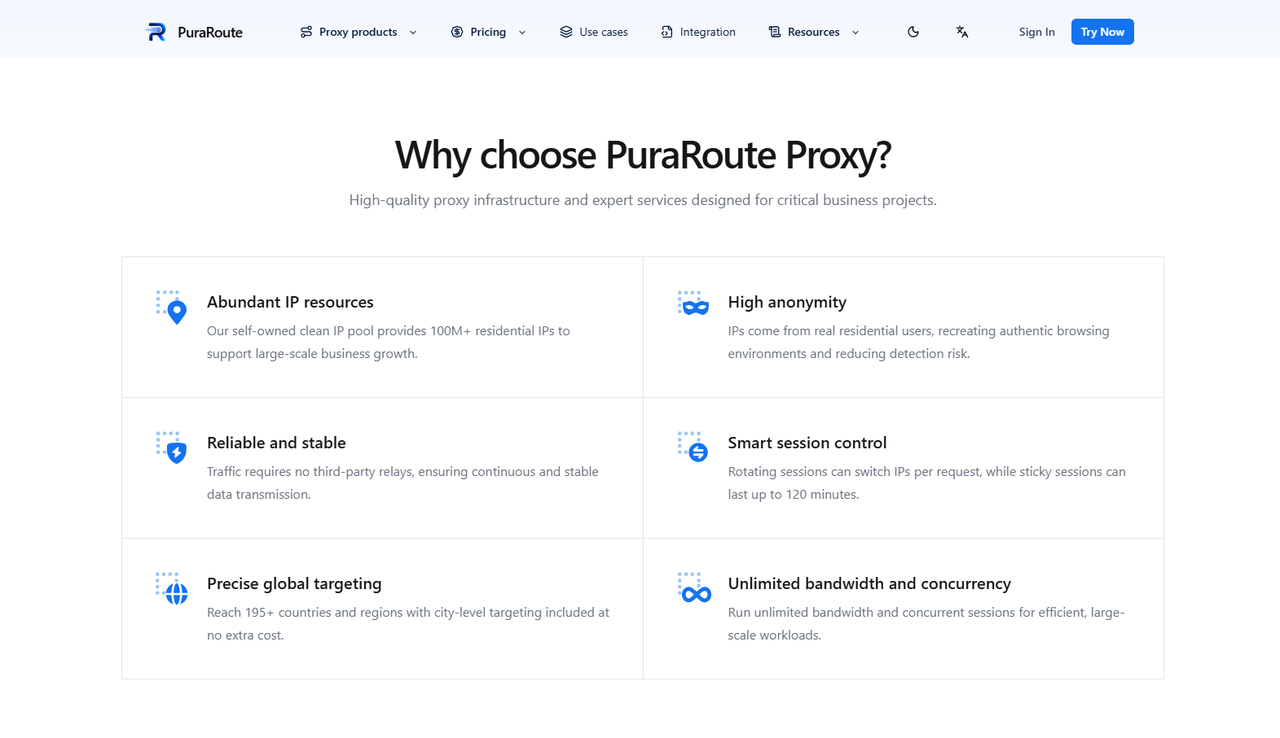
Businesses that collect public website data often need flexible IP locations and session controls. With PuraRoute's dynamic residential proxies, users can choose from residential IP networks across 195+ countries and regions, with options for country, state, and city targeting. Users can also select rotating IPs for separate requests or sticky sessions when they need to keep the same IP for a short period. HTTP(S) and SOCKS5 support may also make integration easier with different tools and applications.
For example, an e-commerce research team comparing product prices in the US, UK, and Germany could use these forward proxy connections to check regional storefronts. Rotating sessions may be useful when collecting data from many public pages, while sticky sessions may better suit tasks that involve several steps on one website. Actual access and results still depend on the target site's rules, connection quality, and available IP locations.
Static Residential Proxies for Stable Connections
Some online tasks need a consistent IP address rather than frequent changes. With PuraRoute's static residential proxies, users can work with dedicated IP addresses for longer periods. This may be useful for managing online stores, accessing business dashboards, or maintaining regular account sessions. A fixed IP can reduce unexpected location changes, although it cannot prevent website verification checks or account restrictions.
For example, a seller who checks the same e-commerce dashboard every day may prefer a static residential forward proxy over a rotating connection. By using the same IP during regular work, the seller can keep the network setup more consistent. Users can also choose proxy locations based on their business needs, subject to current availability. Before purchasing, it is worth checking the selected region, subscription period, and connection requirements.
Get Started with PuraRoute Forward Proxy Solutions
Users interested in PuraRoute can visit the official website to compare available residential proxy options. Dynamic residential proxies are priced by traffic usage, while static residential proxies are purchased based on IP quantity and subscription length. After selecting a plan, users can obtain connection details from the dashboard and configure their forward proxy in a compatible browser or application. Available locations, prices, and resources should be confirmed before purchase.
For a first-time user, starting with a small purchase may be a practical way to test the service. Check whether the forward proxy connects to your target websites, whether the IP location matches your needs, and whether the connection stays stable during normal use. You can also follow the PuraRoute setup documentation for connection guidance. This can help you decide whether dynamic or static residential proxies are a better fit before committing to a larger plan.
Frequently Asked Questions About Forward Proxies
What Is the Main Purpose of a Forward Proxy?
The main purpose of a forward proxy is to send internet requests on behalf of users. It can help manage network access, change visible IP addresses, and control outgoing traffic. Businesses often use forward proxies for web scraping, market research, and network management.
What Is the Difference Between a Forward Proxy and a Reverse Proxy?
A forward proxy handles requests from users who want to access websites, while a reverse proxy handles incoming requests to web servers. A forward proxy mainly serves clients, while a reverse proxy helps websites manage traffic, improve performance, and add security controls.
Can a Forward Proxy Hide Your IP Address?
Yes, a forward proxy can hide your original public IP address by sending requests through another server. Websites usually see the proxy server's IP instead of yours. However, some proxies may reveal your IP through request headers, and a proxy does not guarantee complete anonymity.
Is a Forward Proxy the Same as a Proxy Server?
A forward proxy is one type of proxy server. When people ask what is a proxy server, they usually mean a system that sends requests or responses between devices and other servers. Forward proxies serve users, while reverse proxies serve websites and applications.
Are Residential Proxies a Type of Forward Proxy?
Yes, residential proxies commonly work as forward proxies when they route user requests through residential IP addresses. They can use rotating or static IPs, depending on the service. Businesses may use them for market research, regional website testing, and other online tasks.
Conclusion
A forward proxy acts as a middle point between your device and the internet. It can help manage network traffic, change your visible IP address, and control access to websites. From web scraping and market research to e-commerce and account management, forward proxies offer useful options for different online tasks. However, they do not guarantee complete privacy, faster connections, or unrestricted website access.
Choosing the right forward proxy depends on your specific needs. Rotating residential proxies may work well for collecting public data across different locations, while static residential proxies can be a better fit for tasks that need a consistent IP address. Before making a decision, compare proxy types, location coverage, connection stability, and pricing. If you need residential forward proxy options, you can explore PuraRoute and test a suitable plan to see how it fits your workflow.
