Subscription and After-sales
Subscription and After-sales
Billing Management
Guide users on how to view and export their billing information.
I. View Billing
- Visit the PuraRoute official website
- Log in to your PuraRoute account.
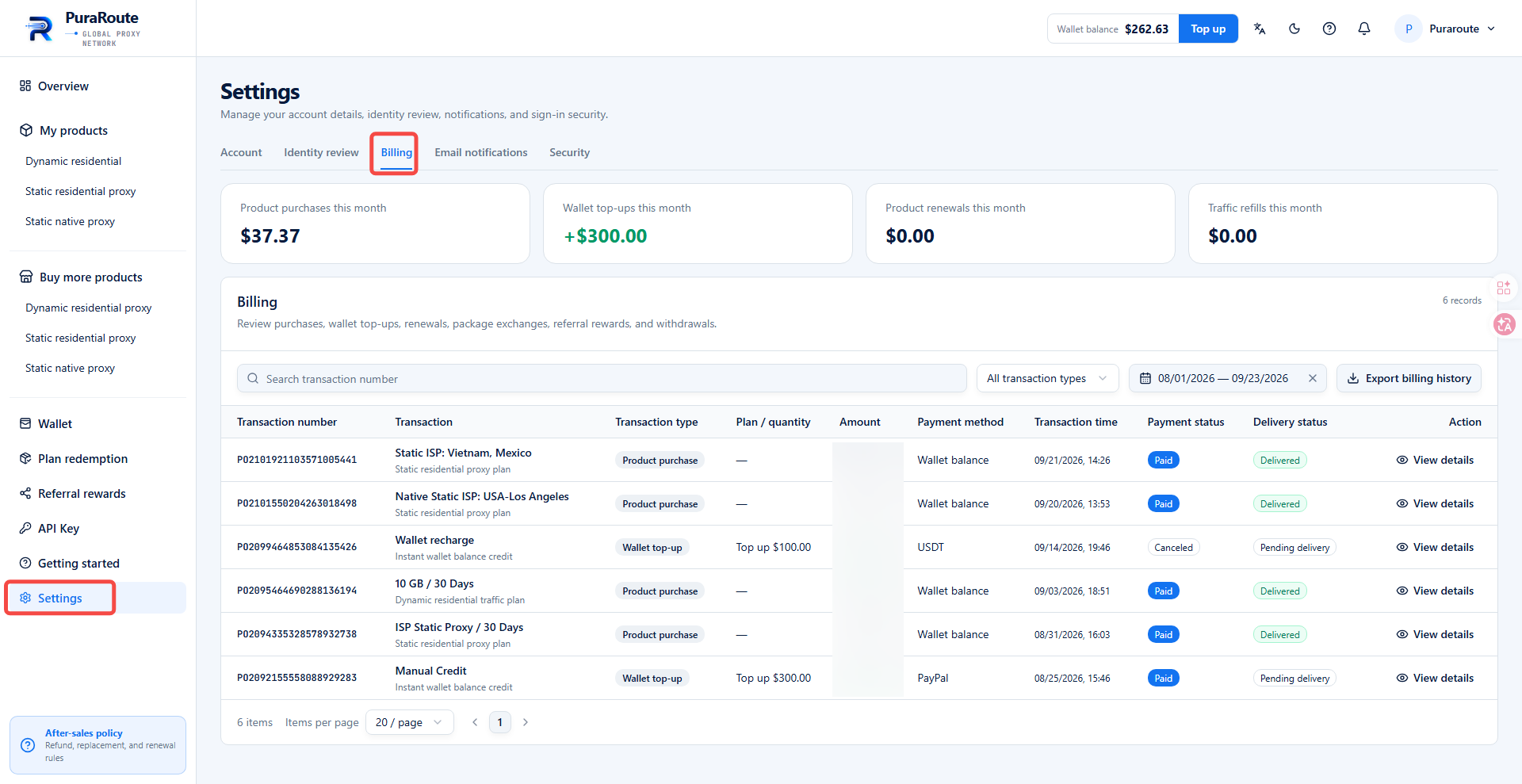
- Navigate to Settings > Billing.
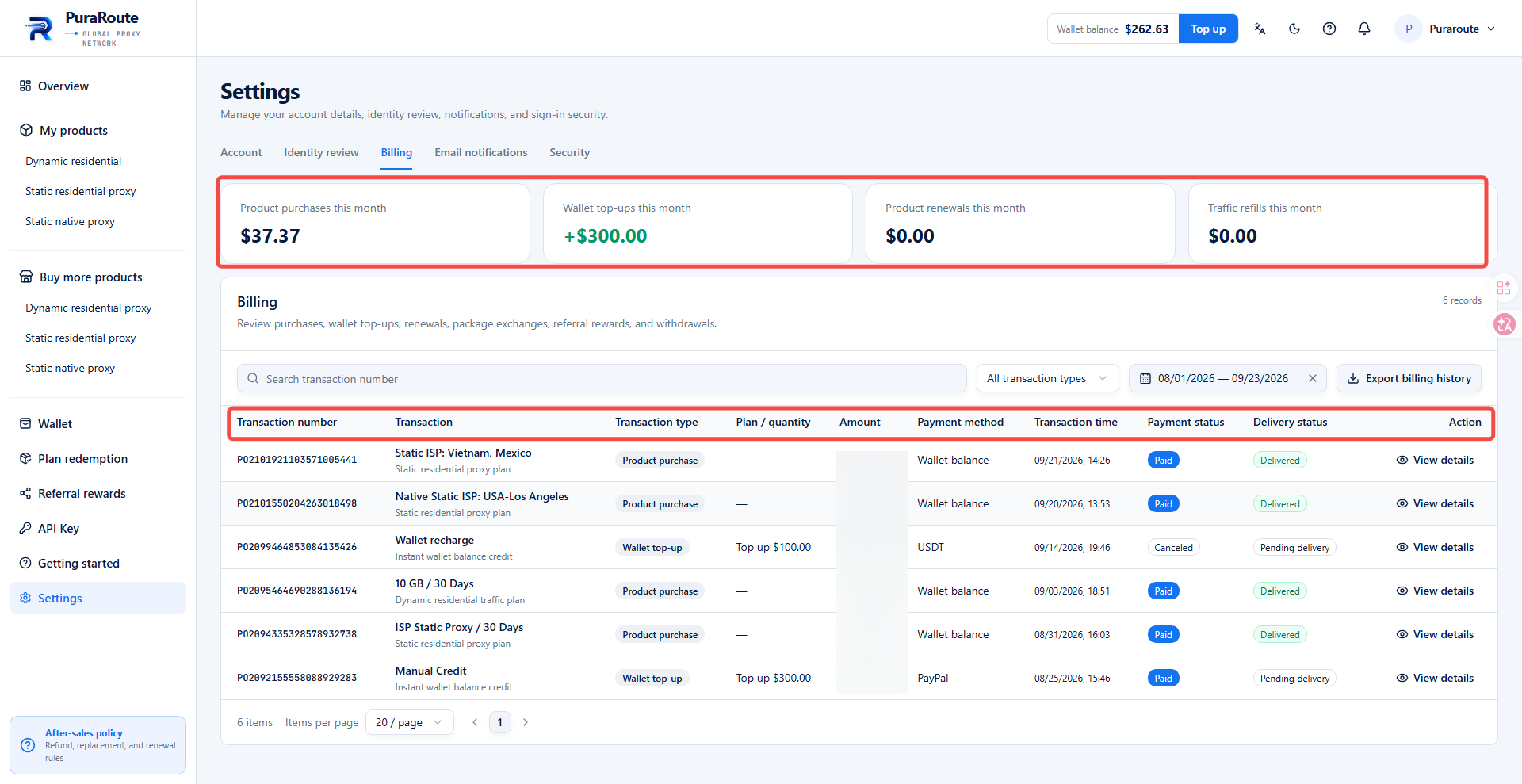
- On the billing management page, you can view the following information:
- Total amount of product purchases this month
- Total wallet top-up amount this month
- Total product renewals this month
- Total traffic refills this month
- Billing Details: View transaction ID, transaction description, transaction type, specification/quantity, income & expenditure amount, payment method, transaction time, payment status, delivery status, and operation details.
II. Search and Filter Billing Records
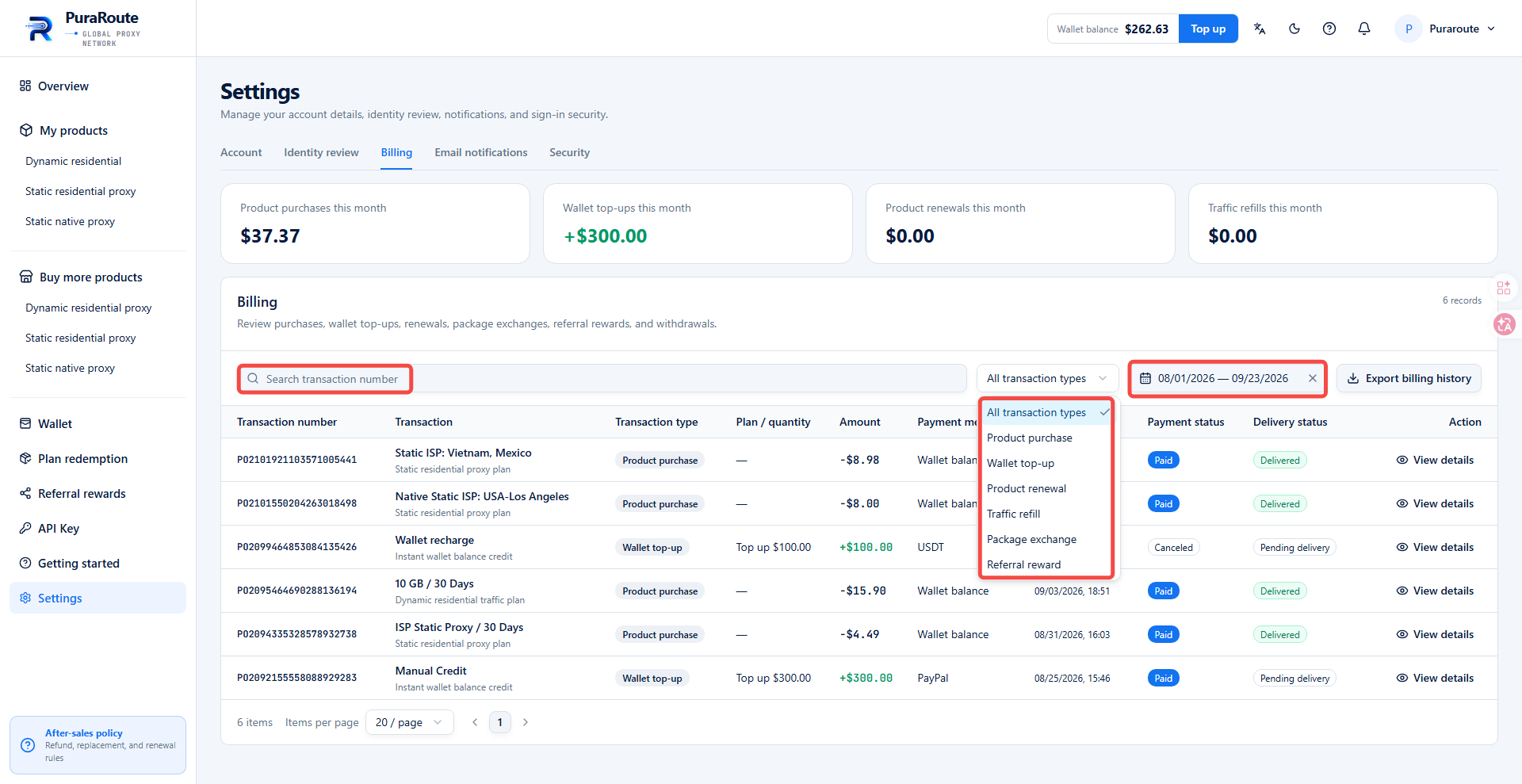
Go to Settings > Billing. You may search for specific transaction records by transaction number, or filter records by date and transaction type.
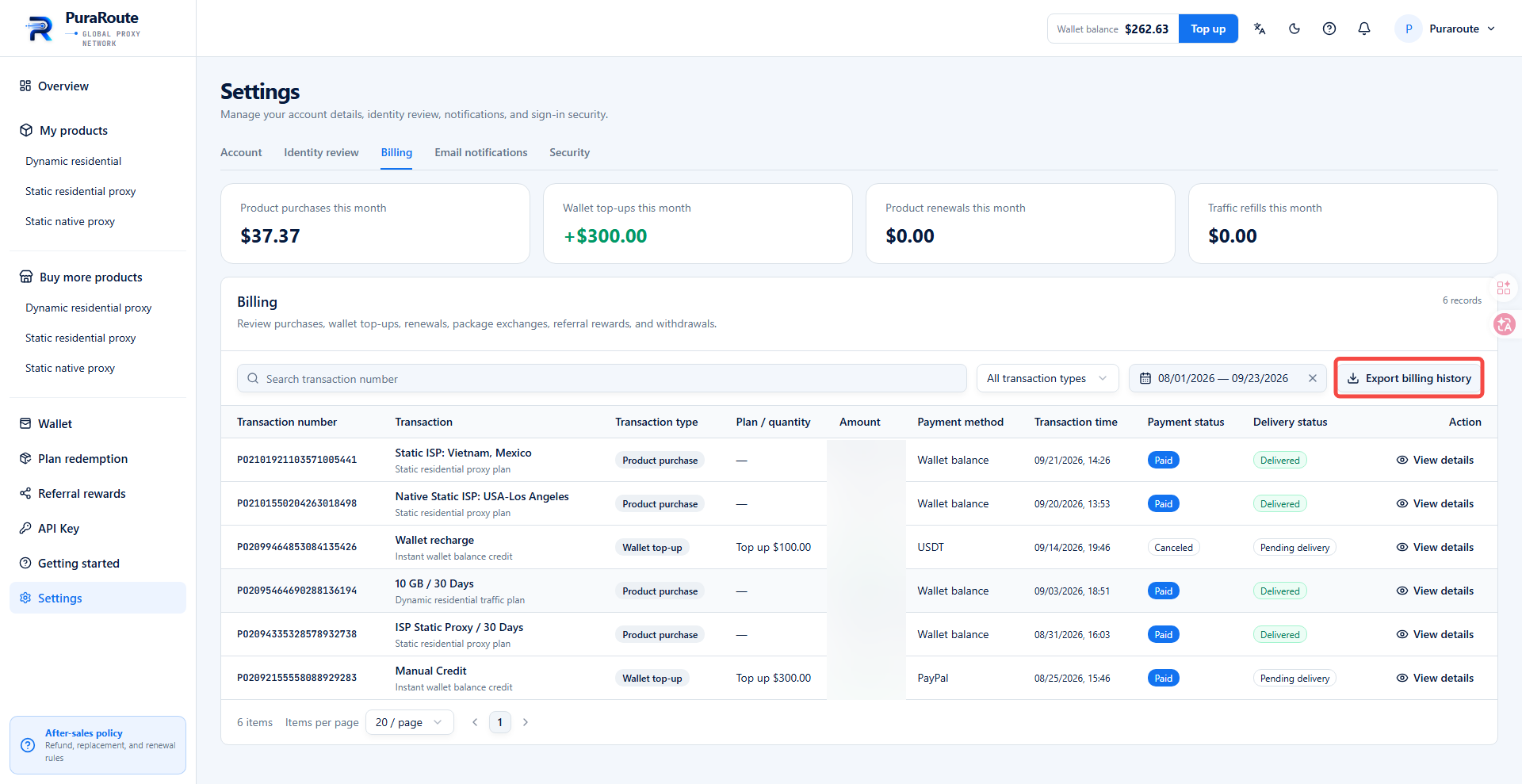
III. Export Billing Records
You can export all your bill history on the Settings > Billing page.