Configure Puraroute with Anti-detect Browser
Configure Puraroute with Anti-detect Browser
How to use PuraRoute with Kameleo
Guide for beginners on how to quickly configure PuraRoute proxies into Kameleo.
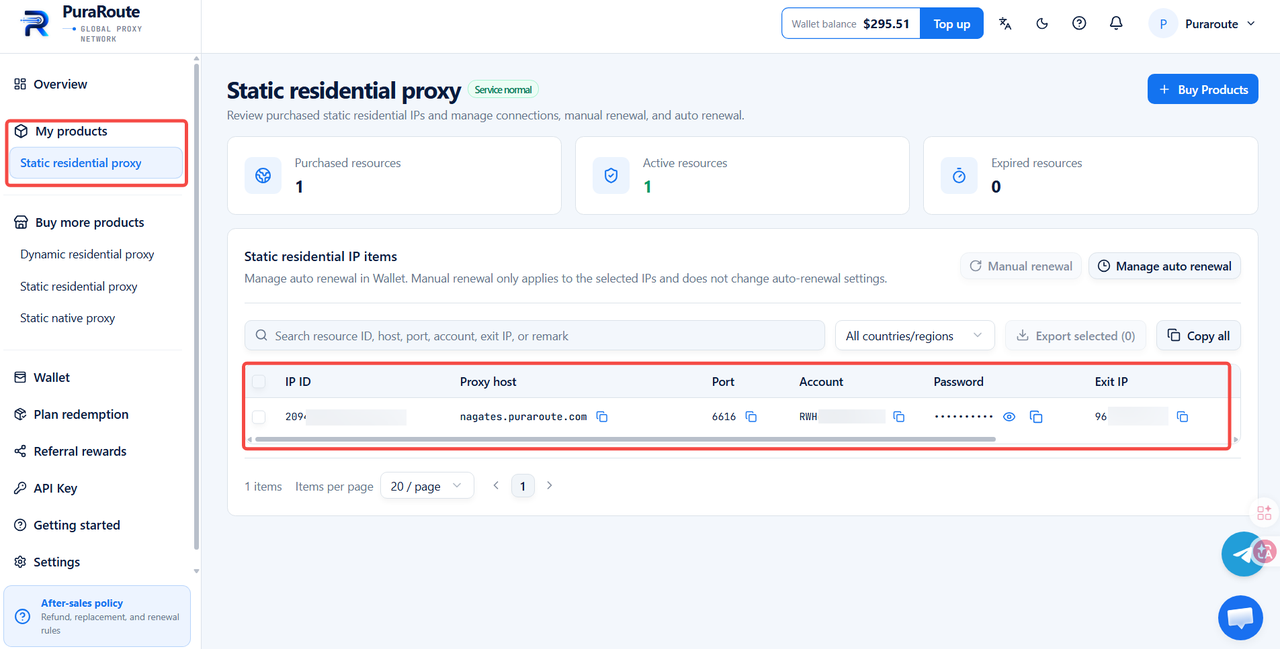
After you complete your RuraRoute Proxy purchase, you may directly copy your proxy details and configure them for use within the Kameleo browser.
Operation Guide
I. Configure PuraRoute Proxies into Kameleo
1. Access the Proxies list
When creating or editing a profile, go to [Proxy], and select [With Proxy]
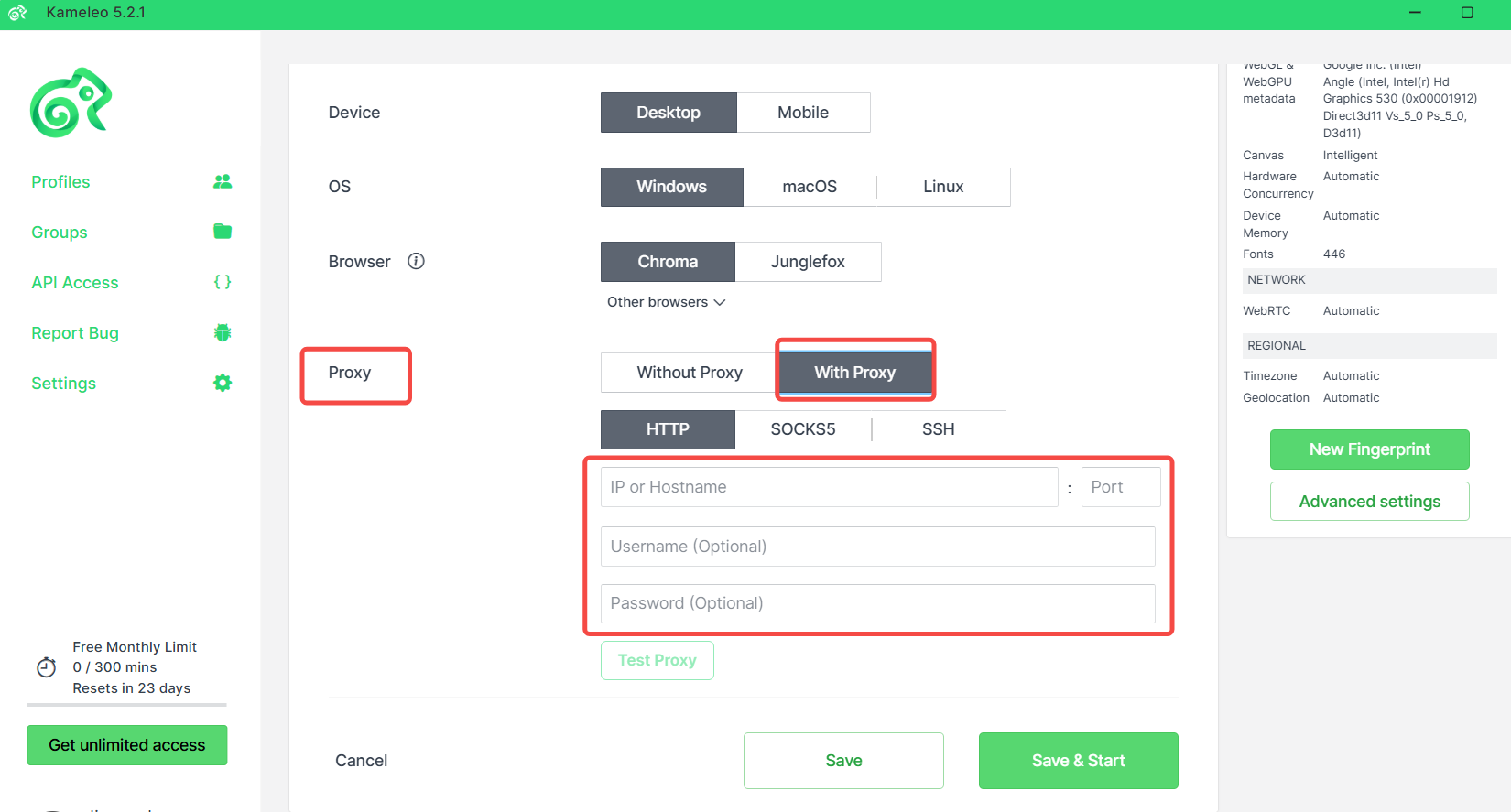
2. Fill in proxy information
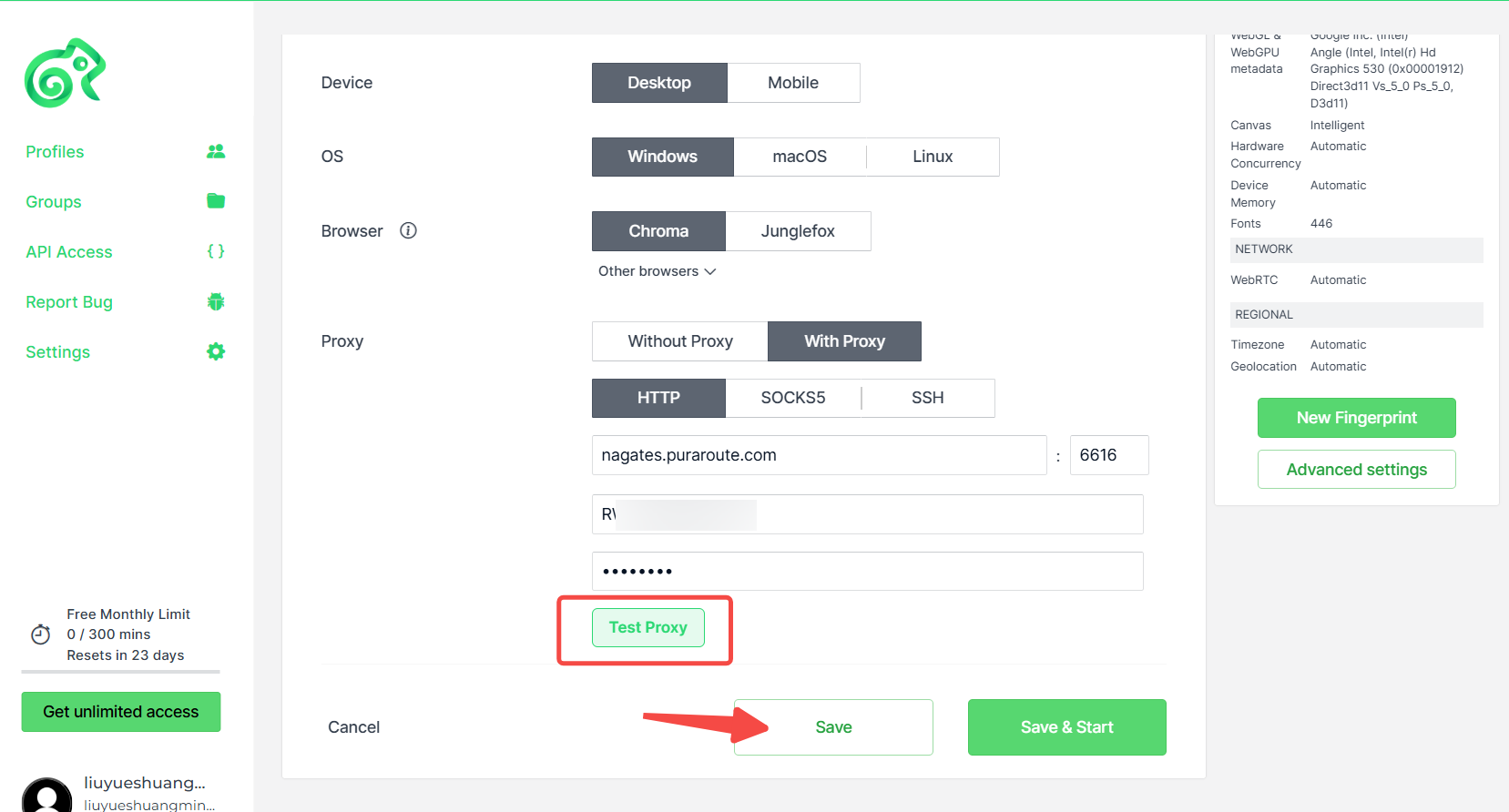
Select proxy type and enter the Proxy host, Port, Account and Password copied from PuraRoute Proxy into the corresponding fields.
After configuring proxy,click [Test Proxy] to verify whether the proxy connects successfully. Upon successful connection, click the [Save] button to finalize proxy configuration.