How to Use PuraRoute with Maskfog
Guide for beginners on how to quickly configure PuraRoute proxies into Maskfog.
After you complete your RuraRoute Proxy purchase, you may directly copy your proxy details and configure them for use within the Maskfog browser.
Operation Guide
I. Configure PuraRoute Proxies into Maskfog
1. Access the Proxies list
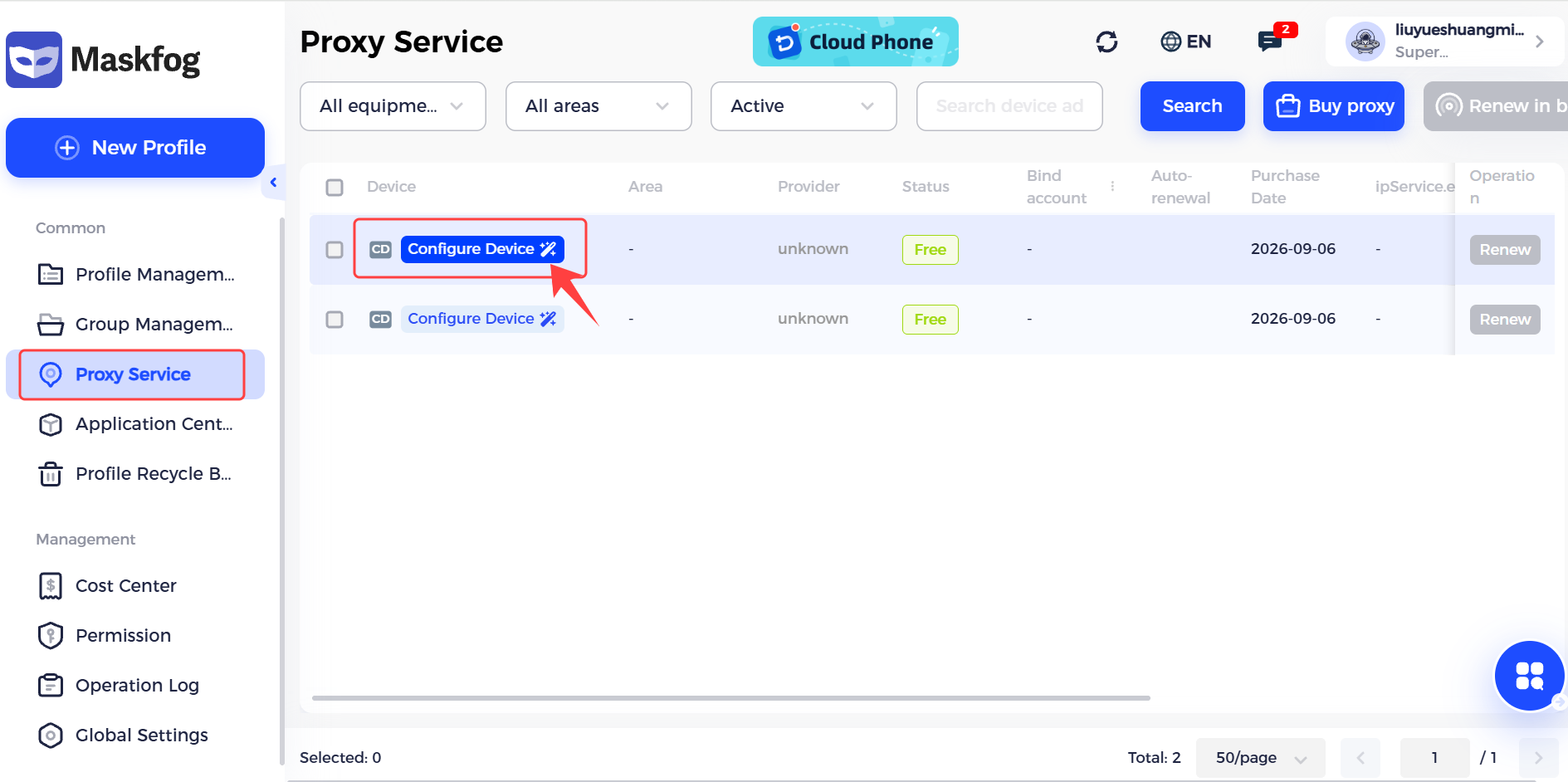
Open and log in to Maskfog, locate [Proxy Service] on the left‑hand dashboard. After you purchase custom proxy configuration quotas in [Buy proxy], locate the proxy you want to edit and go to [Configure Device].
2. Fill in proxy information
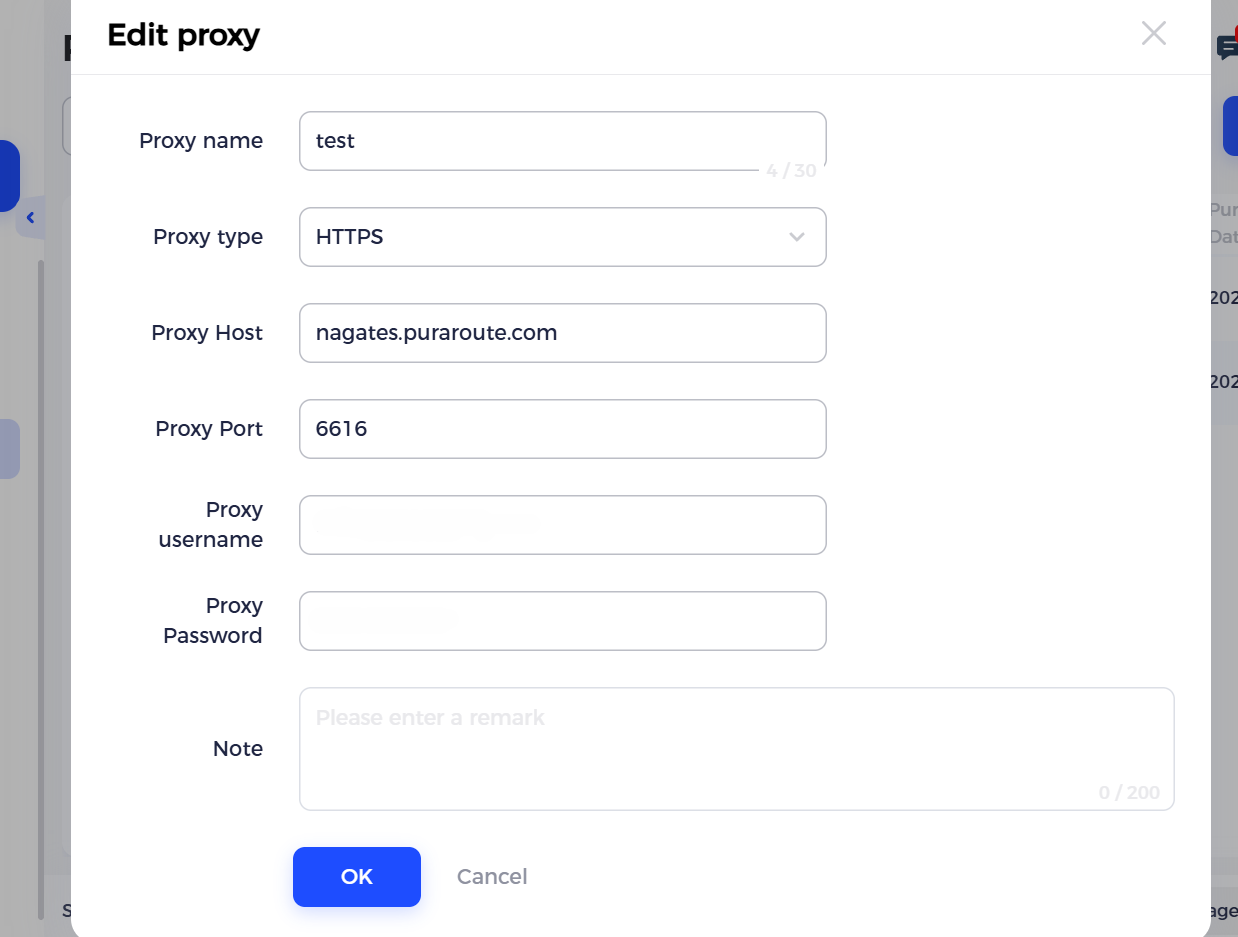
Choose Proxy type,then enter the Proxy host, Port, Account and Password copied from PuraRoute Proxy into the corresponding fields.After completing the form, click [OK] to save.
II. Assign proxy to profile
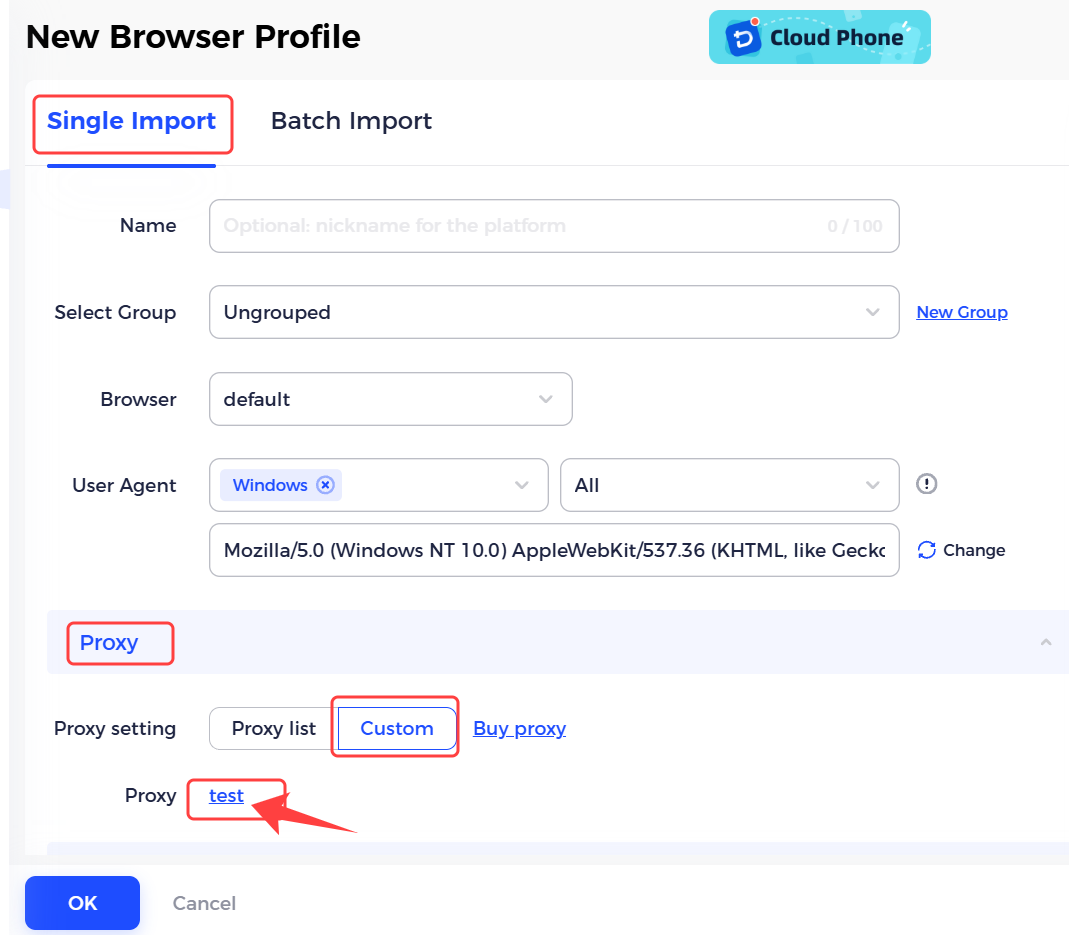
When creating or editing a profile, go to [Single Import] > [Proxy] > [Proxy setting] >[Custom], then select the imported proxy you just added.