Account Managerment
Account Managerment
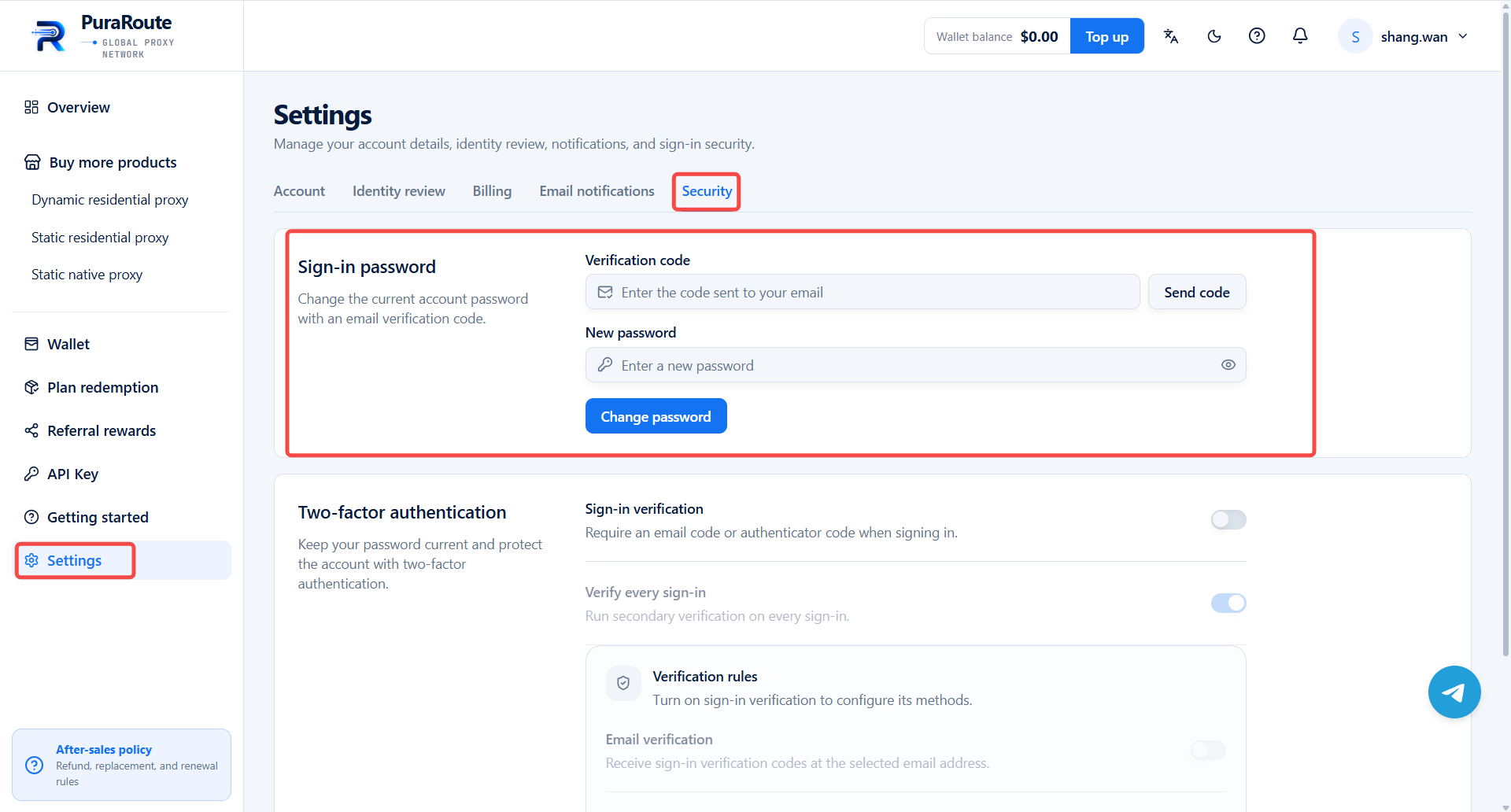
How to Change Account Password
Learn the steps to update your PuraRoute account password.
- Visit and log in to your PuraRoute account.
- Locate Settings in the left sidebar menu.
- Go to Security.
- Under Sign-in password, click Send code, enter the received code, and type your new desired password.
- Click Change password to save.