Subscription and After-sales
Subscription and After-sales
Carrier Native Proxy – Manual Renewal and Auto Renewal Management
Guide users on how to renew subscribed carrier native proxies and configure auto-renewal settings.
I. Carrier Proxy Manual Renewal
- Visit the PuraRoute official website
- Log in to your PuraRoute account.
- Navigate to My Products > Carrier native proxies.
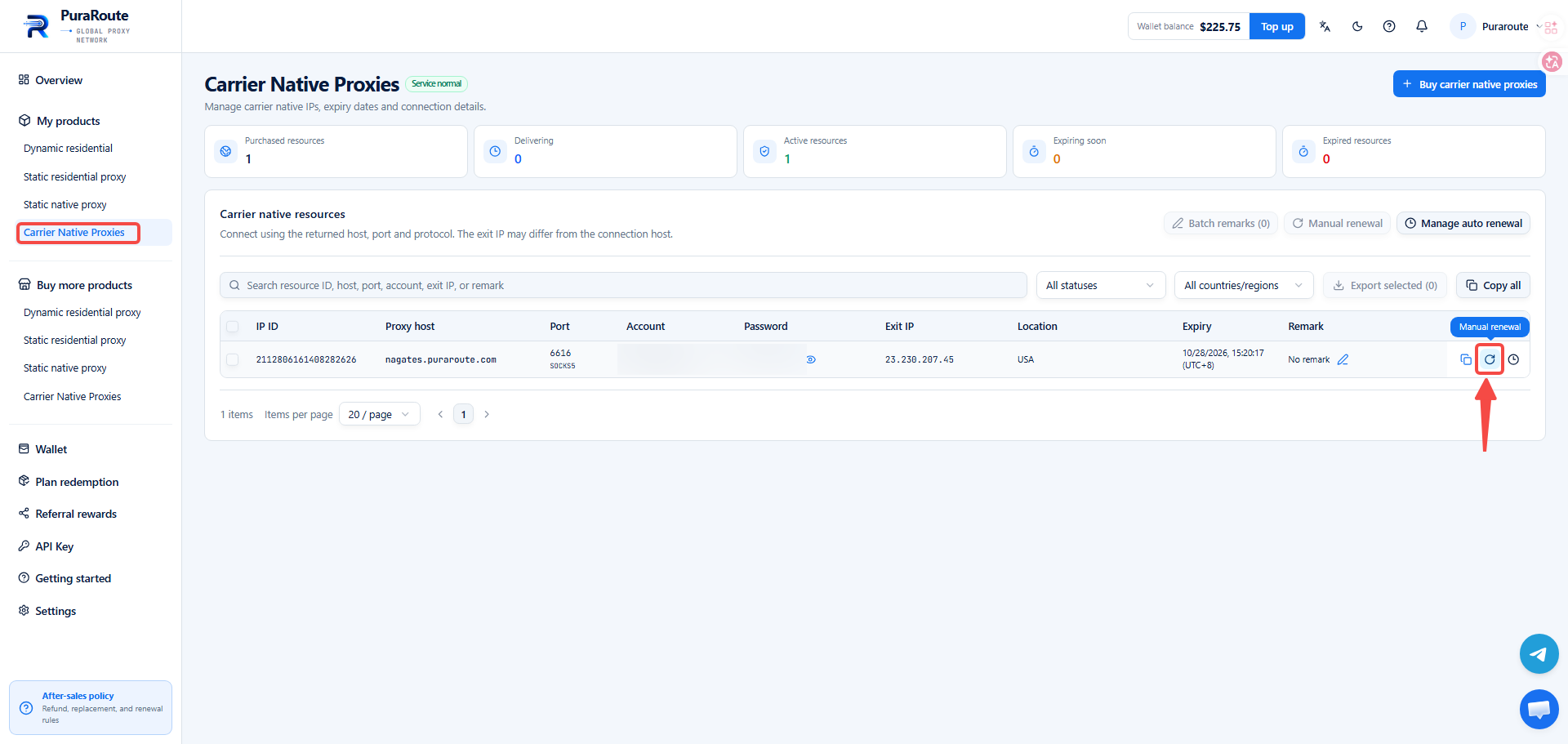
- Locate the target proxy you wish to renew, then click the manual renewal icon in the action column to proceed with renewal.
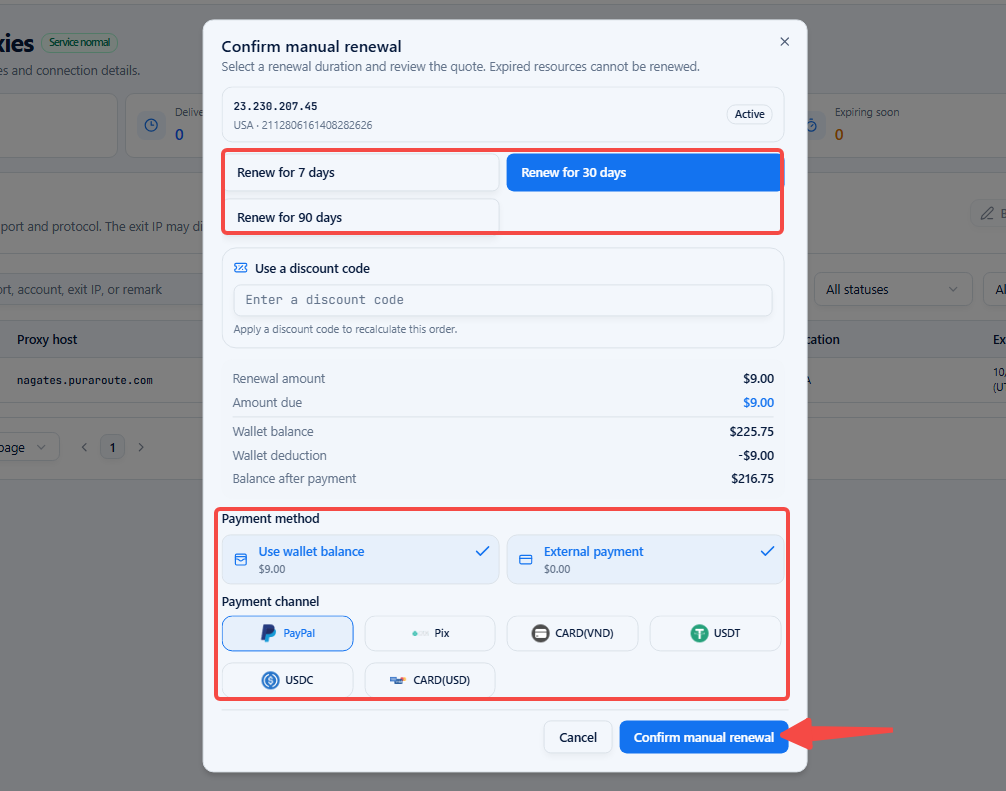
- Select renewal duration: 7-day, 30‑day and 90‑day renewal options are available.
- Choose your payment method: Wallet balance payment or direct payment. Supported payment channels include PayPal, Pix, CARD(VND), CARD(USD), USDT, USDC.
- After completing renewal configurations, click Confirm manual renewal to finish payment.
II. Carrier Native Proxy Auto‑Renewal Management
- Visit the PuraRoute official website
- Log in to your PuraRoute account.
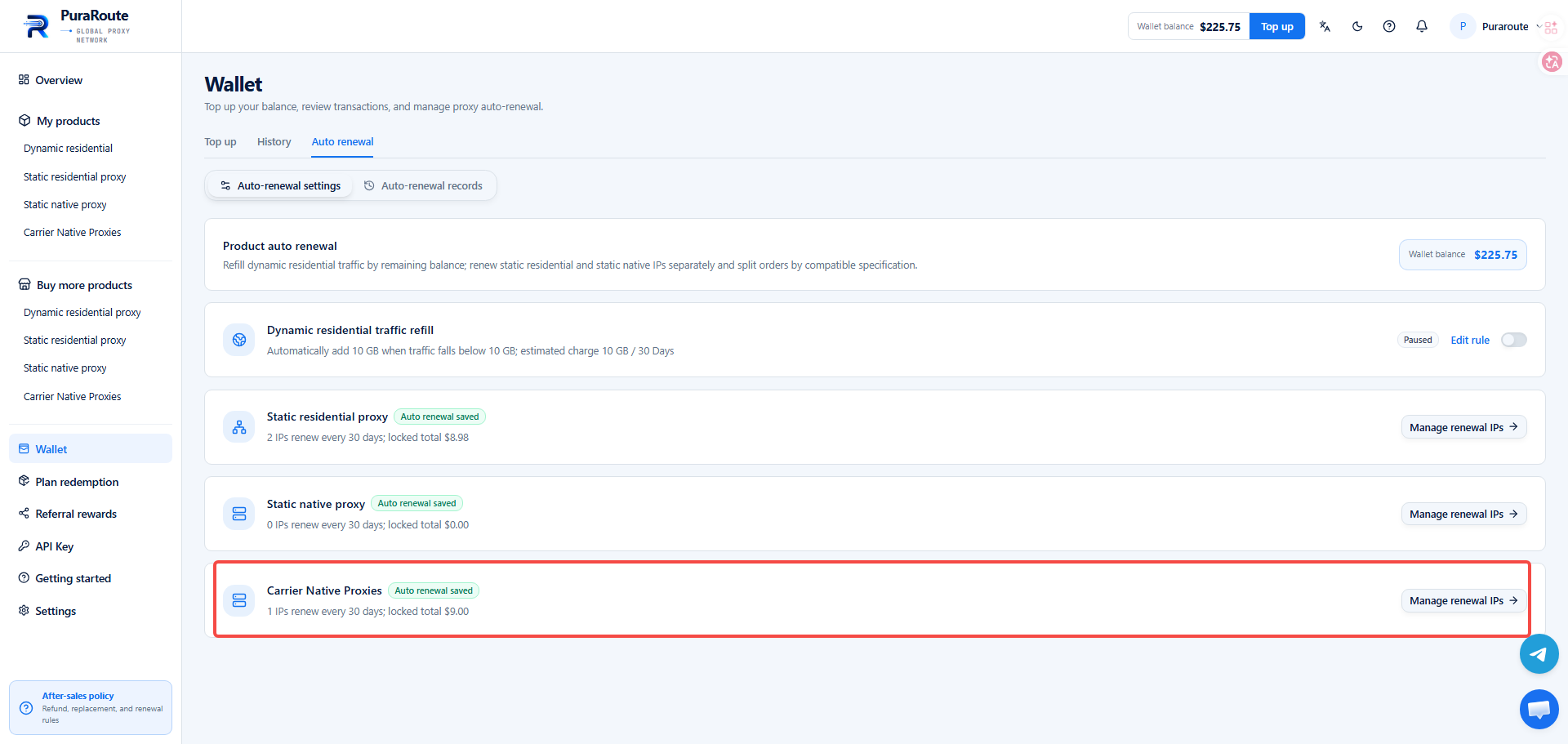
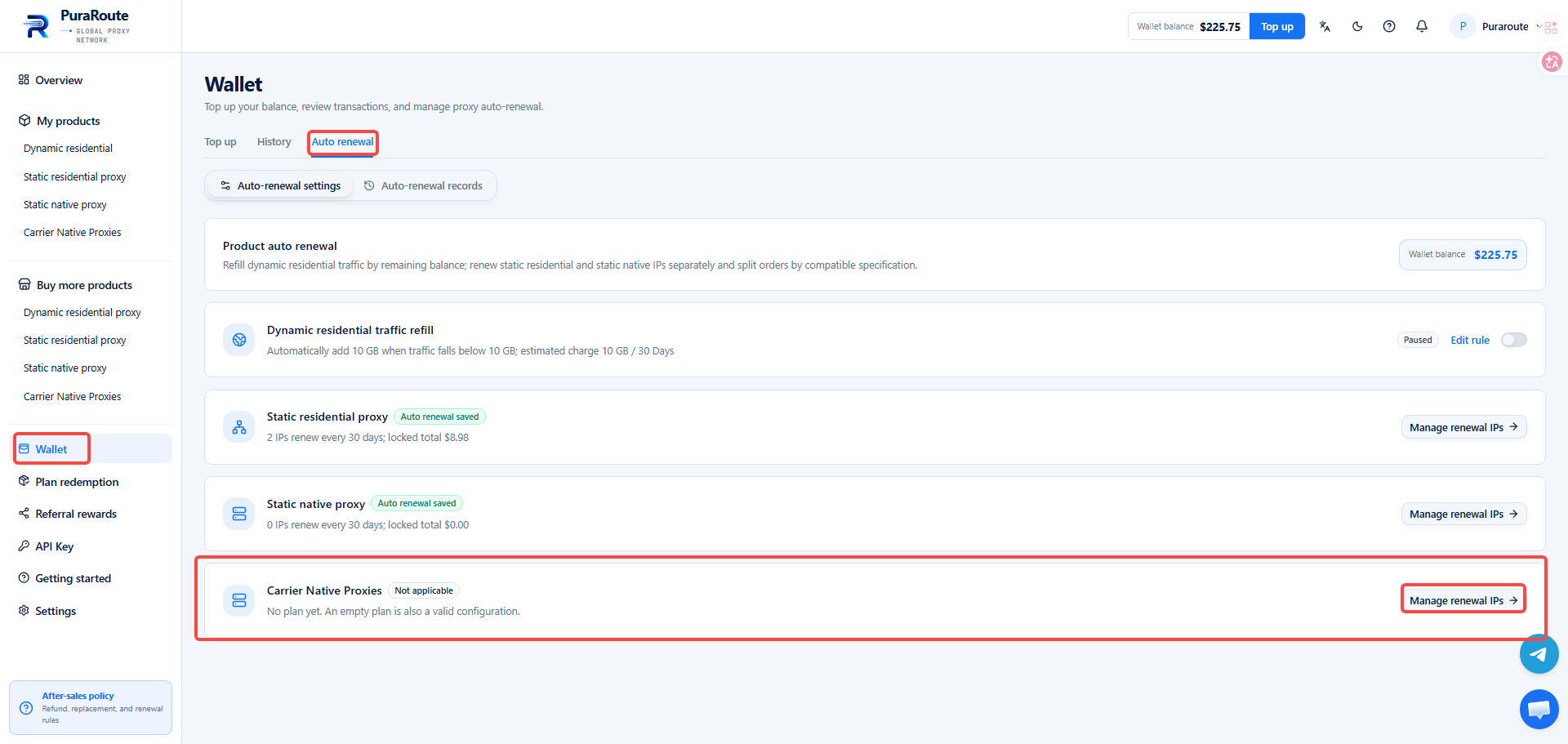
- Navigate to Wallet > Auto renewal > Carrier native proxies, and click Manage renewal IPs.
- Select the proxy for auto‑renewal, then enable the Renewal status toggle.
- Select renewal duration: 30‑day and 90‑day renewal options are available.
- Set the pre‑expiry deduction day: auto‑renewal can be configured to trigger up to 29 days before expiry.
- Click Next: Review n Changes.

- Verify and save your auto‑renewal settings.
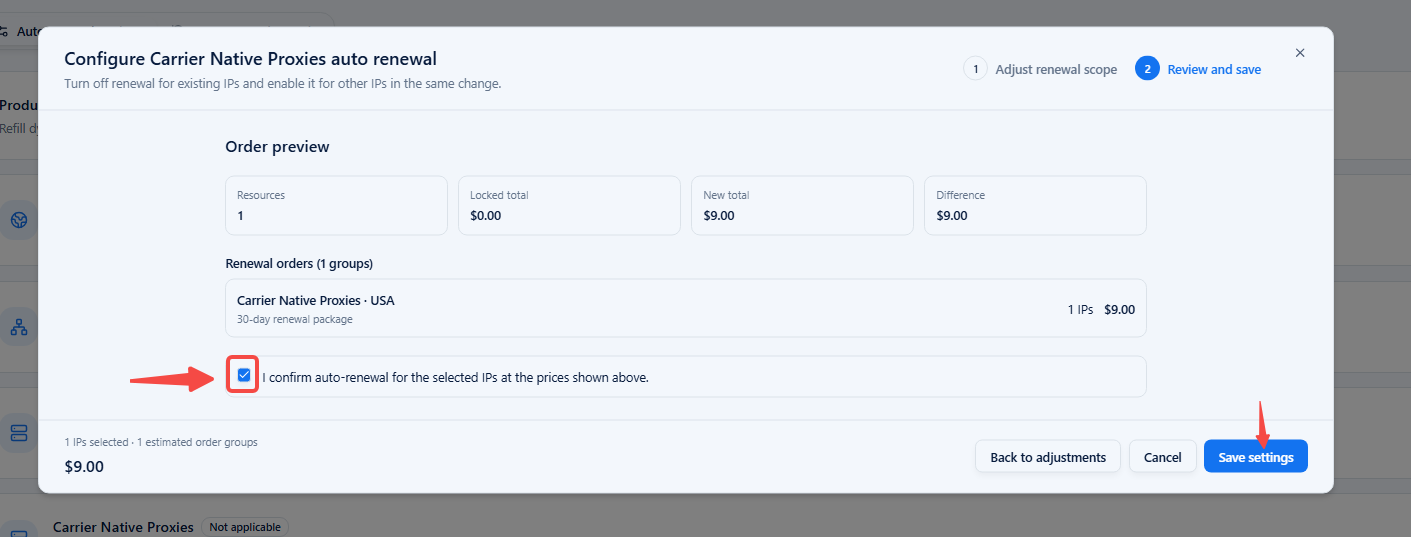
- Once saved, you may view your renewal configurations. Selected proxies will be renewed automatically upon approaching their expiry date.